P-TOOL说明书.pdf - 第221页
4-46 4 F eeder Vie wer 4.3.2 Display n Feeder layout display Partsofmountpoint0areregisteredinplaninformation,andplanlayoutcomestobedisplayed. Plan lay out Display by mount point 0 64469-S0-00 The display…
4-45
4
Feeder Viewer
4.3 For 0 mount point parts
Themountpointdisplayspartsof0bythefeederviewerbythisfunction.Thelayoutisdisplayeddistinguishing
to judge that the mount point from parts of one or more. The mount point is possible and the movement, Move
parts, and Combine parts etc. of set No. are possible as well as parts of one or more.
4.3.1 Setting
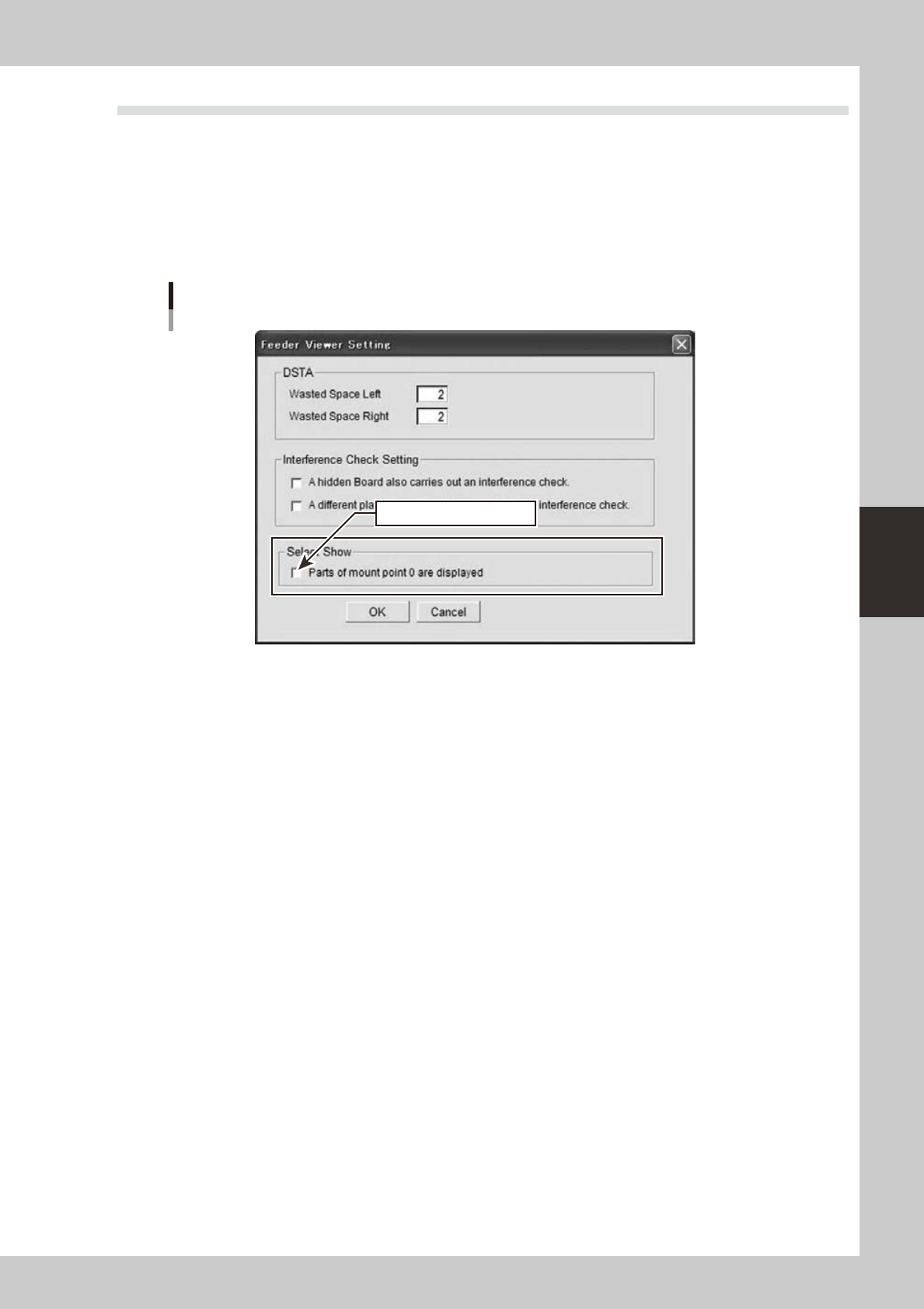
Setting is conducted with the “Feeder viewer setting” dialog box started from the “Feeder viewer setting” in the
“Maintenance” menu of the feeder viewer.
Feeder Viewer Setting dialog
It is effective to put the check.
64468-S0-00
Tickingthe“Showpartwith0mountpoint”enablesthefunctionandshowspartswith0mountpoint.
Untickingthecheckboxdisablesthefunctionandpartswith0mountpointwillnotbeshown.
4-46
4
Feeder Viewer
4.3.2 Display
n
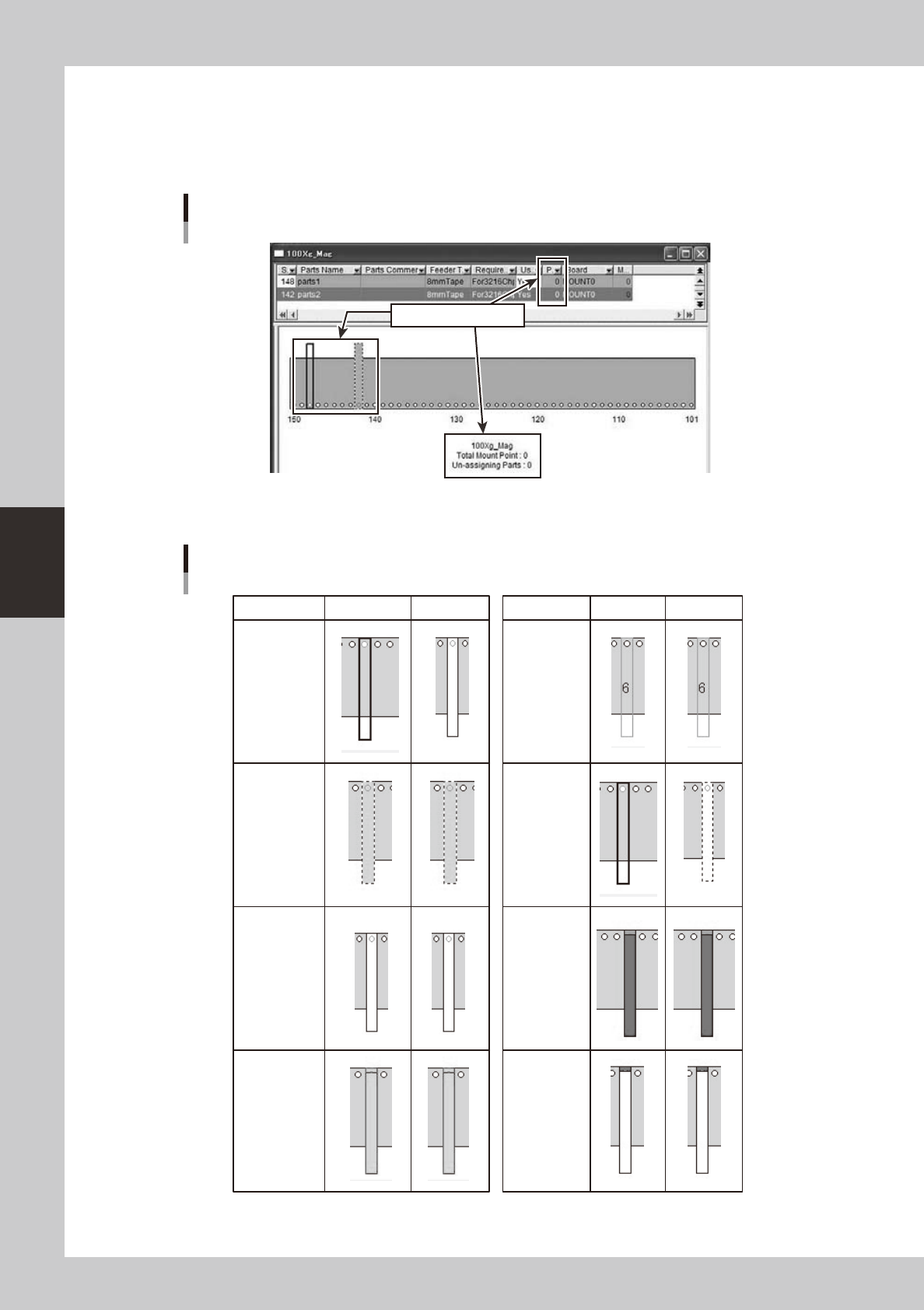
Feeder layout display
Partsofmountpoint0areregisteredinplaninformation,andplanlayoutcomestobedisplayed.
Plan layout
Display by mount point 0
64469-S0-00
The display changes into the plan layout according to the state as follows.
Plan layout
Effective Invalidity Effective Invalidity
Common
parts
including
mount point 0
(no change)
Board
(no change)
At interference
(no change)
Parts
amount
(no change)
Usually
At the drug
(no change)
At selection
(no change)
At
non-active
when
selecting
63400-S0-00
4-47
4
Feeder Viewer
n
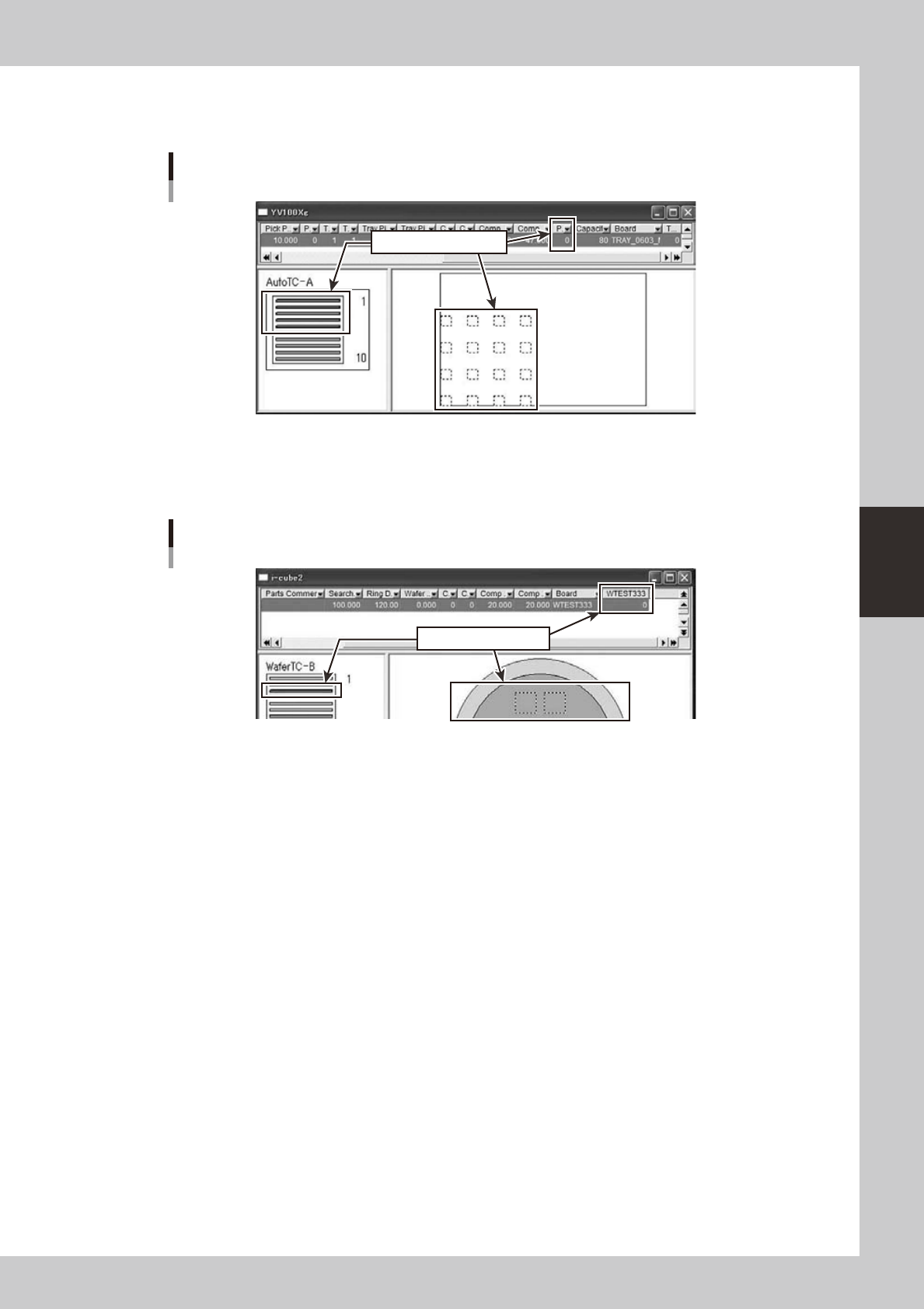
Tray changer layout display
It is displayed in tray changer layout as follows.
Tray changer layout
Display by mount point 0
64471-S0-00
n
Wafer tray changer layout display
It is displayed in wafer tray changer layout as follows.
Wafer tray changer layout
Display by mount point 0
64472-S0-00
4.3.3 Move parts
Itispossibletomovethemountpointaswiththepartsofmountpoint1ormore.