P-TOOL说明书.pdf - 第72页
2-38 2 Board Explorer 7 Double-click an inspector name or click the [Change] button to change an inspector name. Change of inspector name 642C6-S0-10 Up to f ive inspectors can be set. The inspector name set here will be…
2-37
2
Board Explorer
5
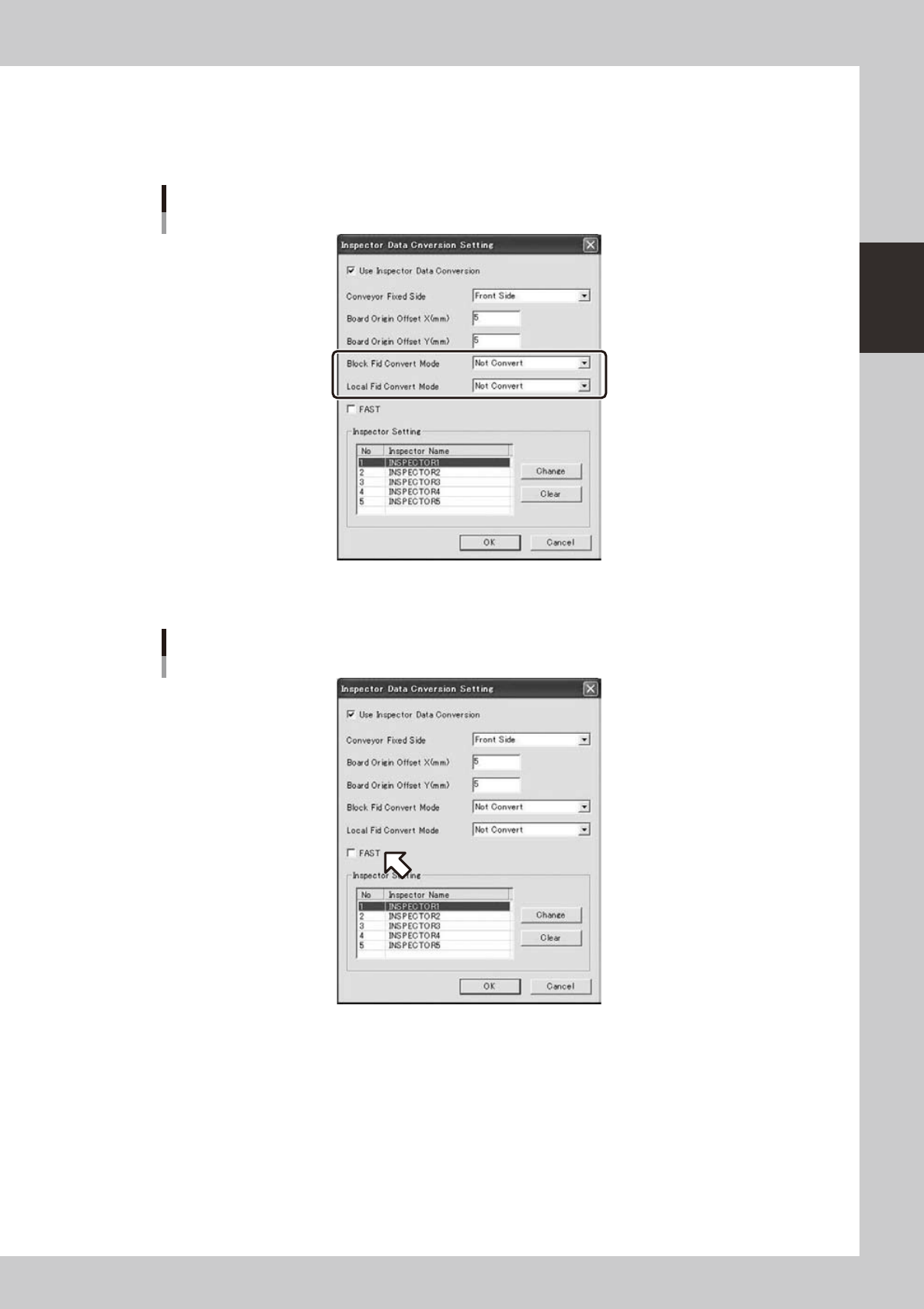
Please set the [Block Fid Convert Mode] and [Local Fid Convert Mode].
• Convert Mode : Description
• Not Convert : It does not Convert.
• Local Fiducial : It convert to Inspector’s STEP that status is “Fiducial”.
[Block Fid Convert Mode] and [Local Fid Convert Mode]
642D6-S0-00
6
If you want to convert to FAST, please check on the “FAST”.
On the “FAST”
642D7-S0-00
2-38
2
Board Explorer
7
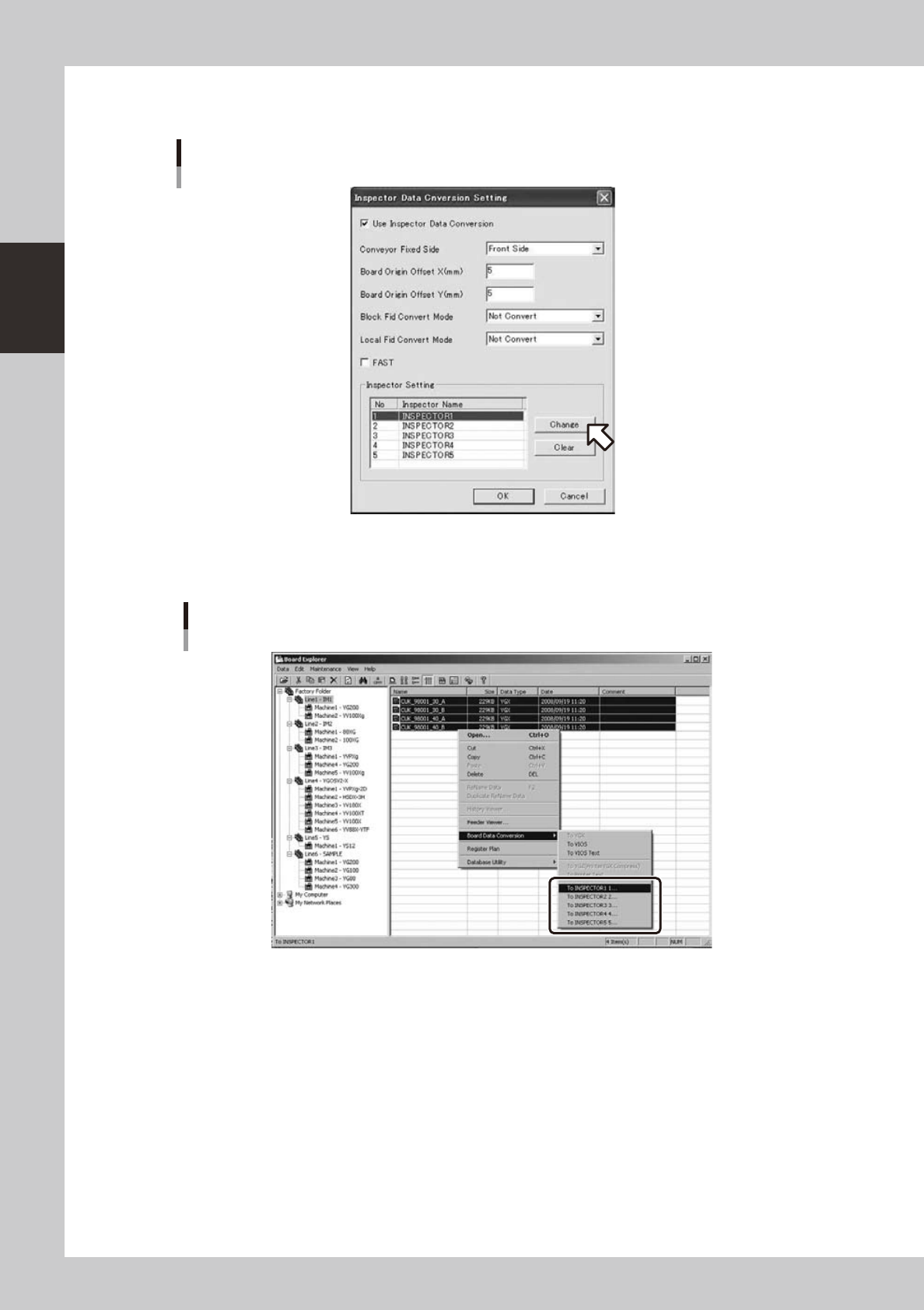
Double-click an inspector name or click the [Change] button to change an
inspector name.
Change of inspector name
642C6-S0-10
Up to five inspectors can be set.
The inspector name set here will be indicated in the "Board data conversion" menu.
“Board data conversion” menu
642C7-S0-00
2-39
2
Board Explorer
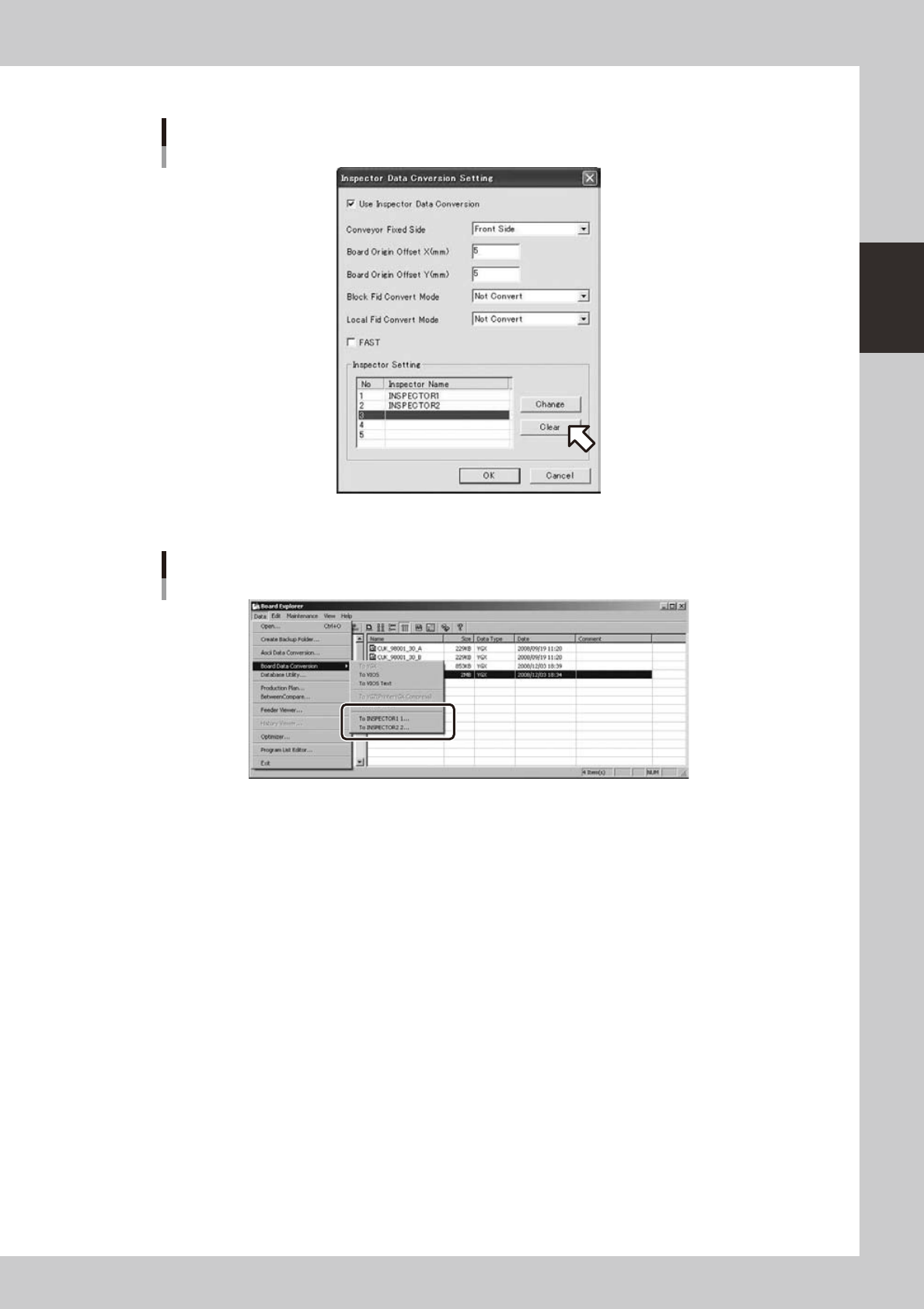
Select an inspector and click the [Clear] button to clear an inspector name.
Clearance of an inspector name
642C8-S0-10
The cleared inspector will not be indicated in the board data conversion menu.
“Board data conversion” menu
642C9-S0-00