P-TOOL说明书.pdf - 第76页
2-42 2 Board Explorer 4.2.5 Restrictions • Datacanbeconvertedonlywhenlinedata,notrespectivemachines,isselected. • Printerdatacannotbeconverted. • Whenusingdispenserdata,somedatasuchaslibraryna…
2-41
2
Board Explorer
n
Setting value sample by model
Model YVi-Mini YVi-X2 YVi-X2H
YVi-DT
(20μm)
YVi-DT
(15μm)
YVi-DTL YVi-LH YVi-MH
Visual field size X (µm) 30400 25800 32000 20400 15300 30400 30400 30400
Visual field size Y (µm) 22800 17200 24000 15400 11500 22800 22800 22800
Camera standby position X (µm)
0 0 0 0 0 0 0 0
Camera standby position Y (µm)
0 0 0 0 0 0 0 0
Camera movement speed X (µm/s)
1000000 1000000 1500000 2500000 2500000 2500000 1500000 1000000
Camera movement speed Y (µm/s)
1000000 1000000 1500000 2500000 2500000 2500000 1500000 1000000
Camera acceleration X (G)
2.000 2.000 2.500 0.670 0.670 1.217 2.200 2.000
Camera acceleration Y (G)
2.000 2.000 2.500 0.670 0.670 1.065 2.200 2.000
The value may differ depending on machine adjustment, camera in operation and optional lenses.
Adjust according to the adjustment value of the inspector unit in use.
7
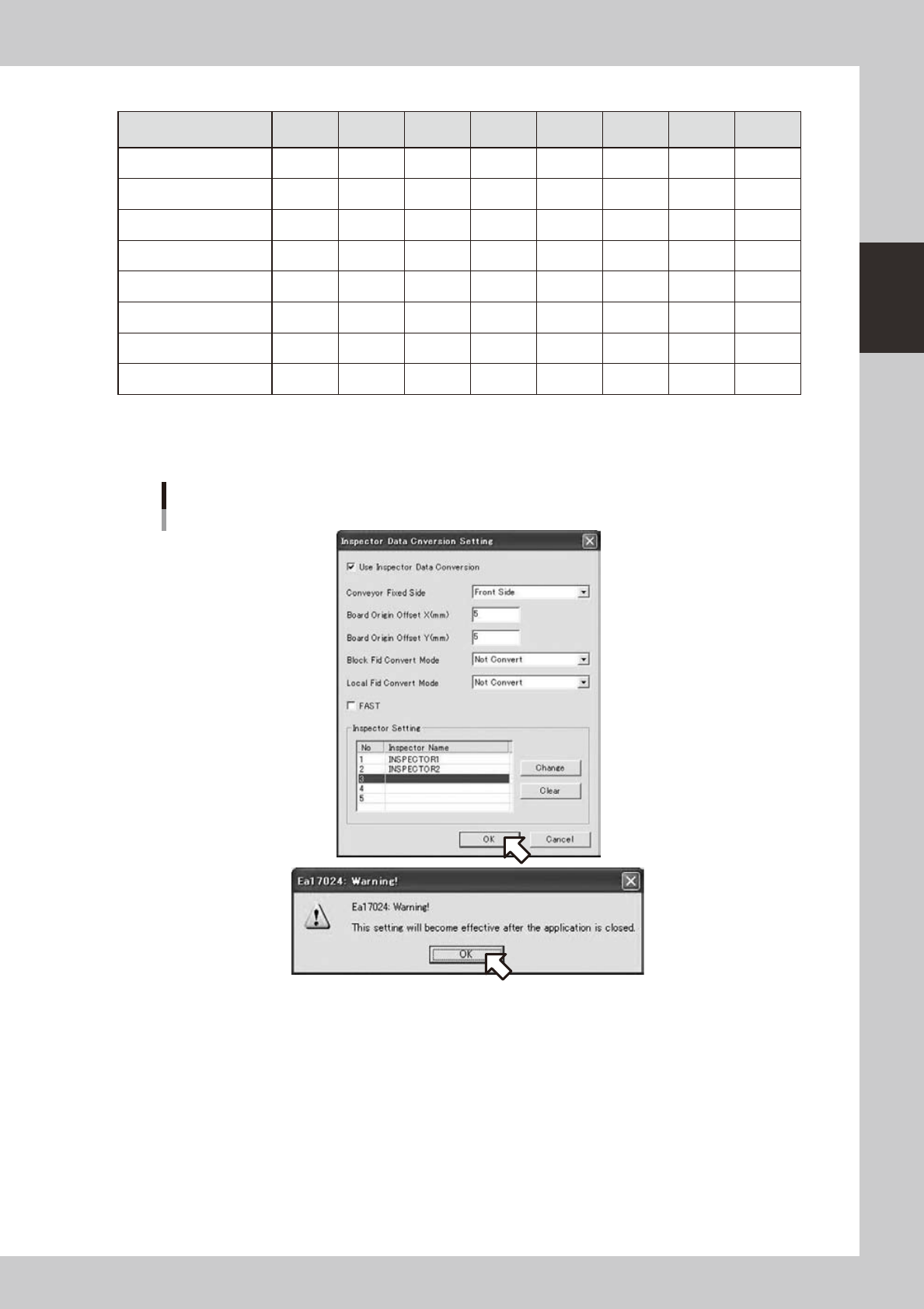
Click the [OK] button and restart the Board Explorer to save the changed setting.
Saving changed setting and restarting Board Explorer
642D2-S0-10
2-42
2
Board Explorer
4.2.5 Restrictions
•Datacanbeconvertedonlywhenlinedata,notrespectivemachines,isselected.
•Printerdatacannotbeconverted.
•Whenusingdispenserdata,somedatasuchaslibrarynameofconversiontypecorrespondencecannotbeused.
•WhenconvertingtoInspectionprogram,skipandreferencedataarenotoutput.
•ConvertstolowerbottomoriginregardlessoforiginspecificationsofYamahamachinesasboardoriginisleftbottom
regardless of flow direction.
•Upto60000mountingpointscanbeconvertedincludingdotdispensedata.Nomoredatacanbeconverted.
•TheBoardNameafterconversioncanincludeupto20characters.
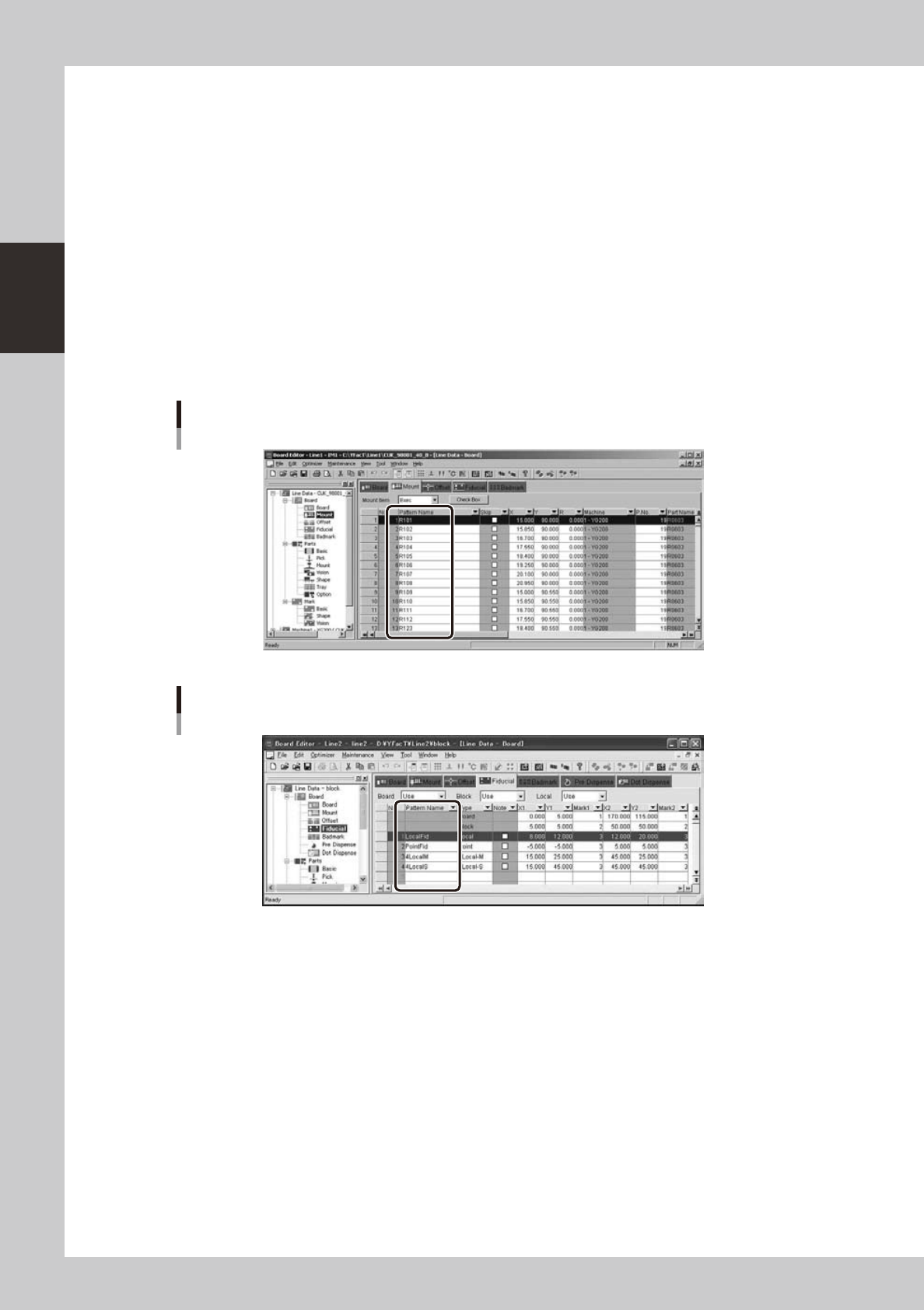
•Thepatternnameofmountinformationcanincludeuptoninecharacters.
•PartsizeisusedforinspectionfieldofInspectionprogram.Dotdispenseinformationcontainsnosizeinformationand
inspectionfieldof5.0mmx5.0mmwillbeoutput.
•Dotdispenseinformationcontainsnopartnameanditisimpossibletouselibraryofinspector.
•YoumustsetthePatternNamesintheFiducialInformationwithin9characters.
Pattern name of mount information
642D4-S0-00
The Pattern Names in the Fiducial Information
642D5-S0-00
2-43
2
Board Explorer
5. Managing the board data
The Board Explorer allows you to manage board data for copying board data stored in the hard disk to a
removable media such as a floppy disk and MO, an external hard disk or a network drive.
With the Board Explorer you can also rename, duplicate and delete board data, and covert the board data
type.
5.1 Editing board data
5.1.1 Copying board data
To copy board data, follow these steps.
1
Select the board data.
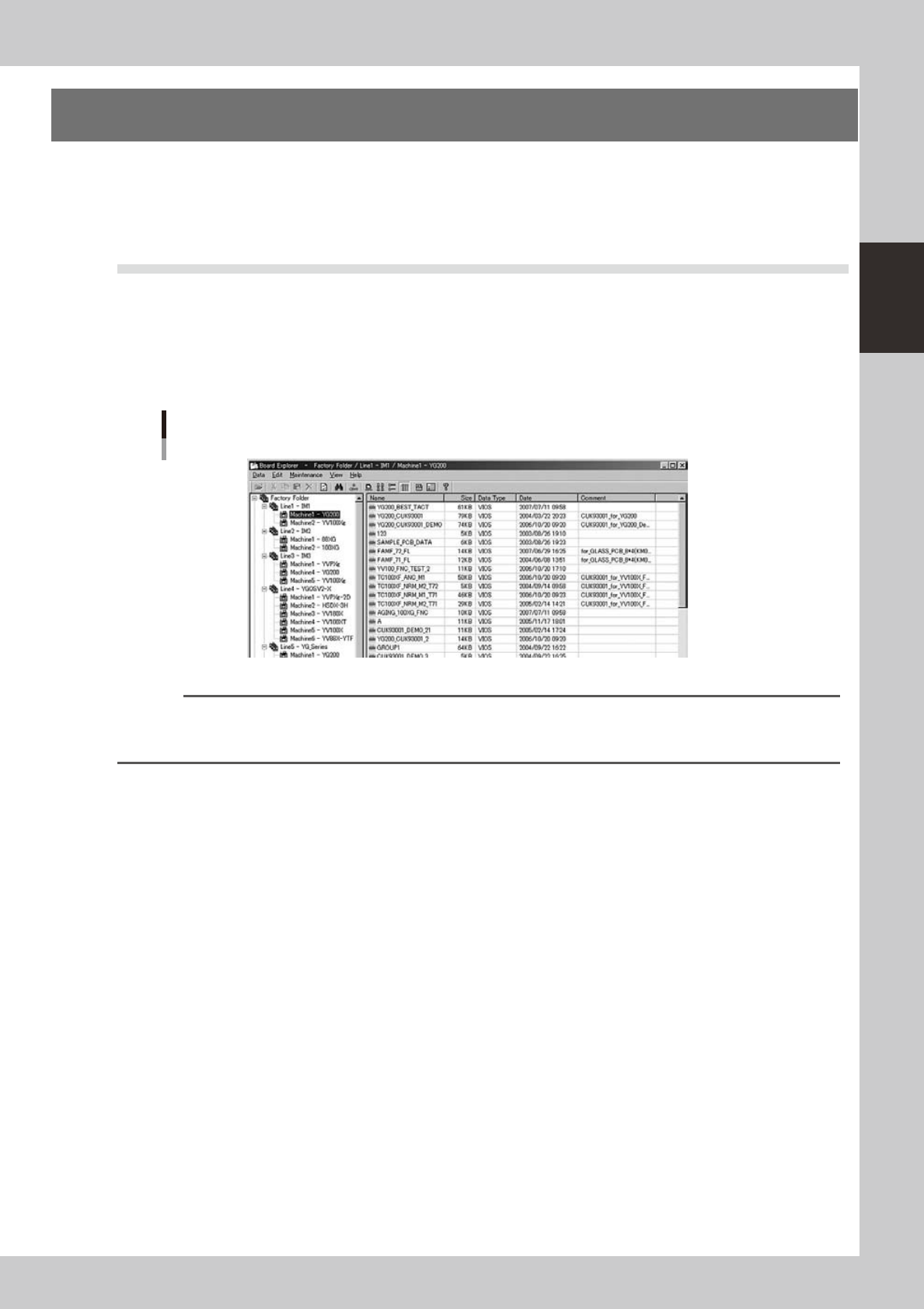
In the tree view, select the machine icon or folder that contains the board data to be copied.
Board data list
64237-S0-00
Reference
When the Factory Folder is selected, all the board data stored in the hard disk is displayed in the main view.
When a line is selected, the board data stored in the selected line is displayed.
When a machine is selected, the board data stored in the selected machine is displayed.