P-TOOL说明书.pdf - 第80页
2-46 2 Board Explorer 5.1.3 Duplicating board data To duplicate board data, follow these steps. 1 Select the board data. Select the line or m achine in the tree view s o that the board data to be duplicated is display ed…
2-45
2
Board Explorer
5.1.2 Renaming board data
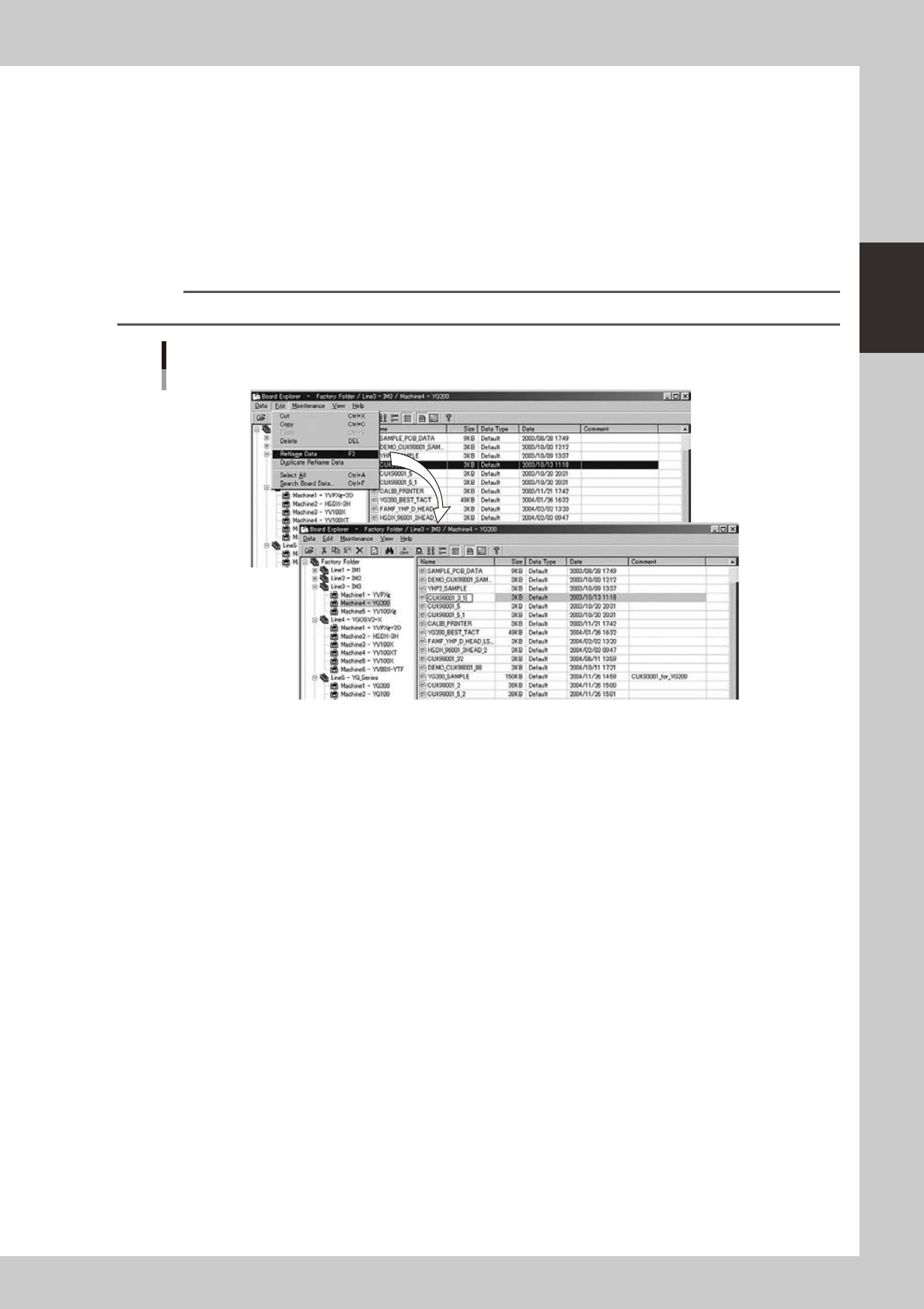
To rename board data, follow these steps.
1
Select the board data.
Select the line or machine in the tree view so that the board data to be renamed is displayed in the
main view. Then select the board data to be renamed.
2
Rename the selected board data.
Select "Rename Data" from the Edit menu.
The board data name is now ready to be changed. Change the name, and press the [Enter] key.
Reference
You can select the "Rename" command from the context menu that appears by clicking the right mouse button.
Edit menu
Selecting "Rename Data"
64240-S0-00
2-46
2
Board Explorer
5.1.3 Duplicating board data
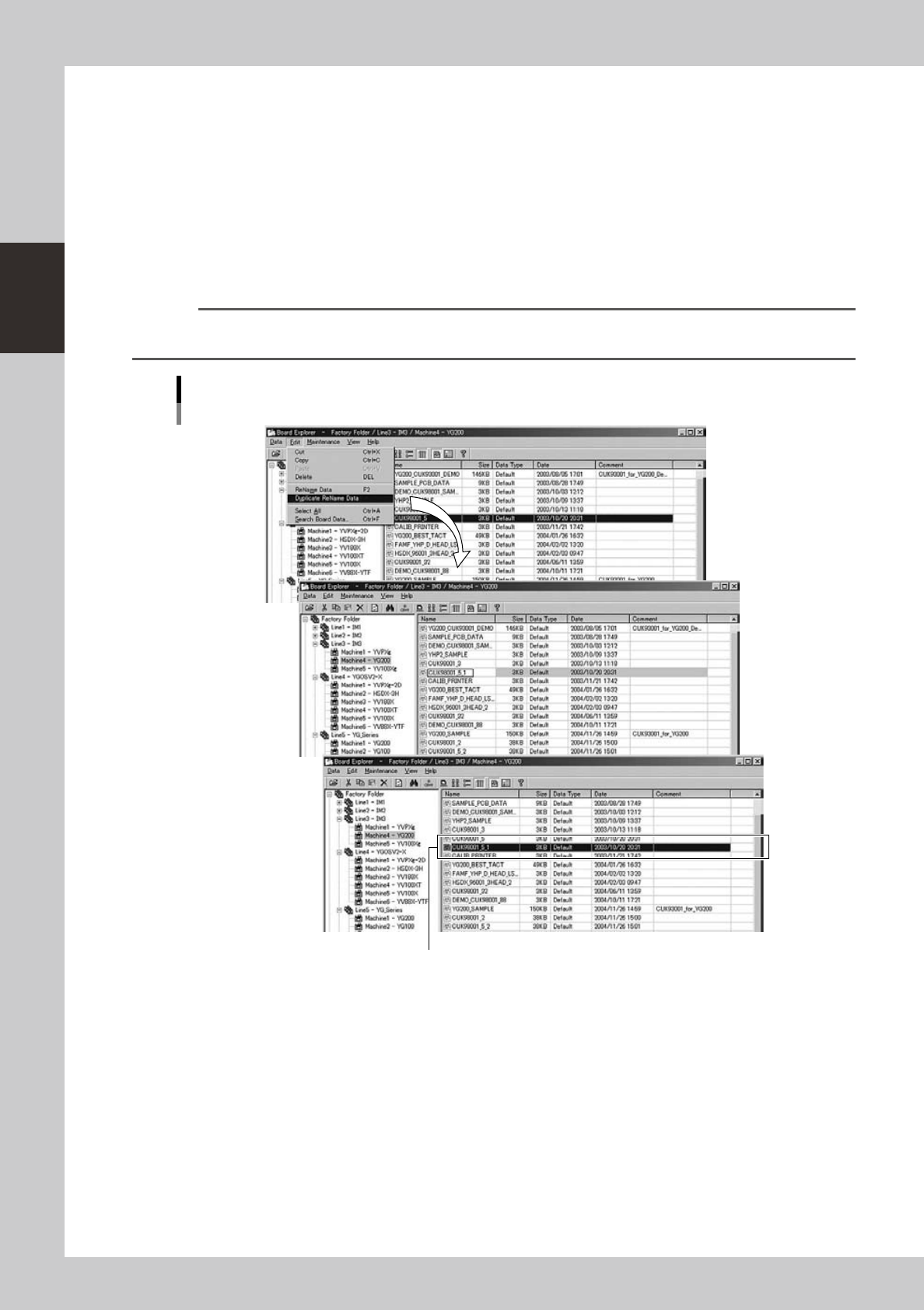
To duplicate board data, follow these steps.
1
Select the board data.
Select the line or machine in the tree view so that the board data to be duplicated is displayed in the
main view. Then select the board data to be duplicated.
2
Duplicate the selected board data.
Select "Duplicate Rename Data" from the Edit menu to make the name of the selected board data
editable. Then type the new name you want to give to the duplicated board data and press the [Enter]
key. The duplicated board data with the new name is registered.
Reference
You can select the "Duplicate Rename Data" command from the context menu that appears by clicking the right
mouse button.
Edit menu
Selecting "Duplicate Rename Data"
The duplicated Board data was registered.
64241-S0-00
2-47
2
Board Explorer
5.1.4 Deleting board data
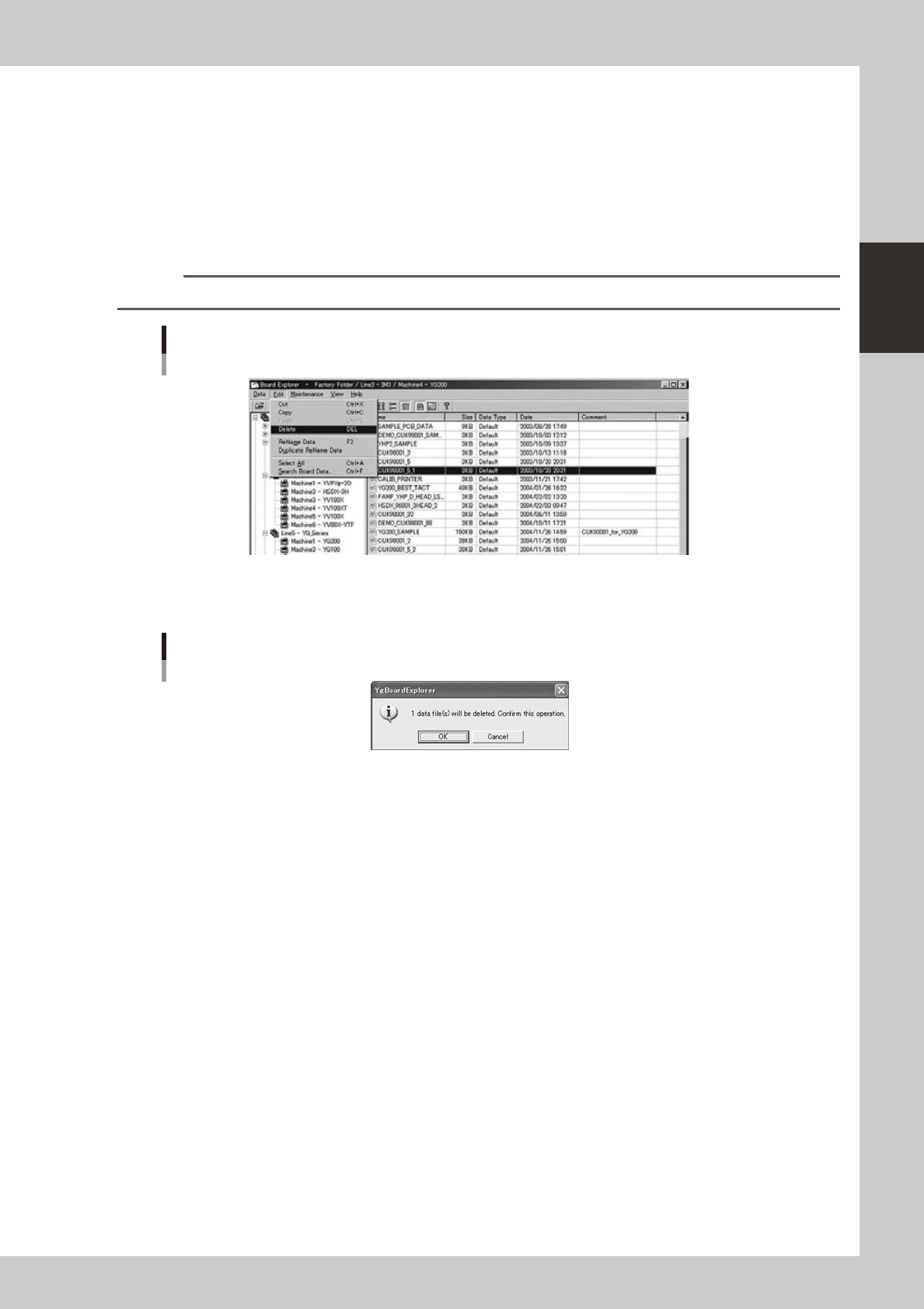
To delete board data, follow these steps.
1
Select the board data.
Select the line or machine in the tree view so that the board data to be deleted is displayed in the main
view. Then select the board data to be deleted.
2
Delete the selected board data.
1. Select "Delete" from the Edit menu.
Reference
You can select the "Delete" command from the context menu that appears by clicking the right mouse button.
Edit menu
Selecting "Delete"
64242-S0-00
2. A confirmation dialog box appears.
Click the [OK] button to delete the selected board data.
Confirmation dialog box
64243-S0-00