P-TOOL说明书.pdf - 第89页
2-55 2 Board Explorer In addition, if ”Shape Database” is set t o “Use” in the Option Setting, the “Database Matching by Shape Name” menu is displayed. Database Matching b y Shape Name menu 64270-S0-00 Items Description …
2-54
2
Board Explorer
●
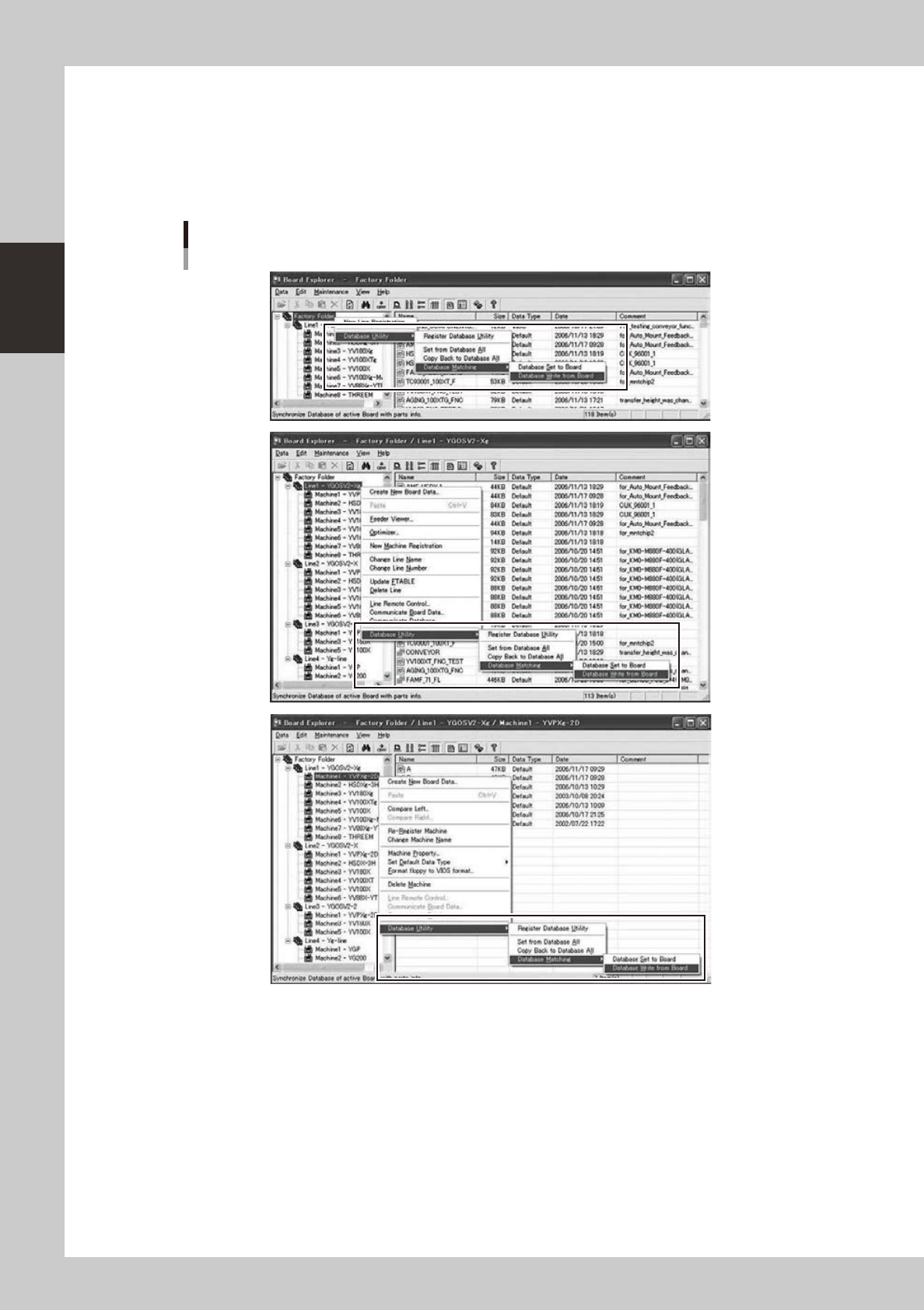
Right-clicking menu of the Tree View
“DatabaseUtility”menuitemsarepresentintheright-clickcontextmenuoftheFactoryFolderandits
subfolders. You can perform database operations to all selected board data by batch.
If “Use Database” in the Option Setting is set to “Not Use”, the menu and buttons are not displayed.
In addition, if ”Shape Database” is set to “Use” in the Option Setting, the “Database Matching by Shape Name”
menu is displayed.
Right-clicking menu of the Tree View
64268-S0-00
2-55
2
Board Explorer
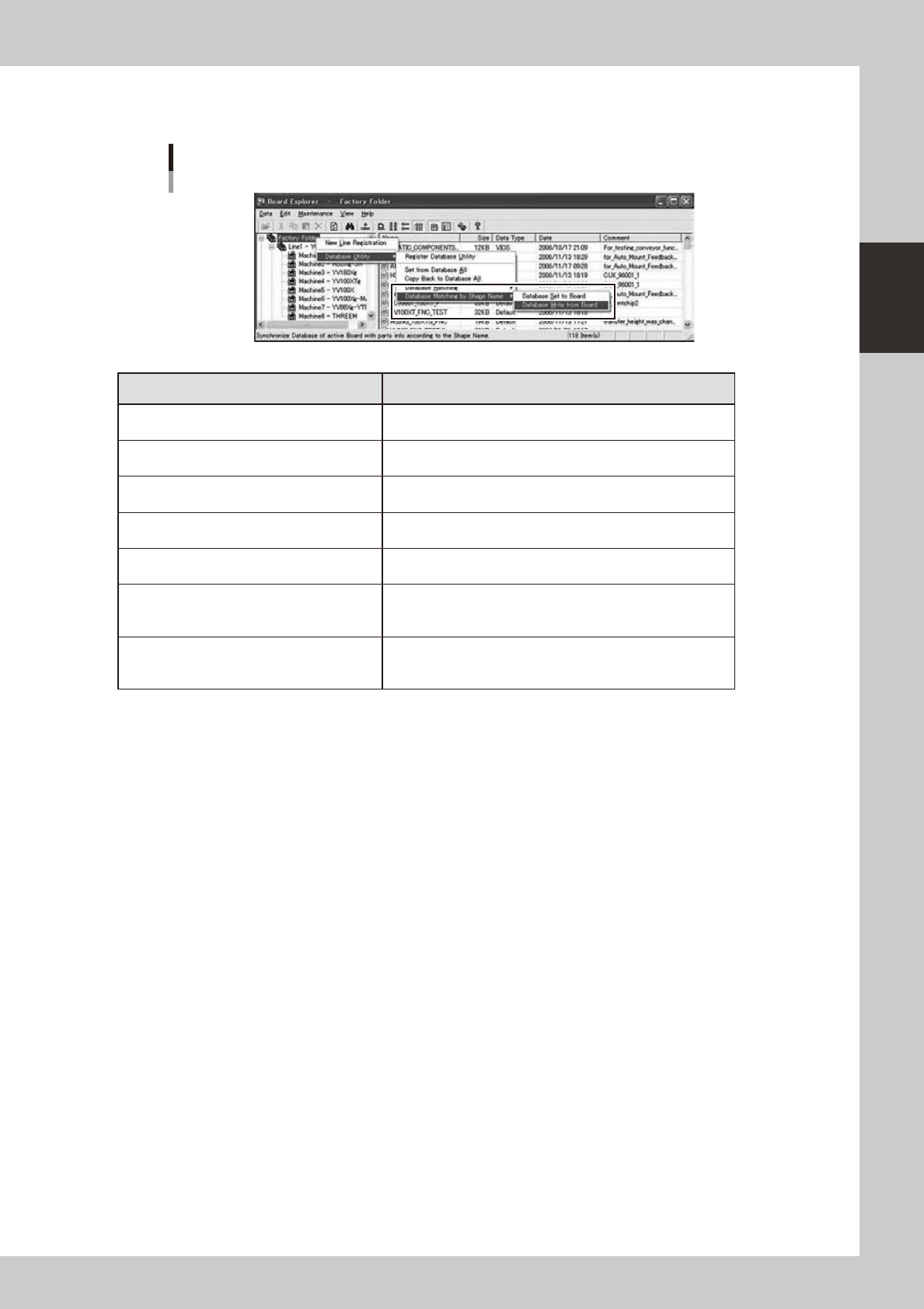
In addition, if ”Shape Database” is set to “Use” in the Option Setting, the “Database Matching by Shape Name”
menu is displayed.
Database Matching by Shape Name menu
64270-S0-00
Items Description
Register Database Utility
Register all board data under the selected folder to Database
Utility window. (Refer to “
n
Database Utility Window”)
Set from Database All
Set from Database All to all board data under the selected
folder. (Refer to “
n
Set from Database All”)
Copy Back to Database All
Copy Back to Database All from all board data under the
selected folder. (Refer to “
n
Copy Back to Database All”)
Database Matching
Database Set to Board
Database Matching to all board data under the selected folder.
(Refer to “
n
Database Matching”)
Database Matching
Database Write from Board
Database Matching from all board data under the selected
folder. (Refer to “
n
Database Matching from board”)
Database Matching by Shape Name
Database Set from Board
Database Matching by Shape Name to all board data under
the selected folder. (Refer to “
n
Database Matching by Shape
Name”)
Database Matching by Shape Name
Database Write from Board
Database Matching by Shape Name from all board data under
the selected folder. (Refer to “
n
Database Matching from board
by Shape Name”)
* By View Setting, the board data not displayed in the List View is excluded.
2-56
2
Board Explorer
●
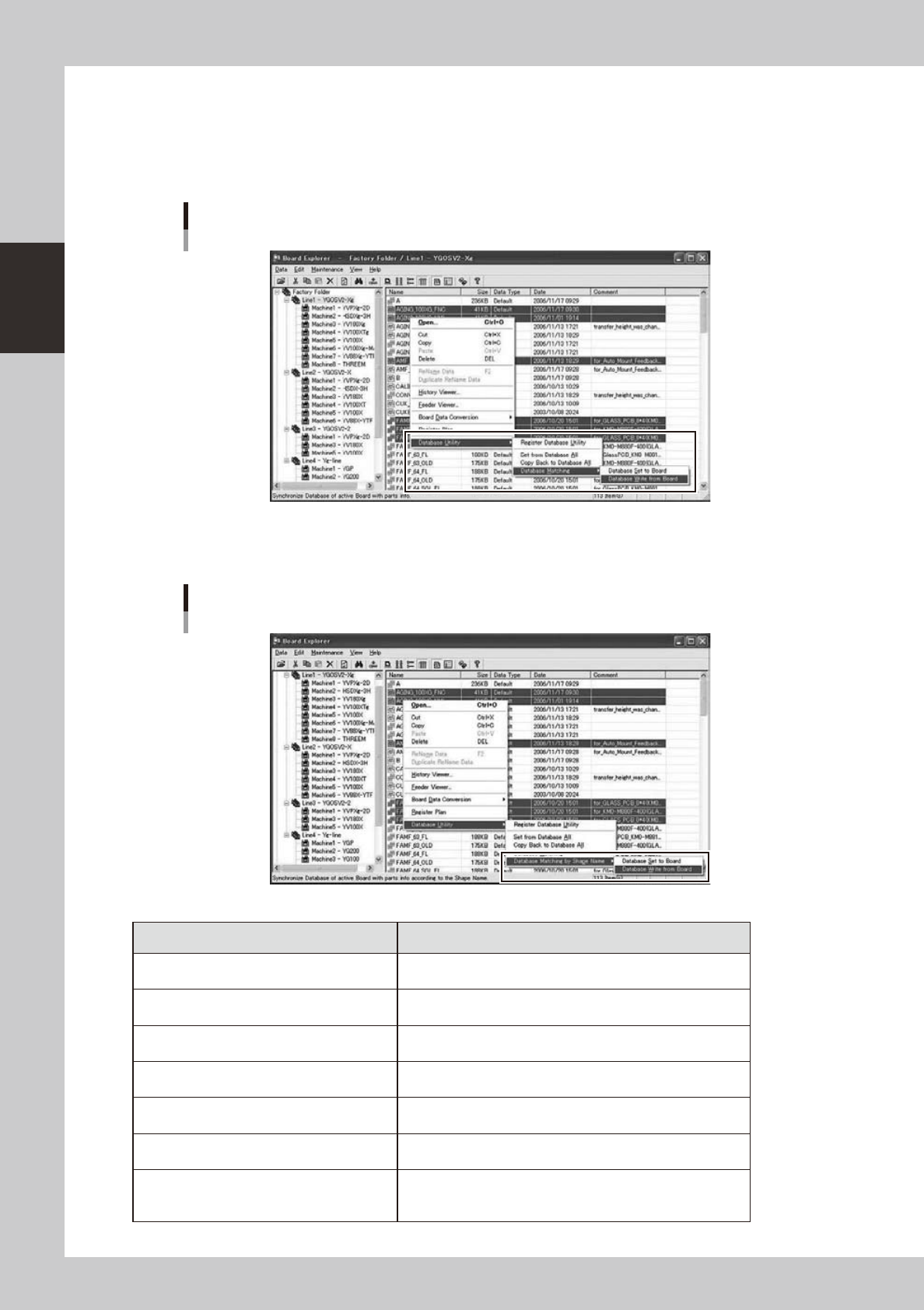
Right-clicking menu of the List View
“DatabaseUtility”menuitemsarepresentintheright-clickcontextmenuoftheListView.Youcanperform
database operations to all selected board data by batch.
If “Use Database” in the Option Setting is set to “Not Use”, the menu is not displayed.
Database operations are possible only for board data present in the Factory Folder and its subfolders.
Right-clicking menu of the List View
64272-S0-00
In addition, if ”Shape Database” is set to “Use” in the Option Setting, the “Database Matching by Shape Name”
menu is displayed.
Database Matching by Shape Name menu
64273-S0-00
Items Description
Register Database Utility
Register all selected board data to Database Utility window.
(Refer to “
n
Database Utility Window”)
Set from Database All
Set from Database All to all selected board data.
(Refer to “
n
Set from Database All”)
Copy Back to Database All
Copy Back to Database All from all selected board data.
(Refer to “
n
Copy Back to Database All”)
Database Matching
Database Set to Board
Database Matching to all selected board data.
(Refer to “
n
Database Matching”)
Database Matching
Database Write from Board
Database Matching from all selected board data.
(Refer to “
n
Database Matching from board”)
Database Matching by Shape Name
Database Set to Board
Database Matching by Shape Name to all selected board data.
(Refer to “
n
Database Matching by Shape Name”)
Database Matching by Shape Name
Database Write from Board
Database Matching by Shape Name from all selected board
data. (Refer to “
n
Database Matching from board by Shape
Name”)