P-TOOL说明书.pdf - 第92页
2-58 2 Board Explorer You can sort by Line Name, Board Name, and Data Type. Y ou can sor t by Line Name, Board Name, and Data T ype 64275-S0-00 You can filter by Line Name, Board Name, and Data Type. Y ou can filter by L…
2-57
2
Board Explorer
n
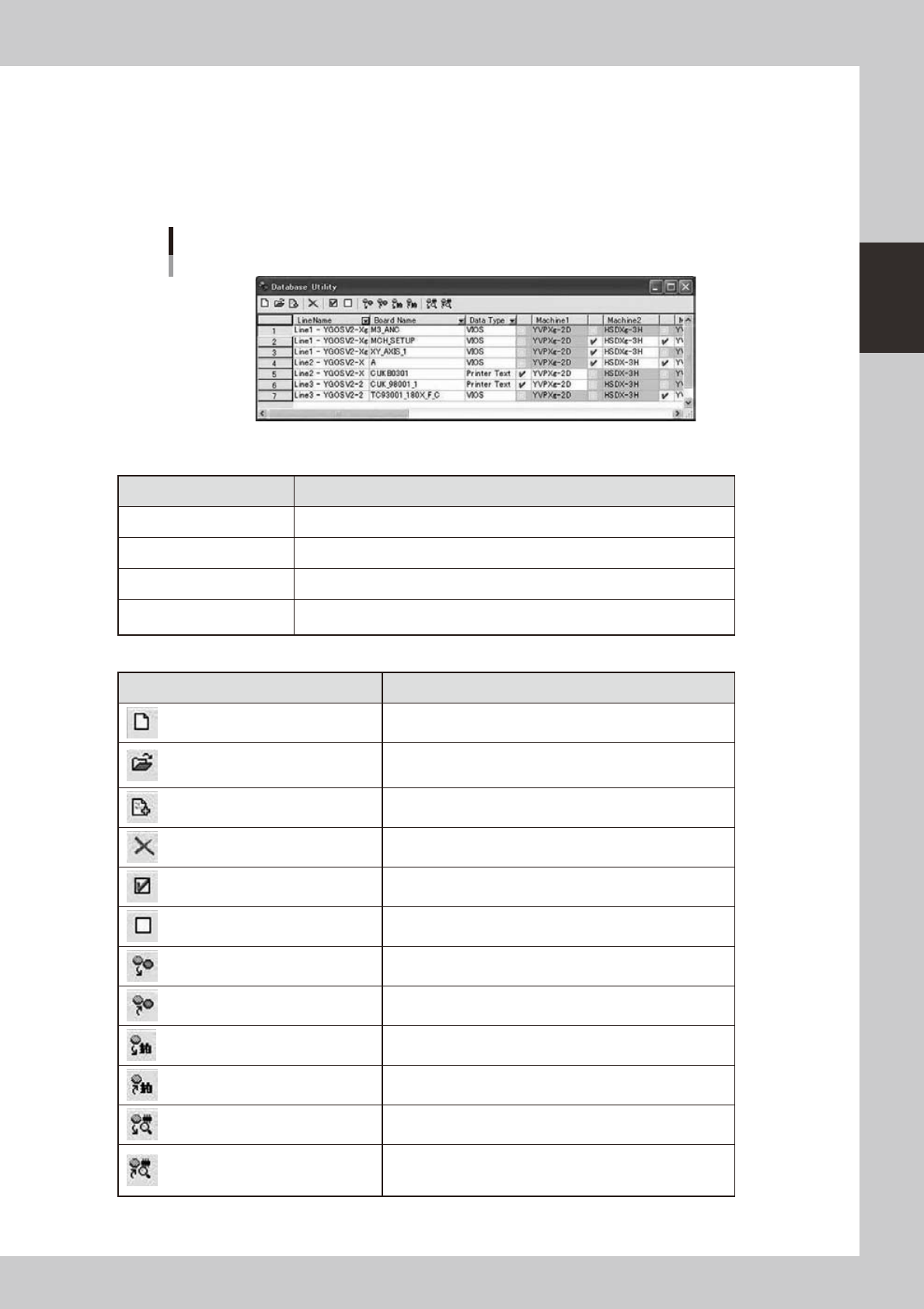
Database Utility Window
Ifyouselectthe“RegisterDatabaseUtility”menuitemonright-clickingmenuintheBoardExplorer,the
Database Utility window is displayed and the selected board data are added. If the Database Utility window is
already open, the selected board data are added in this list.
You can operate Database to any board data by batch.
You can select each board data by the check box.
Database Utility Window
64274-S0-00
Description of list items
Items Description
Line Name Displays registered Line Number and Line Name.
Board Name Displays registered board name.
Data Type Displays registered board data type.
Machine1 ... 10
Displays machine name of registered board data. The board with this checkbox
is the operation object of the database.
Description of Toolbar items
Buttons Description
New Makes a new list.
Open plan file
Reads registered data from a plan file. The data is read as line
data.
Add plan file
Reads a plan file additionally while leaving the registered board
as is. The data is read as line data as well.
Remove Removes selected board data in the list.
Select The check box in the range that has been selected is turned on.
Deselect The check box in the range that has been selected is turned off.
Set from Database All
Conducts Set from Database All to all board data checked in
the list. (Refer to “
n
Set from Database All”) *2
Copy Back to Database All
Conducts Copy Back to Database All from all board data
checked in the list. (Refer to “
n
Copy Back to Database All”) *2
Database Matching
Conducts Database Matching to all board data checked in the
list. (Refer to “
n
Database Matching”) *2
Database Matching from board
Conducts Database Matching from Board from all board data
checked in the list. (Refer to “
n
Database Matching from board”) *2
Database Matching by Shape Name *1
Conducts Database Matching by Shape Name to all board data checked
in the list. (Refer to “
n
Database Matching by Shape Name”) *2
Database Matching from board by
Shape Name *1
Conducts Database Matching from Board by Shape Name
from all board data checked in the list. (Refer to “
n
Database
Matching from board by Shape Name”) *2
*1 If “Shape Database” is “Not Use” in the Option Setting, these buttons are not displayed.
2-58
2
Board Explorer
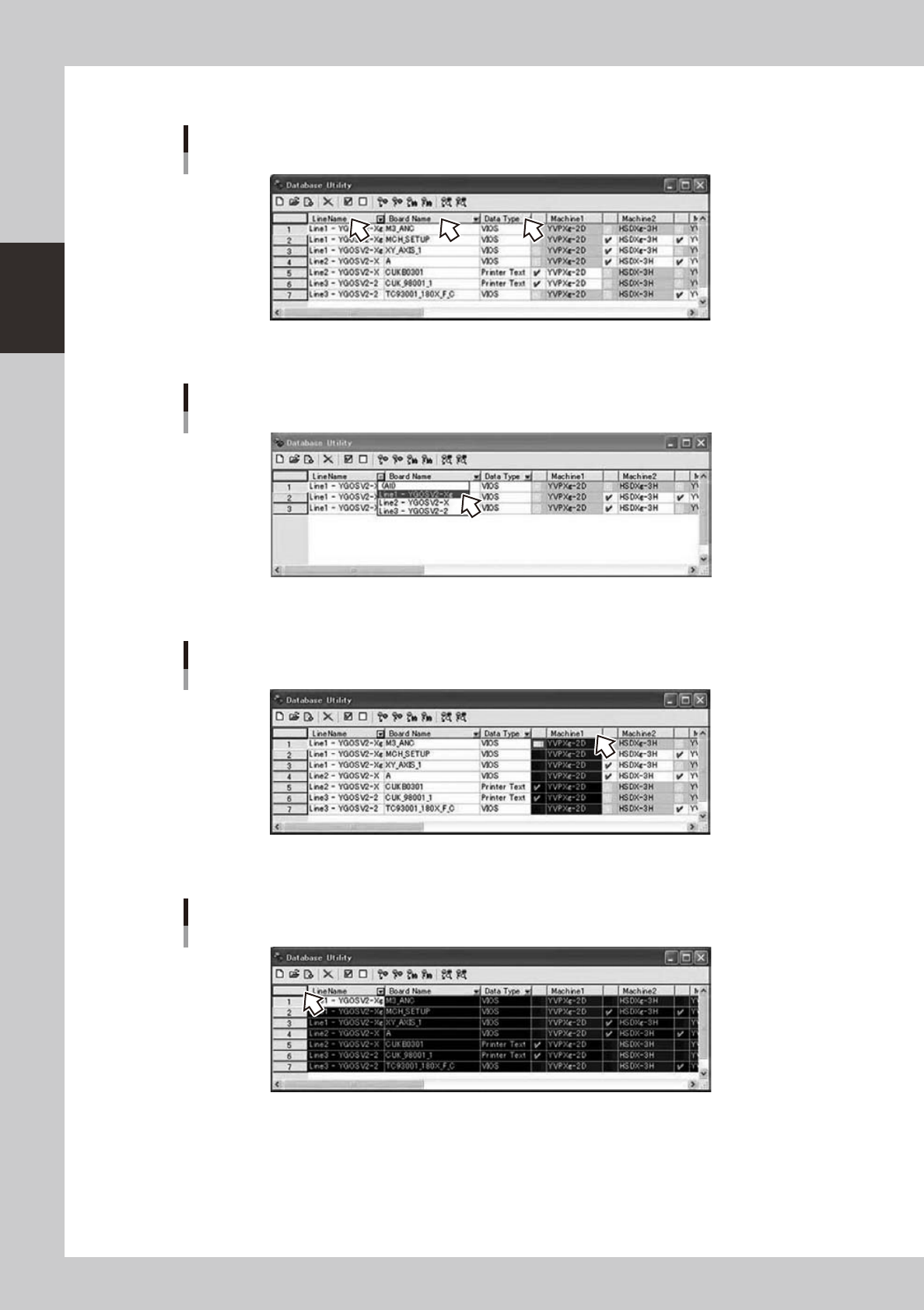
You can sort by Line Name, Board Name, and Data Type.
You can sort by Line Name, Board Name, and Data Type
64275-S0-00
You can filter by Line Name, Board Name, and Data Type.
You can filter by Line Name, Board Name, and Data Type
64276-S0-00
IfyouclickMachine1...10,acolumnisselected.
Select column
64277-S0-00
Ifyouclick[corner]buttonorCtrl+Akey,theentirelistisselected.
Select all
64278-S0-00
2-59
2
Board Explorer
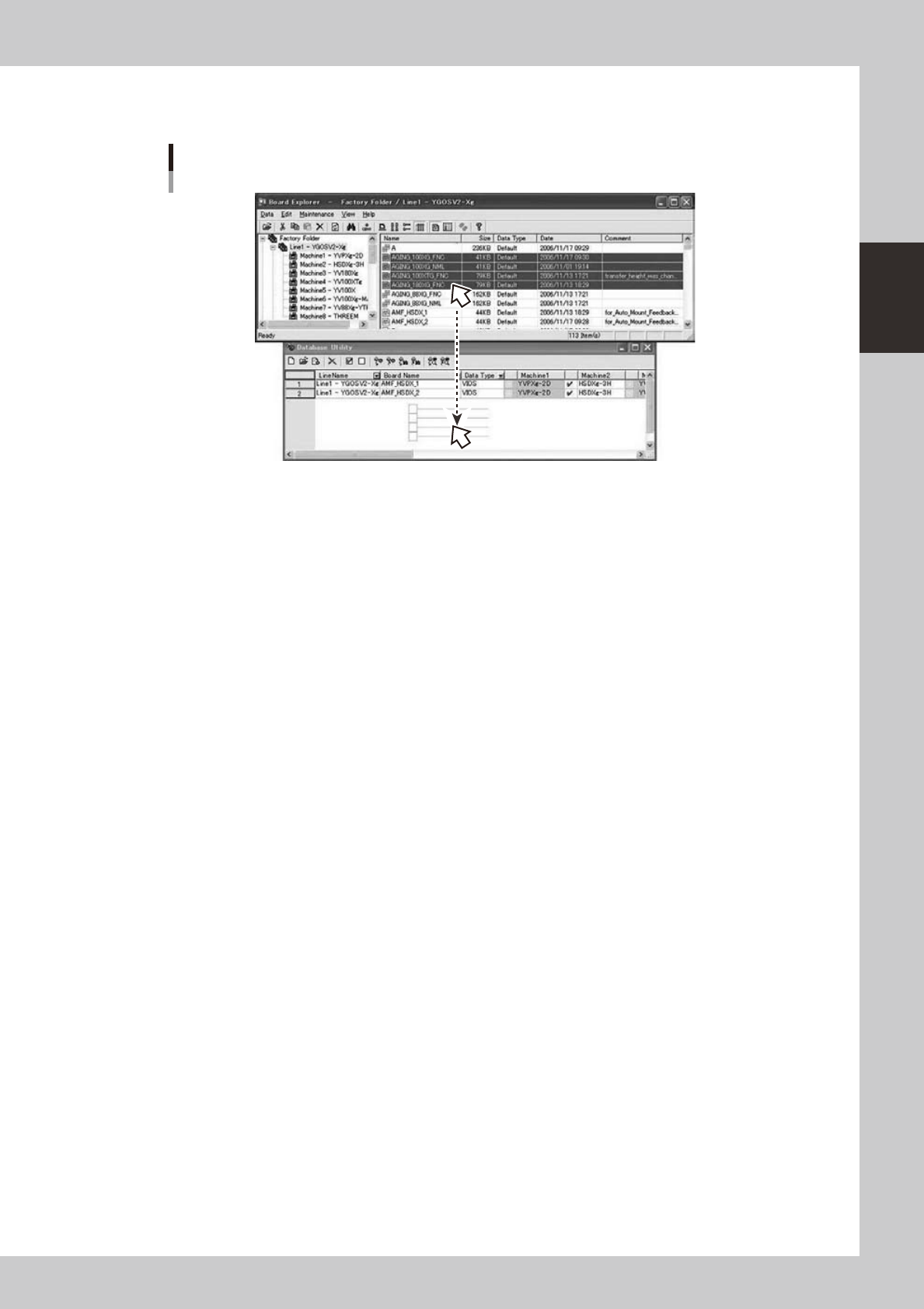
You can drag & drop board data from the Board Explorer to this window.
Only the board data that exists under the Factory Folder and the under folder can be dropped.
Drag & drop board data
64279-S0-00