P-TOOL说明书.pdf - 第96页
2-62 2 Board Explorer n Database Matching “Database Matching” is performed by batch for the board specified in the Database Utility window or the board selected using the Board Explorer. When you click the [Database Matc…
2-61
2
Board Explorer
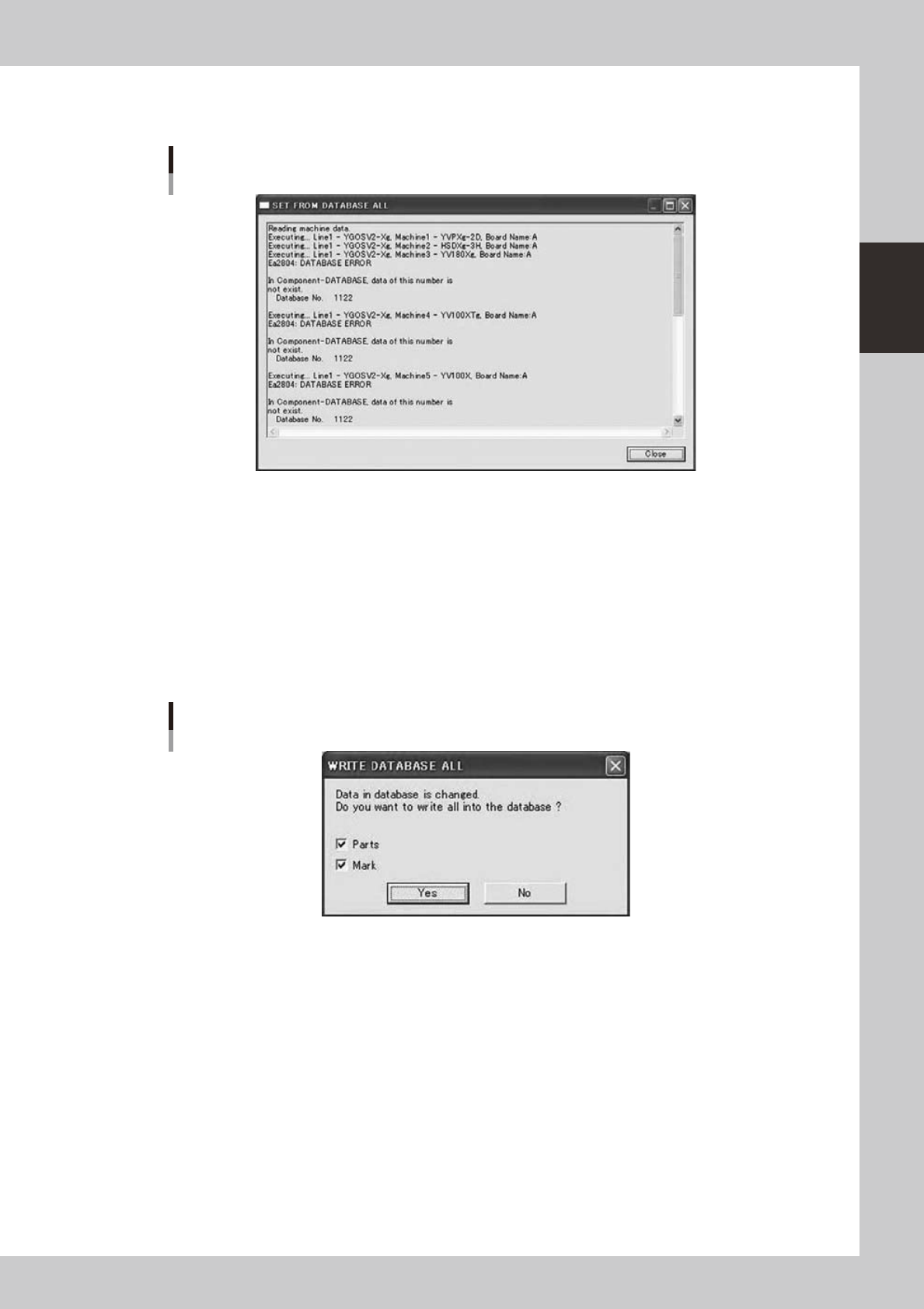
If result was not OK, you can click [Error Detail] button.
Error Detail dialog
Error Detail dialog
64283-S0-00
Itdisplayserrordetailsupto200lines.
If you want to see all, please open log file using notepad of Windows.
n
Copy Back to Database All
This does “Copy Back to Database All” from all specified board data by batch.
When you click “Copy Back to Database All” button on the Database Utility window, a confirmation dialog is
displayed.
Whenyouselect“CopyBacktoDatabaseAll”menuitemintheright-clickingmenuontheBoardExplorer,the
same function can be conducted.
Confirmation dialog
64284-S0-00
If you click [Yes] button, it will start.
The following dialogs are similar to those in the section “
n
Set from Database All”.
2-62
2
Board Explorer
n
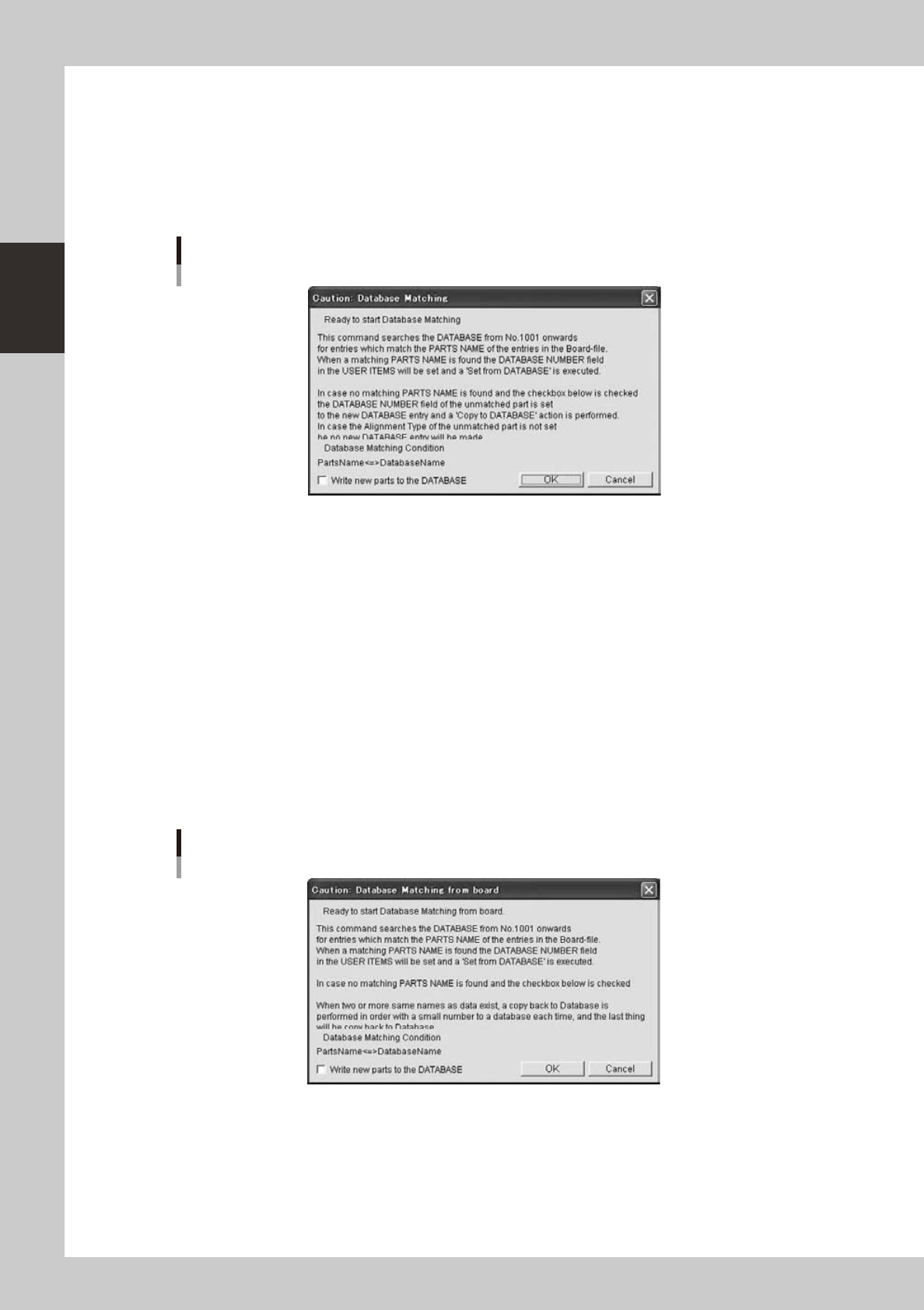
Database Matching
“Database Matching” is performed by batch for the board specified in the Database Utility window or the
board selected using the Board Explorer.
When you click the [Database Matching] button in the Database Utility window, the processing starts after a
confirmation dialog is displayed. The same operation can be performed by selecting the board using the Board
Explorerandselecting“DatabaseMatching”“DatabaseBoard”fromtheright-clickcontextmenuoftheBoard
Explorer.
Database Matching
64285-S0-10
If the check box in the bottom of the above message box is selected and no match is found in the user database
area, the parts data you have created for the board data will be stored into empty positions in the user database
area.
If you click [OK] button, it will start.
The following dialogs are similar to those in the section “
n
Set from Database All”.
n
Database Matching from board
“Database Matching from board” is performed by batch for the board specified in the Database Utility window
or the board selected using the Board Explorer.
When you click the [Database Matching from board] button in the Database Utility window, the processing
starts after a confirmation dialog is displayed. The same operation can be performed by selecting the board
usingtheBoardExplorerandselecting“DatabaseMatching”“BoardDatabase”fromtheright-clickcontext
menu of the Board Explorer.
Database Matching from board
64286-S0-10
If the check box in the bottom of the above message box is selected and no match is found in the user database
area, the parts data you have created for the board data will be stored into empty positions in the user database
area.
If you click [OK] button, it will start.
The following dialogs are similar to those in the section “
n
Set from Database All”.
2-63
2
Board Explorer
n
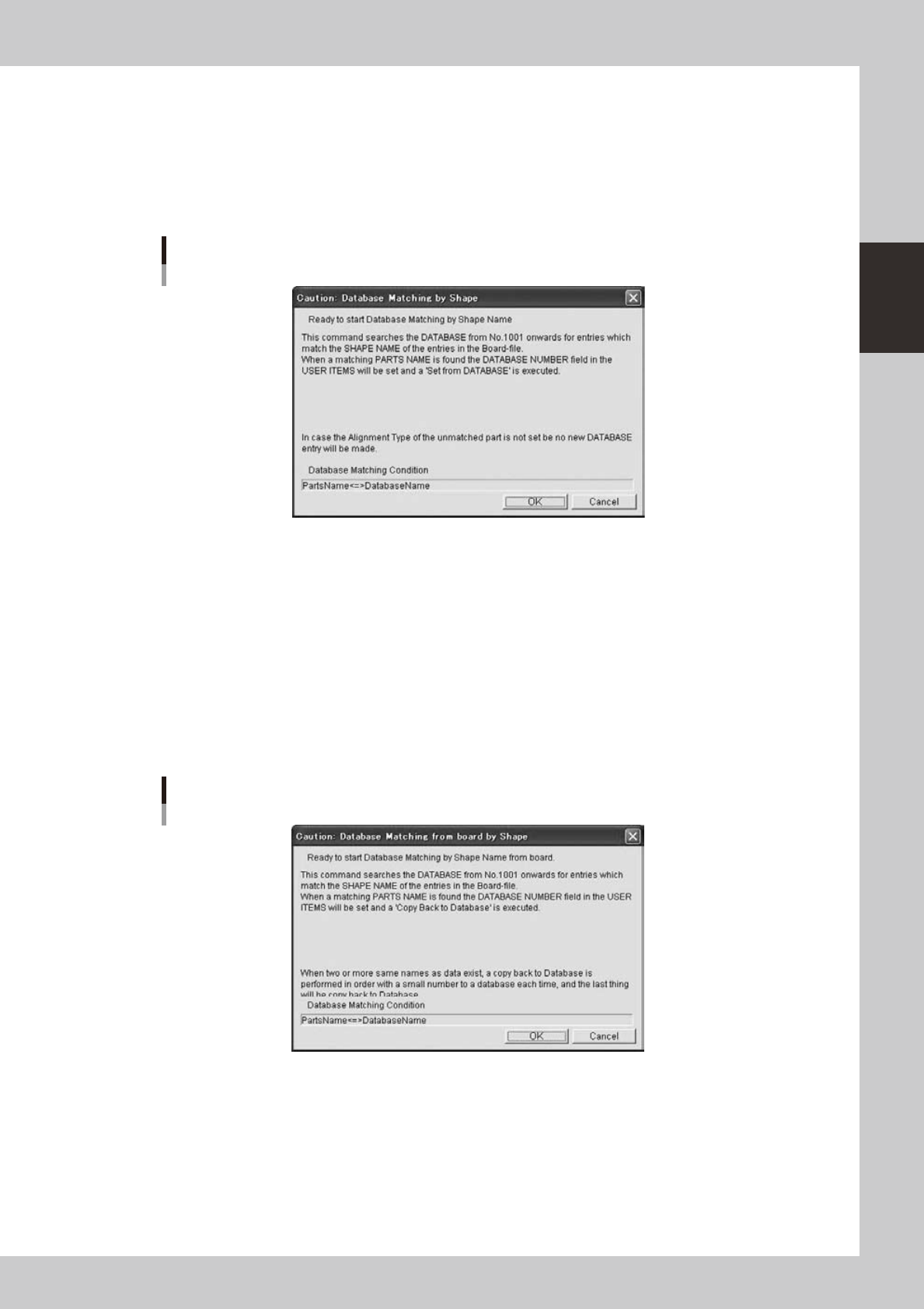
Database Matching by Shape Name
“Database Matching by Shape Name” is performed by batch for the board specified in the Database Utility
window or the board selected using the Board Explorer.
When you click the [Database Matching by Shape Name] button in the Database Utility window, the
processing starts after a confirmation dialog is displayed. The same operation can be performed by selecting
the board using the Board Explorer and selecting “Database Matching by Shape Name” “Database Board”
fromtheright-clickcontextmenuoftheBoardExplorer.
Database Matching by Shape Name
64287-S0-10
If you click [OK] button, it will start.
The following dialogs are similar to those in the section “
n
Set from Database All”.
n
Database Matching from board by Shape Name
“Database Matching from board by Shape Name” is performed by batch for the board specified in the Database
Utility window or the board selected using the Board Explorer.
When you click the [Database Matching from board by Shape Name] button in the Database Utility window,
the processing starts after a confirmation dialog is displayed. The same operation can be performed by
selecting the board using the Board Explorer and selecting “Database Matching by Shape Name” “Board
Database”fromtheright-clickcontextmenuoftheBoardExplorer.
Database Matching from board by Shape Name
64288-S0-10
If you click [OK] button, it will start.
The following dialogs are similar to those in the section “
n
Set from Database All”.