mpm up2000中文 - 第13页
5-HR90-7000-011 Page 13 of 51 11. 主操作屏幕 1 標題欄 2 慢動按鈕 3 計數區 4 清除故障按鈕 5 警告信息區 6 設置菜單按鈕 7 操作控制面板按鈕 8 MPM 資料按鈕 9 實況錄像按鈕 10 信息顯示區 11 使用者 Print Teach File Utilities Maintenance UP2000 CHANGED FILE: X AXIS Y-AXIS Z AXIS THETA A…
5-HR90-7000-011 Page 12 of 51
10. 開電源
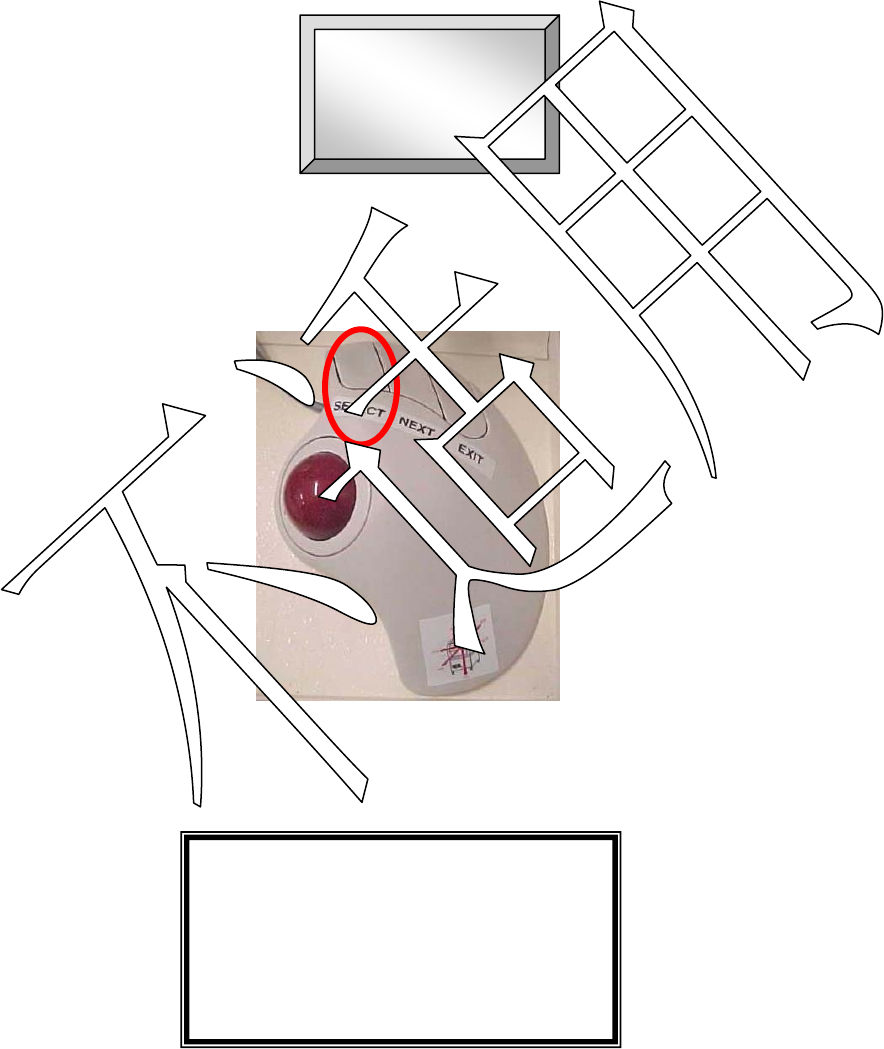
• The printer initialisation screen will appear :
• Notice the START icon in the centre of the screen.
• Move the cursor over the START button and press the SELECT button on
the trackball.
• The following message will now appear on screen:
---Warning Message---
Reset is about to start.
Press NEXT to continue.
Press EXIT to quit.
• At this point press the NEXT button on the trackball. The printer will now home
each axis.
• Ensure there are no obstructions on/near the printer axes.
START
5-HR90-7000-011 Page 13 of 51
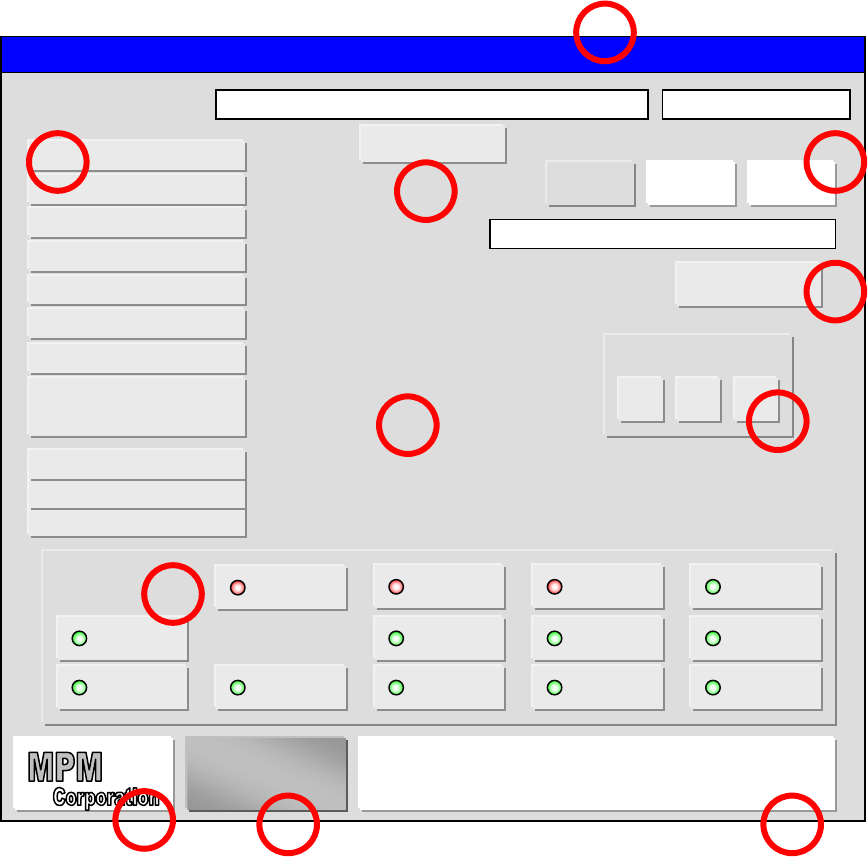
11. 主操作屏幕
1 標題欄
2 慢動按鈕
3 計數區
4 清除故障按鈕
5 警告信息區
6 設置菜單按鈕
7 操作控制面板按鈕
8 MPM 資料按鈕
9 實況錄像按鈕
10 信息顯示區
11 使用者
Print Teach File Utilities Maintenance
UP2000 CHANGED
FILE:
X AXIS
Y-AXIS
Z AXIS
THETA AXIS
TRANSPORT
SQUEEGEE STROKE
VX AXIS
VY AXIS
TACTILE
DISPENSER
SQUEEGEE HIEIGHT
0.000
0.000
0.000
0.000
0.000
16.000
0.000
0.000
0.000
0.000
0.000
RESET 00
COUNT BOARD
REJECTS
Squeegee starting in back.
CLEAR FAULT
1 2 3
SETUP MENUS
FRAME
CLAMP
SQUEEGEE
CLAMP
SQUEEGEE
UP/DOWN
SQUEEGEE
FLIP
VACUUM
MOTOR
VACUUM
GATE
ECU
ON/OFF
DISPENSE
FLOW
DISPENSE
PINCH
DISPENSE
SOLVENT
STENCIL
LIGHT
BOARD
LIGHT
WIPER
PAPER
1
2 3
4
6
7
10 9
8
5
TRK WIDTH
16.000
OPERATOR
11
5-HR90-7000-011 Page 14 of 51
11. 主操作屏幕
1 標題欄
標題欄由 5 個下拉菜單組成:
• PRINT(印刷)
• TEACH(教習)
• FILE(檔案)
• UTILITIES(應用)
• MAINTENANCE(維護)
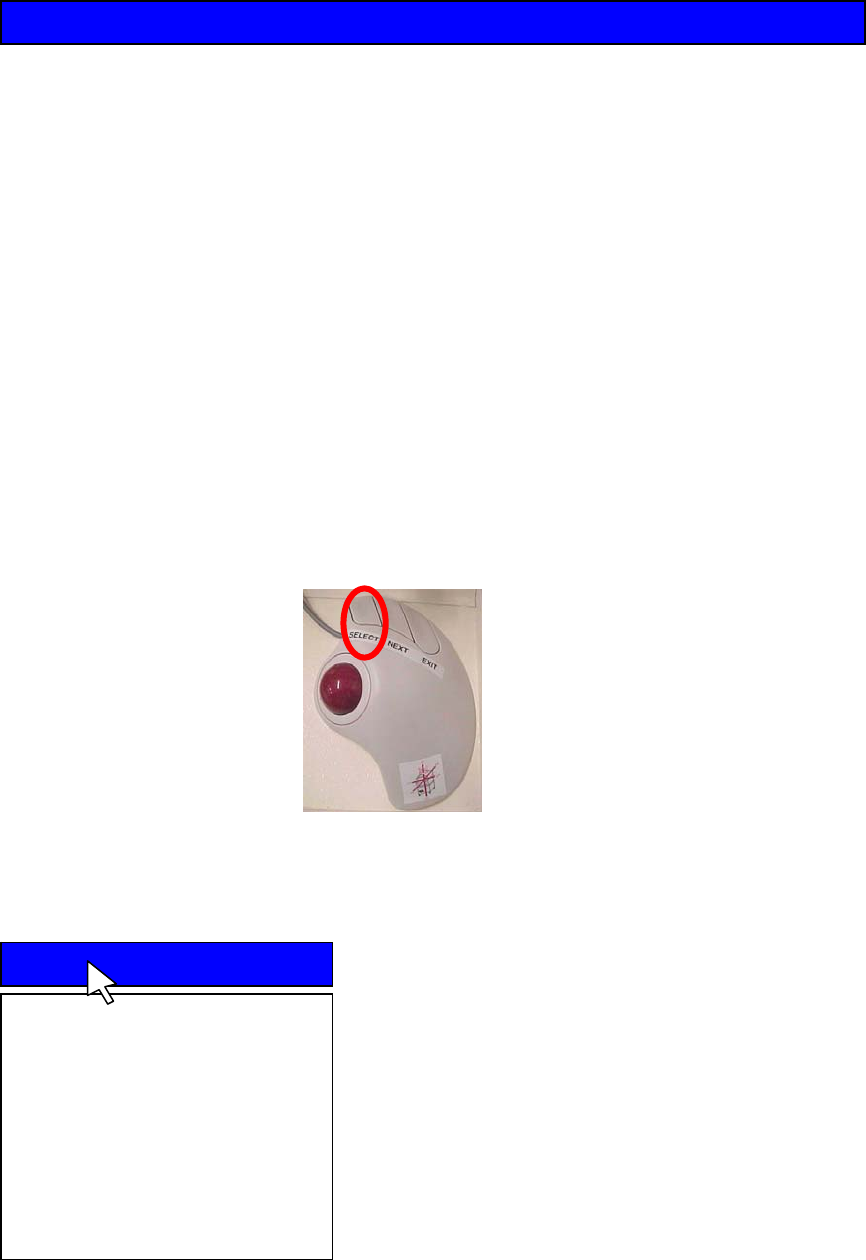
• 為打開下拉菜單, 可能滾動跟蹤球到需要的菜單項, 菜單將滑下. 按 SELECT
執行預期的命令.
• PRINT (印刷)
PRINT 印刷下拉菜單包含下列選擇項:
Auto Print : 全自動連續印刷.
Manual Print : 如果印刷机是單獨地安裝, 這
個選項會提示操作員裝入或卸下 PCB.
Pass Through : 當選擇這處選項時机器不會
印刷, 它只相當于導軌的作用.
SPC Data : 選擇這個選項時允許用戶收集最
多 250 塊板的統計資料.
Print Teach File Utilities
Print
Auto Print
Manual Print
Pass Through
SPC Data