DuraBlue II Customer Product Manual.pdf - 第116页
Troubleshooting 6-4 Part 1126931_01 2018 Nordson Corporation Melter Faults (contd) Table 6‐1 Melter Faults (contd) Display Code/Sub‐code Name Affect on Melter Cause Corrective Action F4/7 Analog‐to‐digital calibration …
Troubleshooting
6-3
Part 1126931_01
2018 Nordson Corporation
Melter Faults
Table 6‐1 lists the four types of melter faults, potential causes, and expected
corrective actions.
Table 6‐1 Melter Faults
Display
Code/Sub‐code
Name Affect on Melter Cause Corrective Action
F1/None RTD Heaters turn off
The RTD for the
component indicated
has failed or the
component was
disconnected from
the melter.
Replace RTD
Check hose/gun
connections
F2/None
Under
temperature
Heaters turn off
The actual temperature
of the component
indicated has dropped
below the under
temperature delta,
which was set using
parameter22.
Check for conditions
that may cause a drop
in ambient temperature
Replace RTD
F3/None Over temperature Heaters turn off
The actual temperature
of the component
indicated has increased
beyond the over
temperature delta,
which was set using
parameter21.
Replace RTD
F4/1 RAM test
Melter stops
functioning
Internal RAM failure Replace CPU
F4/2
Internal Clock
time
Heaters remain on,
but fault condition
persists
Internal clock failure Replace CPU
F4/3
RAM backup
battery
Clock does not
function
Insufficient voltage from
RAM backup battery
Replace CPU
F4/4
Internal clock
battery backed
RAM
Heaters remain on,
but fault condition
persists
Battery‐backed RAM
failure
Replace CPU
F4/5
Internal clock
battery
Heaters remain on,
but fault condition
persists
Battery‐backed RAM
battery dead
Replace CPU
F4/6 Analog‐to‐digital
Melter stops
functioning
RTD analog‐to‐digital
converter failed
Replace main board or
CPU
Continued...
Troubleshooting
6-4
Part 1126931_01
2018 Nordson Corporation
Melter Faults (contd)
Table 6‐1 Melter Faults
(contd)
Display
Code/Sub‐code
Name Affect on Melter Cause Corrective Action
F4/7
Analog‐to‐digital
calibration
Melter stops
functioning
Failed hose or gun
RTD analog‐to‐digital
converter could not be
calibrated (grounded
RTD in system)
Replace hose or gun.
Note: Set setpoint to
zero to avoid F1 fault.
Replace main board or
ribbon cable, or CPU
F4/8
Main board
feedback
Melter stops
functioning
Communication failure
between main board
and CPU
Replace main board,
ribbon cable, or CPU
F4/9
Expansion board
feedback
Melter stops
functioning
Communication failure
between expansion
board and main board
Check the ribbon cable
connections between
the expansion board
and the main board.
F4/A Thermostat
Melter stops
functioning
Tank or manifold
thermostat is open
Replace thermostat, J7
harness, or main board
F4/d
Communications
with optional I/O
card
Heaters remain on,
but fault condition
persists
Communication failure
between CPU and the
optional I/O card
Replace the I/O card or
CPU
F4/E
Fieldbus
communications
failure
Alert output (if output
option 6 is selected)
Melter continues to
operate normally.
Fieldbus card failure.
Replace the Fieldbus
card
Pump speed display
Troubleshooting
6-5
Part 1126931_01
2018 Nordson Corporation
Motor Control Faults
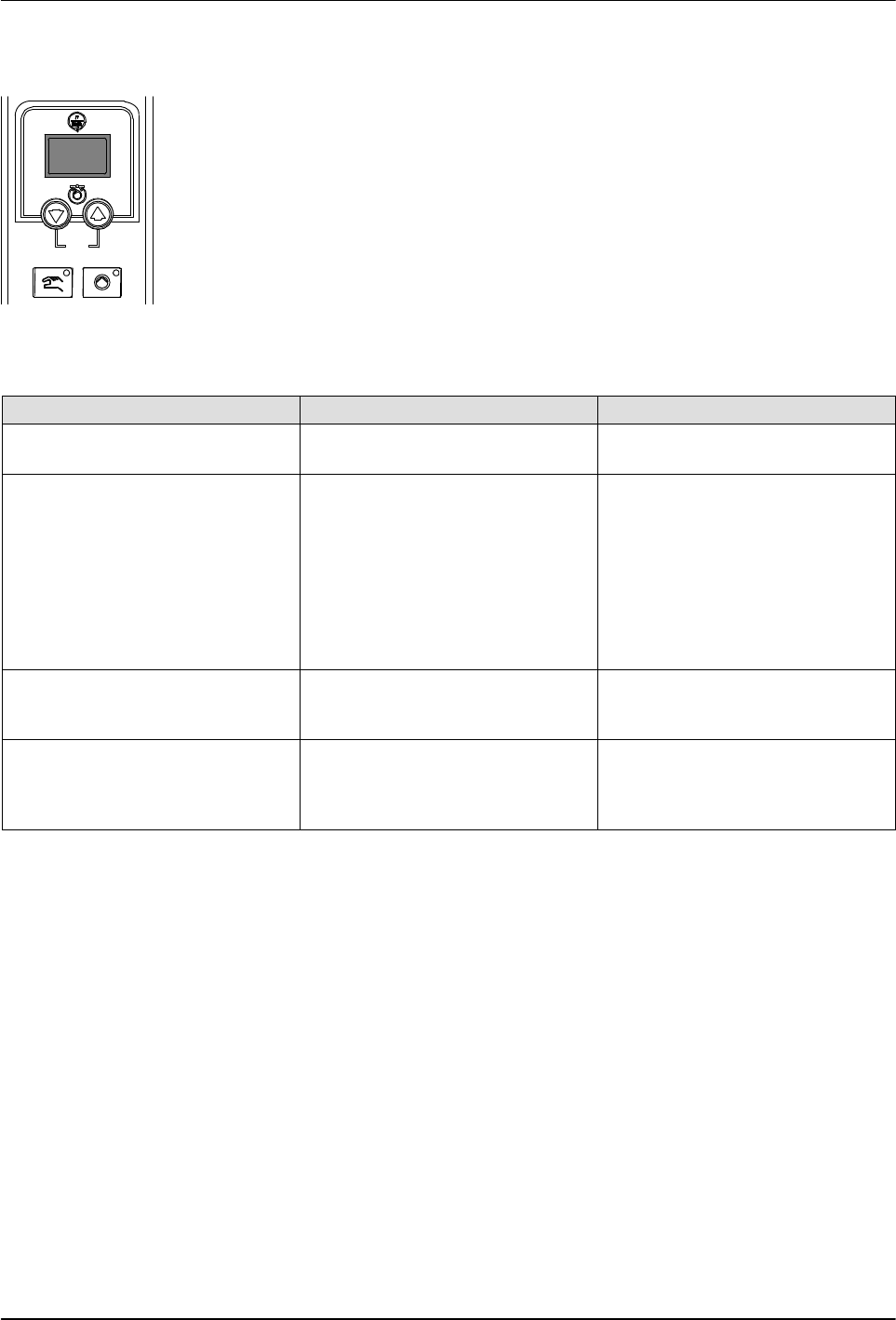
Table 6‐2 lists the motor control fault codes that may appear on the pump
speed display(s).
Table 6‐2 Motor Control Faults
Motor Control Fault Possible Cause Corrective Action
no EnA (motor control fault code
shown on pump speed display)
Master pump enable key not
turned on
Press the Master pump enable
key until the LED is illuminated.
hOt (motor control fault code
shown on pump speed display)
Motor thermostat open Wait for the motor to cool, ensure
that the pump speed setting is
not too low, and then restart the
pump. If the hOt code continues
to appear, troubleshoot the
problem that is causing the motor
to overheat, such as binding or
blockage in the pump, a locked
pump rotor, etc.
Displayed rpms do not match
motor speed
Pump speed display not
calibrated
Calibrate the pump speed
display. Refer to Calibrating the
Pump Speed Display.
Motor control not operating as
expected
Improper motor control
parameter settings
Check motor control parameter
settings. Refer to Changing a
Motor Control Parameter in this
section.