DuraBlue II Customer Product Manual.pdf - 第122页
Troubleshooting 6-10 Part 1126931_01 2018 Nordson Corporation Motor Drive Error History Error History The motor driver keypad is not shipped with the melter, to view the error history you will need to order the keypad …
Troubleshooting
6-9
Part 1126931_01
2018 Nordson Corporation
LED Status Display
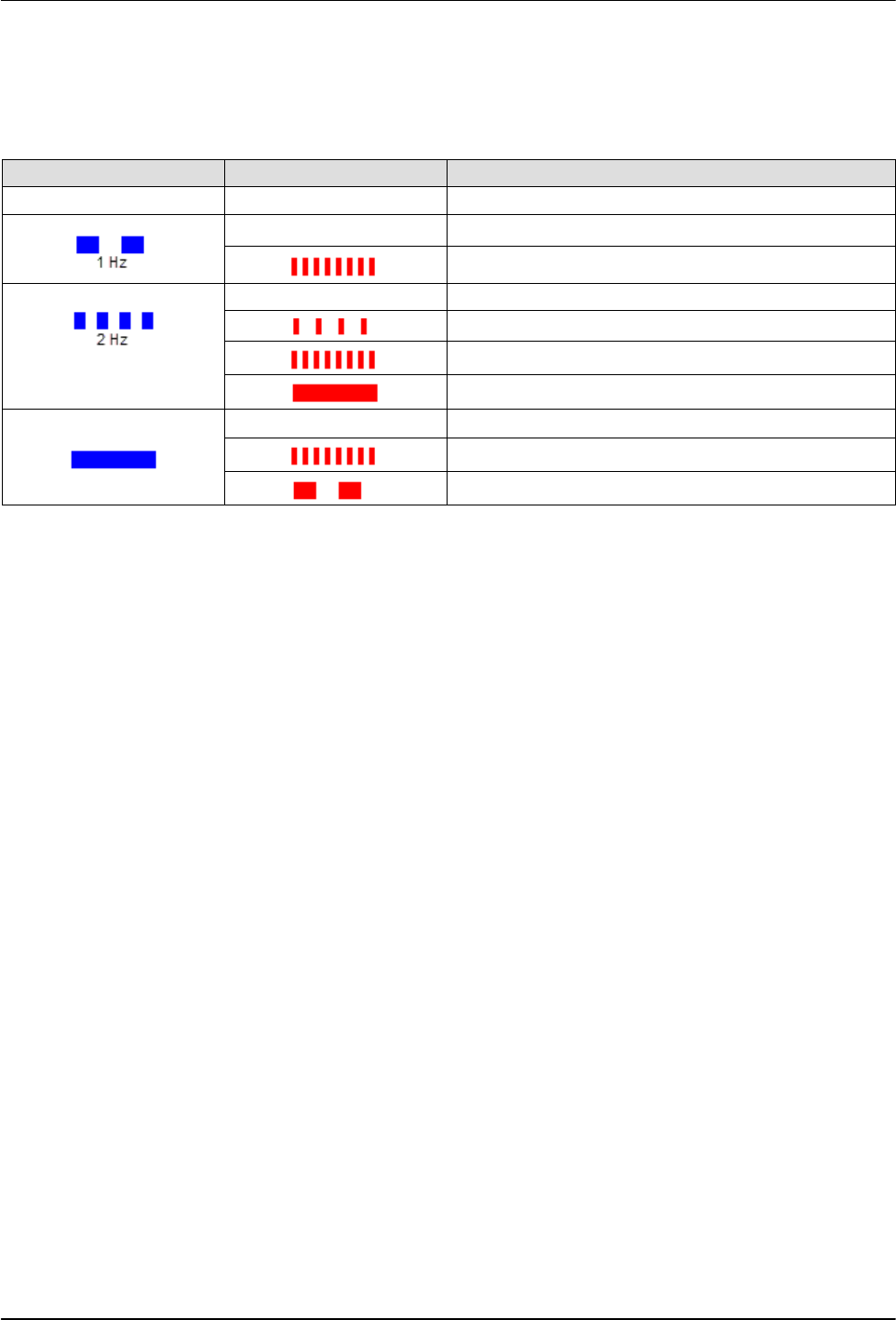
The motor drive has two LEDs, READY (RDY) and ERROR (ERR), see LED
location on Figure 6‐1. Refer to the following table to identify the motor drive
state:
RDY (Blue) ERR (Red) Motor Drive State
– – No supply voltage
–
STO active
STO active, warning active
– Motor drive inhibited
Motor drive inhibited, DC Voltage not On OR Reset
Motor drive inhibited, Warning active
Motor drive inhibited, Fault active
–
Motor drive released, drive running OR Quick Stop
Motor drive released, drive running, Warning active
Motor drive released, Trouble reaction active
Troubleshooting
6-10
Part 1126931_01
2018 Nordson Corporation
Motor Drive Error History
Error History
The motor driver keypad is not shipped with the melter, to view the error
history you will need to order the keypad service kit (P/N 7411739)
separately.
Any time the motor drive experiences an Error condition during operation it is
captured in the motor drive non-volatile memory. For historical Error tracking
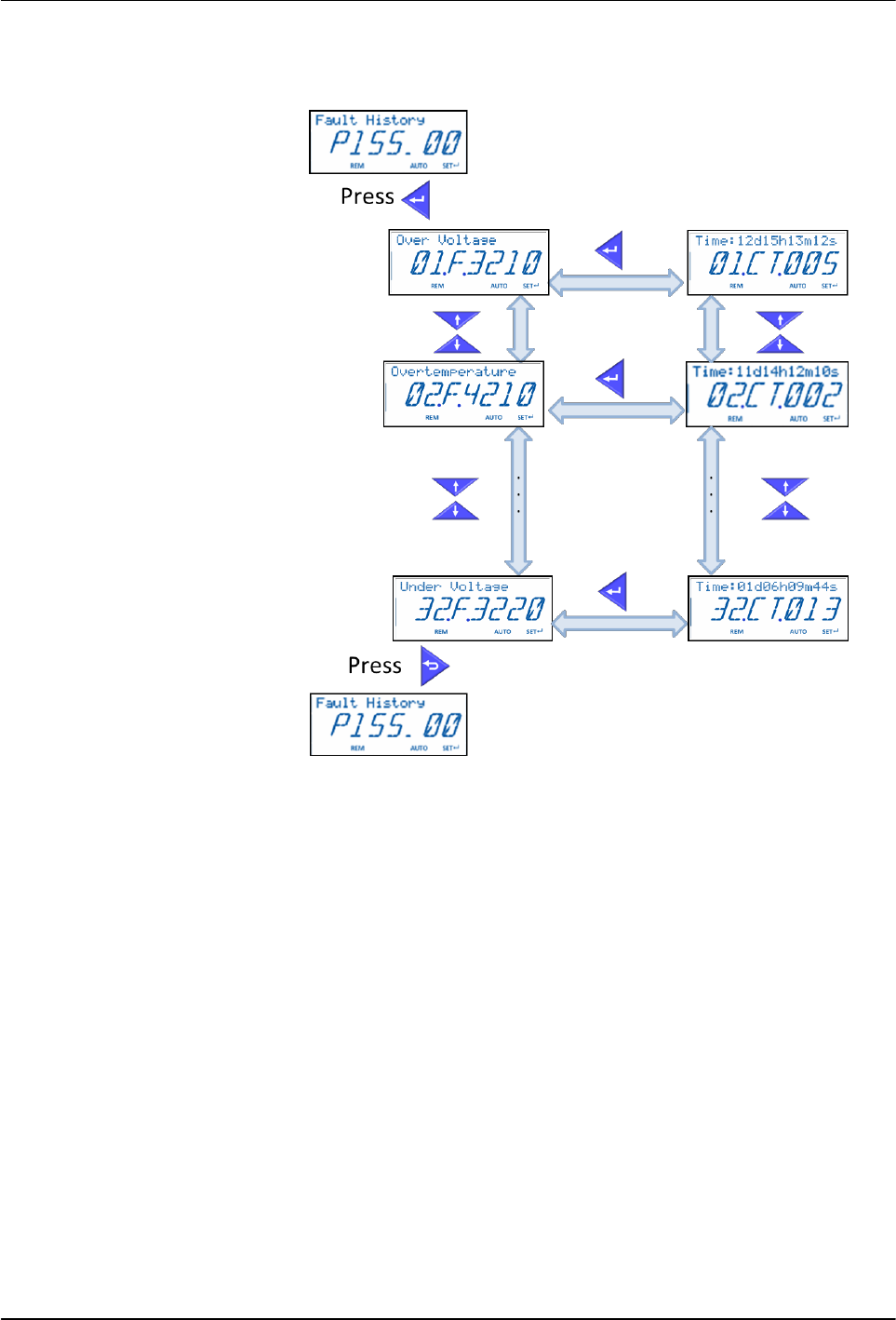
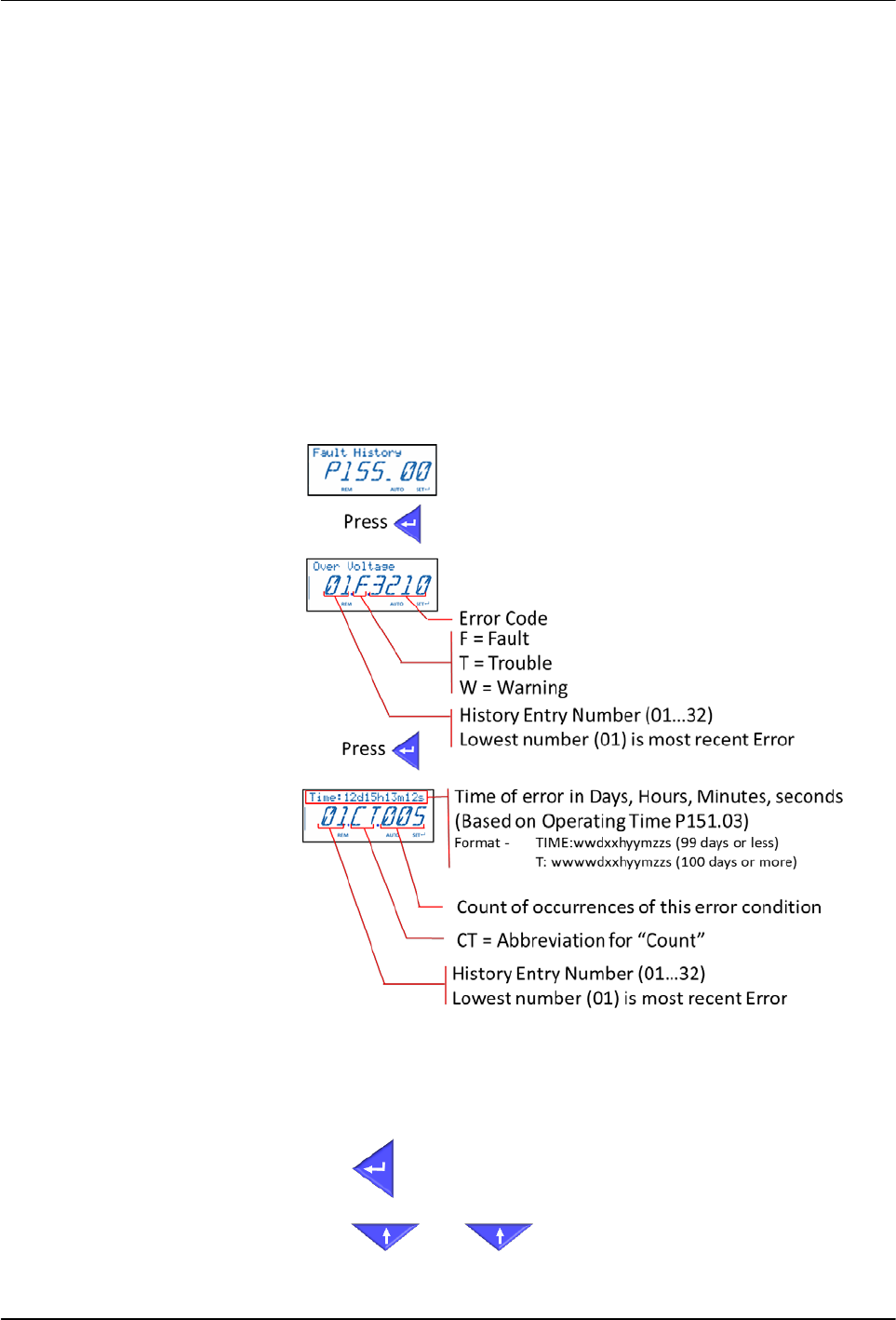
purposes the Errors can be viewed in P155.00. This parameter contains the
actual Error codes, the time (in running hours) that the Error occurred and the
count of Errors (in case of multiple instances of the same Error condition).
The Error History will retain the 32 most recent Errors.
The following figure explains each component in the Error History data:
Figure 6‐2 Explanation of the Error History data
NOTES:
Press
to toggle between two screens.
Press
and to navigate from Error 01 to Error 32.