DuraBlue II Customer Product Manual.pdf - 第128页
Troubleshooting 6-16 Part 1126931_01 2018 Nordson Corporation Display (contd) Every parameter has a hexadecimal address. Parameters which are visible on the keypad also have a display code. In the Easy Starter Display …
Troubleshooting
6-15
Part 1126931_01
2018 Nordson Corporation
Changing a Motor Drive Parameter
Keypad
The motor drive parameters are pre‐set at the factory. You need the motor
drive keypad with display to view and change the motor drive parameters.
Install the keypad on the front of the motor drive.
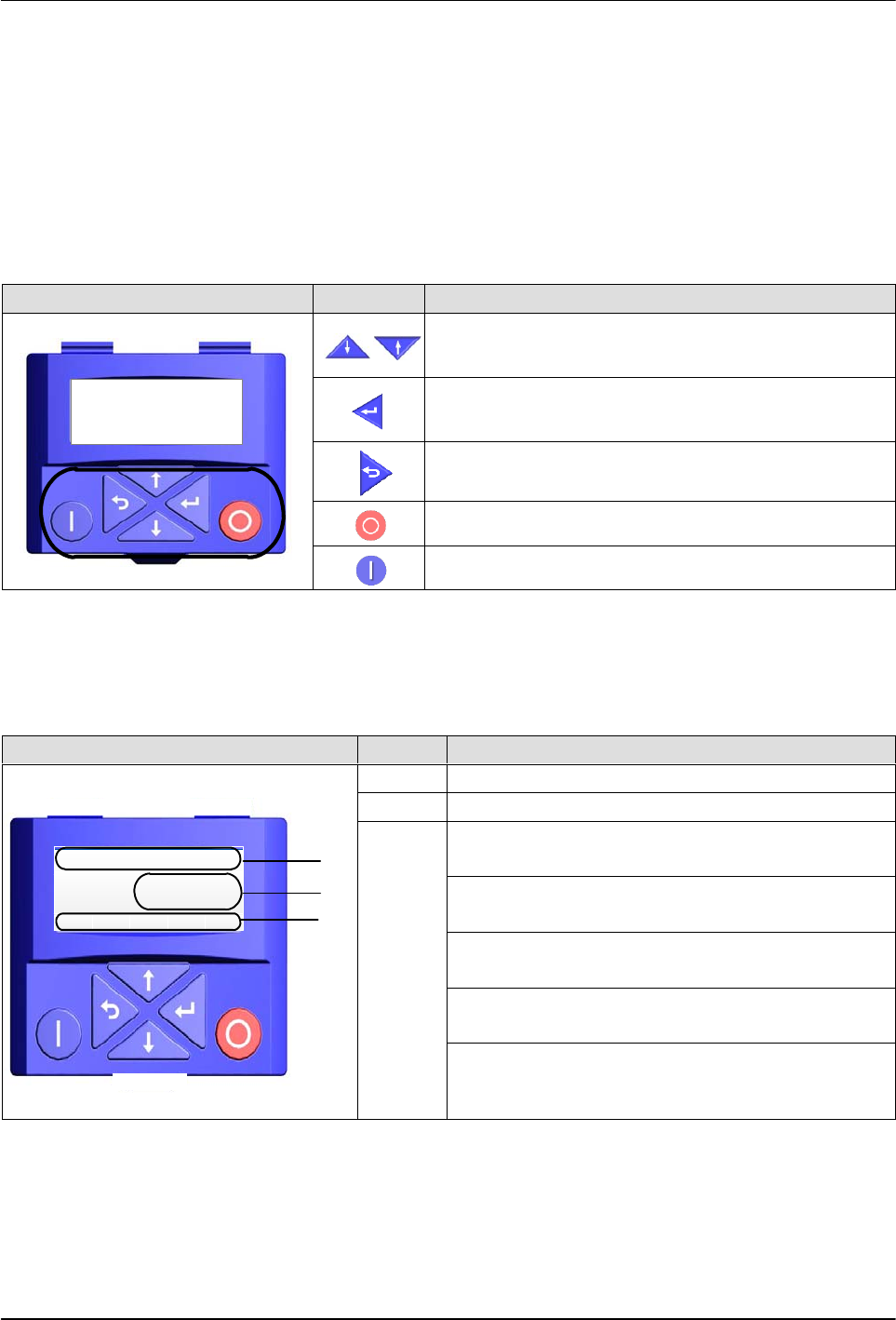
An explanation of the keypad button functions is given in the following table.
Keypad Buttons Description
Anal og I nput 1
PAR 43 0
LOC REM MAN AUTO
SET8
Menu navigation
Adjust parameter values
Enter (sub-) menu/parameter
Confirm parameter
Exit (sub-) menu/parameter
Stop motor drive
Release motor drive
Display
An explanation of the display parameters is given in the following table.
Display Item Description
Vel:Run:FWD Hz
LOC
20. 0
REM MAN AUTO SET
1
2
3
1 Status and unit
2 Speed, Parameter value, and Fault code
3
LOC – Local start button on keypad is active
(stop button is always active)
REM – Local start button is inactive (start is
initiated remotely)
MAN – Up/Down arrows are active and control
speed
AUTO – Up/Down arrows are inactive (speed
control is external)
SET8 – The blinking indicates that a setting or
value has changed and needs to be entered.
Once the settings are saved, the icon is steady
Troubleshooting
6-16
Part 1126931_01
2018 Nordson Corporation
Display (contd)
Every parameter has a hexadecimal address. Parameters which are visible
on the keypad also have a display code. In the Easy Starter Display Code
and hexadecimal address are visible. Every parameter can have
sub-parameters.
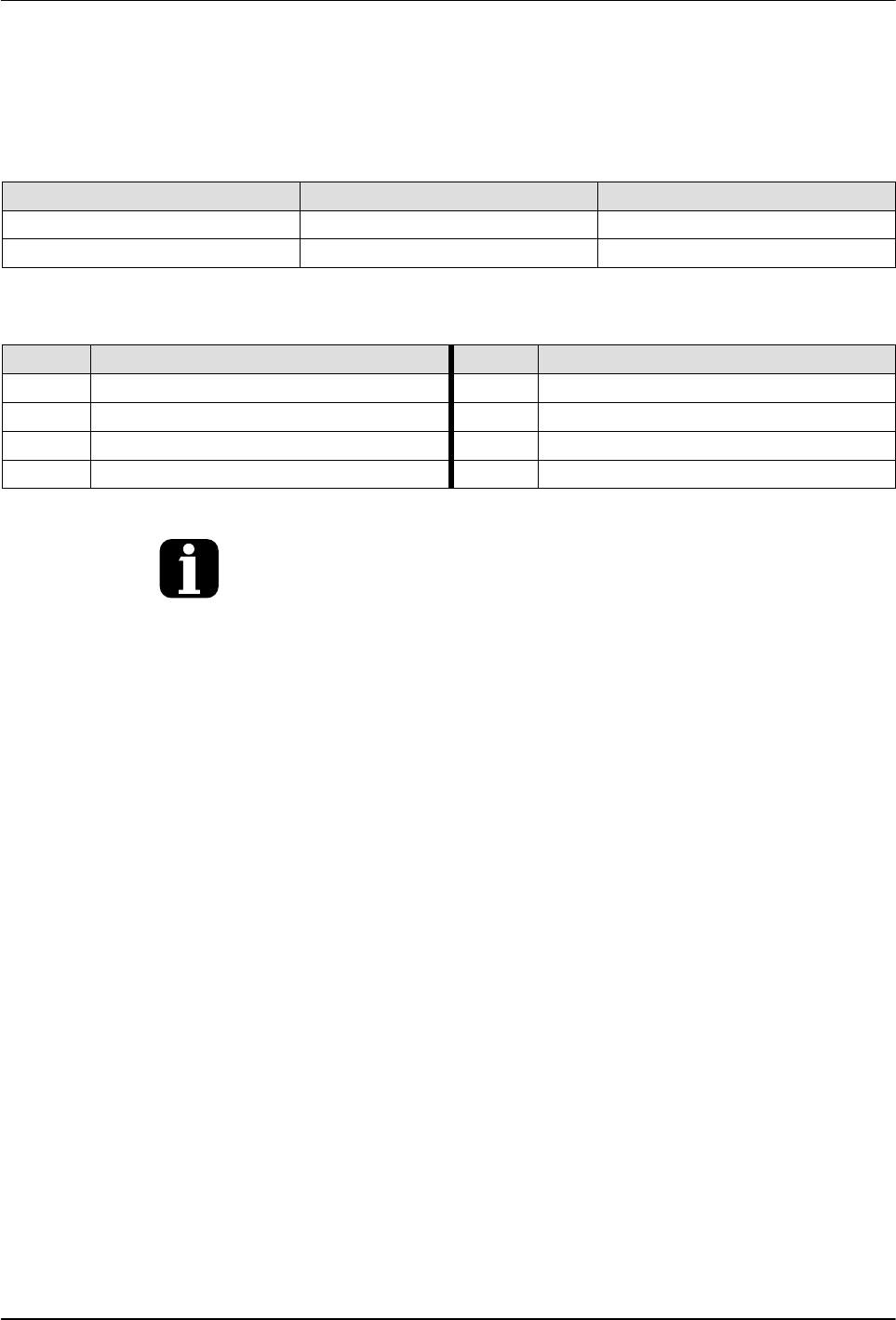
Example Display code Address
V/f base frequency P302.02 0x2B01:002
Start control P200.00 0x2824:000
The parameters are organized into groups 0 through 7:
Group Name Group Name
0 Favorites menu 4 Function and I/O menu
1 Diagnostics 5 Network setup menu
2 Basic setup 6 Process control menu
3 Motor setup 7 Auxiliary function menu
The favorites menu contains links to the most commonly used parameters for
initial commissioning and monitoring of the motor drive for general
applications.
Troubleshooting
6-17
Part 1126931_01
2018 Nordson Corporation
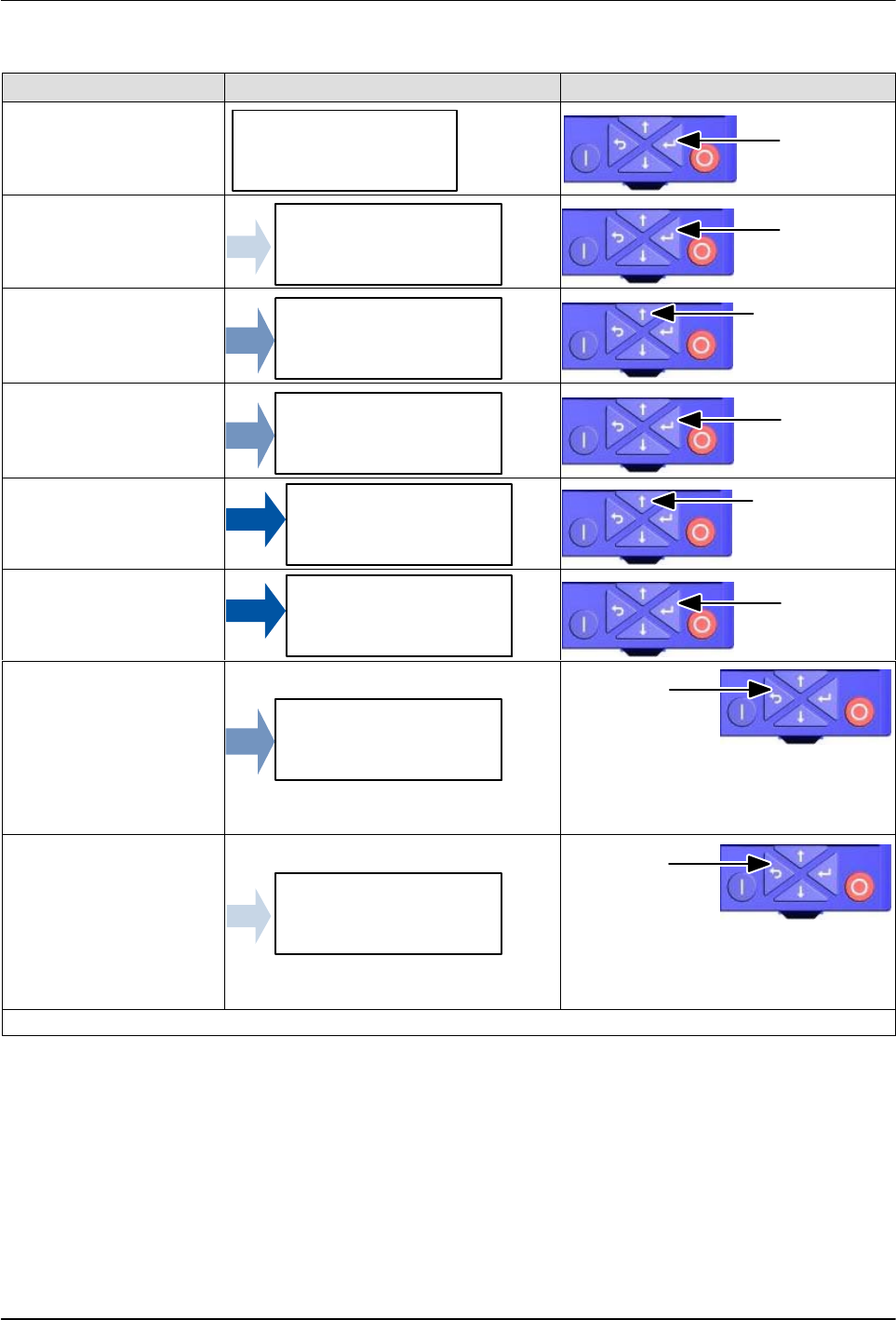
Favorites Group Navigation
Screen Type Display Parameters Keypad Button Selection
Operating Screen
VEL:FLEX:AIN1
STOP
REM
AUTO SETS
Press
Groups Screen
Favorites
GROUP 0
REM
AUTO
SETS
Press
Parameter Screen
Actual Frequency
P100.00
REM
AUTO SETS
Press ten (10)
times
Parameter Screen
Max Frequency
P211.00
REM
AUTO SETS
Press
Setting Screen
P211/000 Hz
50.0
REM
AUTO SETS
Press until 87.0
is displayed
Setting Screen
P211/000 Hz
87.0
REM
AUTO SETS
Press
Parameter Screen
Max Frequency
P211.00
REM
AUTO SETS
Press
NOTE: Use the Up and Down buttons to
navigate to other parameters in Group 0.
In this example, the BACK button is used
to return to Group list.
Groups Screen
Favorites
GROUP 0
REM
AUTO
SETS
Press
NOTE: Use the Up and Down buttons to
navigate to other groups. In this example,
the BACK button is used to return to the
Operating Screen.
Continued...