DuraBlue II Customer Product Manual.pdf - 第132页
Troubleshooting 6-20 Part 1126931_01 2018 Nordson Corporation Motor Drive Parameter Factory Settings Code Pr. Description Setting GROUP2 P211:00 Max Frequency 102Hz GROUP3 P303:01 Base Voltage 230V GROUP3 P303: 0 2 Bas…
VEL:FLEX:AIN1
STOP
REM
AUTO
VEL:FLEX:AIN1
PSAVED
REM AUTO
Press > 3S (Saving Parameter)
Troubleshooting
6-19
Part 1126931_01
2018 Nordson Corporation
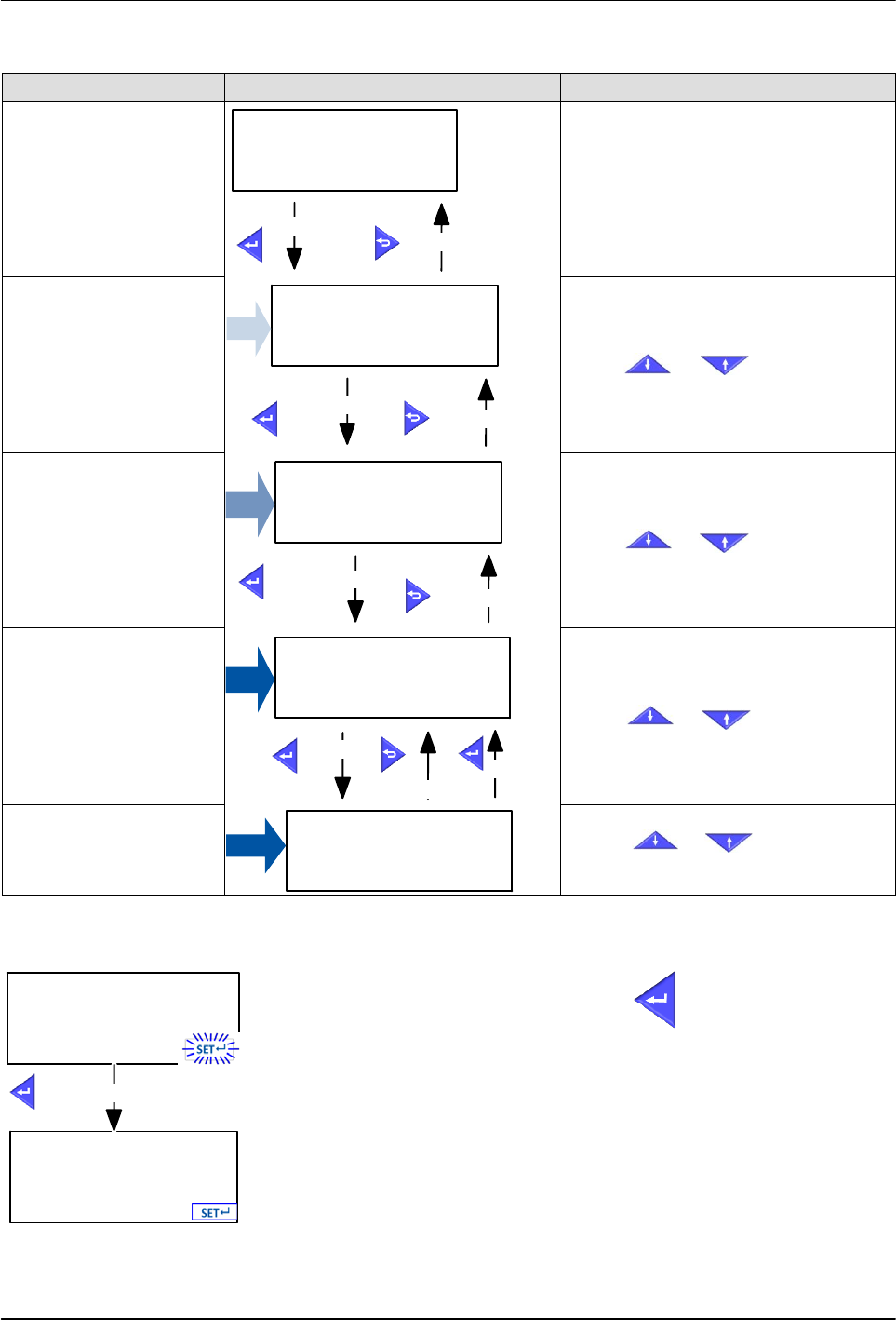
Navigation Group 1‐7
Screen Type Display Parameters Keypad Button Selection
Operating Screen
VEL:FLEX:AIN1
STOP
REM
AUTO SETS
Enter menu
Exit menu
Groups Screen
I/O Setup
GROUP 4
REM
AUTO
SETS
Press or to select Group.
Enter Parameter
Exit Parameter
Parameter Screen
Digital Outputs
P420.00
REM
AUTO SETS
Press or to select
Parameter.
Enter Sub‐Parameter
Exit Sub‐Parameter
Sub‐Parameter Screen
NOTE: If Sub‐Parameter
screen is not available, the
Direct Setting Screen will
display.
Digital Outputs 1
SUB 002
REM
AUTO SETS
Press or to select
Sub‐Parameter.
Enter Setting
Confirm Setting
Exit Setting
Setting Screen
Ready to run
51
REM
AUTO SETS
Press or to change
parameter value.
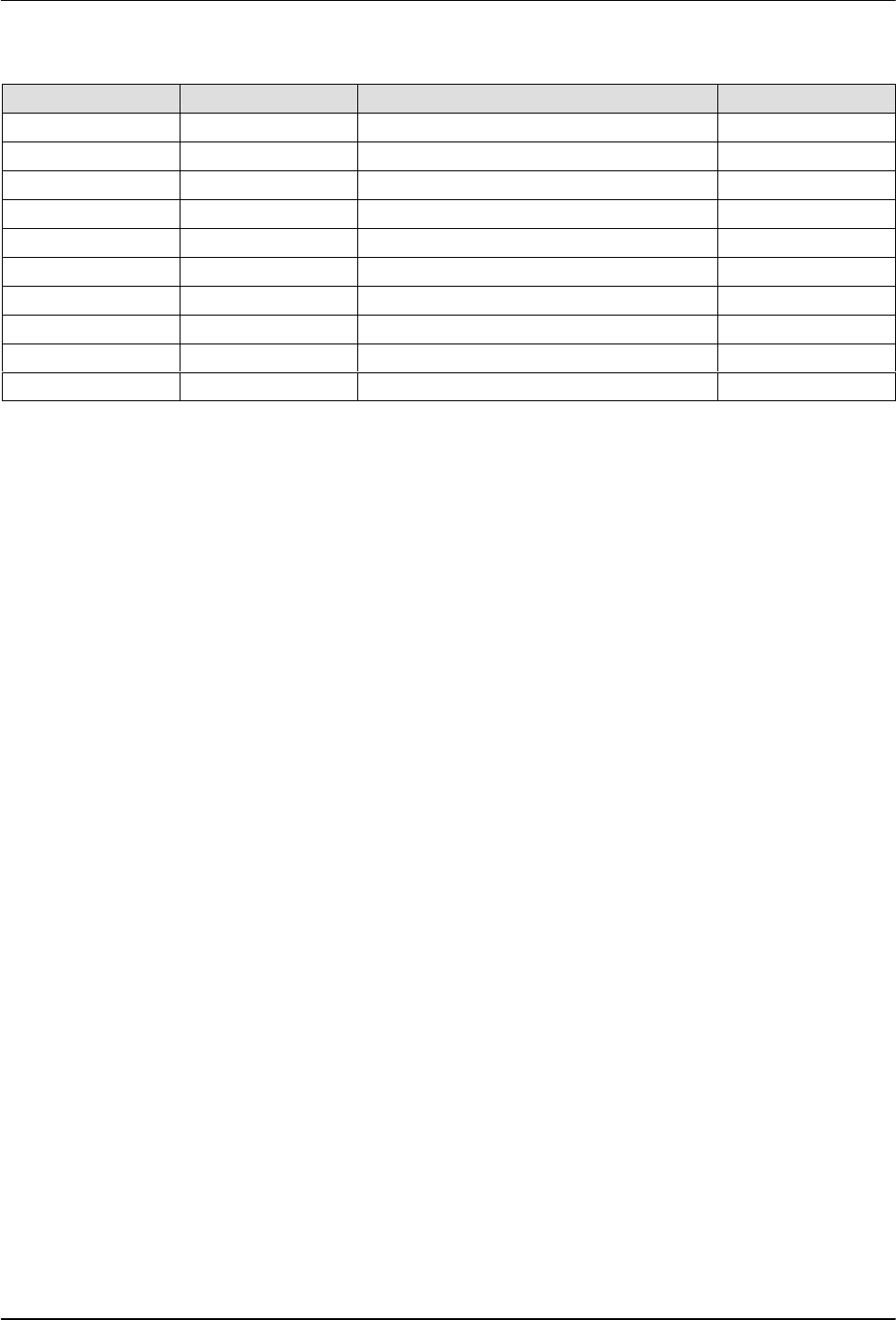
Saving the Settings
After all the adjustments are complete, press for three (3) seconds to
save all the settings to memory.
The
SET8
icon blinks when the settings are not saved. Once the
settings are saved, the icon is steady.
Troubleshooting
6-20
Part 1126931_01
2018 Nordson Corporation
Motor Drive Parameter Factory Settings
Code Pr. Description Setting
GROUP2 P211:00 Max Frequency 102Hz
GROUP3 P303:01 Base Voltage 230V
GROUP3 P303:02 Base Frequency I02Hz
GROUP3 P315:01 Slip Compensation 5%
GROUP3 P320:04 Motor Speed 1350
GROUP3 P320:05 Motor Frequency 102
GROUP3 P320:06 Motor Power 0.25
GROUP3 P320:07 Motor Voltage 230
GROUP3 P320:08 Motor cos PHi 0.6
GROUP4 P430:03 Frequency at max signal 102Hz
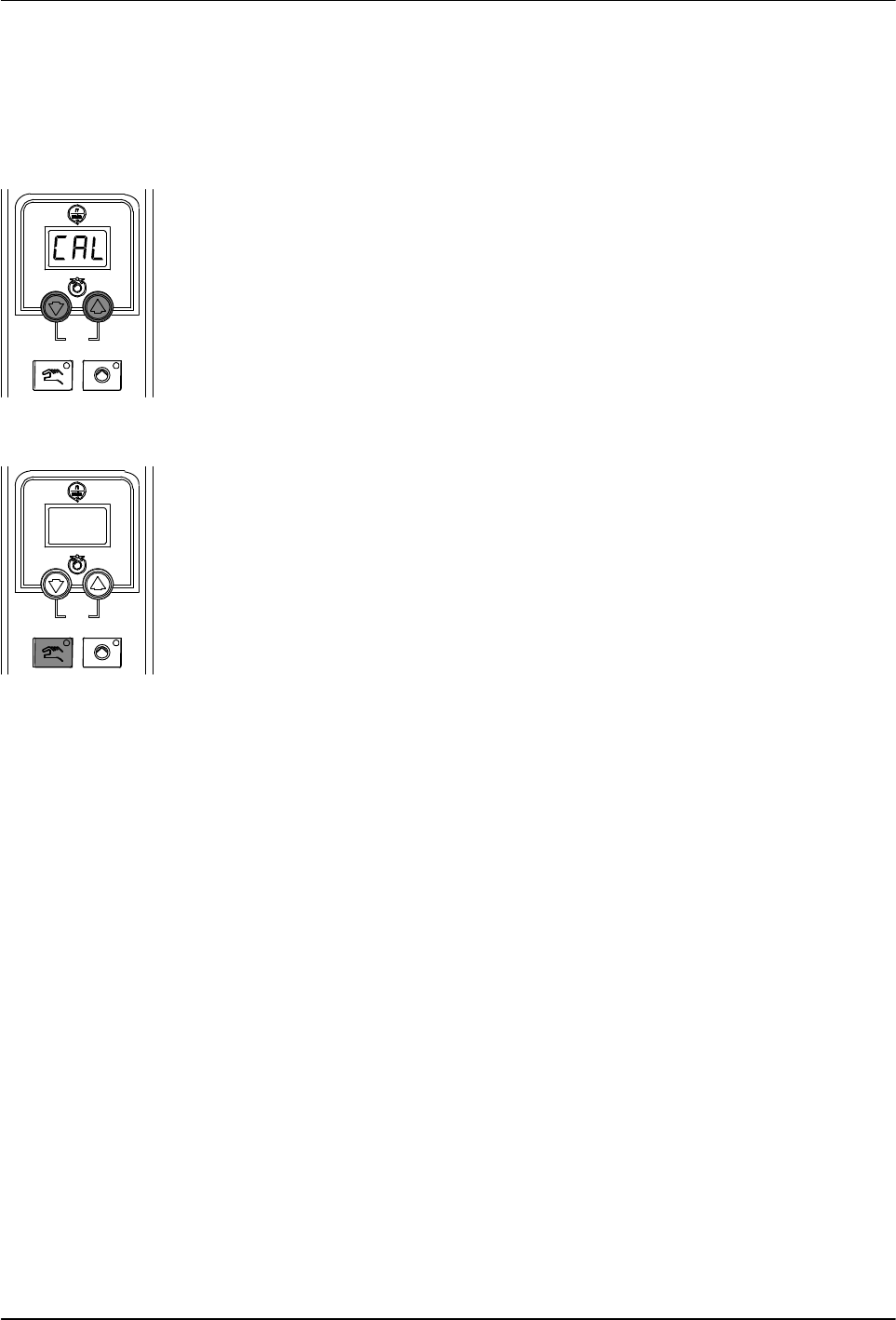
Pump speed arrow keys
Pump mode key and LED
Troubleshooting
6-21
Part 1126931_01
2018 Nordson Corporation
Calibrating the Pump Speed Display
The melter is shipped with the pump speed display calibrated to show the
pump rpm. If recalibration becomes necessary, follow this procedure.
1. Ensure that the motor is running at 50 percent speed or higher.
2. Press and hold both Pump speed arrow keys.
3. When the pump speed display indicates CAL, release the keys.
4. Enter the actual pump rpm.
5. Press the Pump mode key.