DuraBlue II Customer Product Manual.pdf - 第65页
Control switch Heaters LED Automatic scan sequence Ready LED Operation 4-3 Part 1126931_01 2018 Nordson Corporation Starting the Melter Before starting the melter for the first time, confirm that the melter is fully …
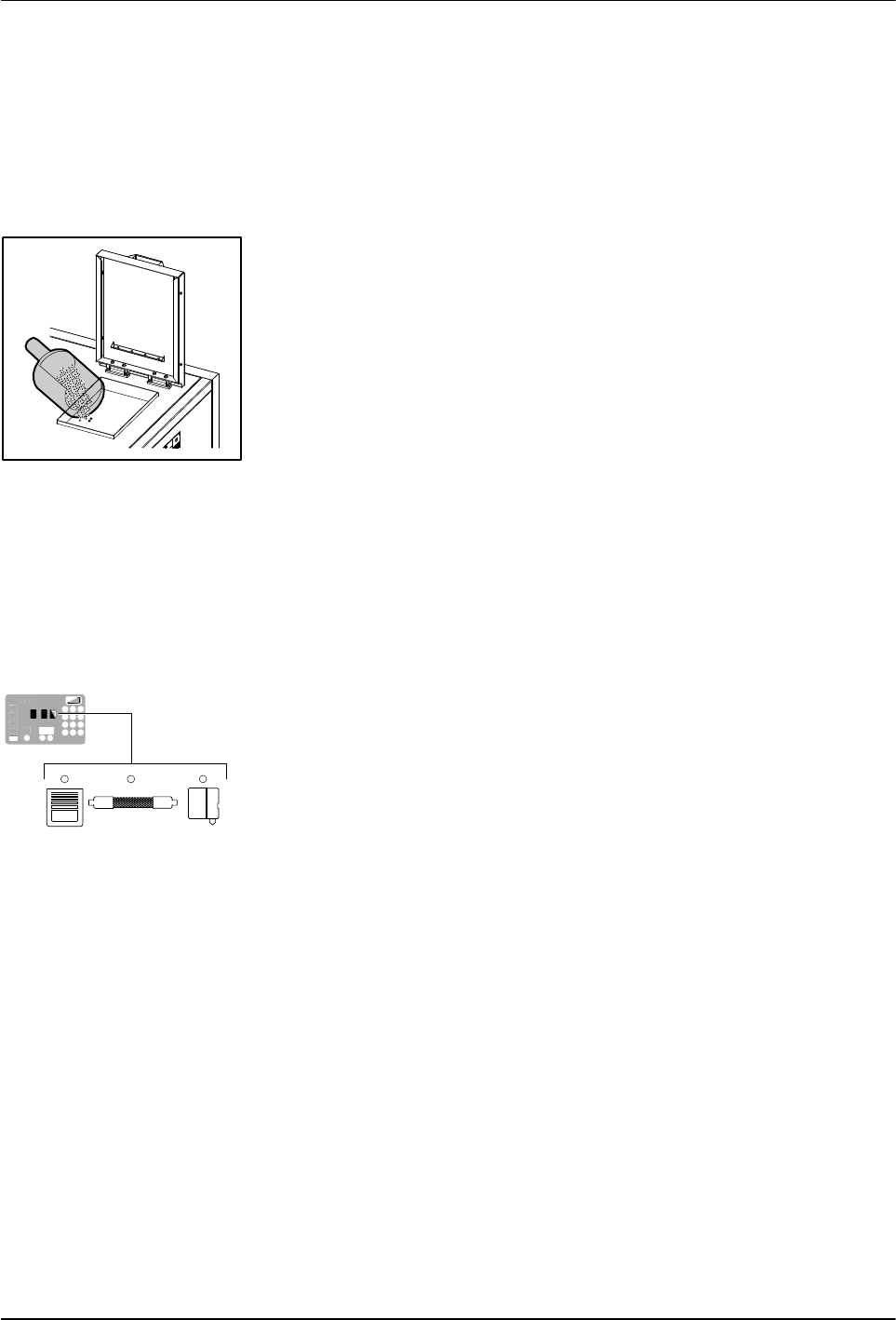
Filling the tank
Component keys
(tank, hose, and applicator)
Operation
4-2
Part 1126931_01
2018 Nordson Corporation
Filling the Tank
CAUTION: Before filling the tank, ensure that tank and material are clean
and free of foreign substances. Foreign substances can hinder functioning or
even cause damage to the melter or accessories.
CAUTION: Cease operation before the tank is completely empty. If there is
too little material in the tank, the material can overheat. Overheated material
can char, collect on surfaces and cause malfunctioning.
1. Use a scoop to pour material into the tank, leaving a minimum of
2.54 cm (1 in.) of space between the top of the material and the top of the
tank.
2. Close the lid after filling the tank.
About Heated Components
The melter contains three groups of heated components. These are the tank
group, which contains tank, the grid, and the reservoir; the hose group; and
the applicator group. Component groups are represented on the control
panel by the component keys shown to the left.
Heated components within each group are identified by their position
number. The position of the tank group is fixed at 1. Hose and applicator
position numbers are automatically assigned based on the hose/applicator
receptacle they are connected to.
NOTE: In some installations, auxiliary devices (such as a heated air
manifold) may be connected to a hose/applicator receptacle. In such cases,
you should label (or otherwise identify) the auxiliary device as to the hose or
applicator position number that represents the device. The control panel will
identify such devices as a hose or applicator, regardless of what the device
actually is.
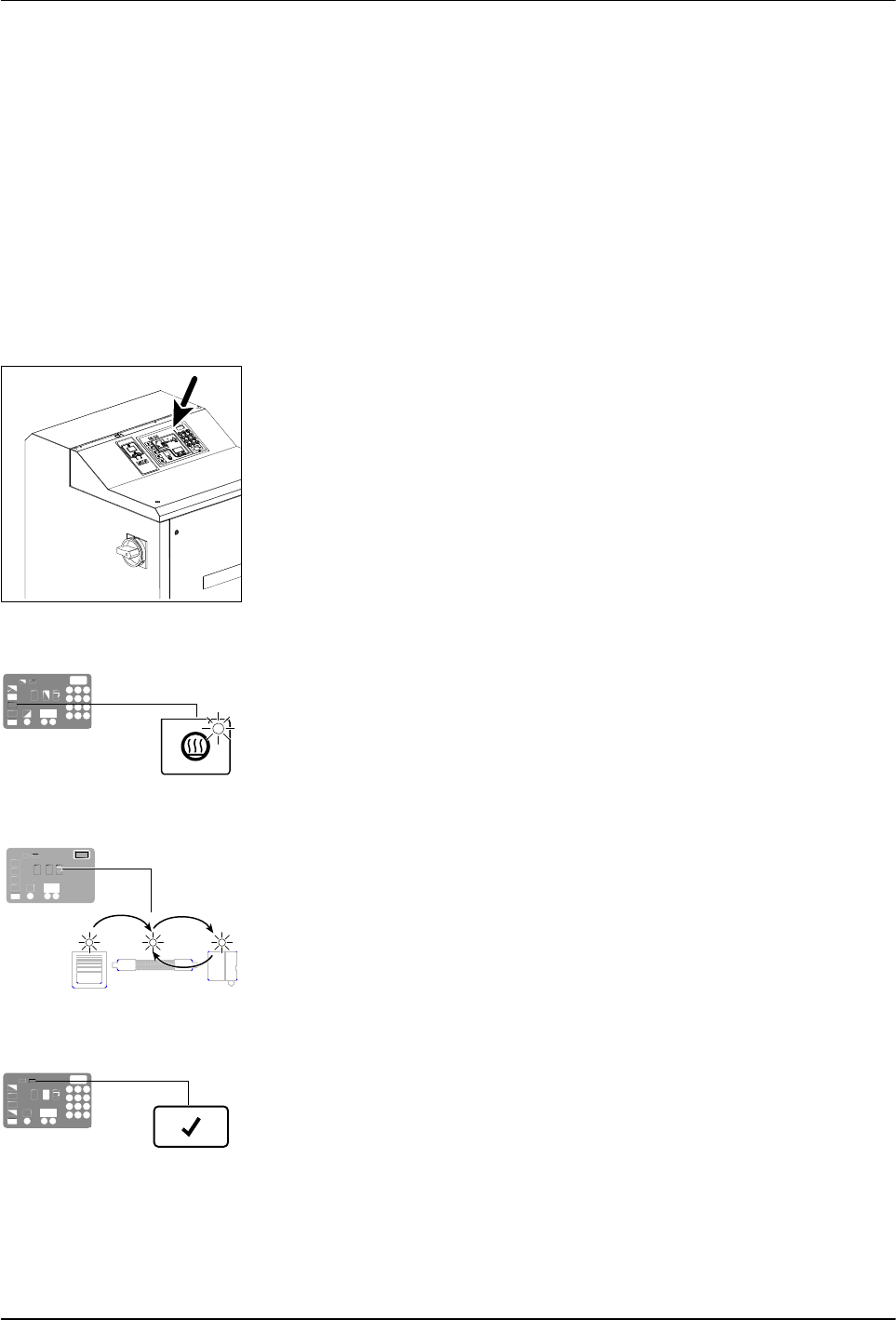
Control switch
Heaters LED
Automatic scan sequence
Ready LED
Operation
4-3
Part 1126931_01
2018 Nordson Corporation
Starting the Melter
Before starting the melter for the first time, confirm that the
melter is fully installed including any required inputs and outputs,
applicator drivers, pattern controllers, or timers.
melter's operating parameters are set up to support the
current manufacturing process.
Refer to Section 3, Installation, if any of the items listed above are
not complete.
To start the melter
1. Place the main power switch in the ON position.
2. Place the control switch in the ON position.
The melter:
Tests the control panel LEDs
Turns on the heaters (the heaters LED turns green)
Begins to automatically scan through and display the
actual temperature of the tank and each hose and applicator that has
a set‐point temperature that is greater than zero degrees. The
sequence of the automatic scan is: tank, each hose and
applicator pair, and then back to the tank.
Turns on the ready LED (green) when the tank and all of the
hoses and applicators are within 3 C (5 F) of their assigned
set‐point temperature.
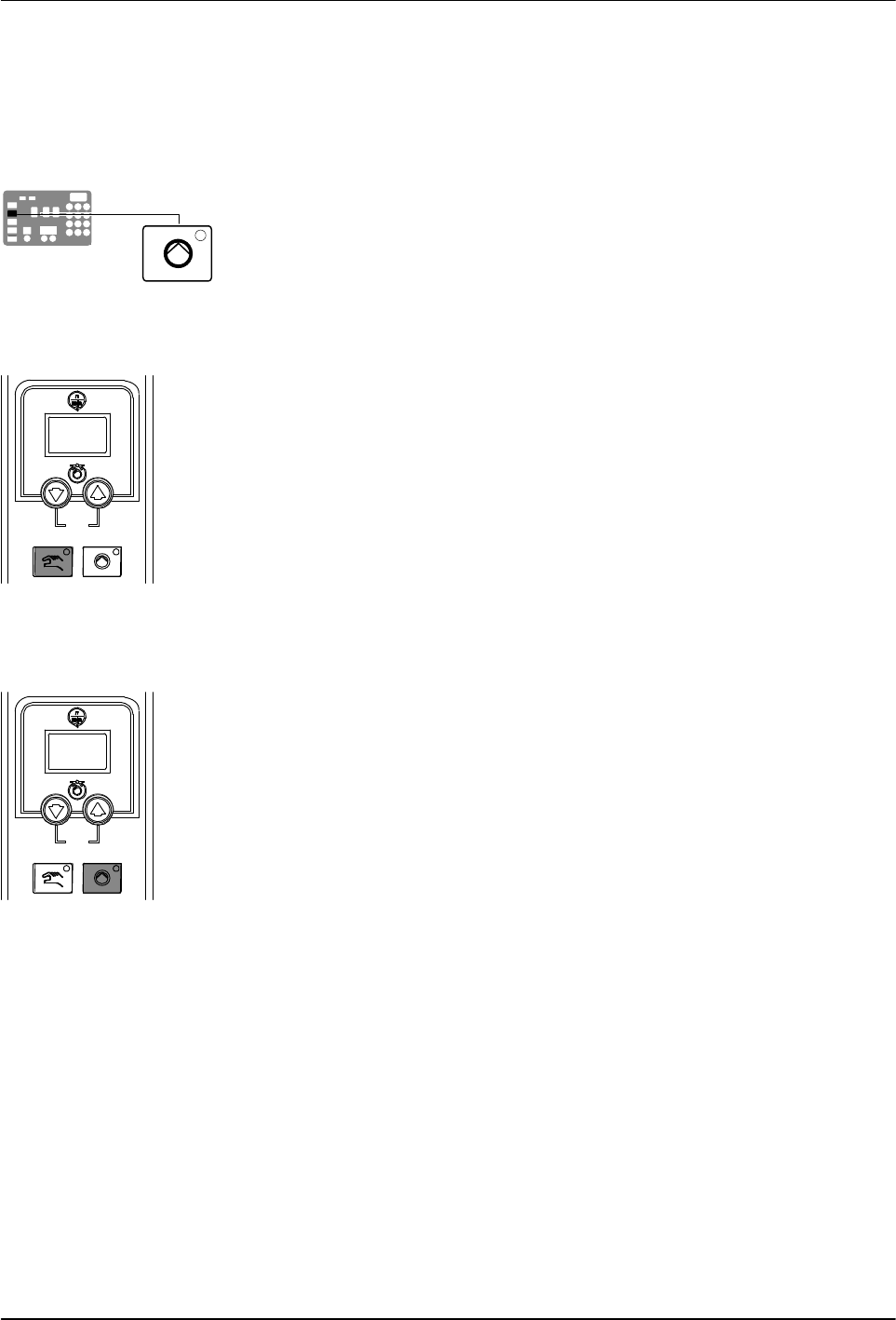
Master pump enable key/LED
Pump mode key and LED
Motor start/stop key and LED
Operation
4-4
Part 1126931_01
2018 Nordson Corporation
Starting the Melter (contd)
CAUTION! Do not operate Nordson pumps without material. Before enabling
the motor(s), ensure that the tank is filled.
3. Press the master pump enable key to enable the pump(s).
The LED on the key turns yellow to indicate that a pump is enabled, but
not running.
4. Melters equipped with the optional motion switch: Place the motion
switch in the ON position.
5. Press the pump mode key(s) to select the manual (LED on) or automatic
(LED off) mode.
6. Press the pump enable key(s) on the motor control panel(s) to enable the
motor(s). The LEDs turn on when a motor is enabled:
Manual Mode—If the system is at ready status (master pump enable key
LED is green) at the time a pump enable key is pressed, then the
motor(s) will start. If the system is not at ready status (master pump
enable key LED is yellow), wait until the LED is green, and then repress
the pump enable key(s).
Automatic Mode—If the system is at ready status (master pump enable
key LED is green) at the time a pump enable key is pressed, then the
motor(s) will start. If the system is not at ready status (master pump
enable key LED is yellow), the motor(s) will start automatically when the
system reaches ready.
NOTE: If any one of standard inputs 1-4 (Parameters 30-33) are being
used and if either control option 3 (Motor 1 Enable/Disable) or control
option 11 (Motor2 Enable/Disable) is selected, the pump enable keys
have no effect. Refer to Setting Up Inputs/Outputs in Section 3,
Installation, for information on connecting and setting up inputs/outputs.