DuraBlue II Customer Product Manual.pdf - 第81页
Tank, hose, and applicator keys Operation 4-19 Part 1126931_01 2018 Nordson Corporation To adjust the setpoint temperature using the global‐by‐component method 1. Press and hold the Hose or Applicator key for three sec…
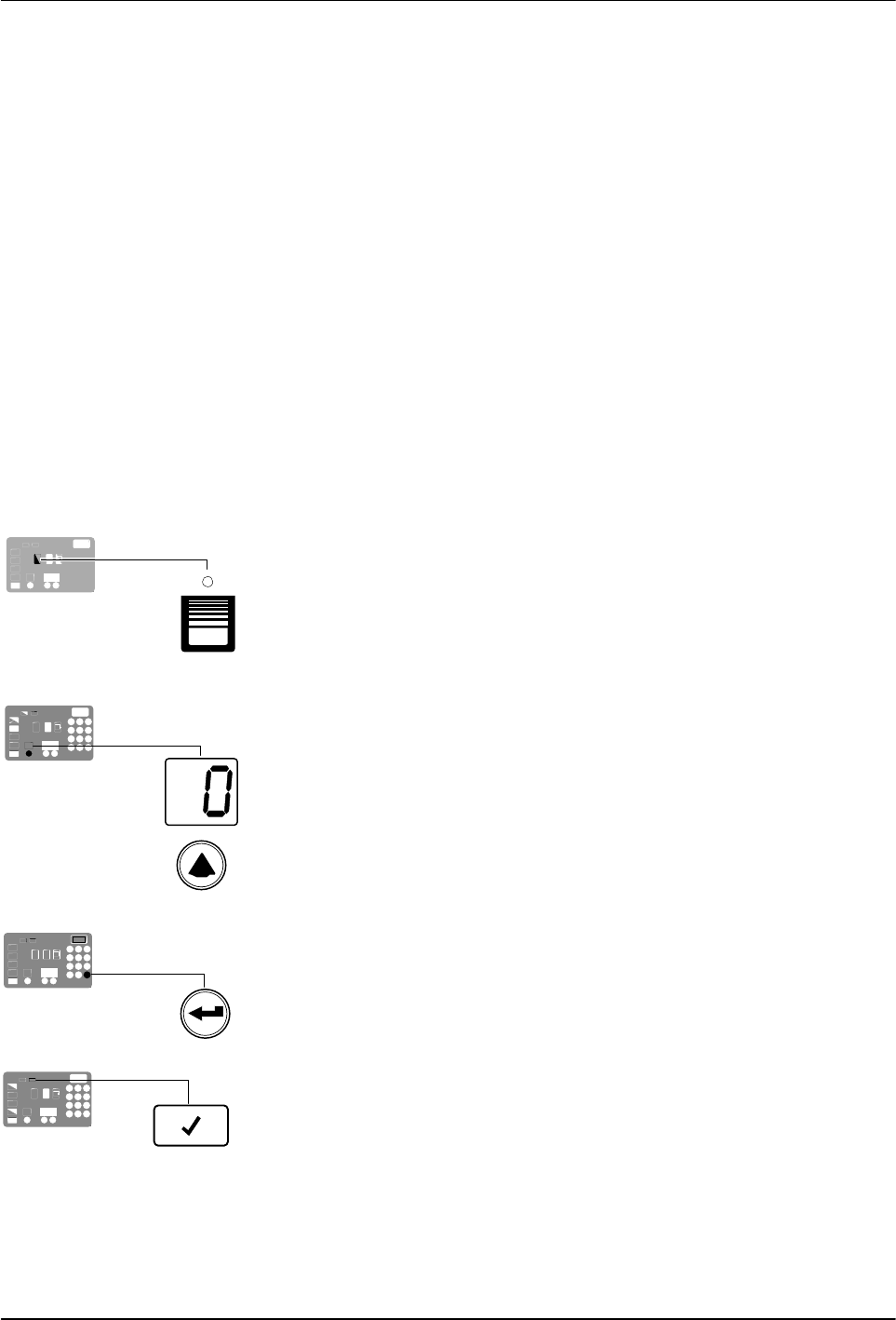
Tank key
Left display and
scroll key
Enter key
Ready LED
Operation
4-18
Part 1126931_01
2018 Nordson Corporation
Adjusting Component Temperatures
You can adjust the set‐point temperature of heated components using the
following methods:
Global—The tank and all hoses and applicators are set to the same
set‐point temperature.
Global‐by‐component group—All of the hoses or all of the
applicators are set to the same set‐point temperature.
Individual Component—The set‐point temperature of the tank
and each hose and applicator is adjusted independently.
Before adjusting set‐point temperatures, confirm that each hose/applicator
pair is connected to the correct hose/applicator receptacle. For example,
hose/applicator pair 1 should be connected to the receptacle 1. Refer to
Heated Components earlier in this section for information about
hose/applicator positions.
NOTE: For additional temperature control features, refer to
Parameters20-29 in Appendix B, Operating Parameters.
To adjust the setpoint temperature using the global method
1. Press and hold the Tank key for three seconds.
The left display flashes 1.
2. Scroll the left display to 0 (flashing).
The right display indicates all dashes (‐‐‐‐) and the LEDs on all of
the component keys turn green.
3. Press the Enter key.
The right display flashes.
4. Use the keypad to enter the set‐point temperature recommended by
the manufacturer of the hot melt.
NOTE: If the keypad or the right‐display scroll keys have no affect on the
right display, the melter is password protected. You must enter a valid
password before you can change set‐point temperatures. Refer to
Entering a Password in this section.
5. Press the Tank key.
All components begin to heat or cool to the new global
set‐point temperature. When all of the components reach their
set‐point temperature, the ready LED turns on (green).

Tank, hose, and applicator keys
Operation
4-19
Part 1126931_01
2018 Nordson Corporation
To adjust the setpoint temperature using the global‐by‐component
method
1. Press and hold the Hose or Applicator key for three seconds.
The left display indicates the number of the first sequential hose or
applicator. The right display indicates the current set‐point temperature of
the hose or the applicator.
2. Scroll the left display to 0.
The right display indicates all dashes (‐ ‐ ‐ ‐).
3. Press the Enter key.
The right display flashes.
4. Use the keypad to enter the set‐point temperature recommended by
the manufacturer of the hot melt.
NOTE: If the keypad or the right‐display scroll keys have no affect on the
right display, the melter is password protected. You must enter a valid
password before you can change set‐point temperatures. Refer to
Entering a Password in this section.
5. Press the Enter key.
The hoses or the applicators begin to heat or cool to their new
set‐point temperature.

Operation
4-20
Part 1126931_01
2018 Nordson Corporation
To adjust the setpoint temperature of an individual component
1. Press and hold the Tank, Hose, or Applicator key for three seconds.
If the tank key was pressed, the left display indicates 1 (Flashing). If a
hose or applicator key was pressed, the left display indicates the number
of the first sequential hose or applicator (Flashing). The right display
indicates the current set‐point temperature of the component indicated in
the left display.
2. Scroll the left display to the number of the desired component.
The right display indicates the current set‐point temperature of the
component that you selected in the left display.
3. Press the Enter key.
The right display flashes.
4. Use the keypad to enter the set‐point temperature recommended by
the manufacturer of the hot melt. Refer to the technical data
sheet provided by the manufacturer of the hot melt to determine the
optimal set‐point temperature.
NOTE: If the keypad or the right‐display scroll keys have no affect on the
right display, the melter is password protected. You must enter a valid
password before you can change set‐point temperatures. Refer to
Entering a Password in this section.
5. Do one of the following:
To register the new set‐point temperature and then move on to
change the set‐point temperature of the next sequential component,
press the Enter key and then repeat steps 4 and 5.
To register the new set‐point temperature and return to the automatic
scan mode, go to step 6.
6. Press any component key (tank, hose, or applicator).
The selected component begins to heat or cool to its new
set‐point temperature.