OM-1833-001w_SL.pdf - 第56页
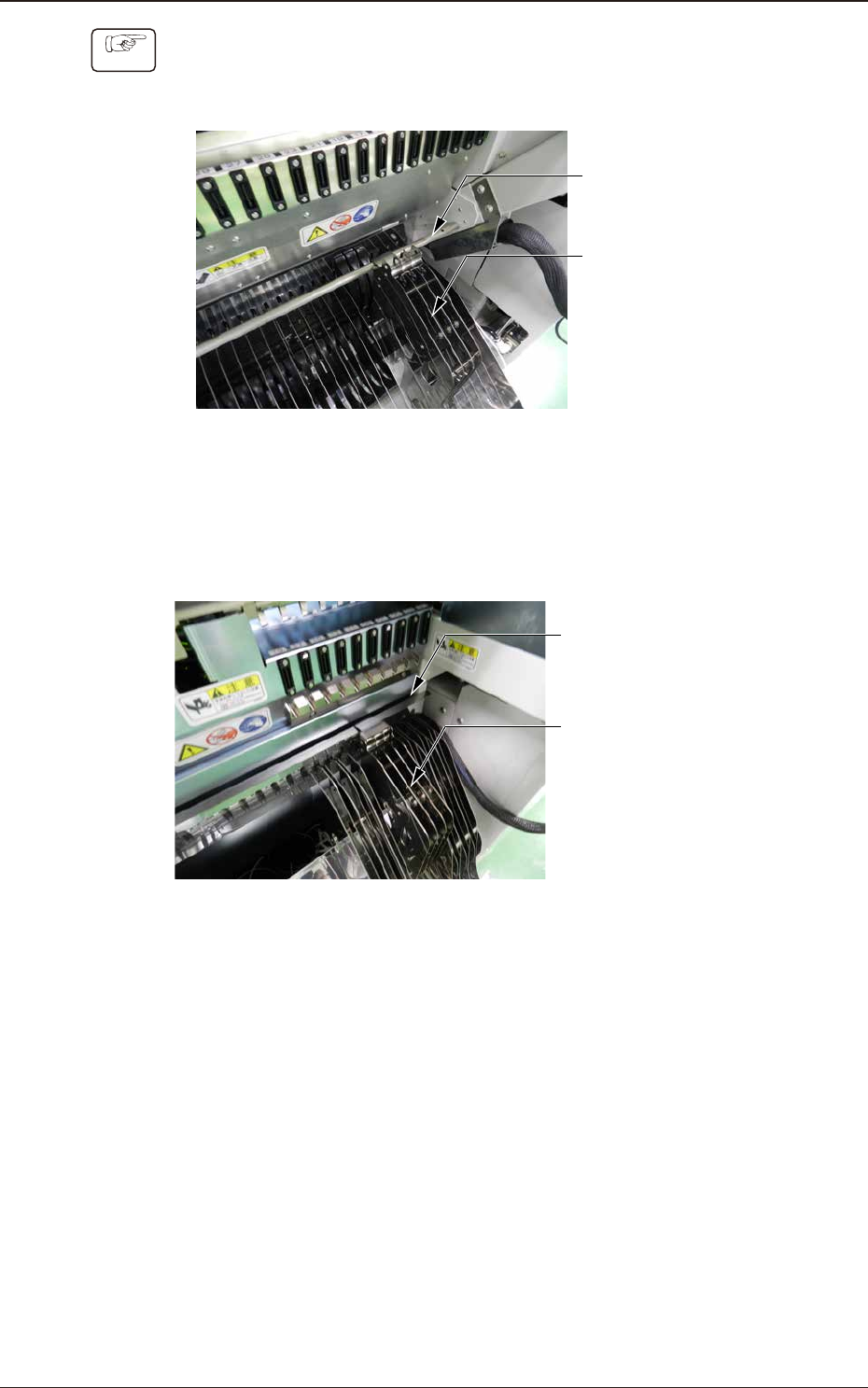
1504-001 3.3 TMulti-Reel Stocker (Option) Procedure • SIGMA-G5 (1) Catch the multi-reel stocker hook on the cart bar . Cart Bar Multi-Reel Stocker Fig. C7 • SIGMA-F8/G5S (1) Catch the multi-reel stocker hook on the Gap i…
1504-001
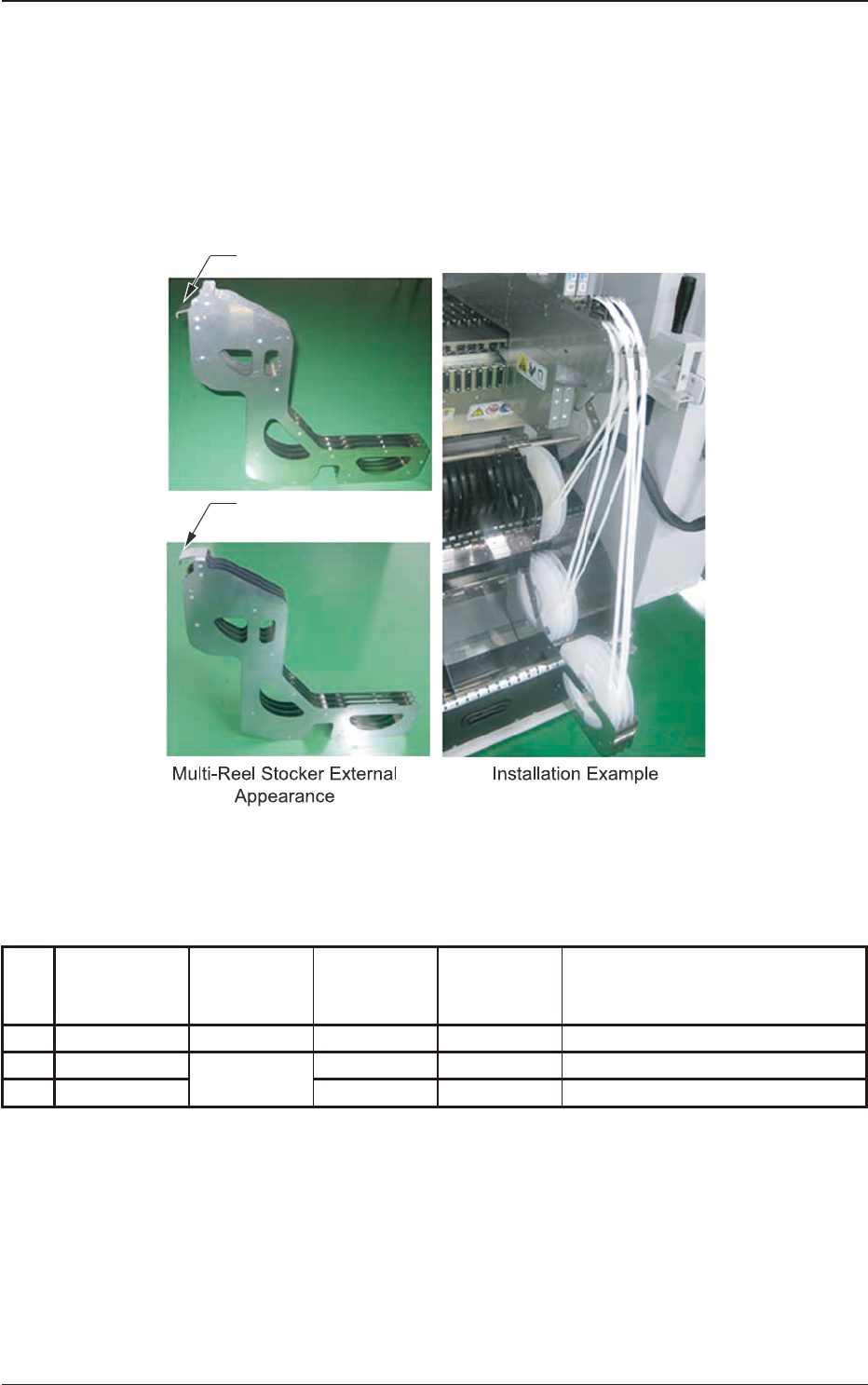
3.3 Multi-Reel Stocker (Option)
Multi-Reel StockerThis stocker is used to enable the simultaneous setting operation
of the preceding tape and succeeding component reloading tape in each lane.(A
total of eight small reels can be set within the width as much as the feeder’s two
slots allow)
6/05
IRU6,*0$*
6/05
IRU6,*0$)*6
Hook
Hook
Fig. C6
Model No. and No. of Loadable Units
Table C2
No.
Applicable
machine
Model
Maximum
number
loadable
Number of
small reels set
Remarks
1 SIGMA-G5 SL-MR200 13 104 104 = 4 Lane × 2 Reel × 13 Stocker
2 SIGMA-F8
SL-MR800
10 80 80 = 4 Lane × 2 Reel × 10 Stocker
3 SIGMA-G5S 13 104 104 = 4 Lane × 2 Reel × 13 Stocker
3.3 Multi-Reel Stocker (Option)
OM-1833
3-7
1504-001
3.3 TMulti-Reel Stocker (Option)
Procedure
• SIGMA-G5
(1) Catch the multi-reel stocker hook on the cart bar.
Cart Bar
Multi-Reel
Stocker
Fig. C7
•
SIGMA-F8/G5S
(1) Catch the multi-reel stocker hook on the Gap in the Cart.
Gap in the Cart
Multi-Reel
Stocker
Fig. C8
OM-1833
3-8
4. Operation Panel
On the operation panel, the following displays and operations are available.
•
Display of the set pitch
•
I/O status display for the sensor, etc.
•
Display of the selected lane
•
Subject Lane Selection
•
Tape Feeding
•
Feed Pitch Setting
•
Display of the error codes
•
Tape returning operation
•
Tape Loading Operation
•
Forcible Feeding Operation
•
Tape Unloading Operation
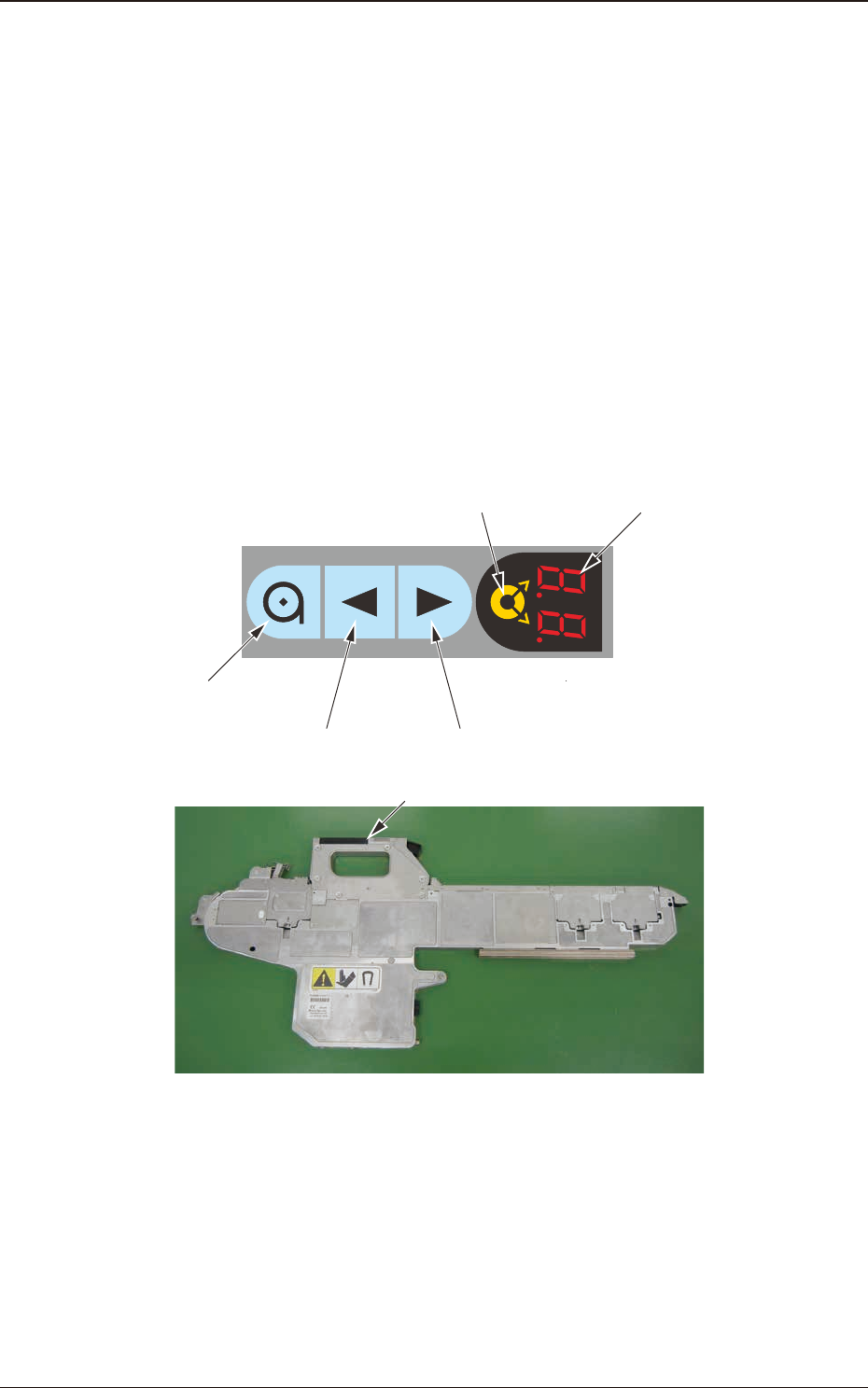
4.1 Name and Function of Each Section on Operation Panel
The tape feeder operation buttons and indicators are arranged integrally on the
operation panel.
Digital IndicatorLane Selection Button
Forward ButtonBackward Button
Loading Button
Operation Panel
Fig. D1
1504-001
4. Operation Panel
OM-1833
4-1