YAMAHA errer code-a.pdf - 第18页
Ea - 18 ERROR MESSAGES LIST Ea YV88Xabcabcabc Ea0081 1 Ea00812 Ea00850 Ea00851 Ea00852 Ea00853 Ea00854 Ea00855 Ea00856 Ea00857 Ea00858 Ea00859 Ea00860 QUICK STOP ACTIVE: "NJ08 FRONT -FEEDER PLA TE SENSOR" QUICK…
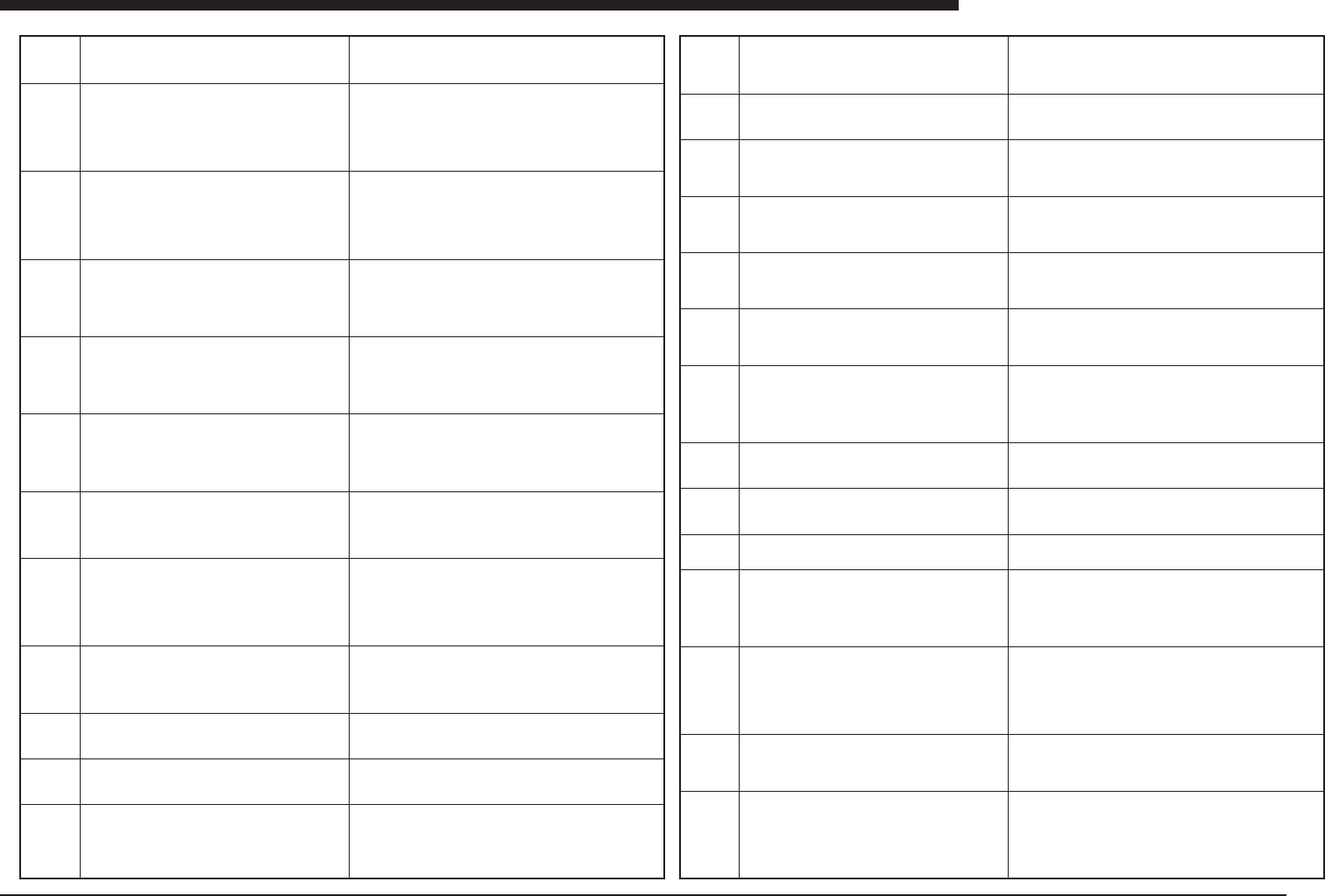
Ea -17
ERROR MESSAGES LIST
Ea
Ea00765
Ea00766
Ea00767
Ea00770
Ea00771
Ea00772
Ea00780
Ea00781
Ea00782
Ea00790
Ea00792
Ea00794
Illegal mark number is specified in fiducial data.
Have you saved component information?
[ESC] key to abort fixed comp. match
Other key to exec fixed comp. match
Have you saved component information?
[ESC] key to abort auto distribution
Other key to exec auto distribution
Failed to open nozzle combination information.
Machine 2
Failed to read nozzle combination information.
Machine 2
Failed to write nozzle combination information.
Machine 2
Failed to read machine configuration.
Machine 2
Failed to read machine data.
Machine 2
Failed to read machine specification.
Machine 2
Now copying PCB data to work data
(DUMMY_GENERATOR).
Generating nozzle file.
Accessing disk.
Wait a few moment.
(meaning)The number of the mark specified in the fiducial data.
(cause)Same as above.
(remedy)Go back to the editing screen and correct the mark num-
ber in the fiducial data.
(meaning)Before fixed component matching is carried out on the
component information screen, the component information must
first be saved. This is a confirmation message asking if the informa-
tion has been saved, and not an error message.
(cause)None
(remedy)If the data has not been saved, press the ESC key. After
the data has been saved, try the fixed component matching. If the
data has already been saved, press any other key to proceed.
(meaning)Before fixed component matching is carried out on the
component information screen, the component information must
first be saved. This is a confirmation message asking if the informa-
tion has been saved, and not an error message.
(cause)None
(remedy)If the data has not been saved, press the ESC key. After
the data has been saved, try the fixed component matching. If the
data has already been saved, press any other key to proceed.
(meaning)An error occurred when opening the nozzle settings file.
(cause)There is no space available on the hard disk, or there is a
problem with the hard disk.
(remedy)If there is no space available, back up any unnecessary
PCB data and then delete it. If there is a problem with the disk,
check to see how often the problem occurs, and contact the manu-
facturer.
(meaning)An error occurred when opening the nozzle settings file.
(cause)There is no space available on the hard disk, or there is a
problem with the hard disk.
(remedy)If there is no space available, back up any unnecessary
PCB data and then delete it. If there is a problem with the disk,
check to see how often the problem occurs, and contact the manu-
facturer.
(meaning)An error occurred when opening the nozzle settings file.
(cause)There is no space available on the hard disk, or there is a
problem with the hard disk.
(remedy)If there is no space available, back up any unnecessary
PCB data and then delete it. If there is a problem with the disk,
check to see how often the problem occurs, and contact the manu-
facturer.
(meaning)An error occurred when reading the machine configura-
tion file.
(cause)The software versions do not match, or there is a problem
with the hard disk.
(remedy)Check the software versions, and contact the manufac-
turer.
(meaning)An error occurred when reading the machine data.
(cause)No machine data has been registered; machine data has
been registered which is different from the registered model num-
ber; or there is a problem with the hard disk.
(remedy)Check to see if the machine data has been registered
correctly. If the problem occurs even if the data has been regis-
tered, check to see how often it occurs, and contact the manufac-
turer.
(meaning)An error occurred when reading the machine specifica-
tions.
(cause)The software versions do not match, or there is a problem
with the hard disk.
(remedy)Check the software versions, and contact the manufac-
turer.
(meaning)The PCB data is being copied as work data for creating
data. This is not an error message.
(cause)None
(remedy)Wait for the process to be completed.
(meaning)The nozzle file is being created. This is not an error mes-
sage.
(cause)None
(remedy)Wait for the process to be completed.
(meaning)The disk is being accessed. This is not an error mes-
sage.
(cause)None
(remedy)Wait for the process to be completed.
Ea00796
Ea00797
Ea00801
Ea00802
Ea00802/
BASEa0
Ea00802/
APL=0
Ea00803
Ea00804
Ea00805
Ea00806
Ea00807
Ea00808
Ea00809
Ea00810
Fail to make work data (DUMMY_GENERATOR).
Using the different make data of PCB Information between
the machines.
PCB name and line name were not chosen.
If both of them are not chosen, you can't make data. If
you want to make data, choose again.
QUICK STOP ACTIVE: "NJ06 FRONT-RIGHT COVER"
QUICK STOP FUNCTION for safety is now active. To
continue, please assure that the front-right cover is cor-
rectly closed.
QUICK STOP ACTIVE: "NJ07 A TABLE, Y AXIS COVER"
QUICK STOP FUNCTION for safety is now active. To
continue, please assure that the A table, Y Axis cover is
correctly closed.
QUICK STOP ACTIVE: "NJ07 FRONT-FEEDER SEN-
SOR 2"
QUICK STOP FUNCTION is now active.
To continue, please ensure that the front feeders are in-
serted correctly.
QUICK STOP ACTIVE: "NJ07 FRONT-FEEDER SEN-
SOR 2"
QUICK STOP FUNCTION is now active.
To continue, please ensure that the front feeders are in-
serted correctly.
QUICK STOP ACTIVE: "NJ10 FRONT-FEEDER SEN-
SOR"
QUICK STOP FUNCTION is now active.
To continue, please ensure that the feeders are inserted
correctly into the front feeder plate.
If the feeder exchange system is used, also ensure that
the system is fixed properly.
QUICK STOP ACTIVE: "NM06 REAR-RIGHT COVER"
QUICK STOP FUNCTION for safety is now active. To
continue, please assure that the rear-right cover is cor-
rectly closed.
QUICK STOP ACTIVE: "NM07 B TABLE Y AXIS COVER"
QUICK STOP FUNCTION for safety is now active. To
continue, please assure that the B table, Y Axis cover is
correctly closed.
QUICK STOP ACTIVE: "NM09 AIR PRESSURE SW",
QUICK STOP FUNCTION for safety is now active. To
continue, please check the supplied air pressure.
QUICK STOP ACTIVE: "NM10 FRONT-FEEDER SEN-
SOR"
QUICK STOP FUNCTION is now active.
To continue, please ensure that the feeders are inserted
correctly into the rear feeder plate.
If the feeder exchange system is used, also ensure that
the system is fixed properly.
QUICK STOP ACTIVE:
"NM13 PCB TRANSFER HOOK LOAD"
QUICK STOP FUNCTION for safety is now active.
Remove the PCB and check the conveyor condition.
QUICK STOP ACTIVE: "NJ11 INTERLOCK ERROR"
QUICK STOP FUNCTION for safety is now active.
Remove the cause of QUICK STOPPING.
QUICK STOP ACTIVE: "NM11 INTERLOCK ERROR"
QUICK STOP FUNCTION for safety is now active.
Remove the cause of QUICK STOPPING.
(meaning)Fail to make the DUMMY_GENERATOR.
(cause)In PCB Inf., difference mark number is used between the
machines.
(remedy)Using the same mark number in PCB Inf. among the ma-
chines.
(meaning)You didn't choose PCB and line name.
(cause)exiting without choice.
(remedy)If you haven't chosen, Choose. If you stop making data, no
need.
(meaning)An emergency stop has occurred because the front cover
of Table A is open, and the interlock has been activated.
(cause)The cover on the front side is open, or the sensor is defec-
tive.
(remedy)Close the cover.
(meaning)The interlock has been activated because the external
axis cover of Table A is open.
(cause)The cover on the front side is open, or the sensor is defec-
tive.
(remedy)Close the cover.
(meaning) Interlock has been activated because outer cover is open
on A table.
(cause) Cover is open or sensor is defective.
(remedy) Close cover.
(meaning) Interlock has been activated because outer cover is open
on A table.
(cause) Cover is open or sensor is defective.
(remedy) Close cover.
(meaning) Sensor that detects front-side feeders which are not firmly
seated has detected loose feeder.
(cause) Feeder has not been installed correctly, or sensor is defec-
tive. In some cases, this message is displayed during an emergency
stop, but this is normal and does not indicate a problem.
(remedy) In any case other than an emergency stop, check feeder
installation.
(meaning)The rear cover of Table B is open.
(cause)A cover is open, or the sensor is defective.
(remedy)Close the cover.
(meaning)The interlock has been activated because the front axis
cover of Table B is open.
(cause)A cover is open, or the sensor is defective.
(remedy)Close the cover.
(meaning) Sensor that detects rear-side feeders which are not firmly
seated has detected loose feeder.
(cause) Feeder has not been installed correctly, or sensor is defec-
tive. In some cases, this message is displayed during an emergency
stop, but this is normal and does not indicate a problem.
(remedy) In any case other than an emergency stop, check feeder
installation.
(meaning)The load on the PCB transport unit is excessive, and the
interlock has been activated.
(cause) The edge of a PCB has gotten caught on the edge of the
connecting section of the conveyor, or an excessive load is placed
on the transport unit because the PCB is too wide for the conveyor,
thus activating the interlock.
(remedy)Find out where the excessive load is occurring, and adjust
the PCB width or the conveyor position.
(meaning) The interlock of the quick-stop function connected to NJ11
has been detected, and the emergency stop function has been ac-
tivated.
(cause) This depends on optional equipment being used.
(remedy) This depends on optional equipment being used.
(meaning) The interlock of the quick-stop function connected to
NM11 has been detected, and the emergency stop function has
been activated.
(cause) This depends on optional equipment being used.
(remedy) This depends on optional equipment being used.
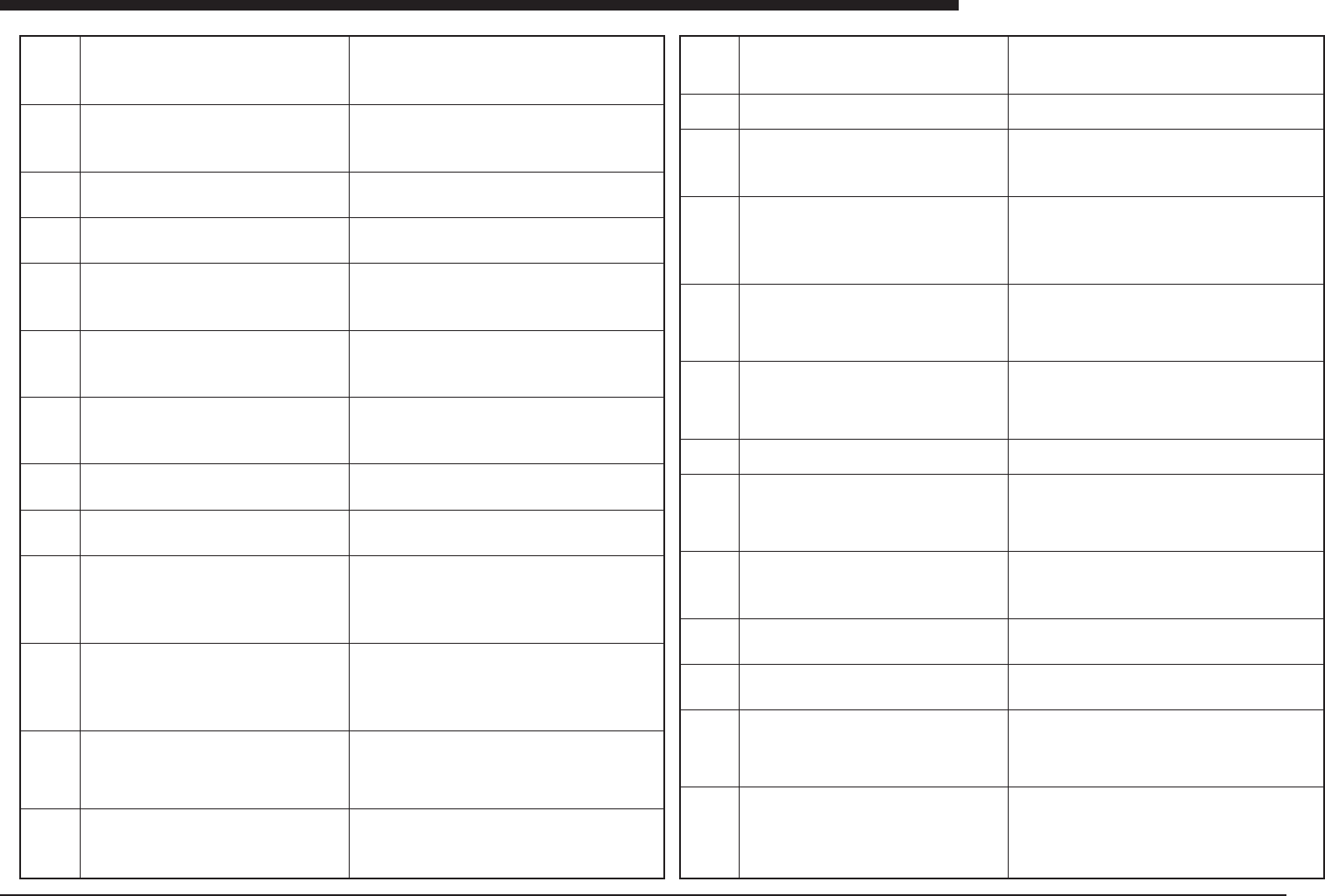
Ea -18
ERROR MESSAGES LIST
Ea
YV88Xabcabcabc
Ea00811
Ea00812
Ea00850
Ea00851
Ea00852
Ea00853
Ea00854
Ea00855
Ea00856
Ea00857
Ea00858
Ea00859
Ea00860
QUICK STOP ACTIVE:
"NJ08 FRONT-FEEDER PLATE SENSOR"
QUICK STOP FUNCTION for safety is now active. To
continue, please assure that the front feeder plate is in-
serted correctly.
QUICK STOP ACTIVE:
"NM08 FRONT-FEEDER PLATE SENSOR"
QUICK STOP FUNCTION for safety is now active. To
continue, please assure that the front feeder plate is in-
serted correctly.
INTERLOCK ERROR
Head lower sensor is OFF. Remove the cause of this
sensor OFF.
INTERLOCK ERROR
Transfer axis up/down sensor is OFF. Remove the cause
of this sensor OFF.
INTERLOCK ERROR
The sensor of main stopper or pushup or entrance stop-
per is ON. Remove the cause of this sensor ON.
INTERLOCK ERROR
Z-position of head No.1 is in dangerous zone. Please
change Z-position by your hand after pressing EMG but-
ton.
INTERLOCK ERROR
Z-position of head No.2 is in dangerous zone. Please
change Z-position by your hand after pressing EMG but-
ton.
INTERLOCK ERROR
The lower sensor of head No.1 is OFF. Remove the cause
of this sensor OFF.
INTERLOCK ERROR
The lower sensor of head No.2 is OFF. Remove the cause
of this sensor OFF.
INTERLOCK ERROR
Z-position of head No.1 is not suitable for LED backlight
moving. Please change LED backlight position to the right
side.
INTERLOCK ERROR
Z-position of head No.2 is not suitable for LED backlight
moving. Please change LED backlight position to the right
side.
INTERLOCK ERROR
LED backlight should be right. Please change LED back-
light position to the right side.
INTERLOCK ERROR
External Tray Changer head is down now. Please change
the output to go up in manual.
(meaning)The feeder plate seating sensor for the bulk setup feeder
plate has detected a feeder which is not securely seated, and the
interlock has been activated.
(cause)The feeder plate has not been attached securely, or the
sensor is malfunctioning.
(remedy)Make sure the feeder plate is attached securely.
(meaning)The feeder plate seating sensor for the bulk setup feeder
plate has detected a feeder which is not securely seated, and the
interlock has been activated.
(cause)The feeder plate has not been attached securely, or the
sensor is malfunctioning.
(remedy)Make sure the feeder plate is attached securely.
(meaning)The head descent end sensor is off.
(cause)The head does not ascend because of an operational mal-
function or a sensor error.
(remedy)Check the vertical movement of the head.
(meaning)The descent end sensor on the PCB transport unit is off.
(cause)The PCB transport unit has remained in its lowered posi-
tion, or the sensor is malfunctioning.
(remedy)Check the vertical movement of the PCB transport unit.
(meaning)At the point when an attempt was made to transport
PCBs, the sensor for the main stopper, the pushup, or the entrance
stopper went on, and one of these has ascended.
(cause)The sensor is malfunctioning, or the actuator is defective.
(remedy)Check the action of the main stopper, the pushup, and
the entrance stopper.
(meaning)The height of the Z axis on Head 1 is not appropriate for
the movement of the head.
(cause)An attempt was made to begin operation under inappropri-
ate conditions.
(remedy)Press the Emergency Stop button and pull the head up-
wards. Then start operation again.
(meaning)The height of the Z axis on Head 2 is not appropriate for
the movement of the head.
(cause)An attempt was made to begin operation under inappropri-
ate conditions.
(remedy)Press the Emergency Stop button and pull the head up-
wards. Then start operation again.
(meaning)The descent end sensor of Head 1 is on.
(cause)The head has not ascended, or the sensor is malfunction-
ing.
(remedy)Press the Emergency Stop button and raise the head.
(meaning)The descent end sensor of Head 2 is on.
(cause)The head has not ascended, or the sensor is malfunction-
ing.
(remedy)Press the Emergency Stop button and raise the head.
(meaning)The relation between the position of the Z axis of Head 1
and the LED illumination for backlighting is not appropriate for move-
ment.
(cause)An attempt was made to begin operation under inappropri-
ate conditions.
(remedy)Press the Emergency Stop button, remove the nozzle,
and pull the head upwards. Then move the backlighting to the right
and start operation again.
(meaning)The relation between the position of the Z axis of Head 2
and the LED illumination for backlighting is not appropriate for move-
ment.
(cause)An attempt was made to begin operation under inappropri-
ate conditions.
(remedy)Press the Emergency Stop button, remove the nozzle,
and pull the head upwards. Then move the backlighting to the right
and start operation again.
(meaning)The position of the LED for backlighting illumination is
not appropriate for movement.
(cause)An attempt was made to begin operation under inappropri-
ate conditions.
(remedy)Press the Emergency Stop button, remove the nozzle,
and pull the head upwards. Then move the backlighting to the right
and start operation again.
(meaning)The head of the external tray changer is in the lowered
position.
(cause)The head of the external tray changer has descended, or
the sensor is detecting the lowered position.
(remedy)Switch the manual mode, raise the pickup head for the
external tray, and start operation again.
Ea00861
Ea00862
Ea00863
Ea00901
Ea00902
Ea00903
Ea00904
Ea00905
Ea00906
Ea00907
Ea00908
Ea00909
Ea00910
INTERLOCK ERROR
Some pallet of tray unit is out from the rack. Please set it
into the rack.
INTERLOCK ERROR
A pallet is on the table.
Store it in the magazine.
INTERLOCK ERROR
Pallet latch condition is illegal. Please check latch sen-
sor.
DEFINED MAXIMUM AMOUNT OF PCBs
FOR THE UNLOADER IS REACHED:
Waiting for the reset-signal from the unloader, or.
Execute EDIT PRD.HISTORY/INITIALIZE PCB
COUNTER in 1/1/D4 RUNNING UTILITY to restart with
new rack.
Set the parameter [Pcb/Unloader], in the [PCB informa-
tion] menu to 0 to ignore this.
DEFINED PRODUCTION AMOUNT OF PCBs IS
REACHED.
To continue the production, set the [Pcb/Schedule] pa-
rameter to 0. When switching the PCB data, make sure
that there is no PCB on the buffer conveyor.
Ready to start WARMING UP.
REMOVE:
■ Any board on the conveyor
■ All Push-up pins.
■ other obstructing items.
Push the [ESC] key to abort WARMING UP and to return
to the command menu.
Now WARMING UP .....
Press the [ENTER] key to stop WARMING UP.
Stopped according to CONVEY OUT PCB command.
When switching the PCB data, make sure that there is
no PCB on the buffer conveyor.
EMERGENCY STOP function is now active. Select power
off sequence
[READY] :power off sequence is active.
[ENTER] : power off sequence is in-active.
Be careful for Safety !!! Machine axes will move.
[ENTER] : execute
[Others] : abort
Machine is changing the back light position
to the right now! Please wait...
Failed to search origin
by EMERGENCY SWITCH or SERVO ERROR.
ILLEGAL TRAY DATA DURING RUNNING-1
Meaning: Illegal data during running.
Recovering: Pls. RESET RUNNING.
(meaning)The pallet of the external tray changer is protruding from
the magazine.
(cause)The pallet eject sensor in the magazine has been activated.
(remedy)Store the pallet in a position in the magazine where it does
not activate the pallet eject sensor.
(meaning)The status of the operation sensor in the latching section
where pallets are stored in the tray changer is inappropriate for
movement.
(cause)The operation of the latch sensor is inappropriate.
(remedy)Re-adjust the latch sensor, or push the pallet to a position
where the sensor operates correctly.
(meaning) Waiting for reset signal from unloader side, because
specified number of PCBs have been unloaded to subsequent pro-
cess.(cause) Number of PCBs has been reached which signifies
that unloader is full, and unloading of PCBs has stopped because
number/capacity of PCBs in unloader has reached number set in
PCB information.
(remedy) Replace unloader rack, or, if control is incorrect, set num-
ber/capacity of unloader PCBs to 0.
(meaning) Production has been stopped because the specified num-
ber of PCBs have been produced.
(cause) The number of PCBs to be produced has been specified in
the PCB information and that number has been reached.
(remedy)Shift to the PCB information, and on the PCB information
screen, specify the additional number of PCBs to be produced. Then
start the operation again.
(meaning)This is a notice that warmup operation is beginning.
(cause)The warmup instruction has been issued.
(remedy)Nothing needs to be done. This is not an error.
(meaning)This indicates that warmup is in progress.
(cause)None
(remedy)None
(meaning)After components have been mounted on the PCB and
the eject command has been used, the equipment stopped.
(cause)The components have been mounted on the PCB and the
eject command was issued. Mounting of all PCBs being loaded at
that point is brought to a stop.
(remedy) To continue production, press the Run key at this point.
Operation will be restarted.
(meaning) When operation is concluded, an emergency stop is in
progress, and there are several steps that have to be taken in order
to turn the power supply off.
(cause)An emergency stop is in progress.
(remedy)Press the Ready button to cancel the emergency stop sta-
tus.
(meaning)This is a warning message alerting the user that the axis
is going to move in order to end the processing. It is not an error.
(cause)None
(remedy)Press the Enter key to conclude the processing.
(meaning)This notifies the user that the backlighting illumination is
being moved to the right.
(cause)None
(remedy)Wait until the message disappears from the screen.
(meaning)An error occurred in the servo system hardware when a
return to the origin point was carried out.
(cause)The Emergency Stop button was pressed during a return to
the origin point, or the servo is defective.
(remedy)Do not use the Emergency Stop button while a return to
the origin point is in progress. Check how often the problem occurs,
and contact the manufacturer.
(meaning)A problem occurred with tray changer control during op-
eration.
(cause)Because the operation is complex, the system has lost track
of where the component is.
(remedy)Reset the system.

Ea -19
ERROR MESSAGES LIST
Ea
Ea00911
Ea00920
Ea00921
Ea00922
Ea00925
Ea00926
Ea00950
Ea00951
Ea00952
Ea00953
Ea00954
Ea00955
Ea00956
ILLEGAL TRAY DATA DURING RUNNING-2
Meaning: Illegal data during running.
Recovering: Pls. RESET RUNNING.
COMP.GLOBAL TO TEXT had been completed.
To use EXPERT SETUP, start EXPERT SETUP right now.
SET FROM/TO DATABASE has been completed.
SET TO STATIC_COMPONENT___ has been completed.
Please use this command in Component Info.
Please read the help message carefully before execut-
ing this command.Ready to execute database matching?
Press the [SPACE] key to execute, or any other key to
abort.
CO-PLANARITY CHECK ERROR
Head down position sensor error. Please check the me-
chanical position of Co-Planarity sensor and sensor
sensivity.
CO-PLANARITY CHECK ERROR
Horizontal scanning safety check sensor of Co-Planarity
checked danger. Bad position of Co-Planarity sensor, or
picking error is too big. his component. Or size of com-
ponent is no good. Please check these items.
CO-PLANARITY CHECK ERROR
Error of position of Co-Planarity Check sensor. Please
check the mechanical position of Co-Planarity Check
sensor.
CO-PLANARITY CHECK ERROR
This component is out of regulation. of Co-Planarity Check
sensor. Only "QFP","SOP"is suitable. Or 20.5mm square
is minimum size and 45mm square is maximum size for
Co-Planarity check.
CO-PLANARITY CHECK ERROR
Picking position is bad for Co-Planarity Check. Picking
error is too large for Co-Planarity. Please check the pick-
ing position.
CO-PLANARITY CHECK ERROR
Co-linearity check found the lead out of tolerance.
CO-PLANARITY CHECK ERROR
Vacuum check error.
(meaning)A problem occurred with tray changer control during op-
eration.
(cause)Because the operation is complex, the system has lost track
of where the component is.
(remedy)Reset the system.
(Meaning)This message appears when the [COMP. GROVAL TO
TEXT] command had been completed using YVOS2 with option
EXPERT SW.
(Cause)[COMP. GROVAL TO TEXT] command had been com-
pleted.(Remedy)To execute expert SW, click the icon of expert SW,
or just press [enter] key for another operation.
(Meaning)Succeeded in [SET FROM DATABASE] or reserse set
into the database.
(Cause)[SET FROM DATABASE] or reserse set into the database
had been done.
(Remedy)Press [Enter].
(Meaning)The component data had been registered into the
STATIC_COMPONENT.
(Cause)The command to register the data into STATIC COMPO-
NENT had been executed.
(Remedy)Press [Enter].
(Meaning)A command only for component information is used for
another data.
(Cause)The MAIN WINDOW is not component info.
(Remedy)Press[F3] to change window into component info.
(Meaning)This is the warning message before executing database-
matching.
(Cause)DATABASE MATCHING had been commanded.
(Remedy)Press [SPACE] to execute or other key to cancel.
(meaning)A lead which is not securely attached has been detected,
but the sensor which causes the head to descend has not reacted.
(cause)The sensor has malfunctioned, or there is a problem with
the position coordinates of thedevice which detects leads which
are not securely attached.
(remedy) Trace the position coordinates using the machine data
editing function, and check the operation of the sensor.
(meaning)When an attempt was made to detect loose leads, the
safety check sensor on the device which detects leads which are
not securely attached alerted the user of danger.
(cause)The sensor may have reacted to the sensor which prevents
contact between the nozzles and components and the loose lead
detection (co-planarity) unit.
(remedy)Check the relative heights of the units, and if the sensor
needs to be adjusted, adjust it. Otherwise, if the pickup tolerance
for the components is excessive, adjust the pickup position.
(meaning)There is a problem with the position data for the loose
lead detection (co-planarity) unit.
(cause)The data has not been adjusted properly.
(remedy)Re-adjust the data.
(meaning)An attempt was made to detect loose leads on a compo-
nent which is not within the specifications of the loose lead detec-
tion (co-planarity) unit.
(cause)Detection of loose leads is specified in the data for compo-
nents whose specifications do not allow this type of detection.
(remedy)If there is an error in the component size or other data,
change the input value. Otherwise do not specify that the loose
lead detection (co-planarity) function be used.
(meaning)Because the pickup tolerance is excessive, the loose lead
detection (co-planarity) unit cannot be used.
(cause)The pickup tolerance is excessive.
(remedy)Raise the level of the pickup precision, or stabilize the
pickup conditions.
(meaning)A lead has been detected which is not within the range
set for results of loose lead detection (co-planarity).
(cause)The lead on the component is not securely attached.
(remedy)Do not use that component, or, if the value set for loose
lead detection (co-planarity) is too strict, change it to a more le-
nient setting.
(meaning)During detection of loose leads, the pickup sensor which
checks for the presence of components detects that there are no
more components.
(cause) The component may have fallen off during lead detection,
or the pickup and mounting level has not been set properly.
(remedy)Check to see if the component is still on the nozzle, and
check the setting of the pickup and mounting level.
Ea00957
Ea00958
Ea00959
Ea00970
Ea00999
Ea01000
Ea01001
Ea01002
Ea01003
Ea01004
Ea01010
Ea01018
CO-PLANARITY CHECK ERROR
CO-PLANARITY CHECK ERRORdition Error.
Please once reset and run. Co-Planarity Check sensor
and board Condition Error. Please once reset and run.
In case machine does not recover by this way, please
check the indicator of Lase Lead Locator board. If it is
flashing in red, once power off and power on again.
CO-PLANARITY CHECK ERROR
Co-Planarity Check sensor cannot get good result. Please
check the mechanical position. of Co-Planarity Check
sensor.
CO-PLANARITY CHECK ERROR
Co-Planarity Check sensor data error.", "SOP". In case
for using Co-Planarity Check these conditions are need,
1. Vision type is suitable only "QFP","SOP".
2. There is option of Co-Planarity.
3. Component size is within reguration.
PCB FILE READ ERROR
The amount of data exceeds the limit, 2560p(points).
The counting of each lines are as follows.
Mount Data'(1p),
Block Repeat'(2p),
Fiducial Inf'(3p),
PreDispense'(1p),
DotDispense'(1p).
Reduce the number of data.
RETRY active.
PCB name : [CUK93001]
CAUTION: PCB data is new or changed and requires a
backup.
Insert a backup DISKETTE in the FLOPPY DRIVE, se-
lect "START MAINTENANCE" and press the [ENTER]
key, or.. Press the [ESC] key to skip the backup.
PCB name : [CUK93001]
Writing backup data now.
Please wait a moment....
PCB name : [CUK93001]
FLOPPY DISK DRIVE is not ready.
Data cannot be backed up.
PCB name : [CUK93001]
DISK is not prepared for VIOS.
Data cannot be backed up.
PCB name : [CUK93001]
Cannot execute data backup. The reason is as follows.
■ Floppy disk is full.
■ Floppy disk has bad sector.
PCB name : [CUK93001]
Now reading data.
Please wait a moment....
/0000/1000/E
OPTION ERROR
This option is not implemented in this software. This func-
tion is available only in the surface-mounter.
(meaning)Communication with the loose lead detection (co-planar-
ity) unit is not
(cause)There is a problem with the communications cable connect-
ing the loose lead detection (co-planarity) unit, or the unit itself is
defective
(remedy)Contact the manufacturer.
(meaning)An error occurred in detecting loose leads (checking co-
planarity).
(cause)The component lead does not pass through the area it must
be in in order for loose leads tobe detected.
(remedy)Re-adjust the height data and the X and Y position data
for the loose lead detection (co-planarity) unit, which are found
among the component thickness or the mechanical coordinates.
(meaning)The conditions necessary for executing loose lead de-
tection (co-planarity) have not been met.
(cause)The data has not been specified correctly.
(remedy)Check to see whether the recognition type is set to QFP or
SOP, and that the loose lead detection (co-planarity) unit has been
installed. If the above conditions cannot be met do not use the loose
lead detection (co-planarity) unit.
(meaning) File being read exceeds specified file length.
(cause) Using CAD conversion or other means, data was created
which exceeds specified file length.
(remedy) Delete data which exceeds file length.
(meaning)This is not an error message.
(cause)None
(remedy)None
(meaning)This is a warning that PCB data exists which has been
edited, but the revised version has not been backed up.
(cause)There is PCB data for which changes have been entered,
but the revised data has not been backed up.
(remedy)Insert the PCB data disk in the floppy disk drive and press
the Enter key. To proceed without backing up the data, simply press
the ESC key.
(meaning)This message indicates that data is being backed up. It
is not an error message.
(cause)None
(remedy)Wait until the process has been completed.
(meaning)An attempt was made to back up data, but no floppy disk
which can read the data has been inserted in the drive.
(cause)The backup process was started without inserting the floppy
disk.
(remedy)Insert the floppy disk and then press the Enter key once
more. If no floppy disk is available, press the ESC key.
(meaning)An attempt was made to back up data, but the floppy disk
has not yet been made the PCB data disk.
(cause)A floppy disk is being used for which the PCB data disk
creation command has not been used to make it a PCB data disk.
(remedy)Use a floppy disk which has been made into the PCB data
disk using the PCB data disk creation command. To cancel the
backup process, press the ESC key.
(meaning)An error occurred when backing up data.
(cause)The floppy disk is full; there is a faulty sector on the disk; or
the floppy disk was ejected before the backup process was com-
pleted.
(remedy)Insert a different PCB data disk and execute the command
again.
(meaning)An attempt was made to use optional equipment which
has not been installed, or an option is being used which can be
used only with the mounter itself.
(cause)Same as above.
(remedy)None