00195679-02_AI_XPS_DE+EN.pdf - 第81页
23 Assembly Instructions 5 Mounting the XPS SIPLACE X-Series Productivity Shuttle T ype I/II 5.2 XPS at the Inlet of the Placement System 5.2 XPS at the Inlet of the Placement System 1. Install the SIPLACE X-Series Pr od…
5 Mounting the XPS Assembly Instructions
5.1 Power Supply SIPLACE X-Series Productivity Shuttle Type I/II
22
5.1.1 Converting to 115 V Secondary Voltage
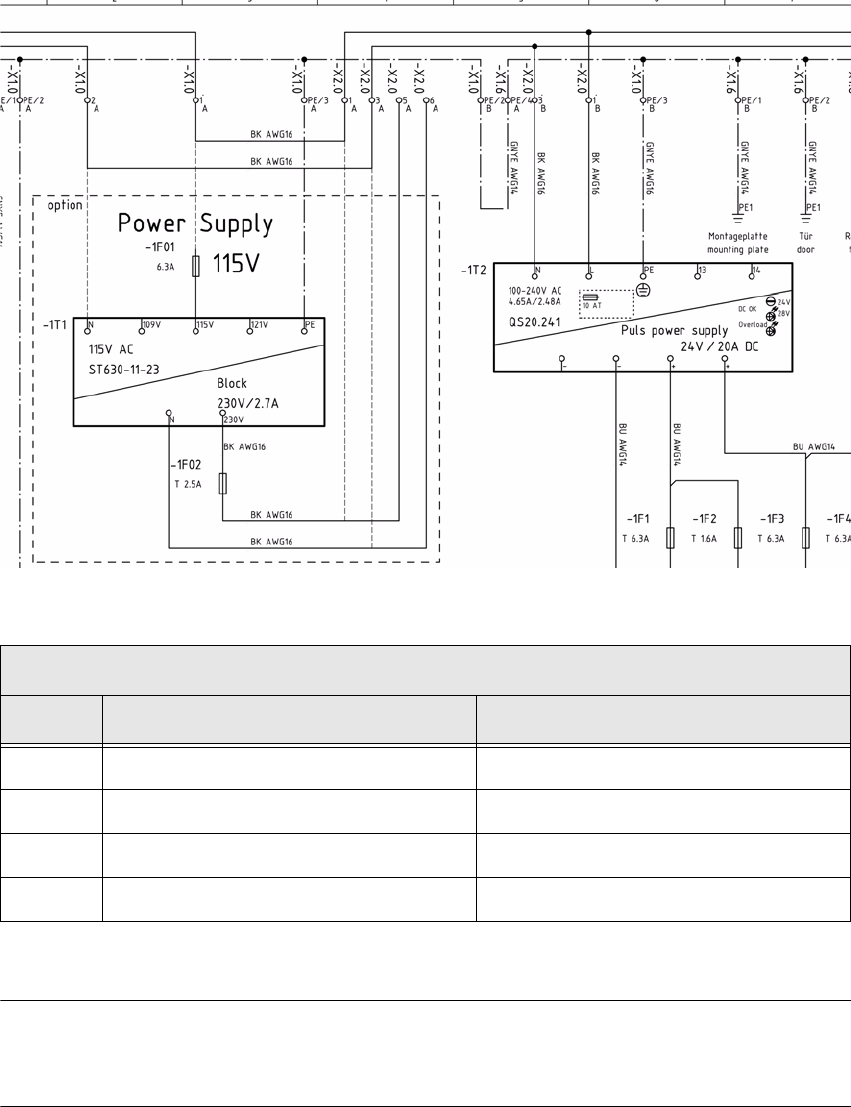
The figure below shows only a section of the circuit diagram. To convert from 230 V to 115 V, refer
to the applicable circuit diagram for the machine.
NOTE 5
For conversion to 115 V, a suitable power plug for the country must be used.
Changing the terminal connections
Step From To
1 Terminal strip -X2.0, Terminal 1 Fuse -1F01
2 Terminal strip -X2.0, Terminal 3 Transformer -1T1, N
3 Terminal strip -X2.0, Terminal 5 Terminal strip -X2.0, Terminal 1
4 Terminal strip -X2.0, Terminal 6 Terminal strip -X2.0, Terminal 3
Table: Converting to 115 V secondary voltage
23
Assembly Instructions 5 Mounting the XPS
SIPLACE X-Series Productivity Shuttle Type I/II 5.2 XPS at the Inlet of the Placement System
5.2 XPS at the Inlet of the Placement System
1. Install the SIPLACE X-Series Productivity Shuttle (XPS) at the inlet of the placement system,
allowing enough distance that the cables can be connected problem-free. The operator panel
of the XPS is located on the right side when viewed in the direction of travel.
NOTE
If provision is made for the line for combined mode and there are XPSs of different types,
attention must be paid that one XPS of Type I is located at the start (start module) and end
(end module) of the line.
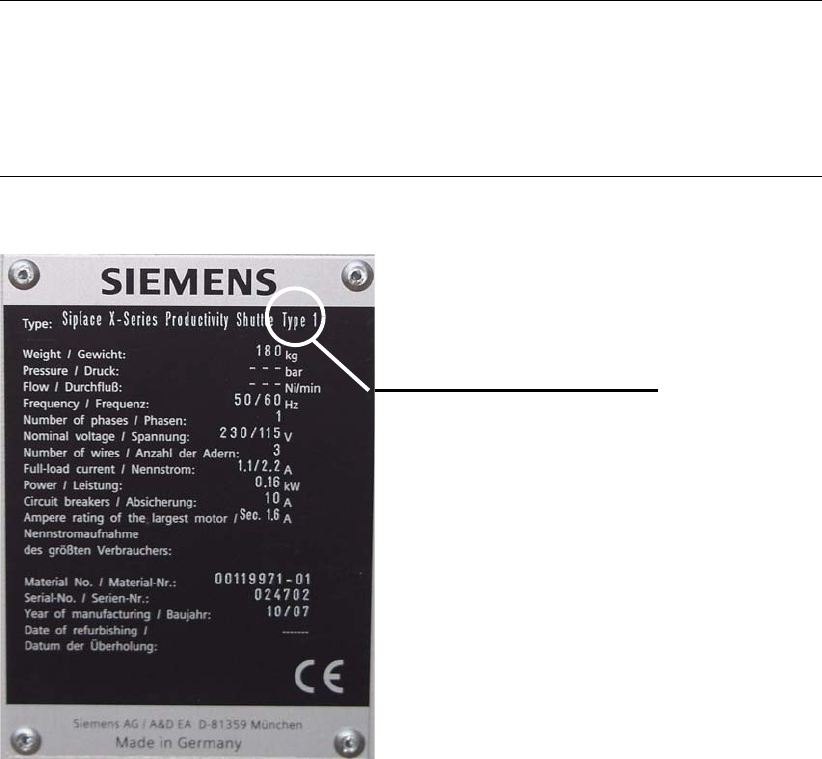
Pay attention to the label on the name plate.
Type label
5 Mounting the XPS Assembly Instructions
5.2 XPS at the Inlet of the Placement System SIPLACE X-Series Productivity Shuttle Type I/II
24
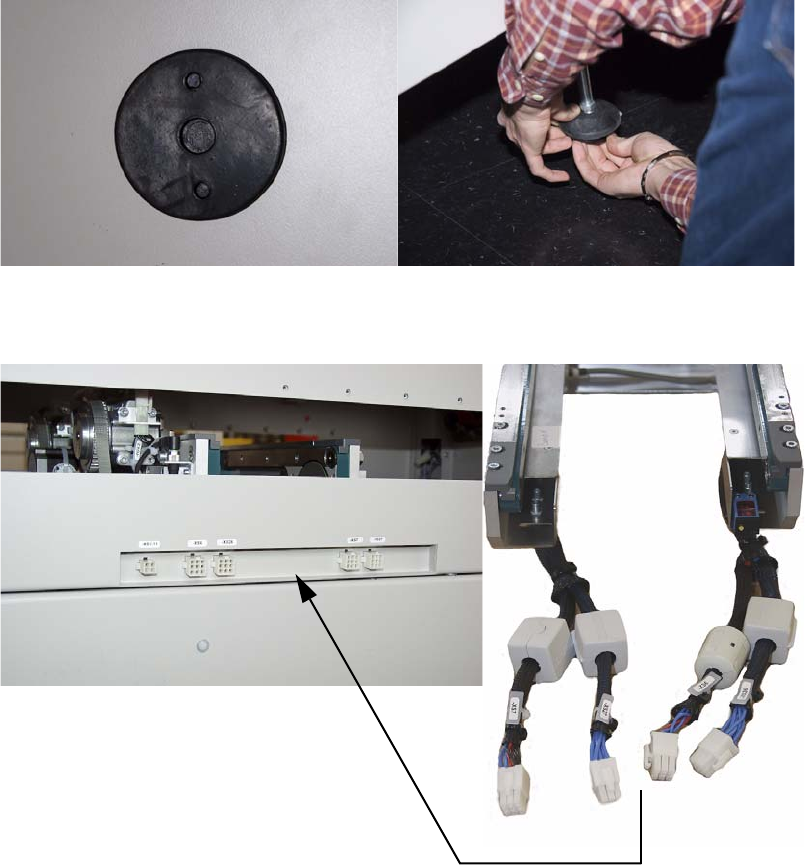
2. Mount the supplied rubber plates on the bottom of the adjustable feet. Make appropriate use
of a lift truck for this purpose.
3. Electrically connect the XPS to the XPL.
Connect according to the marking.