Productivity Lift.pdf - 第11页
User Manual - Productivity Lift 2 Operating safety Edition 02/2004 2.1 Safety instructions 3 2 Operating safety 2.1 Safety instructions 2.1.1 Convention for the Use of Danger Symbols These instructio ns contain notes tha…
1 Operating instructions User Manual - Productivity Lift
1.1 Organisational measures Edition 02/2004
2
1.1.3 Terminology for Productivity Lift
The following terms and abbreviations are utilized:
Productivity Lift: Designation of the whole option, which consists of at least 2 Lift units (SPL /
Lift) and one conveyor (also named the SPLC).
Input module: The input module is the SIPLACE Productivity Lift unit located at the input
conveyor of the first SIPLACE Placement machine (Lift 1).
Cluster module: The cluster module is the lift unit between two SIPLACE Placement machines
(e.g., Lift 2 if it follows Lift 1).
Output module: The output module is the Lift unit located at the output conveyor of the last
SIPLACE Placement machine (Lift n).
Conveyor: The SIPLACE Productivity Lift Conveyor, hereafter referred to as the SPLC,
is the transport path (consisting of PCB transport system and housing) con-
necting two SIPLACE Productivity Lift units to each other underneath a SI-
PLACE Placement machine.
Lift 1 : The upper transport unit of the Lift unit (SPL), called the Top Conveyor, is
merely referred to as "Lift 1" (not to be confused with the number under the
control panel itself). Used in conjunction with the automatic SIPLACE place-
ment machines, it functions as an emergency conveyor during serial or feed-
through operation should the parallel automatic operating mode (standard
operating mode) be disrupted.
Lift 2 : The lower transport unit of the Lift unit (SPL), which is called the shuttle con-
veyor, is only referred to as "Lift 2" on the user interface (not to be confused
with the number on the lift unit itself. It functions as the standard transport unit
during parallel line operation.
SPL : SIPLACE Productivity Lift (Lift unit)
SPLC : SIPLACE Productivity Lift Conveyor (transport path underneath the SI-
PLACE Placement machine)
PCB: Printed Circuit Board
PCB-Transport: PCB transport system.
User Manual - Productivity Lift 2 Operating safety
Edition 02/2004 2.1 Safety instructions
3
2 Operating safety
2.1 Safety instructions
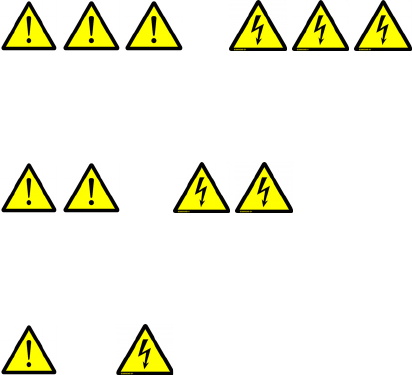
2.1.1 Convention for the Use of Danger Symbols
These instructions contain notes that you must adhere to for your personal safety and to avoid
material damage. The notes are underscored with warning triangles and are presented as follows
depending on the level of danger:
DANGER or
in terms of these instructions means that death, severe bodily injury or considerable material dam-
age WILL occur if the instructions about danger are not heeded.
WARNING or
in terms of these instructions means that death, severe bodily injury or considerable material dam-
age may occur if the warnings are not heeded.
CAUTION or
in terms of these instructions mean that minor bodily injury or minor material damage may occur
if the cautions are not heeded.
NOTE:
in terms of these instructions is a statement of important information about the product or the
corresponding portion of the instructions to which particular attention is being drawn.
2 Operating safety User Manual - Productivity Lift
2.1 Safety instructions Edition 02/2004
4
2.1.2 Operating modes
The device can be operated in two modes, "normal operating mode" and "special operating
mode".
Normal operating mode
In the normal operating mode, all functions and tasks for which the device was designed are per-
formed automatically. An operator is only required if the device is used as a work station (e.g.
transport module TM6V), or with a magazine buffer or loading/unloading station where magazines
can be exchanged. Also included in the normal operating mode is the removal of faults e.g.
jammed PCBs from areas of the device, which are accessible via doors or covers without the us-
age of tools. If a tool is necessary in order to remove the fault (e.g removal of covers) this counts
to the special operating mode.
Special operating mode
The special operating mode covers all activities, which are not included in the normal operating
mode. These are the set-up-operating mode, device maintenance and cleaning and the removal
of faults with tools as well as the repair of the device.
2.1.3 User roles
In order to guarantee safety, we have certain requirements which the operator of the machine
must fulfil. Only those who fulfil the requirements shall be authorised to use the device.
A user is defined as anyone who works with the device. Since the user requirements depend to a
large extent on their activity, the following user roles have been defined:
Operator
The operator is the contracting party of SIEMENS AG L&A. SIEMENS AG L&A may legally impose
conditions on the contracting party when the device is purchased.
The operator makes prescribed use of the device and authorises those entitled to work with the
device in one of the defined user roles. They too shall be obliged to instruct the users.