TR7500_Series_Software_ch-v6-3-0.pdf - 第200页
Test Research Inc. 188 TR7500SeriesUserGuide – Software 3.7 工具 (Utilities)
Test Research Inc.
TR7500SeriesUserGuide–Software 187
Test Research Inc.
188 TR7500SeriesUserGuide–Software
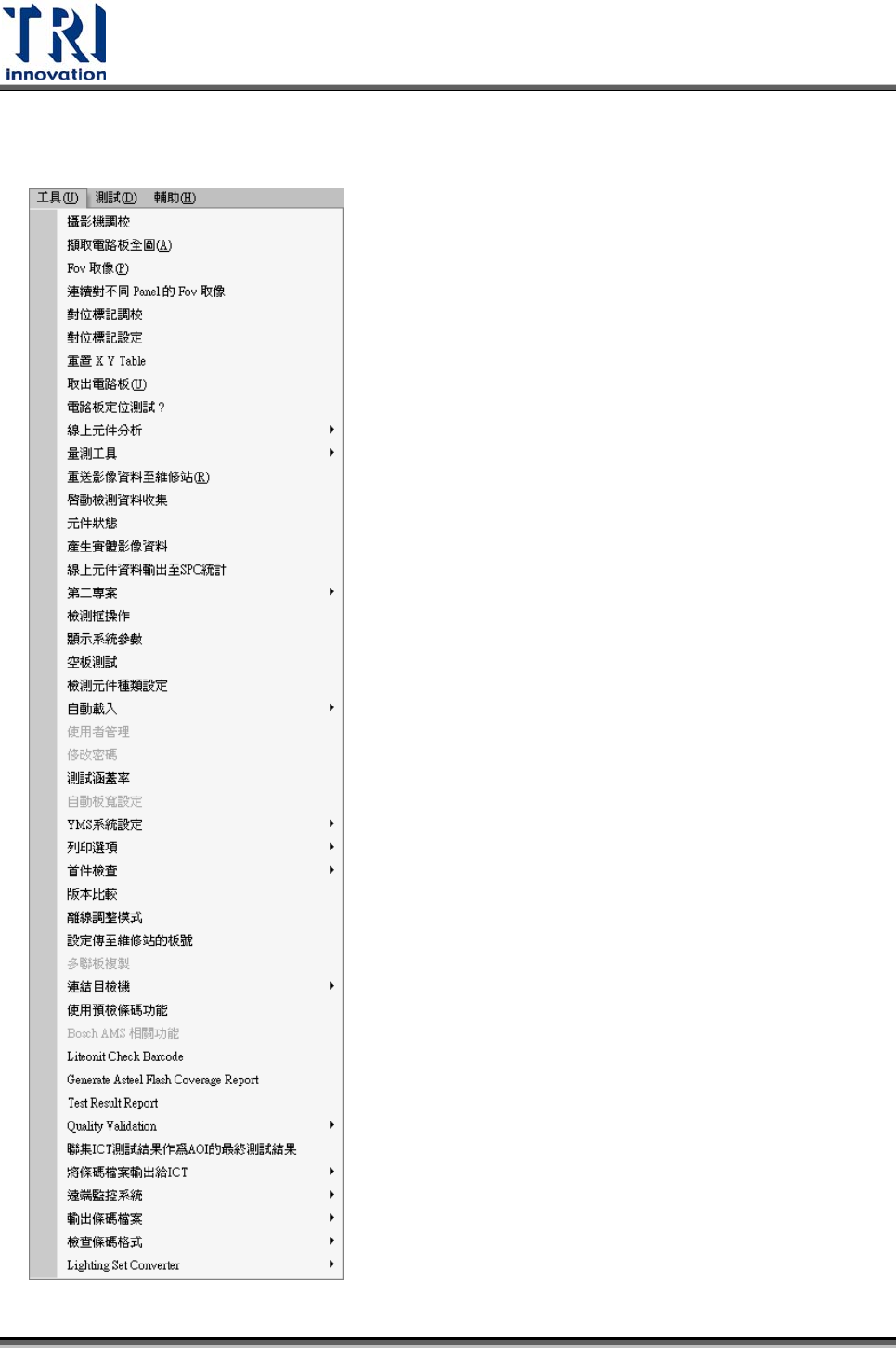
3.7 工具(Utilities)
Test Research Inc.
TR7500SeriesUserGuide–Software 189
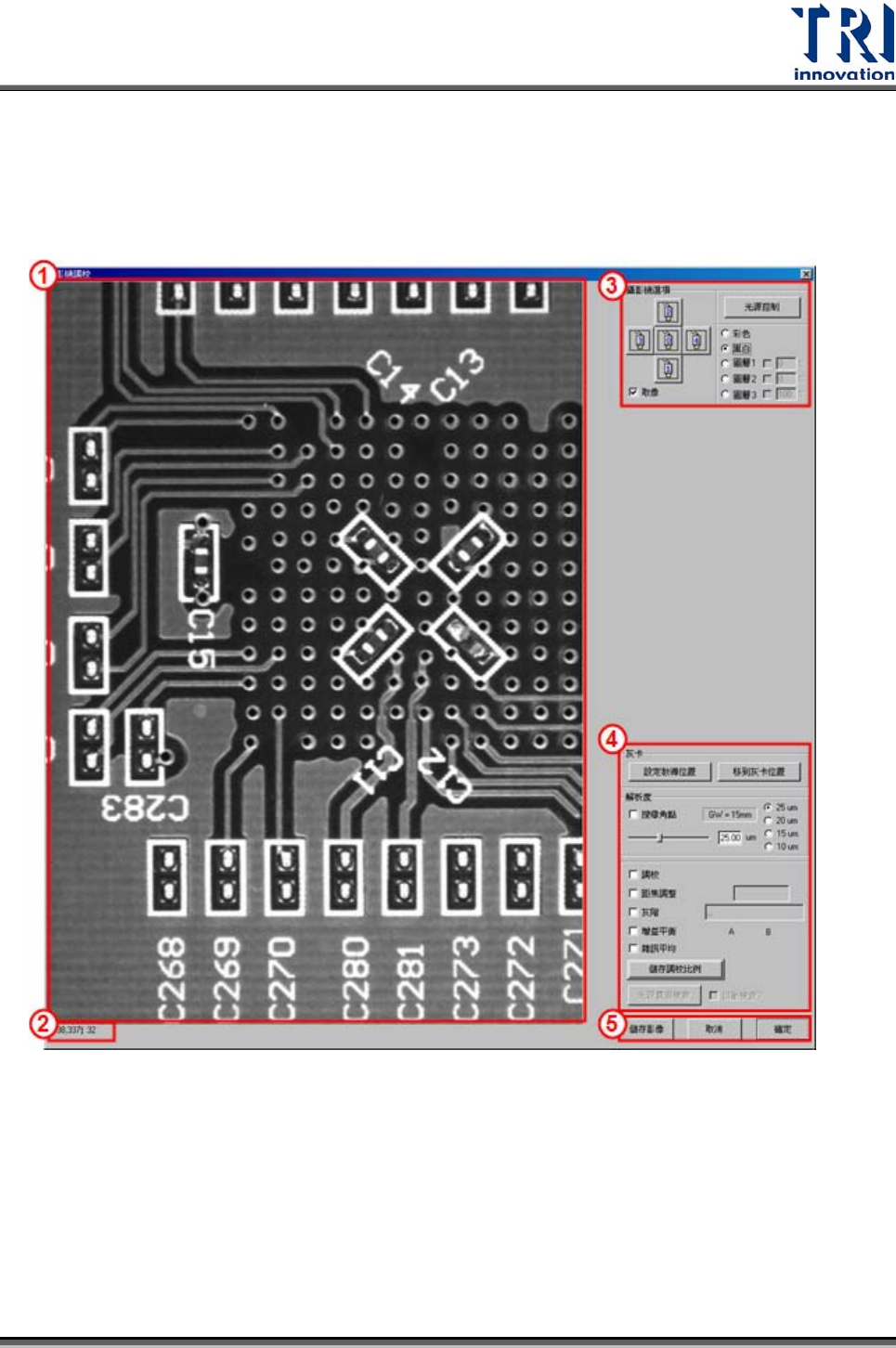
3.7.1 攝影機調教(CAMERA ALIGNMENT)
使用者可在此進行攝影機與光源調教,也可以在此移動 X-Y Table取得電路板即時影
像。
1) 即時影像區 – 顯示目前攝影機所取得的影像,需勾選[攝影機選項]的[取像]。
2) 指出滑鼠所在座標(以左上角為原點,單位為畫素)及滑鼠所在位置灰階值。
3) 設影機選項
光源控制 – 按下此按鈕可以呼叫出[光源控制編輯視窗],可在此視窗調整光源亮
度。
彩色/黑白 – 選擇要取得的是黑白或是彩色影像。