TR7500_Series_Software_ch-v6-3-0.pdf - 第252页
Test Research Inc. 240 TR7500SeriesUserGuide – Software
Test Research Inc.
TR7500SeriesUserGuide–Software 239
[barcode.barcode]內容第一行為檢測結果 PASS 或 FAIL,接下來的行數為 AOI所
讀到的條碼,如果是多個條碼,則會用[\r\n]做分隔。
客戶可以選擇 <分隔字元 Separator> 和 <條碼索引 Token Index>取得希望的條碼
舉例說明:
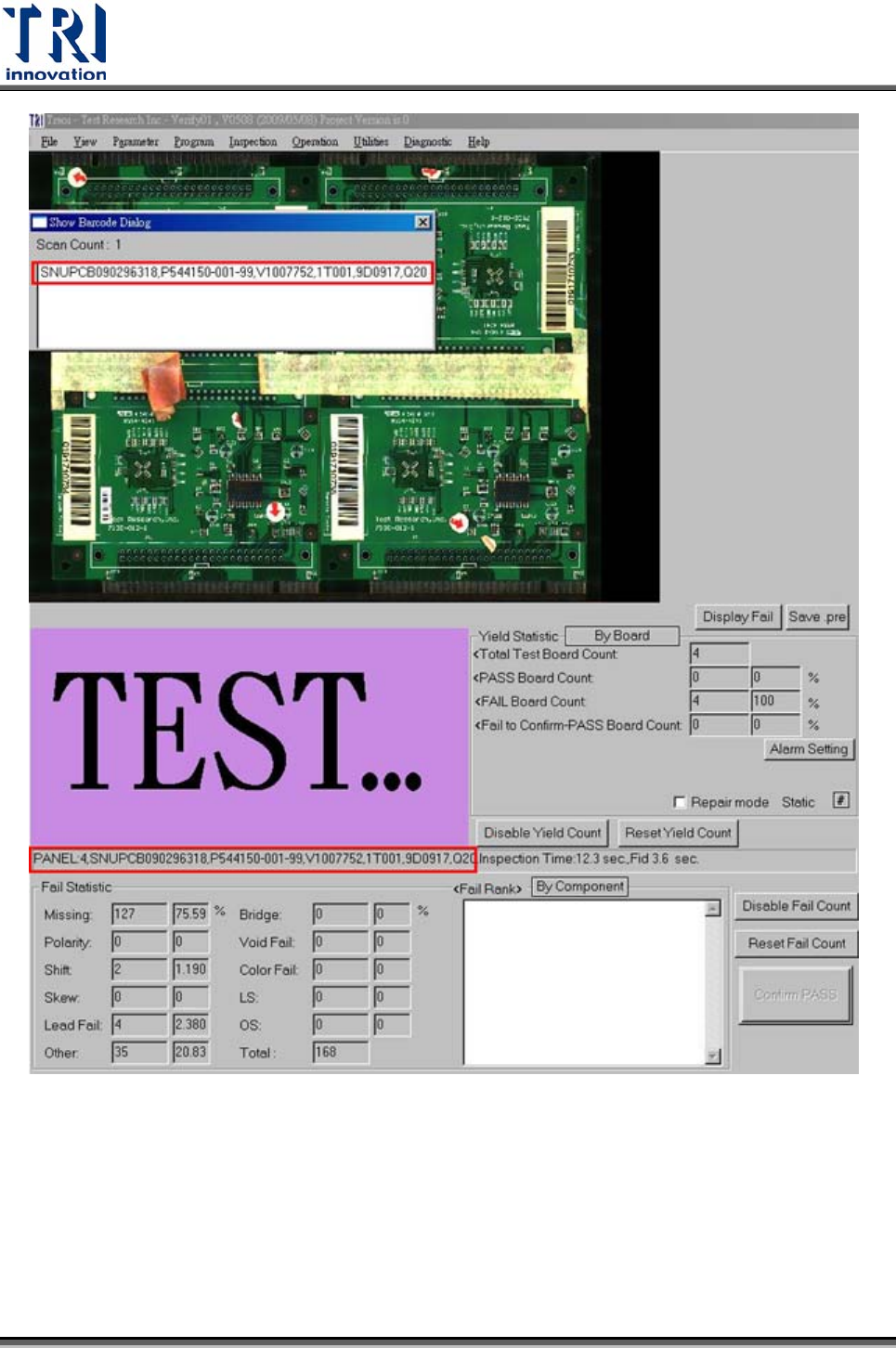
條碼為 SNUPCB090226118,P544150-001-99,V1007752,1T006,9D0918,Q20
分隔字元為逗號 (,),條碼索引為 1,則[barcode.barcode]所輸出的為
SNUPCB090226118。
分隔字元為逗號 (,),條碼索引為 3,則 barcode.barcode 所輸出的為 V1007752。
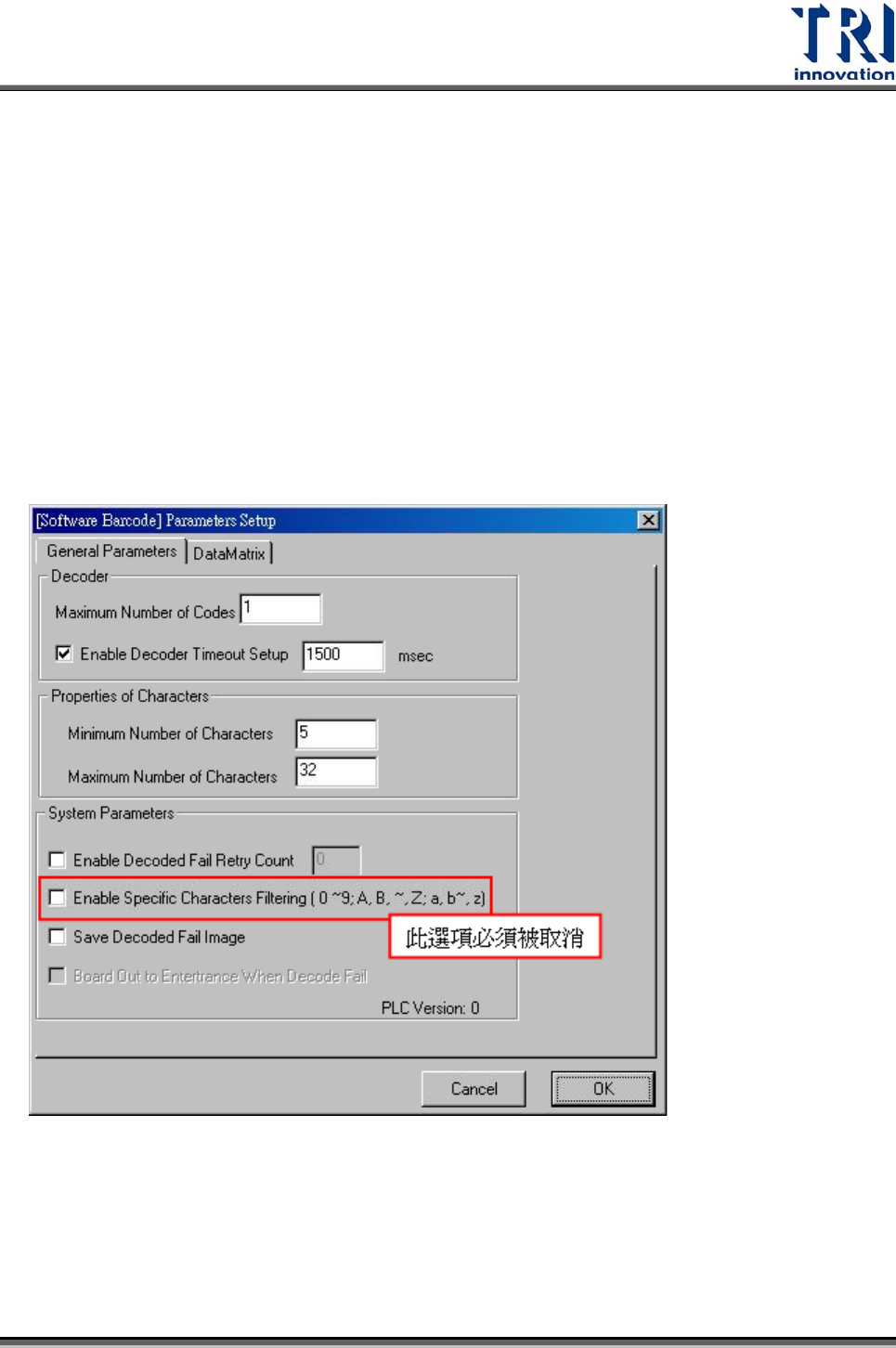
軟體條碼設定
檢測完成所顯示的畫面,以及丟給 RS 的條碼內容,均為不會做分割處理。
Test Research Inc.
240 TR7500SeriesUserGuide–Software
Test Research Inc.
TR7500SeriesUserGuide–Software 241
使用說明
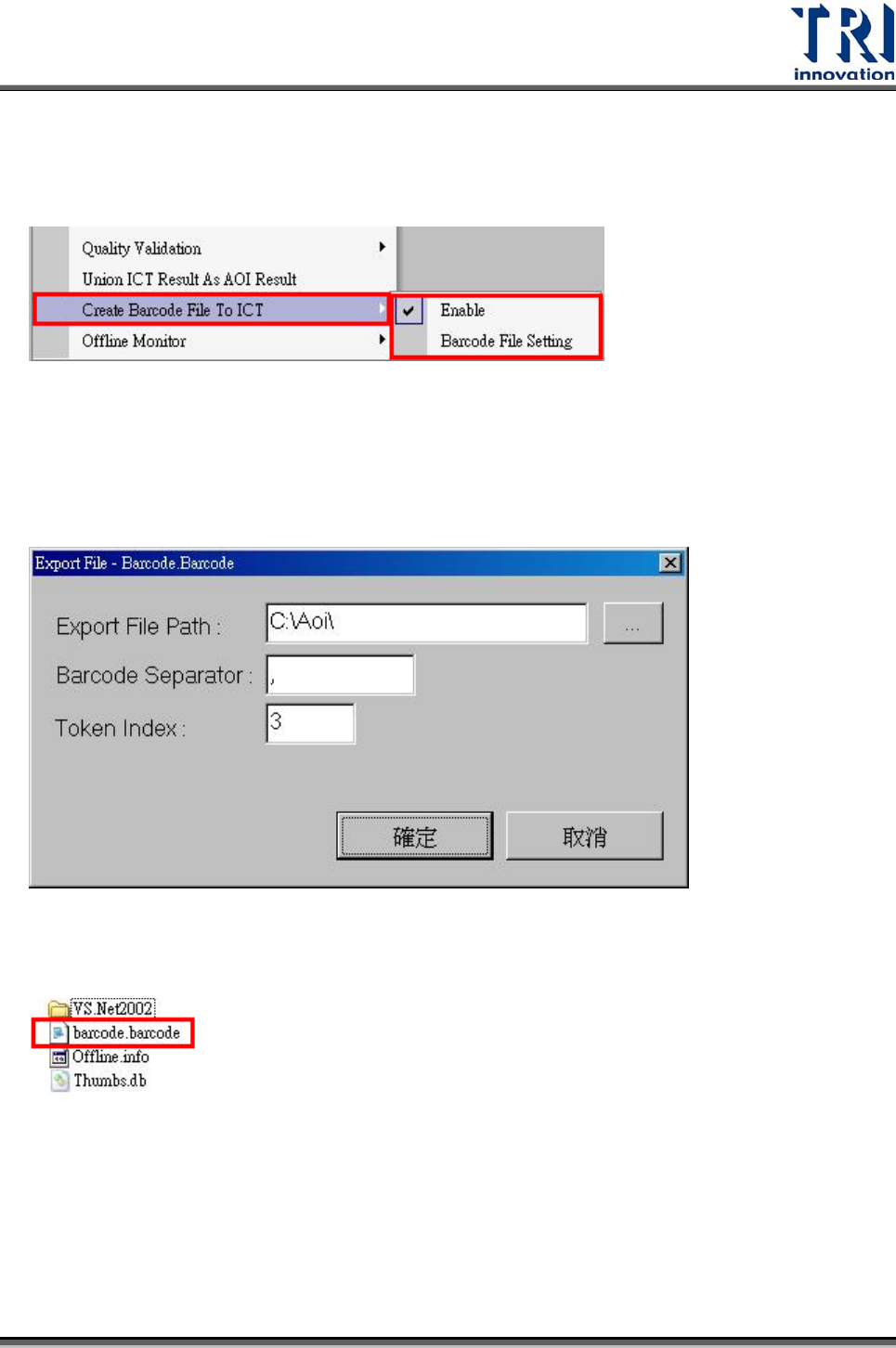
Step1. 啟動 [Utilities/ Create Barcode File To ICT]
Step2. 啟動 [Utilities/ Barcode File Setting] 設定 Barcode 檔(barcode.barcode)。
A. 存放位置預設值為[C:\AOI]
B. 條碼的分割字元,預設值為[,](逗號)。
C. 選擇的條碼索引,預設值為 1。
Step3. [barcode.barcode]檔案會在檢測完成後產生。
Step4. 資料內容如下