dt50-spanner-for-dt530-0033504_ID-244982_EN.pdf
DT50 Spanner for D530 T ip Range Features 0033504-08042 4 INSTRUCTION MANUAL DT50 is a spa nn er th at al lows t he us er to safe ly i nse r t, rem ove an d store ti ps fro m DT530 De sol de ri ng Iro n eve n whe n they …
DT50
Spanner
for D530 Tip Range
Features
0033504-080424
INSTRUCTION MANUAL
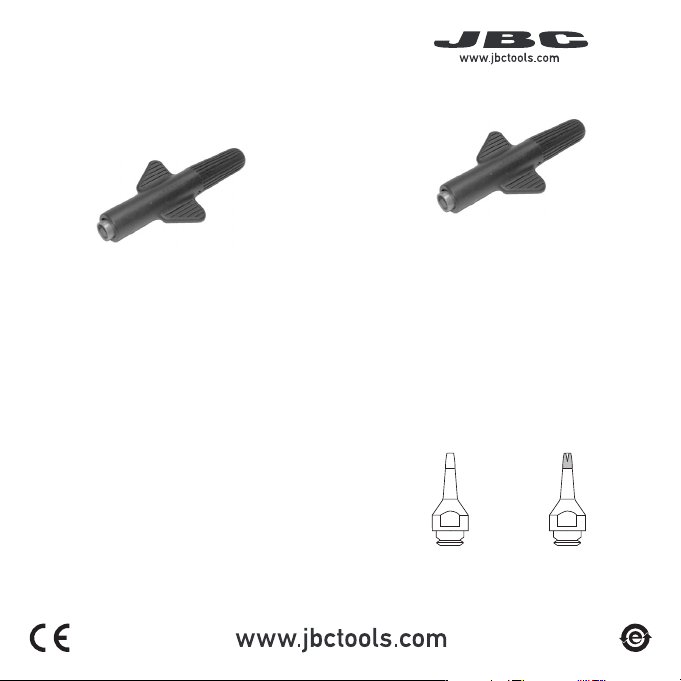
DT50 is a spanner that allows the user
to safely insert, remove and store tips
from DT530 Desoldering Iron even when
they are hot.
It works with D530 Tip Range. Different
tip sizes are available for through-hole
desoldering and for pad cleaning. Find
the model that best suits your soldering
needs at: www.jbctools.com
Packing List
The following items are included:
DT50
Spanner ................................. 1 unit
DS360
DR560
DR560
DR560
DR560
DR560
Through-Hole
Desoldering
Pad Cleaning
D530
Tip Range
(not included)
40 mm
50 mm
60 mm
80 mm
100 mm
130 mm
130 mm
para manuales - color gris
200 mm
300 mm
40 mm
50 mm
60 mm
80 mm
100 mm
130 mm
130 mm
para manuales - color gris
200 mm
300 mm
Changing Tips
This operation should be done while the tip is hot and at a minimum temperature of 250°C,
so that any tin left inside is still molten, facilitating the removal of the tip.
1
At least 250ºC
Removing
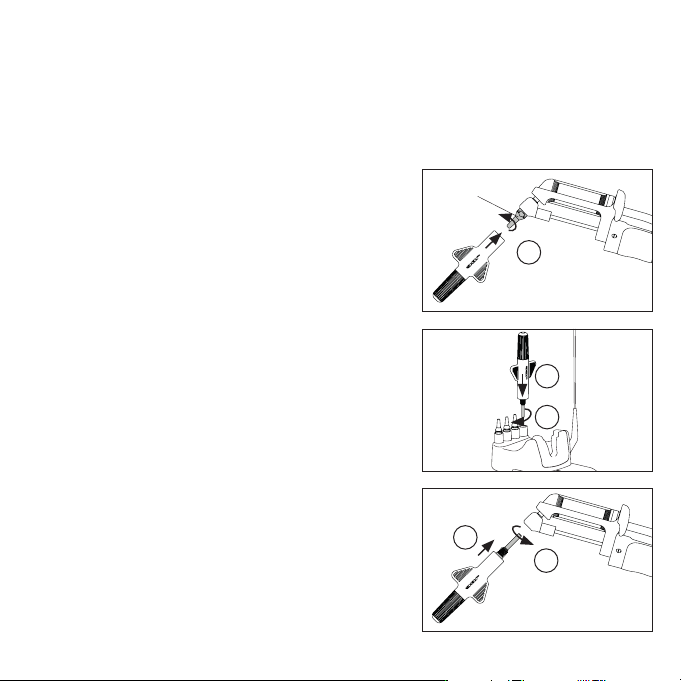
Use JBC’s spanner to unscrew the tip (1). The tip
will remain attached to the spanner so that it can
be moved safely.
2
3
To remove the tip from the spanner, simply place
the tip in one of the holes on the stand (2), screw
it in slightly (3) and pull the spanner out.
4
5
Inserting
Grab the new tip with the spanner. Fit it into
the heating element (4) and screw it in with the
spanner (5). Screw the tip all the way in so that
the union is air-tight.