00196044-05 - sg x und x4i fse_en.pdf - 第419页
Component Handling Operation X Feeder S tudent Guide (FSE) SIPL ACE X Series and X4I Edition 01/2009 EN Component Handling 419 10.2.7.6 Settings and Functions in the X Feeder Main Menu 10-19: Control panel for X feeder L…
Component Handling
X Feeder Operation
Student Guide (FSE) SIPLACE X Series and X4I
Component Handling Edition 01/2009 EN
418
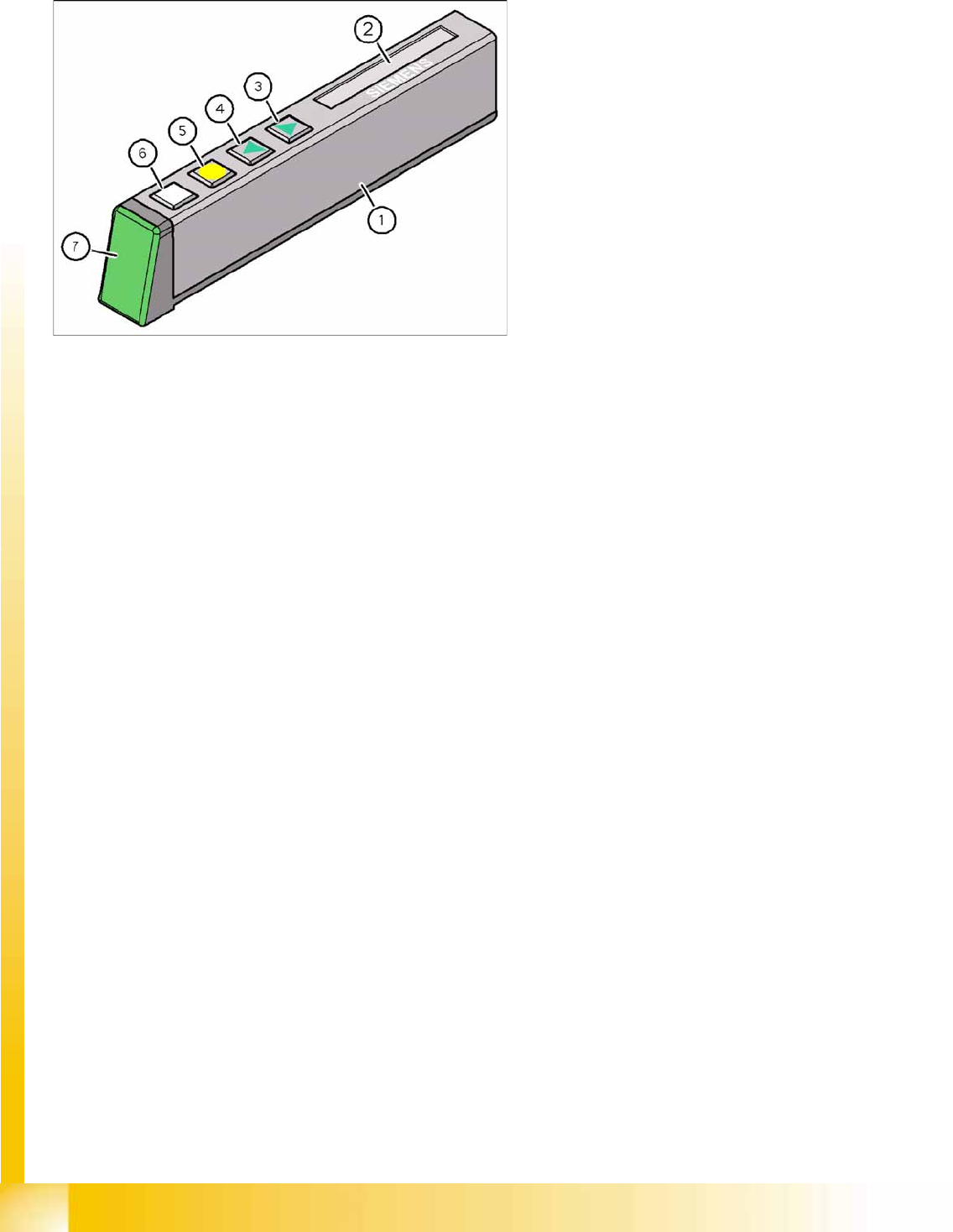
10.2.7.5 X Feeder Operator Panel
10-18: X Feeder Operator Panel
Legend
1. X feeder operator panel
2. LCD- Display (In the basic view shows the
display the track number and the step)
3. Button "Forward"
4. Button "Backward"
5. Button "FOIL"
6. Button "SET"
7. Status LED:
– Green: Ready for operation
– Orange: Warning
–Red: Error
– Off: Feeder not used in current setup
Component Handling
Operation X Feeder
Student Guide (FSE) SIPLACE X Series and X4I
Edition 01/2009 EN Component Handling
419
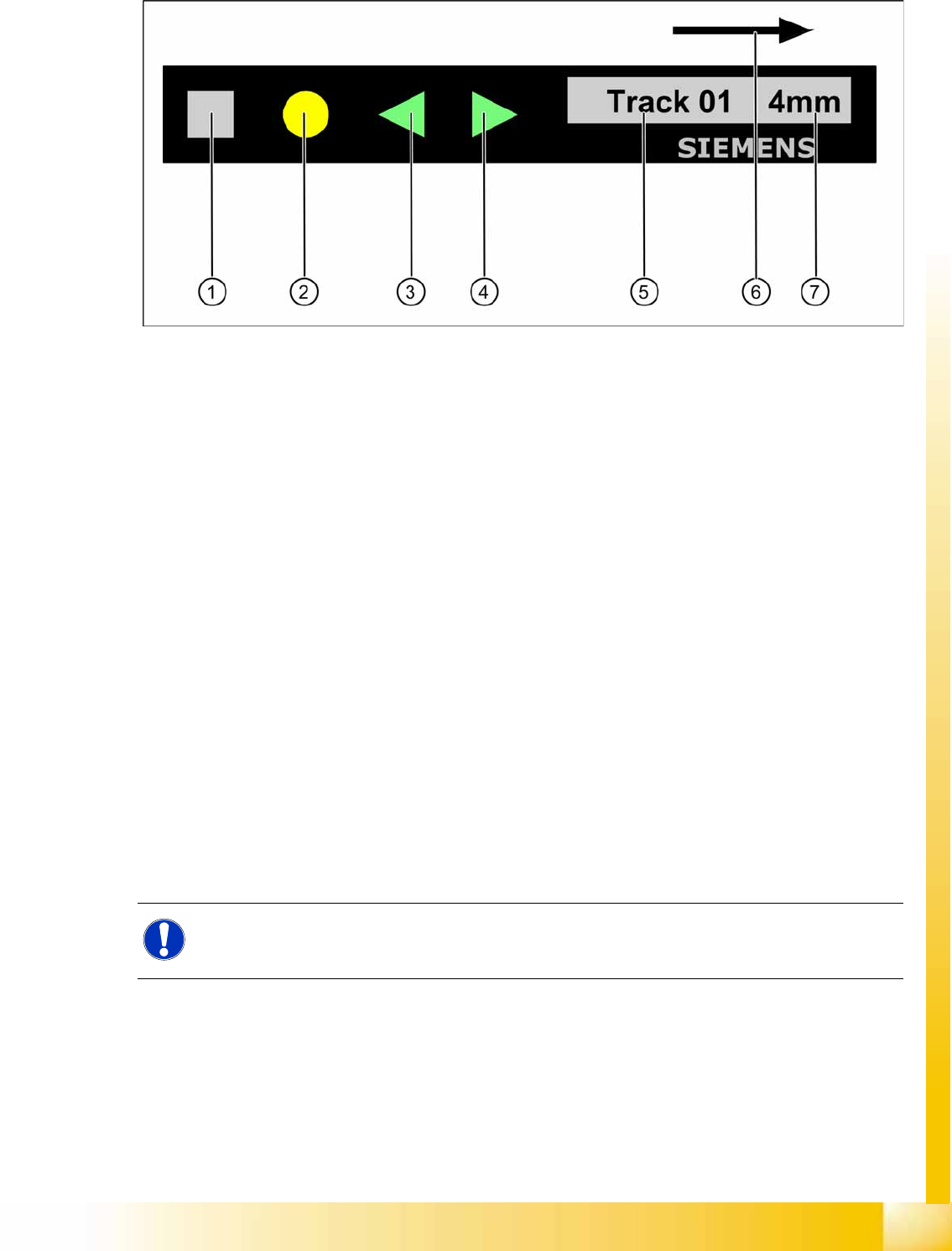
10.2.7.6 Settings and Functions in the X Feeder Main Menu
10-19: Control panel for X feeder
Legend
1. "SET" button:
– Press briefly to switch over to the next menu in the main view.
– Prolonged pressing sends a request to call up component verification.
2. "Foil" button:
– Pressing this button starts the drive motor for the cover foil, which runs until the foil has been
stretched tight and
– the motor toggle switch turns off or until the timer has counted 30 seconds.
3. "Backwards" button:
(Both functions should only be performed without the cover sheet fitted).
– Press briefly and the tape is move backwards by the set cycle step.
– Prolonged pressing moves the tape back.
4. "Forwards" button:
– Press briefly to move the tape by the set cycle step.
– Press for longer to move the tape forwards. Make sure the cover foil is not clamped in.
5. Display showing track on location
6. Transport direction
7. Cycle step
NOTE:
If correctly managed in SIPLACE Pro, the cycle for X feeders can be automatically set when a
recipe is downloaded.
Component Handling
X Feeder Operation
Student Guide (FSE) SIPLACE X Series and X4I
Component Handling Edition 01/2009 EN
420
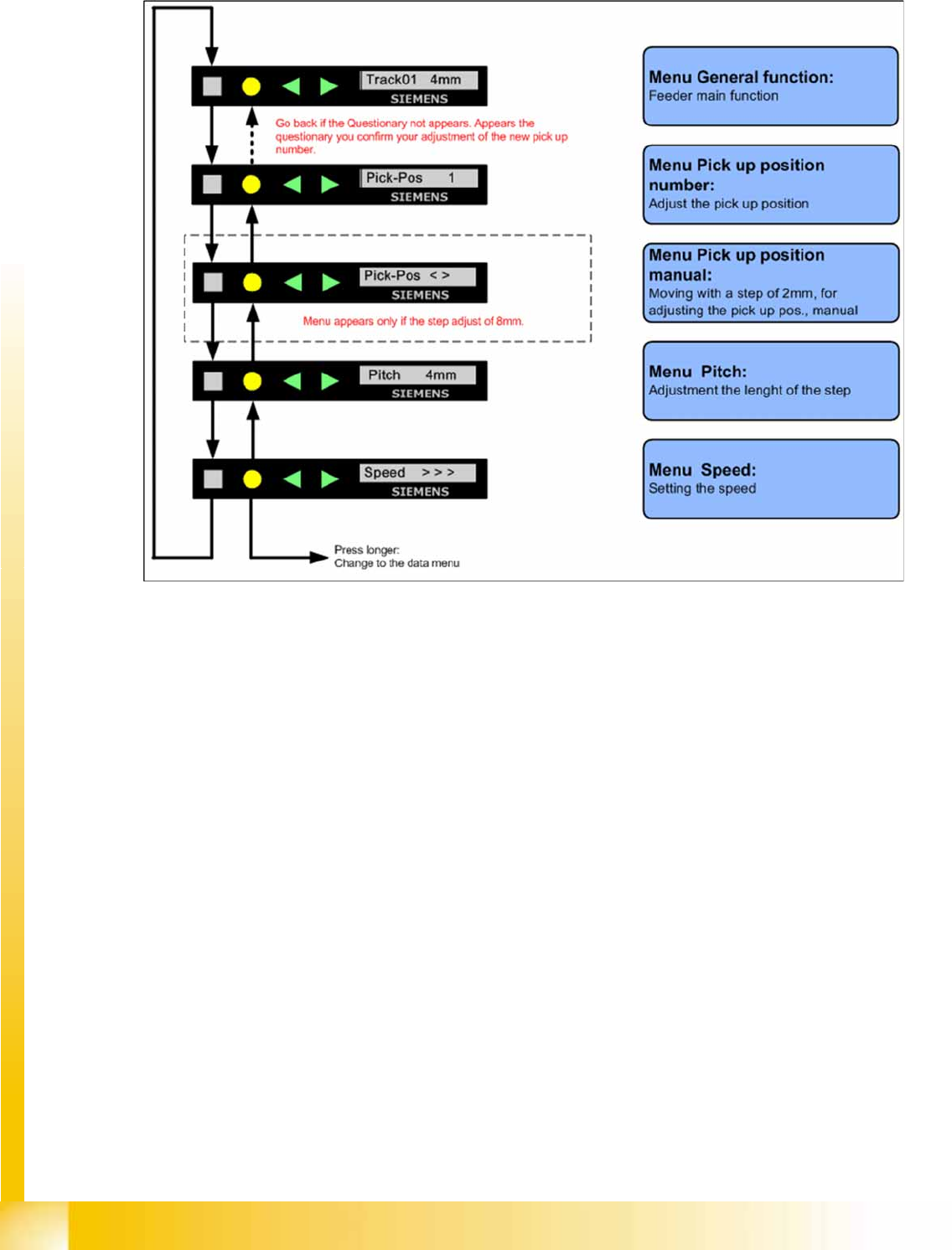
10.2.7.7 Sequence in the 8mm X Feeder Main Menu
10-20: Sequence main menu 8mm X feeder