00196044-05 - sg x und x4i fse_en.pdf - 第422页
Component Handling X Feeder Operation S tudent Guide (FSE) SI PL ACE X Series and X4I Component Ha ndling Edition 01/2009 EN 422 10.2.7.10 Menu Pick Up Position Man ual in the Main Menu 10-22: Setting the pick up positio…
Component Handling
Operation X Feeder
Student Guide (FSE) SIPLACE X Series and X4I
Edition 01/2009 EN Component Handling
421
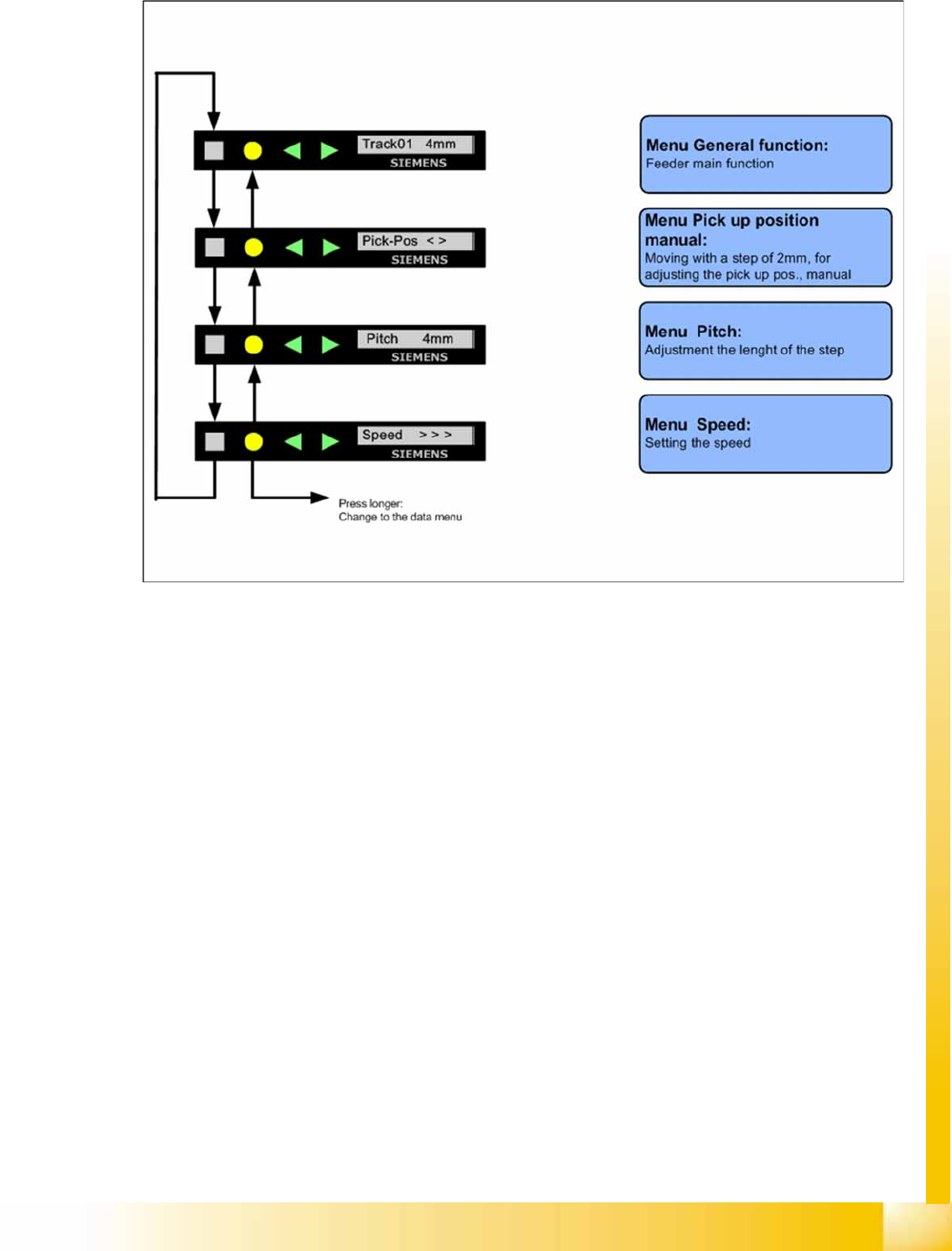
10.2.7.8 Sequence in the 12mm X Feeder Main Menu
10-21: Sequence main menu 12mm X feeder
10.2.7.9 Setting the Pick Up Position for the 8 mm X Feeder
X Press the "SET" button.
X It appears the current pick up position on the display (e.g. Pick-Pos 3)
X With the buttons "FORWARD" or "BACKWARD" you can set the new pick up position.
X If you change the pick up position to the previous position, you will see the following message
(example assumes previous position was position 3): Pick-Pos 2 ? on the display.
X Confirm the new pick up position with the yellow button, it appears Pick-Pos 2 ! on the display.
X If pickup position 4 and an 8mm pitch were selected, you will see the menu for manually setting the
"Pickup pos < >" if you press the "SET" button.
X Depend on the Pick up position you can adjust in 2mm steps the correct pick up position.
X Was the pick up position correct appears the menu "Pitch" now and you can set the correct pitch
1,2,4,8mm with the buttons "FORWARD" or "BACKWARD".
X Press the "SET" button two times to confirm your settings.
Component Handling
X Feeder Operation
Student Guide (FSE) SIPLACE X Series and X4I
Component Handling Edition 01/2009 EN
422
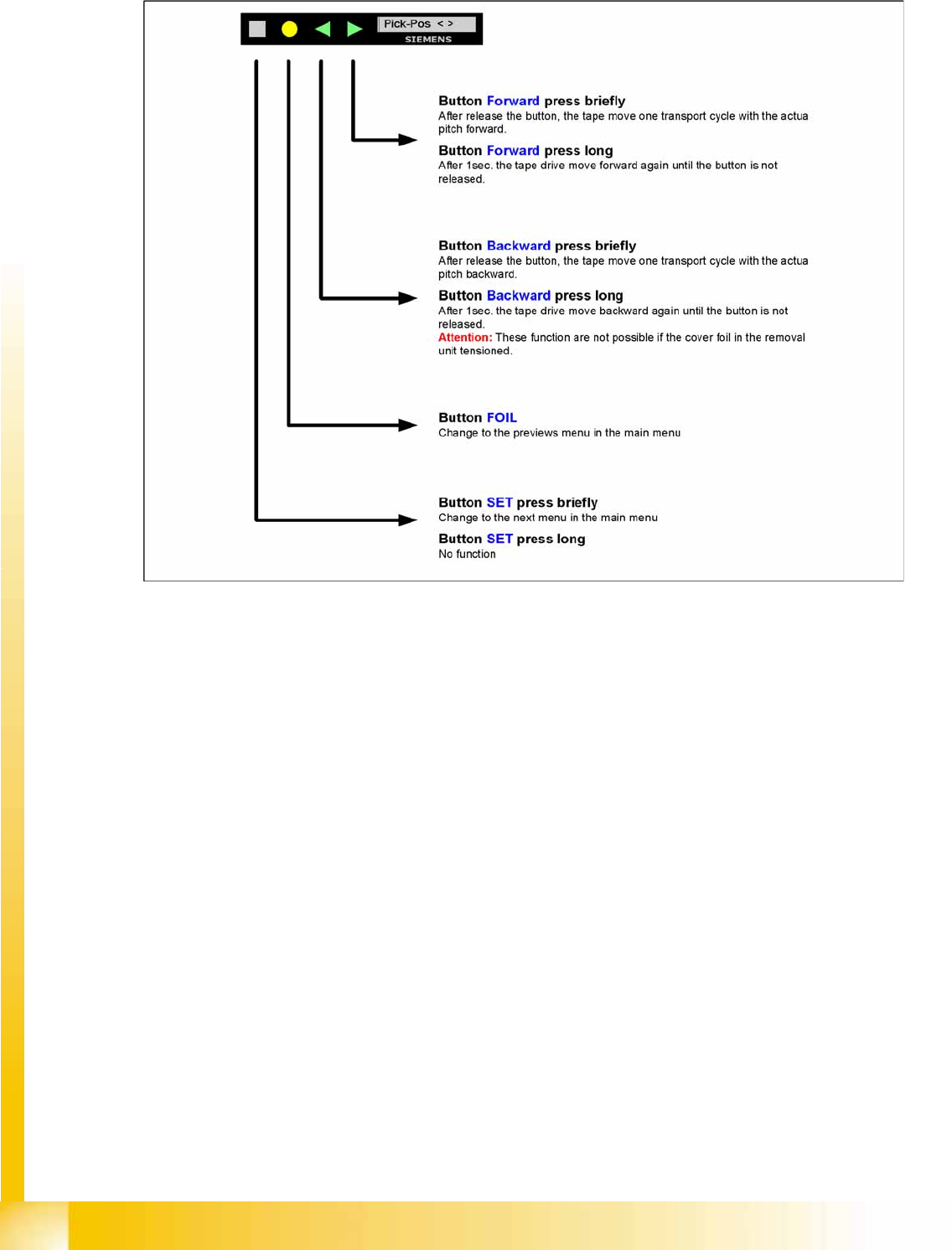
10.2.7.10 Menu Pick Up Position Manual in the Main Menu
10-22: Setting the pick up position manual
Component Handling
Operation X Feeder
Student Guide (FSE) SIPLACE X Series and X4I
Edition 01/2009 EN Component Handling
423
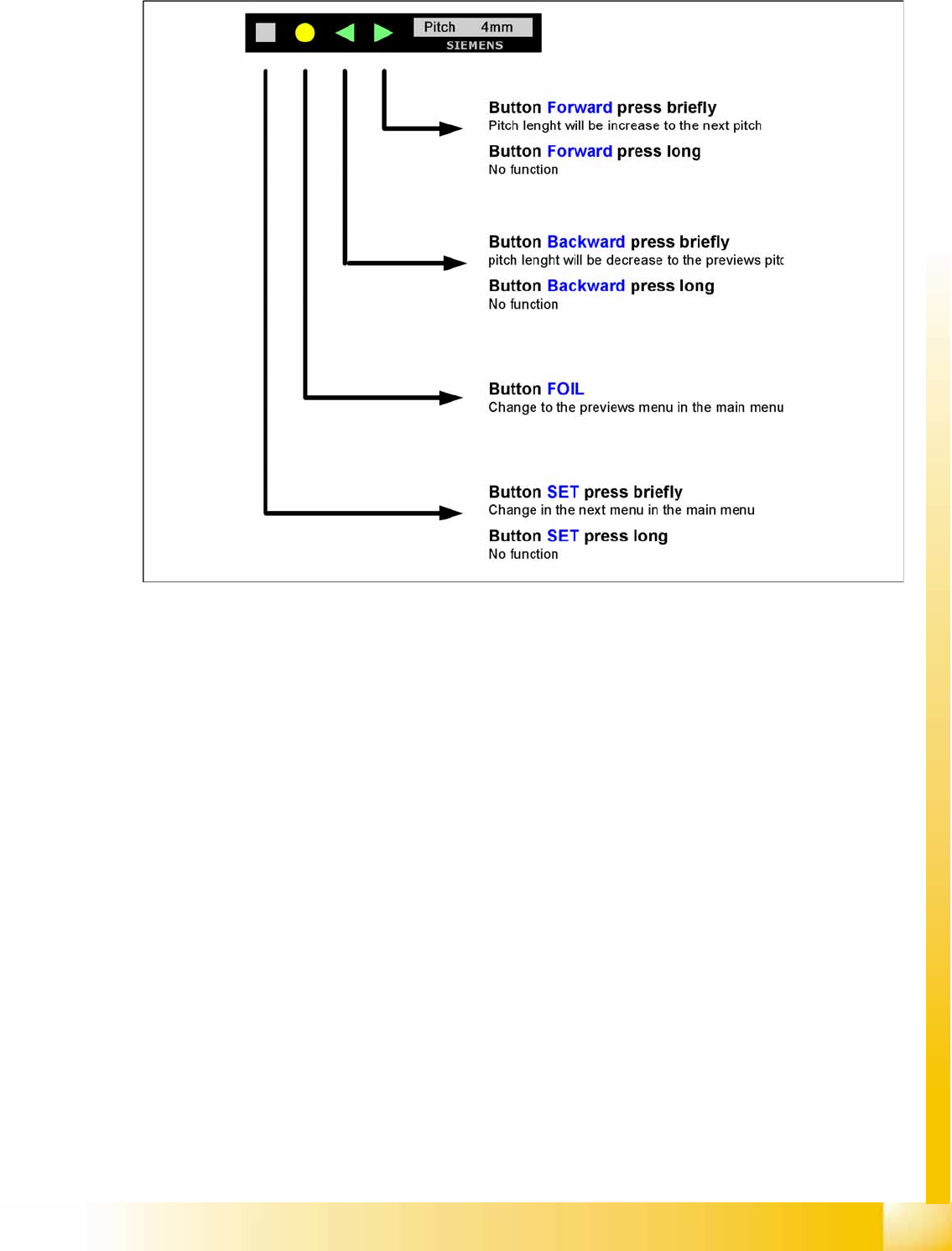
10.2.7.11 Menu Pitch in the Main Menu
10-23: Setting the transport length