00196044-05 - sg x und x4i fse_en.pdf - 第473页
Calibration Overview S tudent Guide (FSE) SIPL ACE X Series and X4I Edition 01/2009 EN Calibration 477 12 Calibration 12.1 Overview In the software version 701, all the functions require d for production, maintenan ce or…

Modular Conveyor
Room for Your Sketches and Notes Conveyor Control TSP 301
Student Guide (FSE) SIPLACE X Series and X4I
Modular Conveyor Edition 01/2009 EN
472
Calibration
Overview
Student Guide (FSE) SIPLACE X Series and X4I
Edition 01/2009 EN Calibration
477
12 Calibration
12.1 Overview
In the software version 701, all the functions required for production, maintenance or error analysis can
be performed by activating the relevant user level.
User level:
Basic production
Advanced production
Machine service
Siemens service
Developer
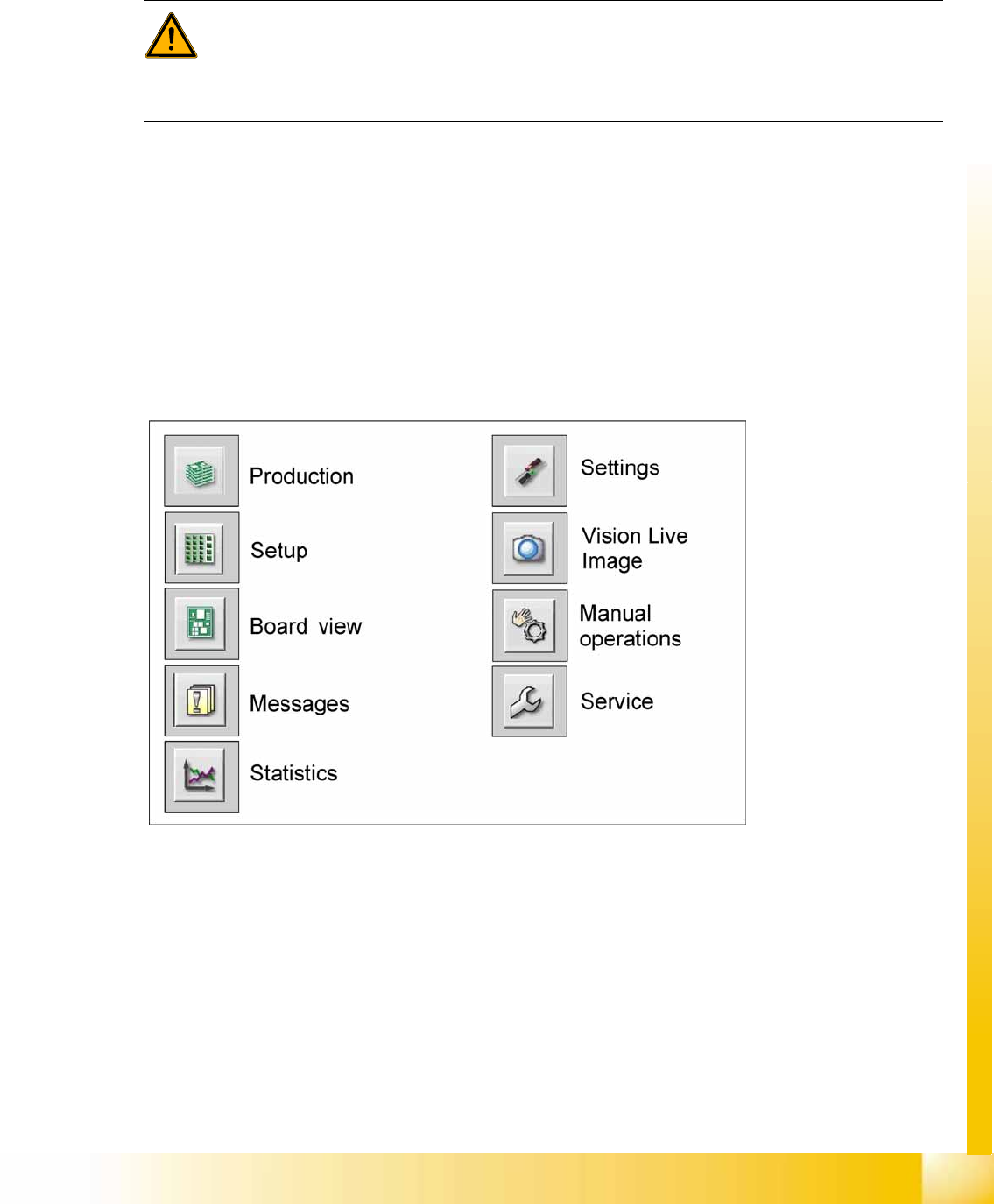
The following functions and submenu functions will be shown according to the user level set:
WARNING:
Some of the functions in the SW70x may only be used by SIEMENS AG A&D EA staff or
specially trained customer personnel. To prevent unauthorized use of functions, user levels
have been defined. Each of these requires that the user concerned has a certain training status.
Improper use can result in severe damage to the machine.
Calibration
Calibration Positions in the Machine Main Menu
Student Guide (FSE) SIPLACE X Series and X4I
Calibration Edition 01/2009 EN
478
12.1.1 Main Menu
12.2 Calibration Positions in the Machine
12.2.1 Machine Coordinate System
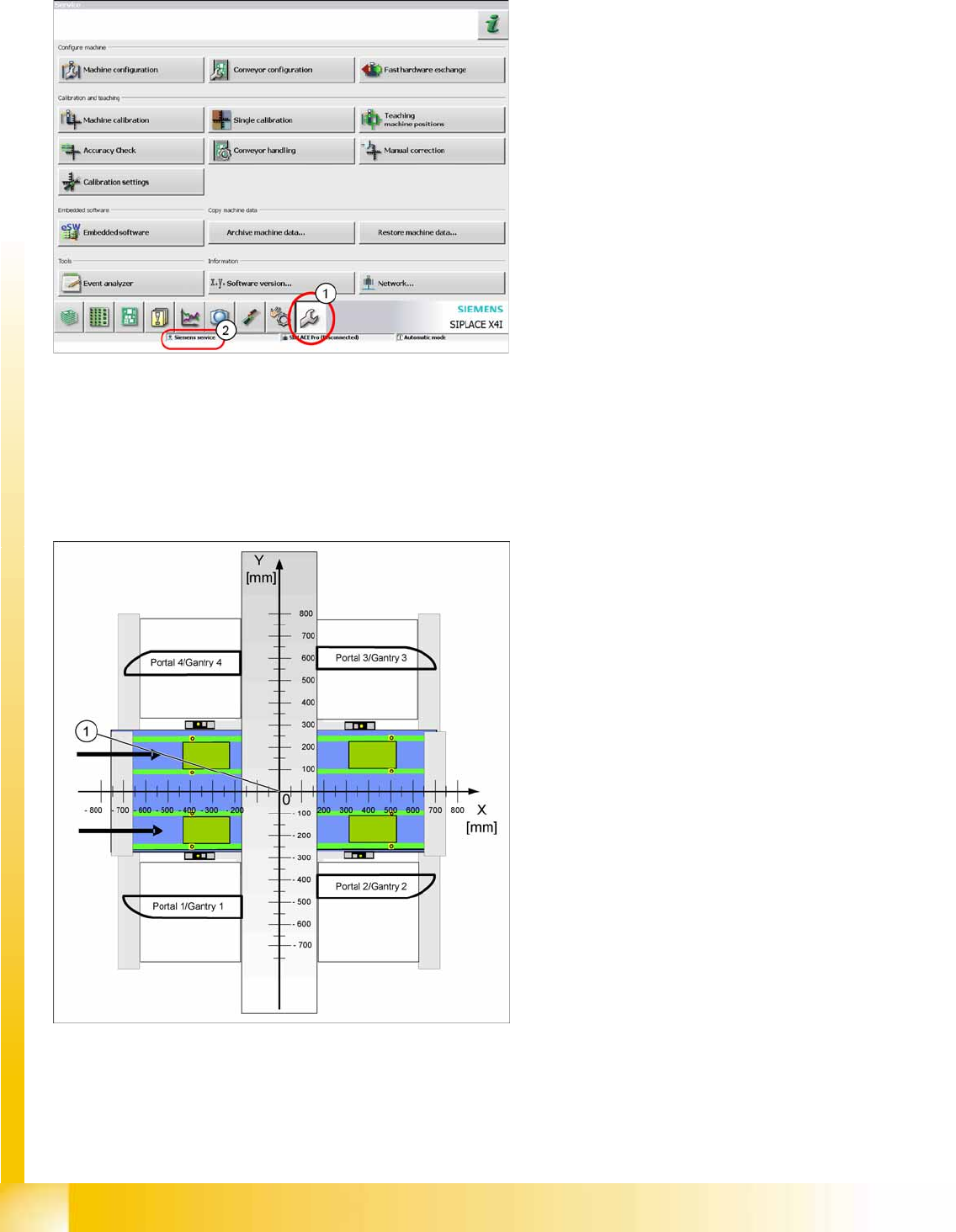
12-1: Service main menu
After activating the user level
Machine service
(2)
or
Siemens service
you can switch over to the
service menu with the button (1).
Legend
1. Virtual machine zero point, coordinate origin
All target values for the machine positions relate
and refer to the machine zero point.