00196044-05 - sg x und x4i fse_en.pdf - 第493页
Calibration Teaching Machine Positions - Placement Area Teaching Machine Positions S tudent Guide (FSE) SIPL ACE X Series and X4I Edition 01/2009 EN Calibration 497 12.5.5 T eaching Machine Positions - Placement Area Thi…
Calibration
Teaching Machine Positions Teaching Machine Positions - Conveyor
Student Guide (FSE) SIPLACE X Series and X4I
Calibration Edition 01/2009 EN
496
12.5.3 Teaching Machine Positions - Conveyor
12.5.4 Teaching Machine Positions – NC, Gantry
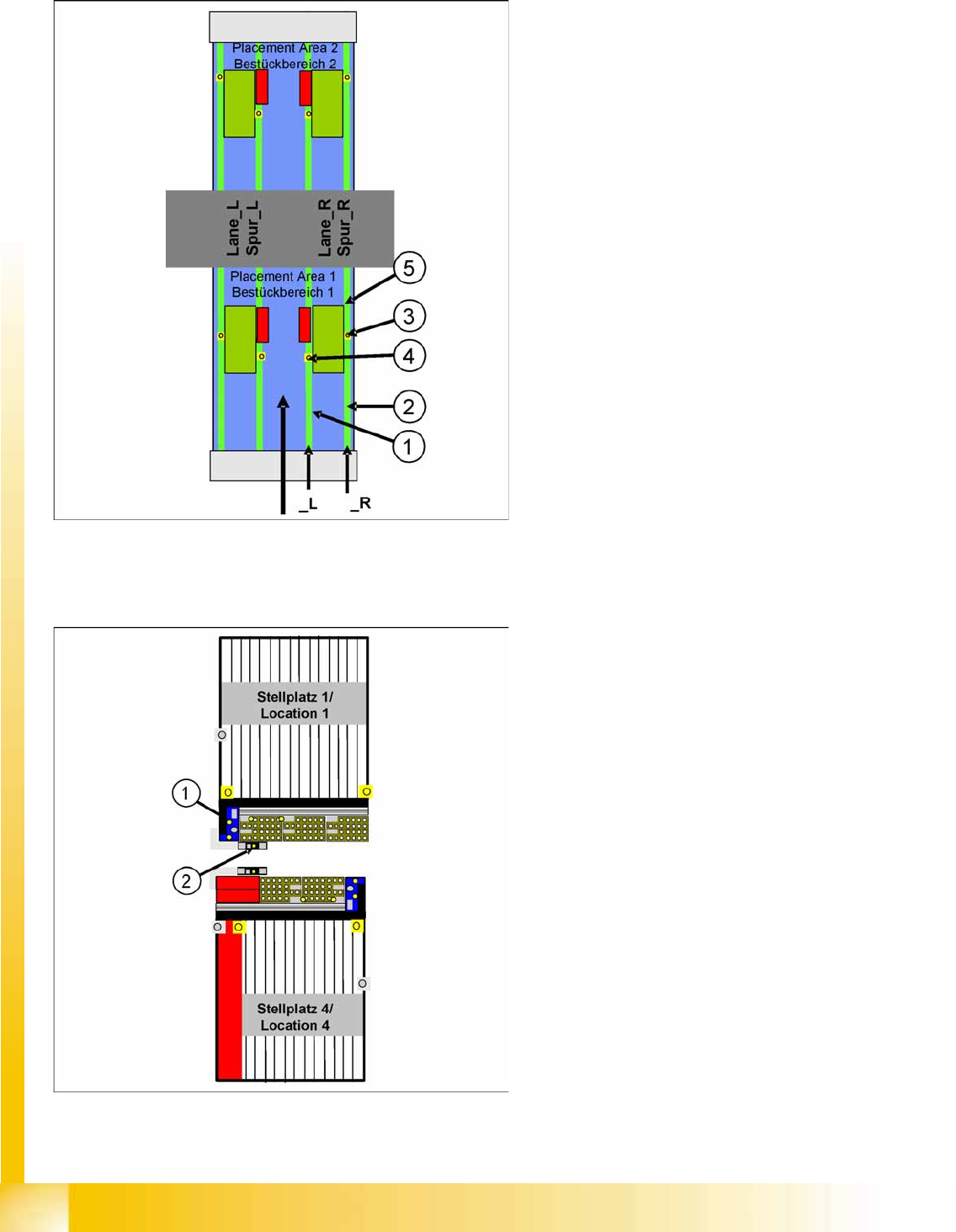
Naming conventions, example of gantry 1
1. Lane_R: NozzleRef_1_L
Position of height reference run for fixed
conveyor side left
2. Lane_R: NozzleRef_1_R
Position of height reference run for fixed
conveyor side right
3. Lane_R: PA1 standard fiducial
Fiducial for calibration of PCB reference
corner
4. Lane_R: PA1 combined PCB fiducial
Fiducial for calibration of the PCB reference
corner, if the hardware option "Combined
PCB" is installed
5. Lane_R: ReferenceCorner1
Teach the real PCB reference corner
Naming conventions, example of gantry 1
1. NozzleChangerCtrl_1_R: Offset correction
You can only teach the outer fiducial of the
nozzle station in each case. An offset is stored
in the software, for the second fiducial.
2. Gantry_1R: Zero Offset
Fiducial for the machine zero point
Current position – from this position, the gantry
can be taught in any position.
Calibration
Teaching Machine Positions - Placement Area Teaching Machine Positions
Student Guide (FSE) SIPLACE X Series and X4I
Edition 01/2009 EN Calibration
497
12.5.5 Teaching Machine Positions - Placement Area
This is where you can check and change the various machine positions.
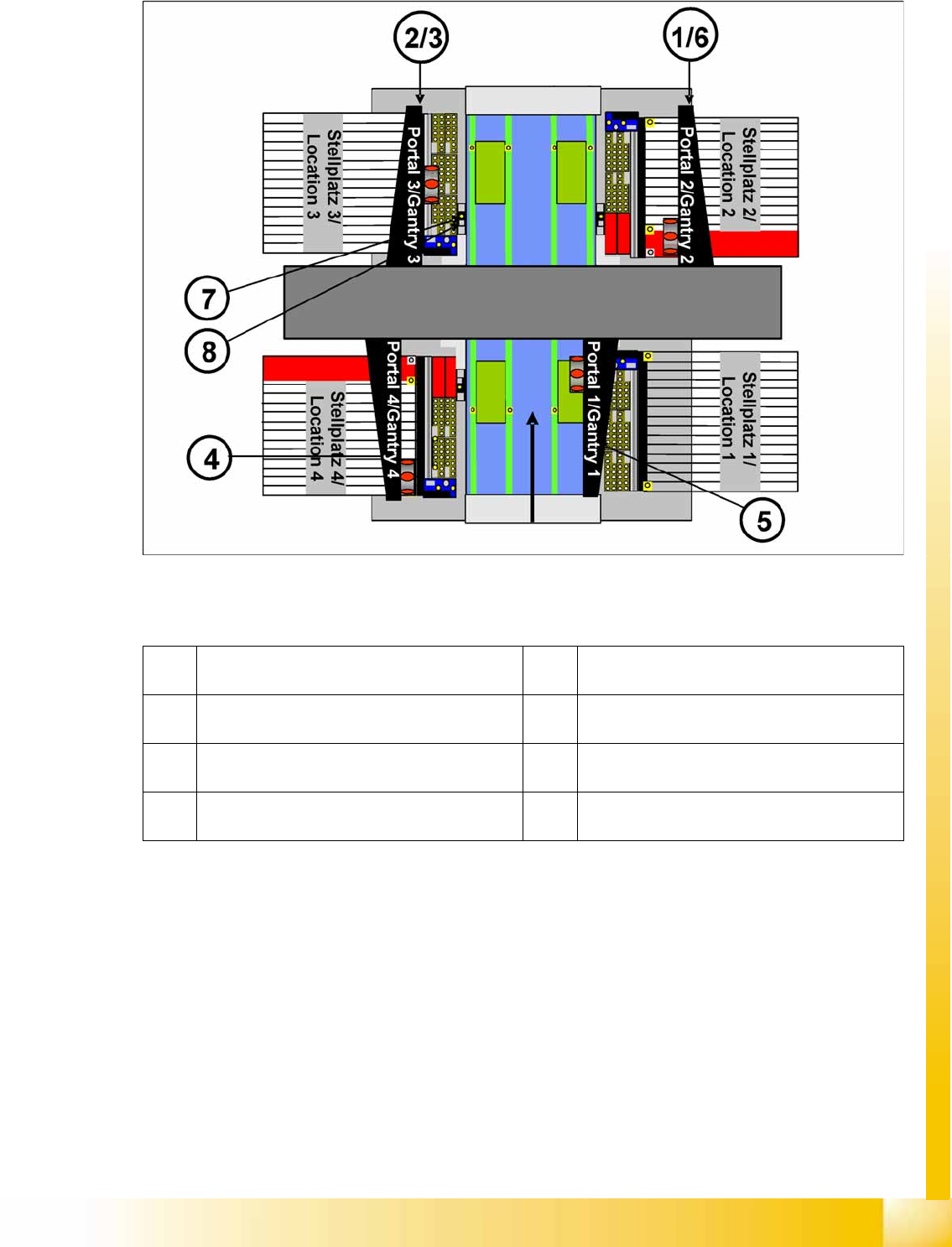
Naming conventions, example of PA 1 gantry 1 :
(1) ProcessingArea_1: ParkPosition_R (park
position)
(2) ProcessingArea_1: RejectBox_R (component
reject position)
(3) Processing Area_1: RejectPosition_R
(component reject position)
(4) ProcessingArea_1: ServicePosition_R (service
position)
(5) ProcessingArea_1: SetupPosition_R (setup
change position)
(6) ProcessingArea_1: WaitPosition_R (waiting
position)
(7) ProcessingArea_1: ZeroOffsetFid (fiducial for
machine zero point)
(8) ProcessingArea_1: CalibrationPart5_Location
(calibration tool position for C&P20A head)
Calibration
Additional Functions Firmware Download (SW 70x)
Student Guide (FSE) SIPLACE X Series and X4I
Calibration Edition 01/2009 EN
498
12.6 Additional Functions
12.6.1 Firmware Download (SW 70x)
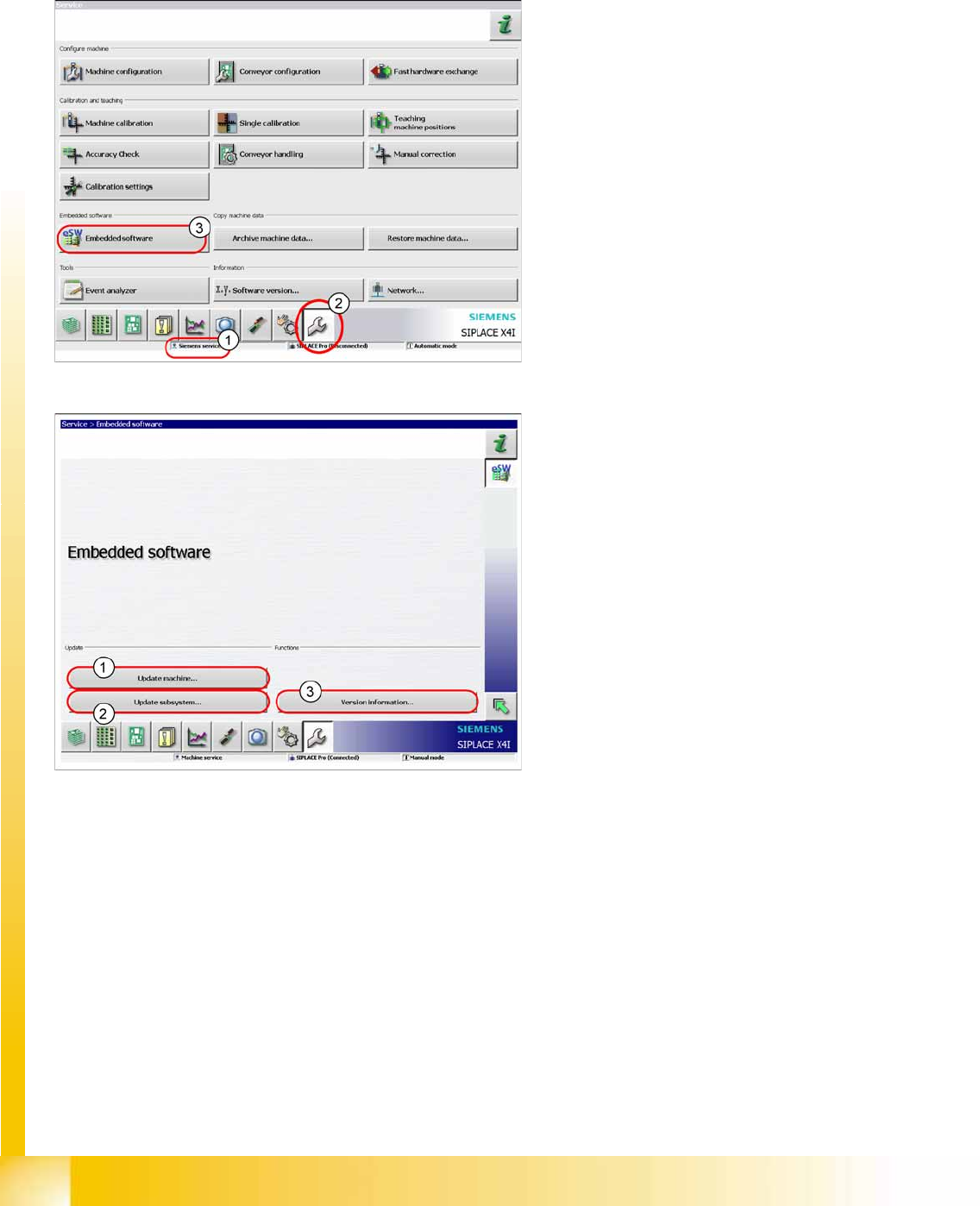
X The function
Firmware Download
can be
performed with the user level (1)
Machine
service
or
Siemens service
.
X Switch over to the service menu (2).
X Click on
Embedded Software
(3).
1. Select this button to check the entire machine
and to perform an eSW download for multiple
subsystems.
2. Select this button to select and check one
subsystem, to perform an eSW download.
3. Select this button to view all versions of the
subsystems, BIOS application 1/2.