00196044-05 - sg x und x4i fse_en.pdf - 第504页
Calibration Additional Functions Fast Head Exchange S tudent Guide (FSE) SI PL ACE X Series and X4I Calibration Edition 01/2009 EN 508 12.6.5.4 Prep arations Preparations for the Fast Head Exchange opt ion for mainte nan…
Calibration
Fast Head Exchange Additional Functions
Student Guide (FSE) SIPLACE X Series and X4I
Edition 01/2009 EN Calibration
507
12.6.5.3 Software Changes
A differentiation can be made between a complete head exchange and a spare parts replacement on
the head, and between the precalibrated heads (data in EEPROM) and calibrated heads in the machine
(no data in EEPROM).
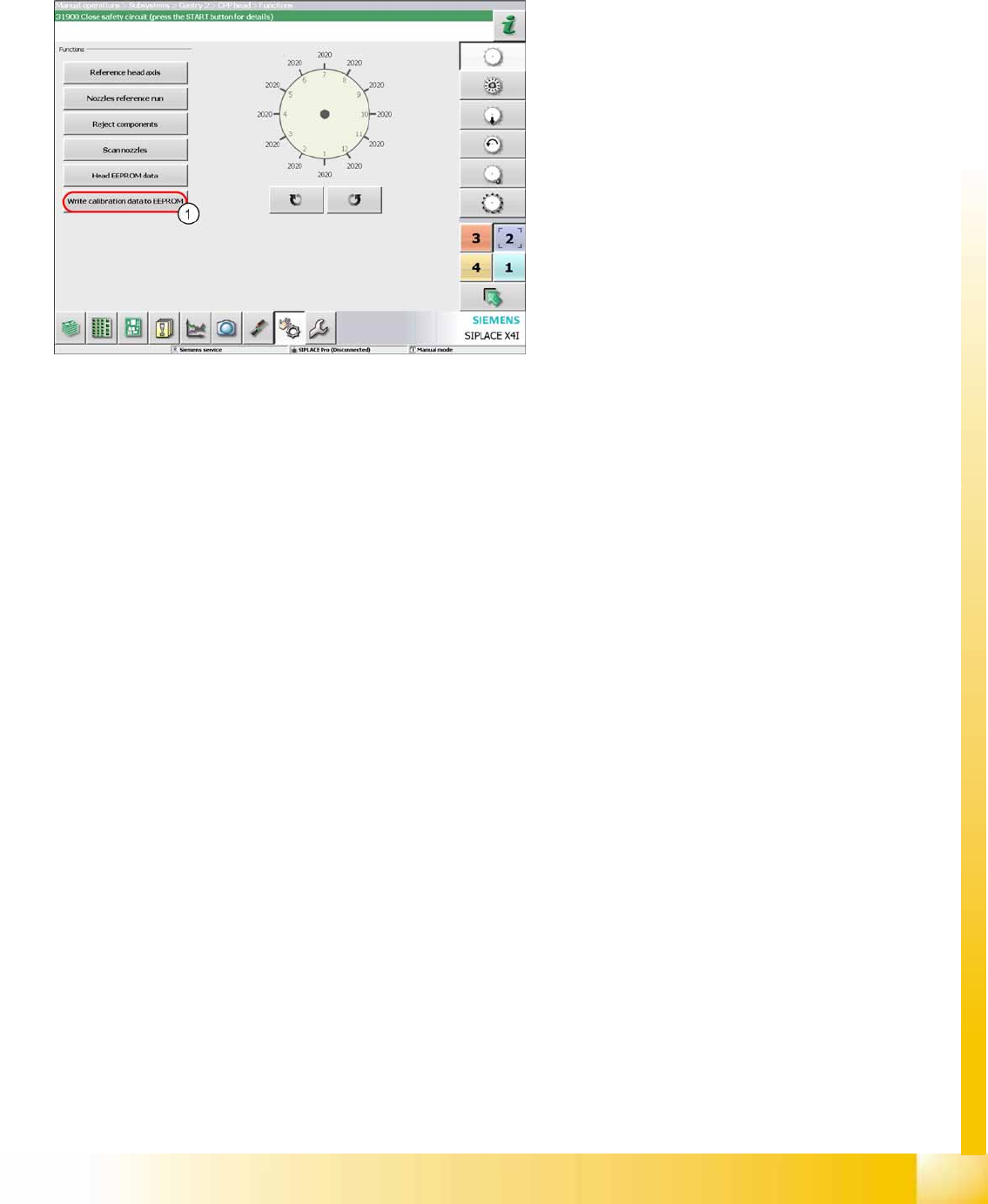
When using calibrated heads in the machine, the
head data needs to be written to the EEPROMs (1)
after performing a software update to SW702.
These placement heads are now prepared for the
Fast Head Exchange option.
Calibration
Additional Functions Fast Head Exchange
Student Guide (FSE) SIPLACE X Series and X4I
Calibration Edition 01/2009 EN
508
12.6.5.4 Preparations
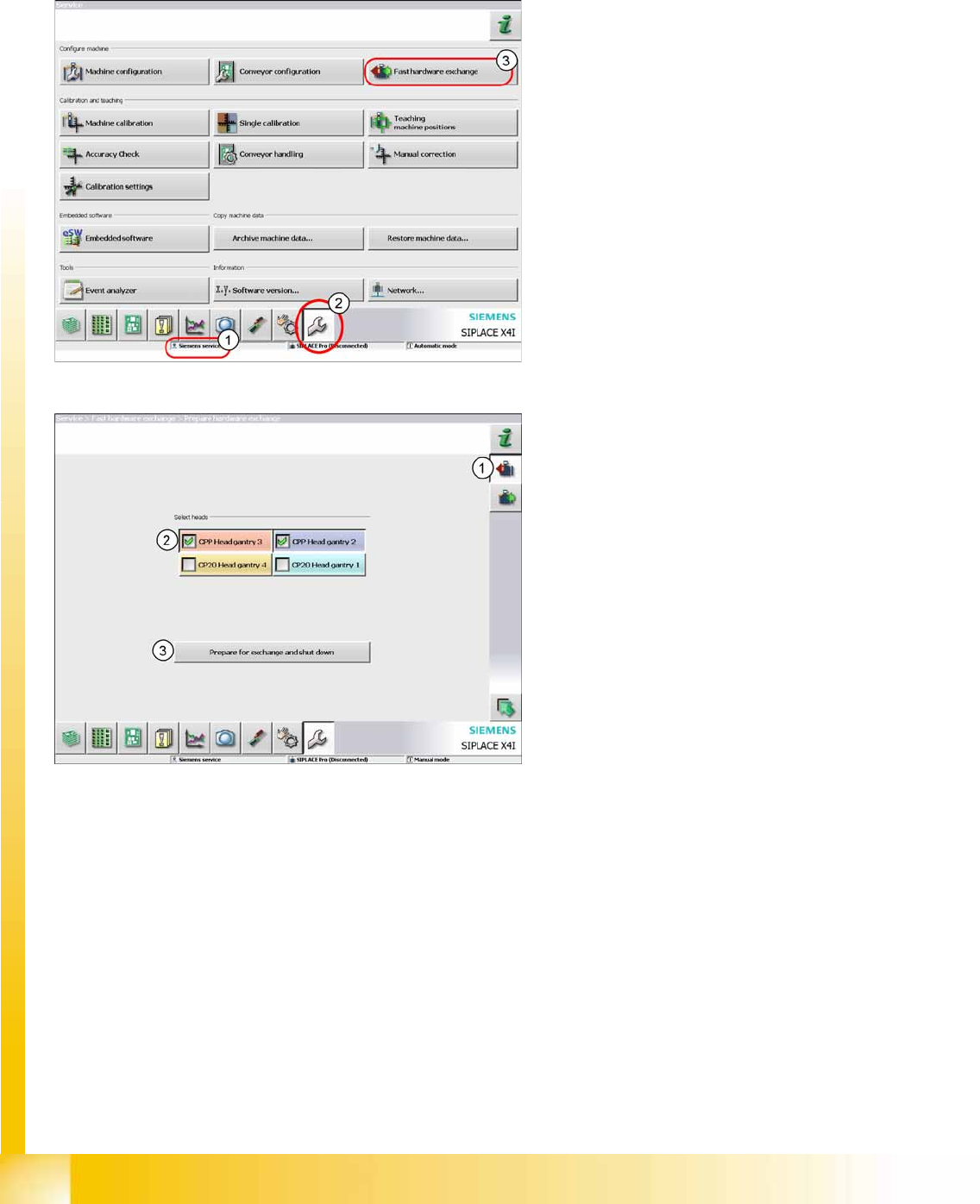
Preparations for the Fast Head Exchange option for maintenance work on placement heads.
Procedure: Dismantling placement heads
Legend
1. Logon as Service
2. Click on
Service.
3. Click on
Fast Hardware Exchange.
Legend
1. Click on
Prepare for exchange
.
2. Mark the placement heads to be exchanged.
3. Now press the button
Prepare for exchange
and shut down
.
The current nozzles are placed in the NC and, if
present, calibration nozzles are taken up. A nozzle
and height reference run are performed.
The machine is now closed down and the heads
can be dismantled.
Calibration
Fast Head Exchange Additional Functions
Student Guide (FSE) SIPLACE X Series and X4I
Edition 01/2009 EN Calibration
509
12.6.5.5 After Exchanging Heads
In the event of repairs, it is not possible to reach a defined state by placing the nozzles from the defective
head back in the nozzle changer. After the head exchange, the SW notes the nozzle configuration of the
defective head and that in the nozzle changer (NC). The operator can now refill the garages as they were
before the head failed. This means that the new head is configured with calibration nozzles which will be
automatically rejected after calibration has been performed. After the job has been defined, the required
nozzles can be picked up and production can be started.
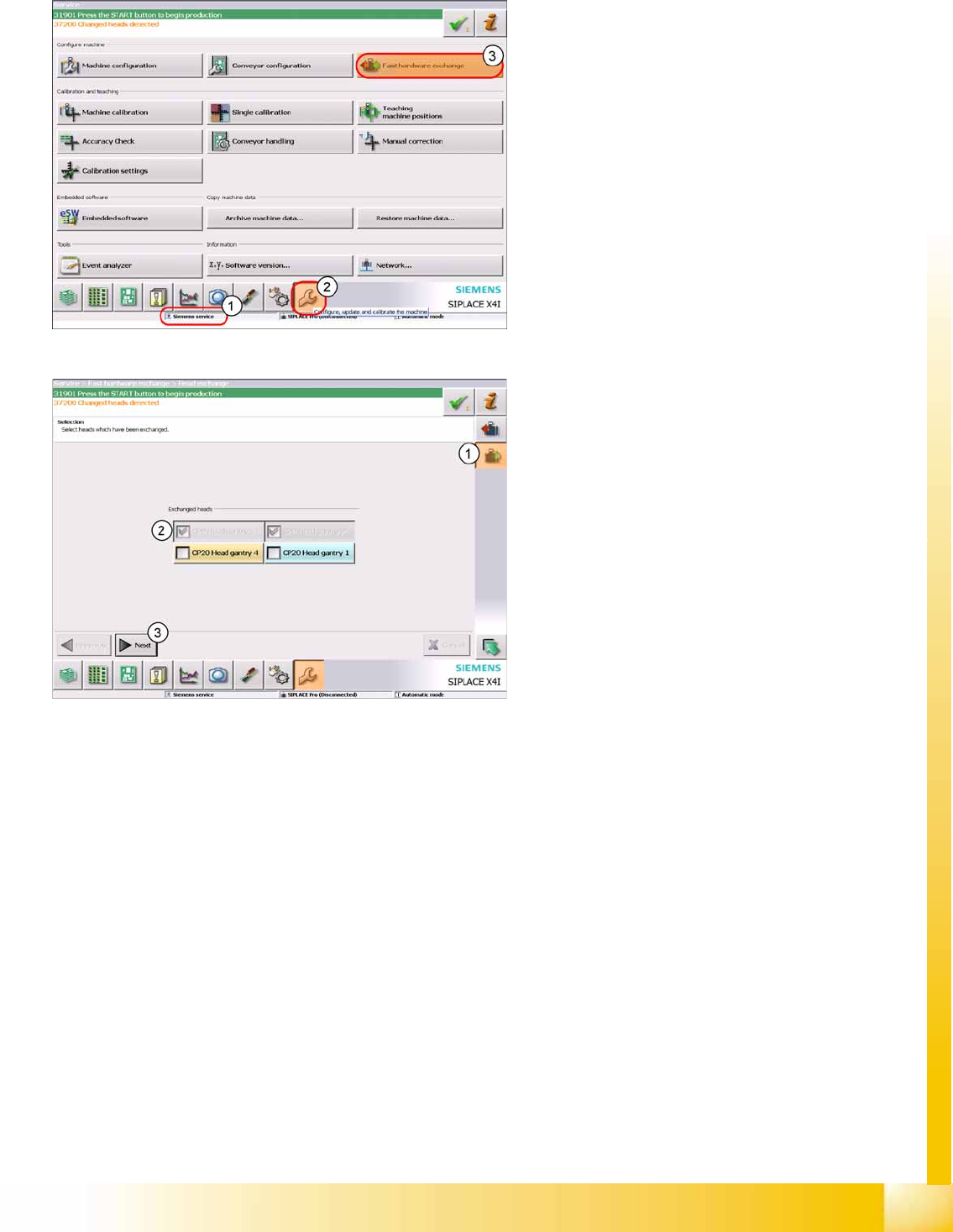
After it has been switched on again, the machine
shows the message
Changed heads detected
and waits for calibration to be performed.
1. Logon as Service
2. Click on
Service.
.
3. Click on
Fast Hardware Exchange
.
1. Click on
Head exchange
.
2. The heads found will be marked and given a
gray background
3. Click on
Next
.