00196044-05 - sg x und x4i fse_en.pdf - 第507页
Calibration Fast Head Exchange Additional Functions S tudent Guide (FSE) SIPL ACE X Series and X4I Edition 01/2009 EN Calibration 51 1 1. Confirm the action with Start . A complete machine reference run will be performed…
Calibration
Additional Functions Fast Head Exchange
Student Guide (FSE) SIPLACE X Series and X4I
Calibration Edition 01/2009 EN
510
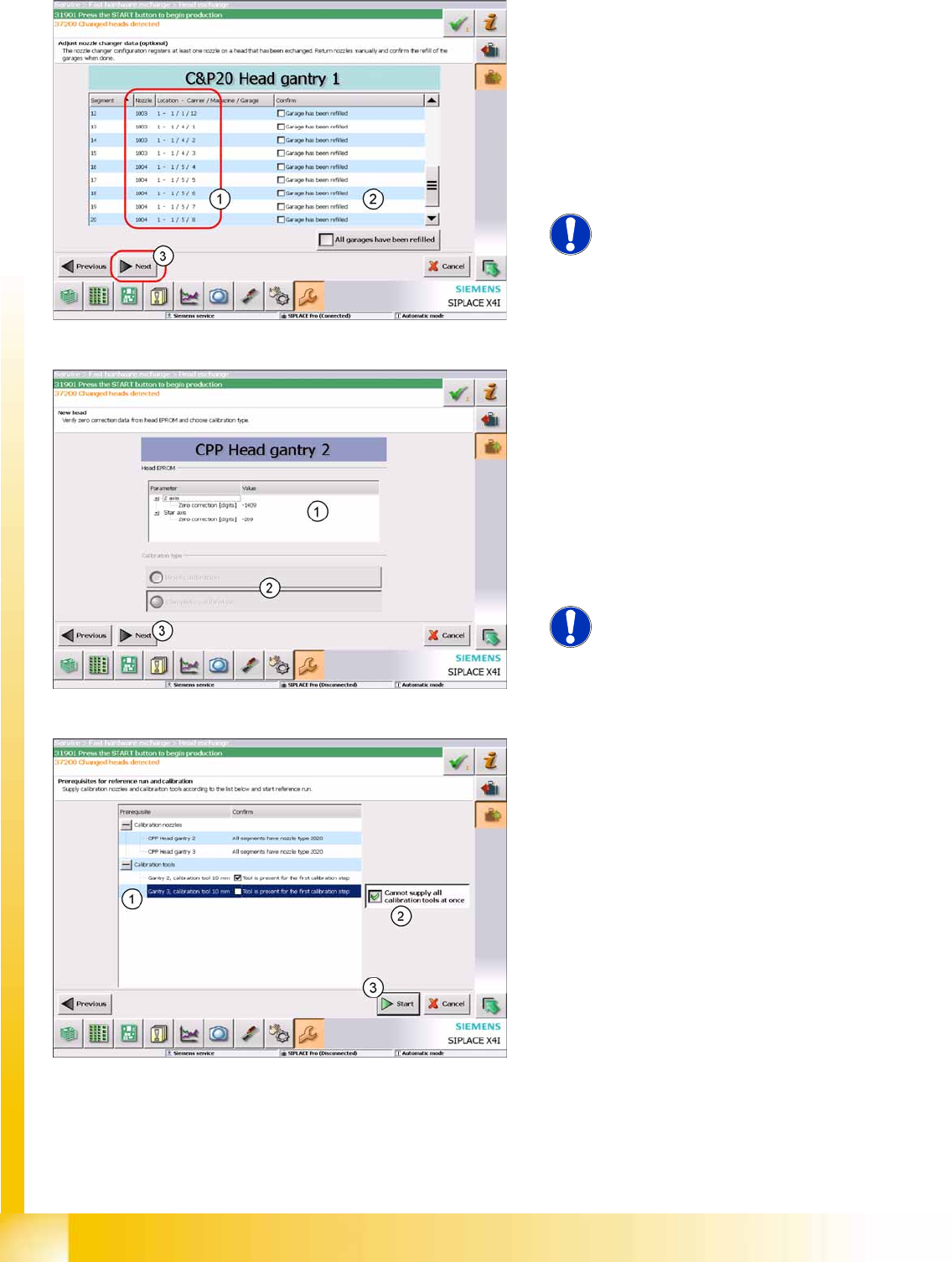
1. Shows which nozzle was on the defective
head and is therefore missing in the NC
(location, NC carrier, magazine and garage).
2. Once the garage has been filled with the
required nozzle, a confirmation will appear.
Production can be restarted directly after
calibration has been performed.
3. Click on
Next
.
NOTE:
This item can also be omitted with
Next
. In this case, the NC needs to be
refilled before restarting production.
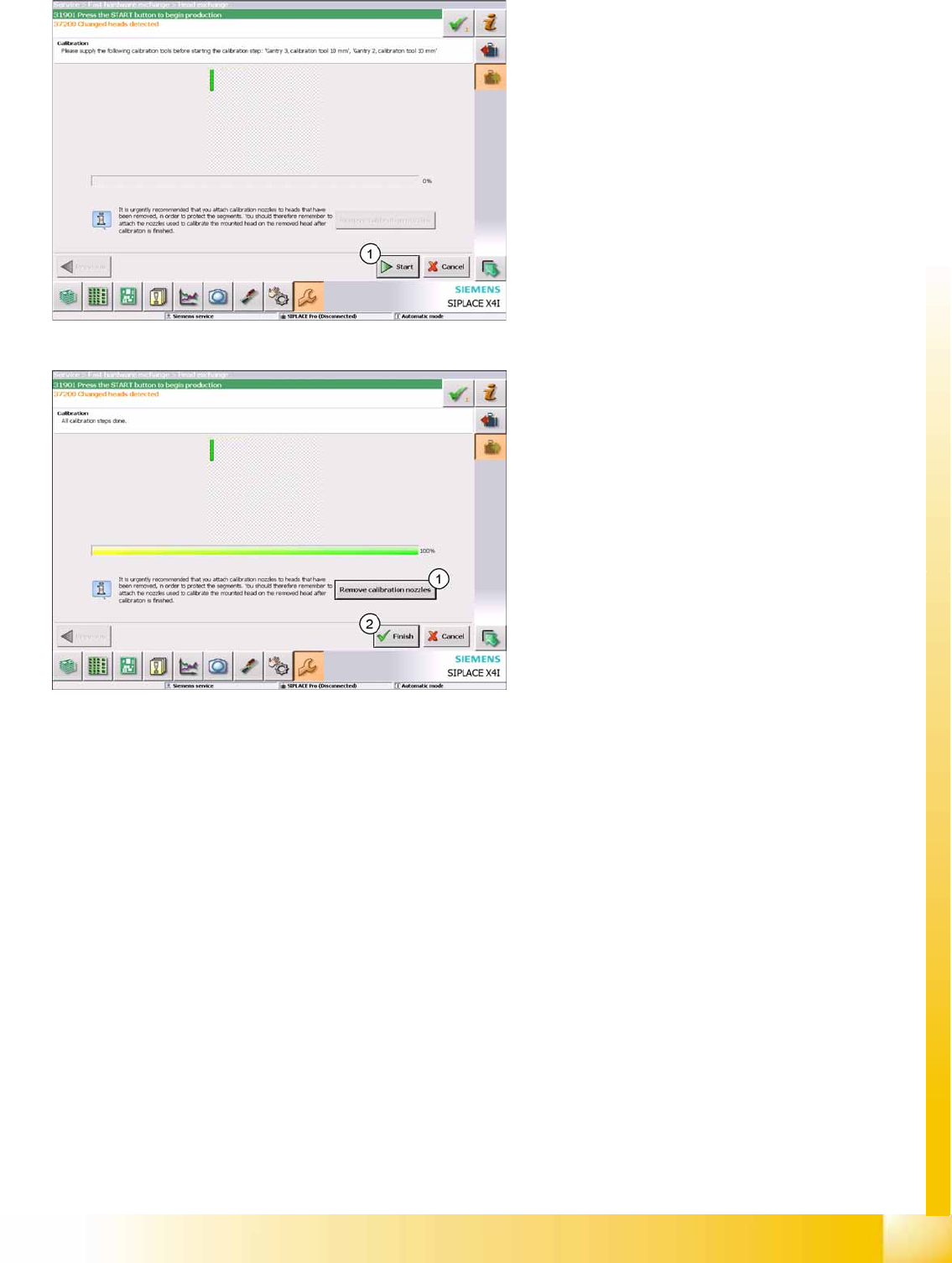
1. The head specific data from the EEPROM are
automatically transferred to the machine data
when the machine is booted.
Check the values!
2. Select the calibration type
Select
Brief calibration
, if precalibrated heads
were fitted. Otherwise select Complete
calibration.
3. Click on
Next
.
NOTE:
This dialog appears for each
exchanged head!
1. Nozzle check and notification about calibration
component!
New heads are supplied with calibration
nozzles. The SW sets these automatically.
2. Enable this button if there is not a calibration
component available for each head or
placement area. You will then be asked to
make the calibration component available for
calibration of the next head (1).
3. Click on
Start
.
A machine reference run and head calibration will
be performed!
Calibration
Fast Head Exchange Additional Functions
Student Guide (FSE) SIPLACE X Series and X4I
Edition 01/2009 EN Calibration
511
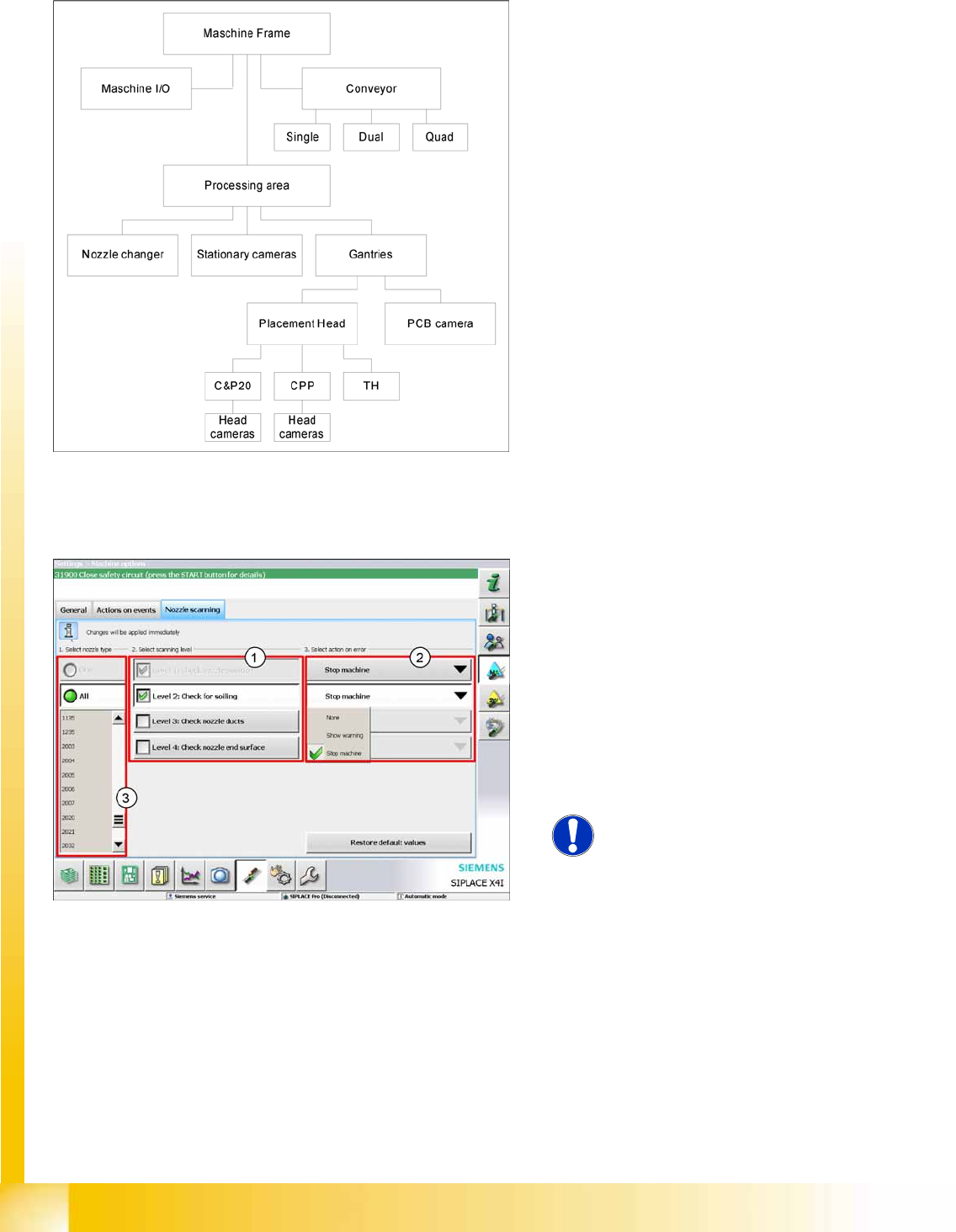
1. Confirm the action with
Start
.
A complete machine reference run will be
performed. After this, calibration of the selected
heads will be performed.
1. Select the function
Remove calibration
nozzles
, if there is an empty magazine in the
machine.
2. Select
Finish
.
Fast Head Exchange has now been completed
and production can be restarted.
Calibration
Additional Functions Autoconfiguration
Student Guide (FSE) SIPLACE X Series and X4I
Calibration Edition 01/2009 EN
512
12.6.6 Autoconfiguration
12.6.7 Nozzle Scanning
12.6.8 Accuracy Check Tool
The Accuracy Check Tool (ACT) can determine the placement accuracy of a machine.
A special board is placed and the components placed on it are then measured with the PCB camera.
ACT measurement:
Specify the ACT program in SIPLACE Pro. (The job must be locally available at the machine.)
Switch over to stand alone mode.The machine may not be in production mode. Press the STOP button.
Select the following operator level to enable the ACT
Service engineer
The automatic configuration of the machine is a
new function with the software 702. This function
locates the installed hardware components when
the machine is switched on.
The software installation only defines the machine
type X2, X3, X4 or X4I.
SW 702 provides an option for configuring nozzle
scanning for selected nozzle types (3) . There are
4 configuration levels (1).
Check nozzle position
Check for soiling
Check nozzle ducts
Check nozzle end surface
X Select an action if errors occur during nozzle
scanning (2).
NOTE:
Changes can only be made with the
operator level
Service Engineer
.