00196044-05 - sg x und x4i fse_en.pdf - 第518页
Head Modularity Head Modularity Head exchange S tudent Guide (FSE) SI PL ACE X Series and X4I Head Modularity Edition 01/2 009 EN 522 13.3.2 Head exchan ge 13.3.3 Calibration SIPLACE X C&P X Calibrate zero point corr…
Head Modularity
Production requirements Head Modularity
Student Guide (FSE) SIPLACE X Series and X4I
Edition 01/2009 EN Head Modularity
521
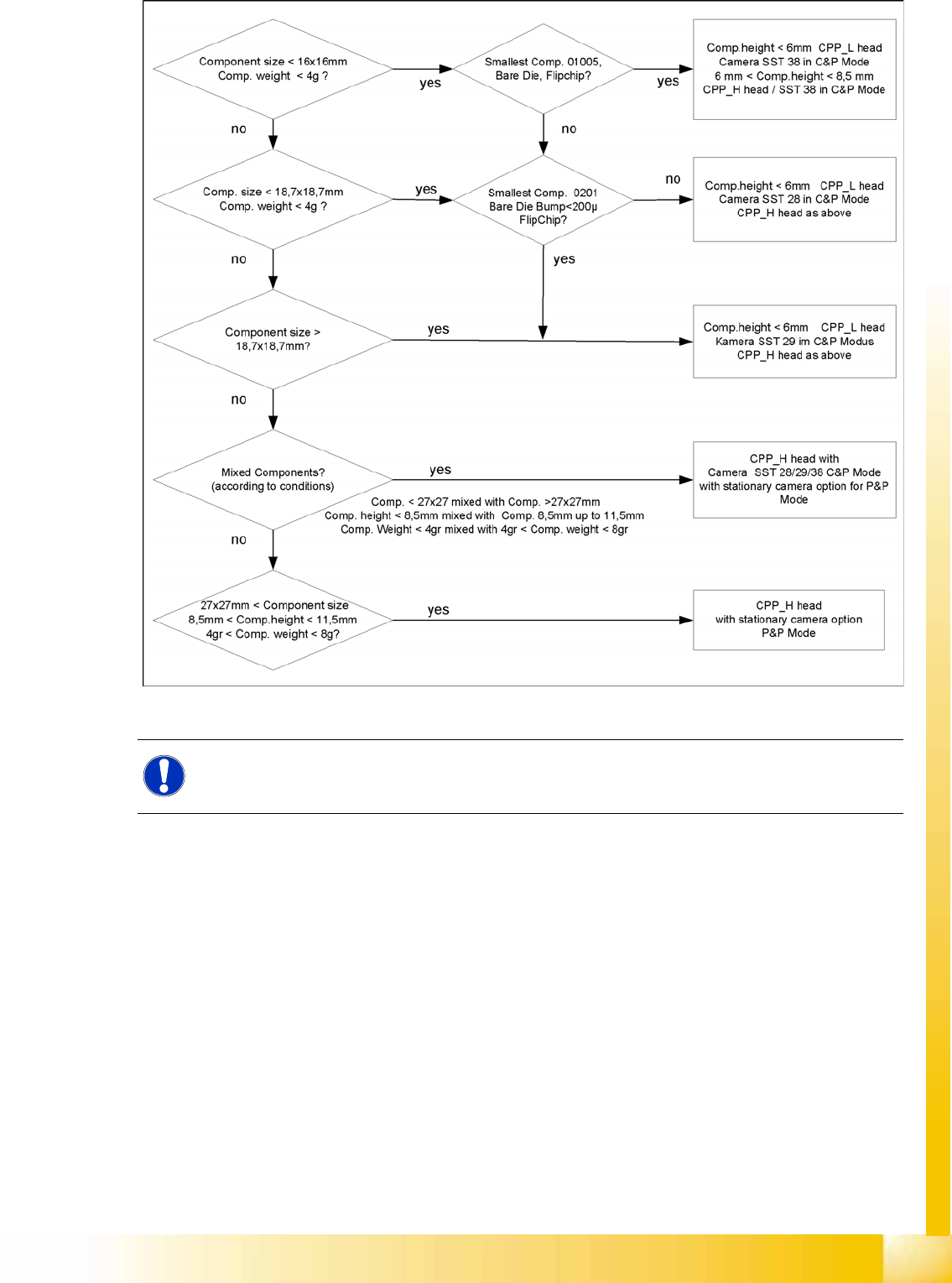
13-3: Decision criteria for selection of position and camera types of CPP head
NOTE:
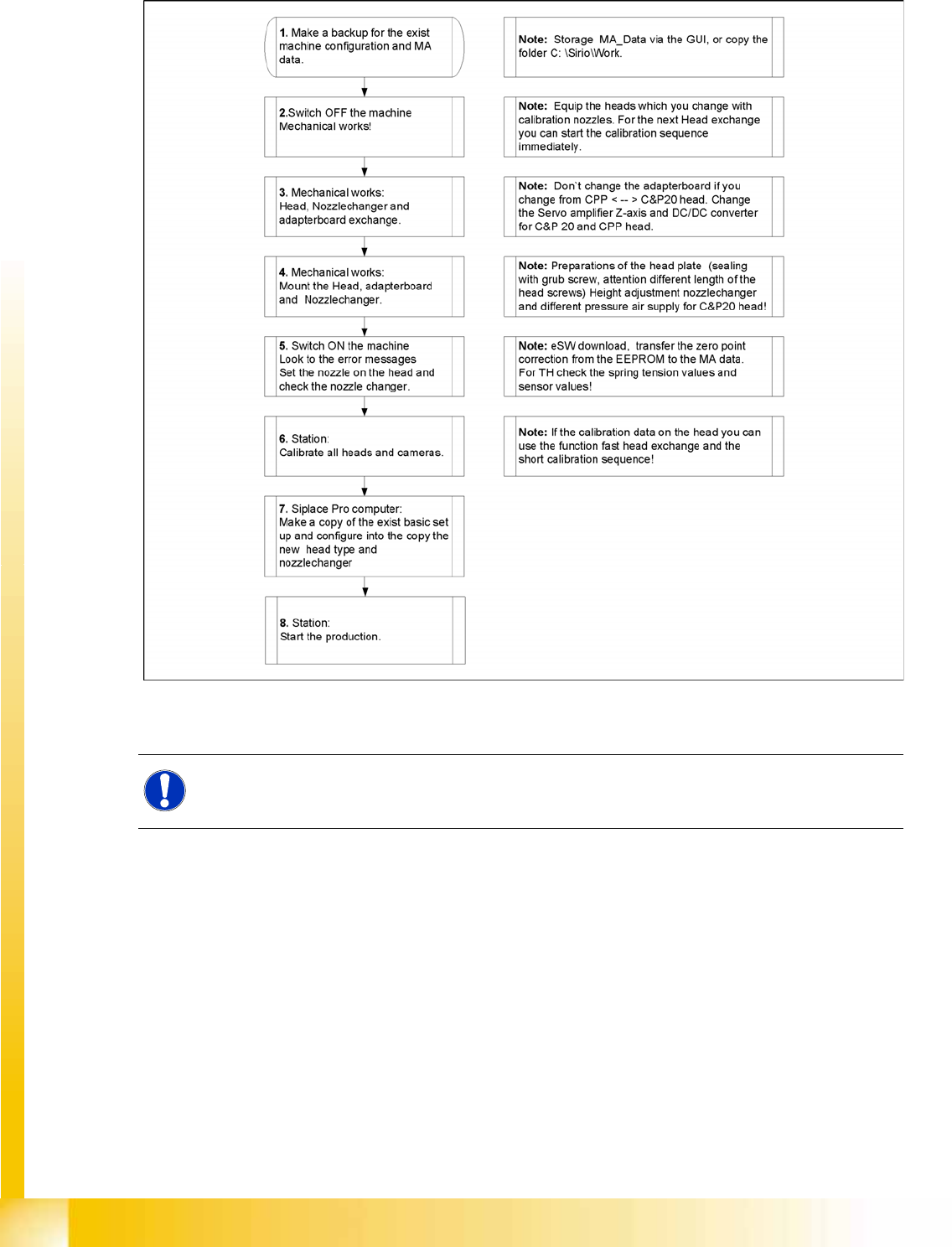
For the option Head Modularity, use the retrofitting guide "Head Reconfiguration Kits".
Head Modularity
Head Modularity Head exchange
Student Guide (FSE) SIPLACE X Series and X4I
Head Modularity Edition 01/2009 EN
522
13.3.2 Head exchange
13.3.3 Calibration
SIPLACE X C&P
X Calibrate zero point correction both gantries.
X Calibrate PCB camera
X Calibrate C&P head
X Component Camera
Segment offset 2
Segment offset 1
X Calibrate nozzlechanger (inclusive automatic pick up height)
NOTE:
See Chapter "Calibration".
Head Modularity
Calibration Head Modularity
Student Guide (FSE) SIPLACE X Series and X4I
Edition 01/2009 EN Head Modularity
523
13.3.3.1 Autoconfiguration
X After the zero point correction has been transferred, check the nozzle configuration at the placement
head and in the nozzle changer.
X Perform a complete calibration of the placement head.
X If the head has been precalibrated, brief calibration can be performed with the menu
Fast Head
Exchange
!
After the head exchange or replacing other
hardware components, an automatic configuration
will be performed when machines with software
702 or higher are restarted.
This means that manual configuration settings
should no longer be necessary.
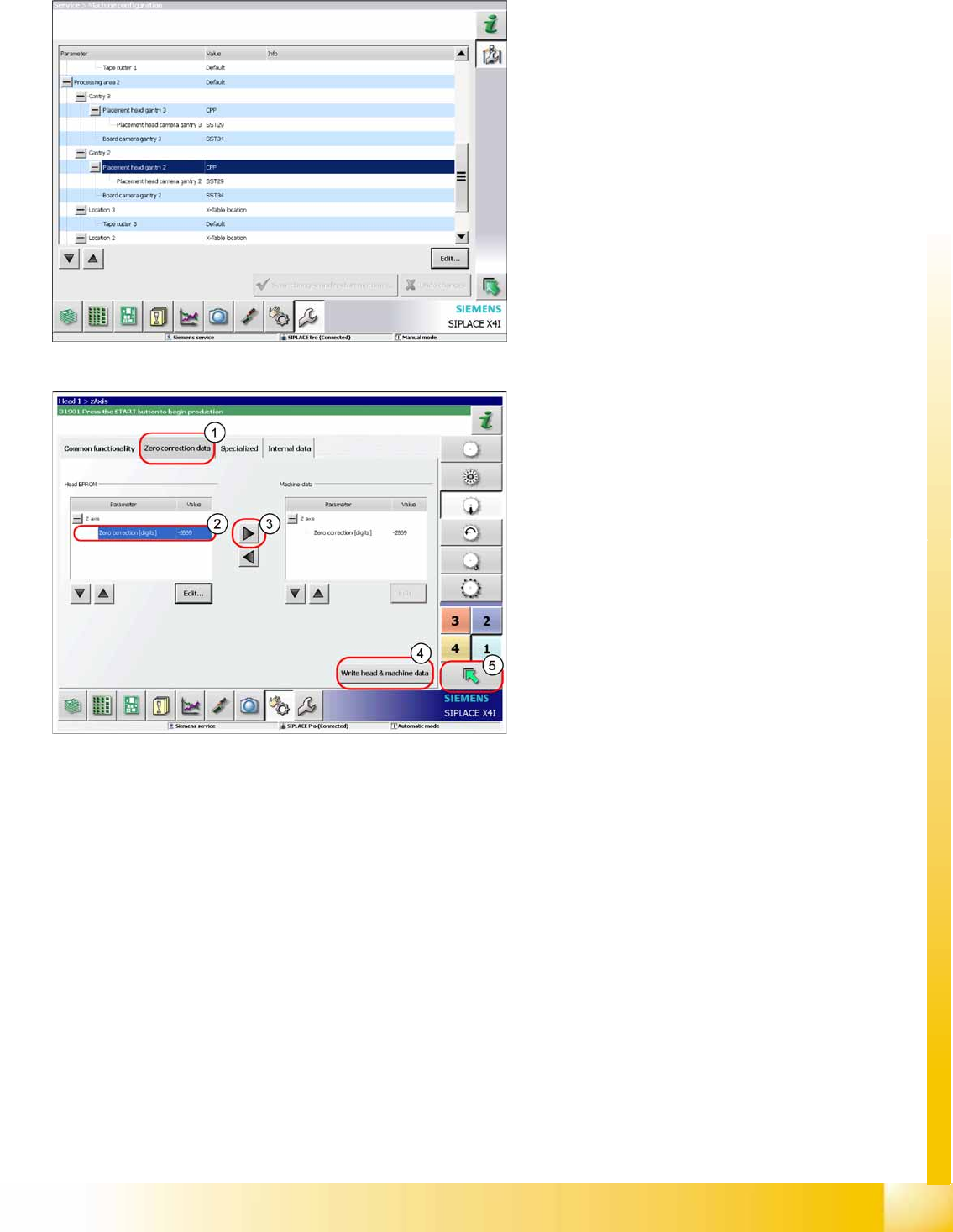
X This menu allows you to check the
configuration and change it if required.
This is where the axis data (Z and star axes) can
be written from the head EPROM to the machine
data. You can also write the Z and star axis data
from the machine data to the head EPROM.
X In the
Zero correction data
(1) select the line
Zero point correction
(2).
X ;Move the value out of the head EPROM and
into the machine data (3).
X Select
Write head & machine data
(4).
X The arrow button (5) takes you back one menu
level.