00196044-05 - sg x und x4i fse_en.pdf - 第571页
MTC2 SITEST Calibration Flow Charts MTC2 Calibration and Setting s S tudent Guide (FSE) SIPL ACE X Series and X4I Edition 01/2009 EN MTC2 575 14.3.2.2 Feed axis Notes for calibration the zeropo int correction and transfe…
MTC2
MTC2 Calibration and Settings SITEST Calibration Flow Charts
Student Guide (FSE) SIPLACE X Series and X4I
MTC2 Edition 01/2009 EN
574
14.3.2 SITEST Calibration Flow Charts
14.3.2.1 Lifting axis
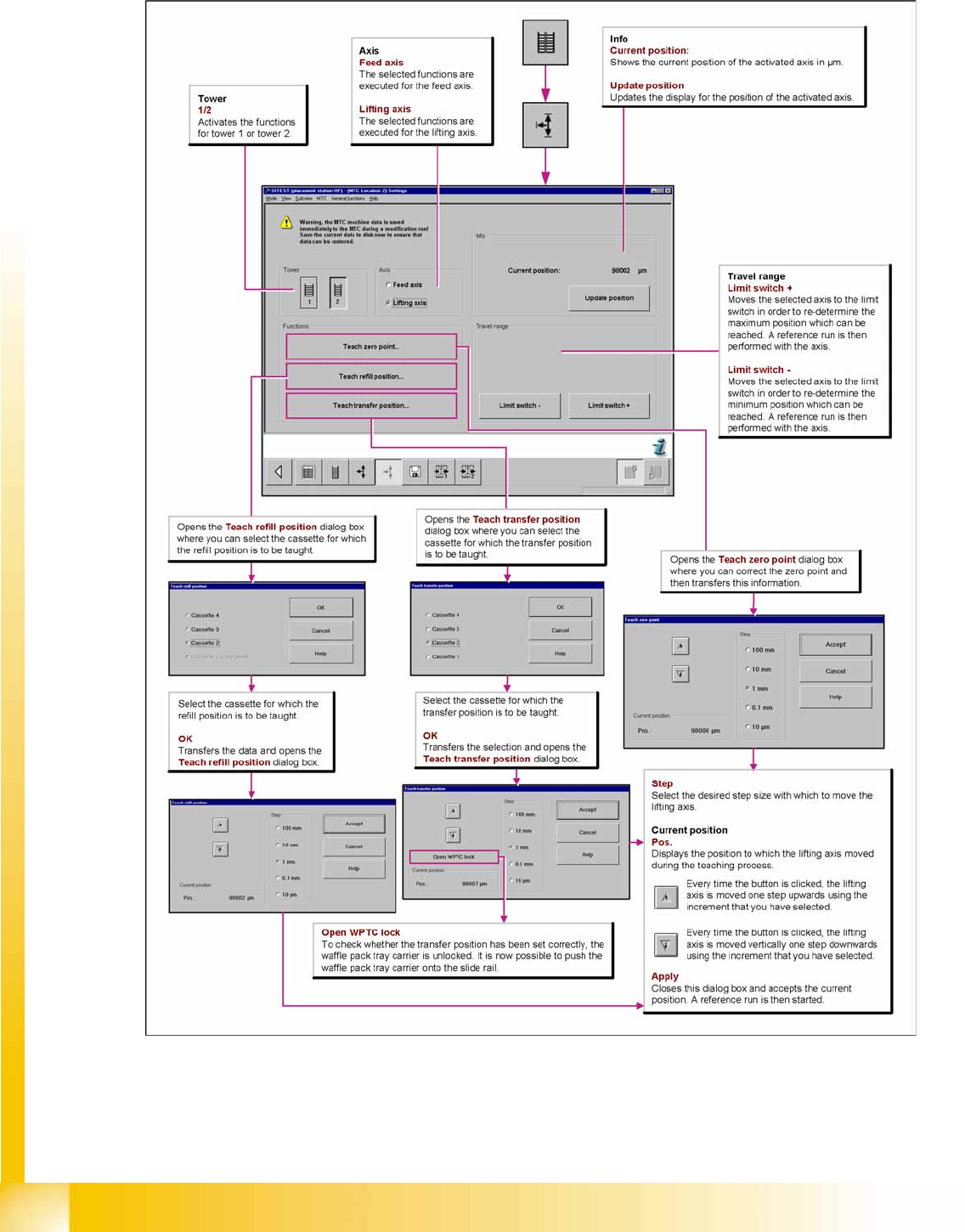
14-36: Overview "Calibration Lifting axes"
MTC2
SITEST Calibration Flow Charts MTC2 Calibration and Settings
Student Guide (FSE) SIPLACE X Series and X4I
Edition 01/2009 EN MTC2
575
14.3.2.2 Feed axis
Notes for calibration the zeropoint correction and transfer position into the machine.
1a. Calibration of zero point correction:
X Select
SITEST
-->
MTC
-->
Settings
X Select
Teach zero point.
X Check the position of the driver with the
ENGAGE
.
In case the driver did not engaged successfully you must determine the middle of the notch of the waffel
pack tray.
The accurate adjustment is described below:
X If the feed axis is positioned so that the driver is unable to connect, move the feed axis into an
approximately correct position, in which the driver is able to engage. Now determine the minimum
and maximum position in which the driver can engage.
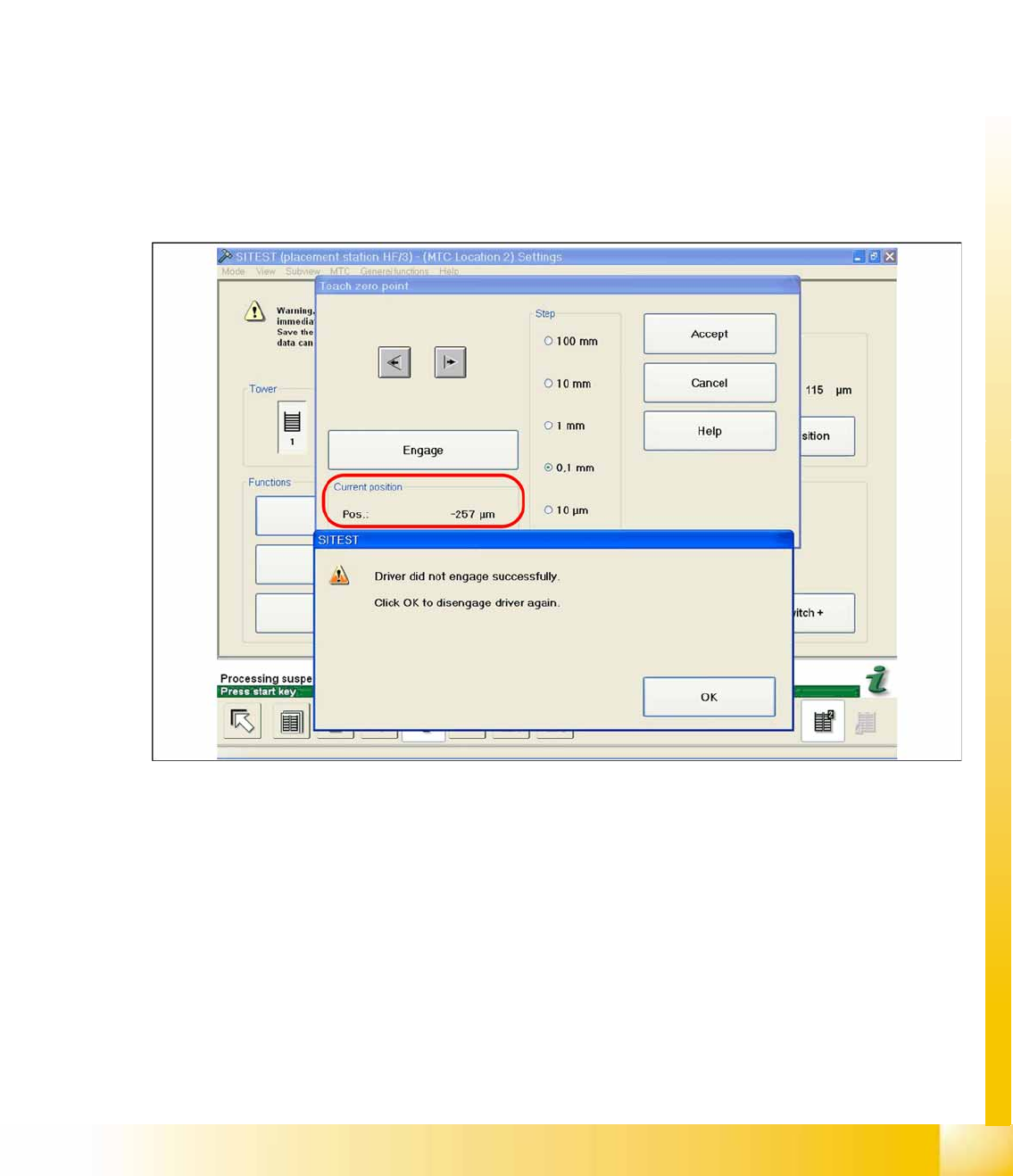
X Once the driver has engaged, gently tap the feed axis into the minimum position, until the driver is
just unable to engage (see diagram).
X Make a note of the position value shown.
14-37: Minimum position
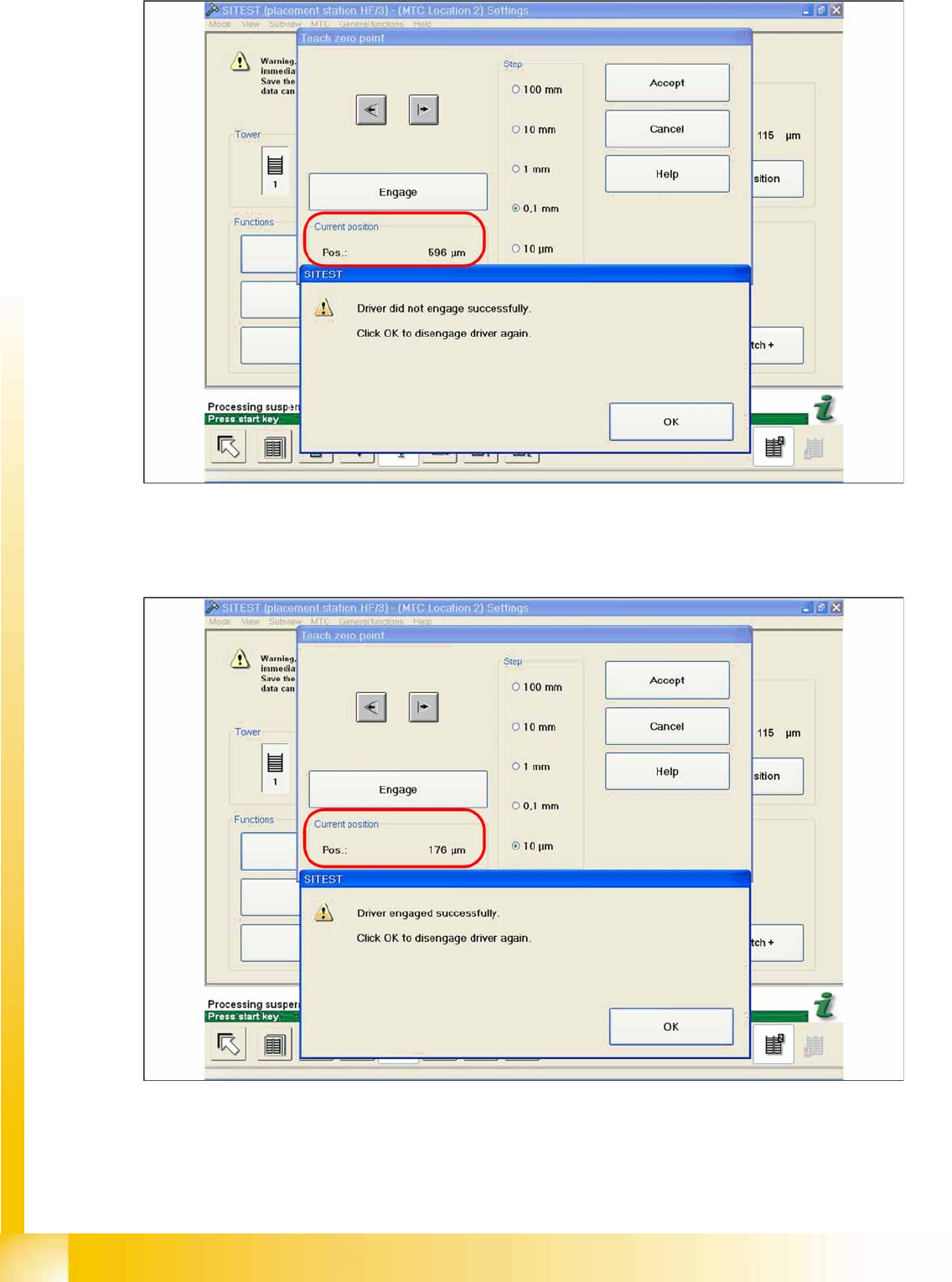
X Now gently tap the feed axis into the maximum position, until the driver is just unable to engage (see
diagram).
MTC2
MTC2 Calibration and Settings SITEST Calibration Flow Charts
Student Guide (FSE) SIPLACE X Series and X4I
MTC2 Edition 01/2009 EN
576
14-38: Maximum position
X Now calculate the center of the WT gap, so that the driver will always engage reliably.
e.g. |-257| + 596 = 853 divided by 2 = 426 µm
426 + the maximum position or minimum position or maximum position - 426 = approx. 169 µm
14-39: Correct position for the feed axis
X Check the driver position. The driver now should be correctly in the middle position of the notch of
the WTC.
X Click on
Accept
.
X Check the position of the driver for the other cassettes.