00196044-05 - sg x und x4i fse_en.pdf - 第613页
MTC2 Error messages issued via the station Masterdrives S tudent Guide (FSE) SIPL ACE X Series and X4I Edition 01/2009 EN MTC2 617 14.4.6 Error messages issued via the station Alarms and faults on the mas ter drive A14…
MTC2
Masterdrives Downloading Parameter Sets
Student Guide (FSE) SIPLACE X Series and X4I
MTC2 Edition 01/2009 EN
616
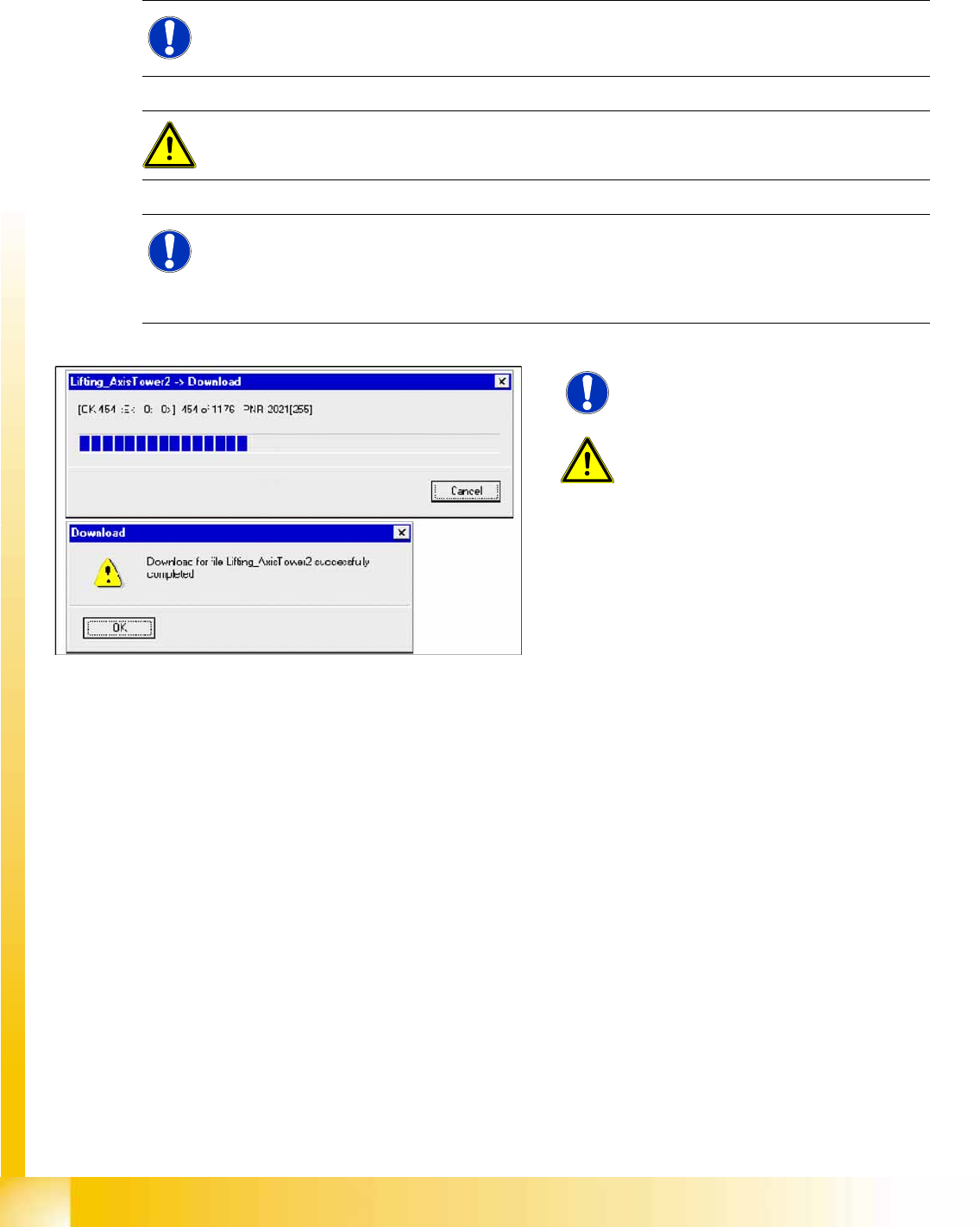
14.4.5.5 Download parameter set:
X Select
FILE
-->
Download
-->
Save EEPROM
X Switch the MTC OFF and then ON again. Start the reference run.
NOTE:
Before you start the download, the master drive should be reset to factory defaults (see 13.4.3).
ATTENTION:
The axis concerned must not be subject to position control!
NOTE: TIP
There are two ways of deactivating position control:
- Open the MTC door or
- Switch the MTC on and do not perform a reference run of the MTC.
14-74: Downloading Parameter Sets
NOTE:
Select Save on EEPROM
!
ATTENTION:
If errors are counted in field E:(Error)
when you first start the download, abort
the download immediately and try it
again.
MTC2
Error messages issued via the station Masterdrives
Student Guide (FSE) SIPLACE X Series and X4I
Edition 01/2009 EN MTC2
617
14.4.6 Error messages issued via the station
Alarms and faults on the master drive
A140, A141: Axis blocked, does not move easily, check and remove any obstruction.
FF01: Time overrun
FF04: A fault has occurred during the RAM test.
FF05: A fault has occurred during the EPROM test.
FF13: A version conflict has occurred between the firmware and the hardware.
F002: The monitoring time has expired. The DC intermediate circuit voltage has not reached the
setpoint (3s) (can be ignored).
F006: Intermediate circuit voltage too high. If this fault occurs during the startup phase: Press the
SIPLACE start button.
During operation: Contact the SIEMENS service team.
F008: The lower limit value (76%) was undershot (can be ignored).
Press the SIPLACE start button.
F011: Short circuit
F015: Axis blocked, does not move easily during reference run
F020: Motor temperature monitoring triggered.
F021: Motor blocked, does not move easily. (I2t monitoring for the motor)
F023: Overtemperature master drives:
Ventilation locked, wire break at sensor.
F035: Axis in the limit switch
F041: A fault has occurred during the storage of values in the EEPROM.
F051: Fault at resolver or cable disconnected.
F082: Telegram fault - no new process data received. Replace the assembly.
F085: A fault has occurred during initialization of the controller assembly in the master drives.
See also:
J
14.2.2 Incorporating the MTC in the SIPLACE station [
J
555]
NOTE:
Alarm messages will begin with „Axxx“. An alarm cannot be acknowledged.
It is automatically deleted once the cause has been eliminated.
NOTE:
Fatal errors will begin with „FFxx“. Fatal errors are serious hardware or software errors which
no longer permit normal operation of the Master drives. They only appear on the PMU in the
form "FF<No>". The software is re-booted by actuating any key on the PMU.
NOTE:
Fault messages will begin „Fxxx“. If a fault message is not reset before the electronic supply
voltage is switched off, then the fault message will be present again when the electronic supply
is switched on again.

MTC2
Room for Your Sketches and Notes Error messages issued via the station
Student Guide (FSE) SIPLACE X Series and X4I
MTC2 Edition 01/2009 EN
618
14.5 Room for Your Sketches and Notes