00196044-05 - sg x und x4i fse_en.pdf - 第96页
Communication and Control Overview Networ king Overview S tudent Guide (FSE) SI PL ACE X Series and X4I Communication and Control Edition 01/2009 EN 96 4.1.1 Networking Overview 4-2: Overview of communication with the bo…
Communication and Control
Overview
Student Guide (FSE) SIPLACE X Series and X4I
Edition 01/2009 EN Communication and Control
95
4 Communication and Control
4.1 Overview
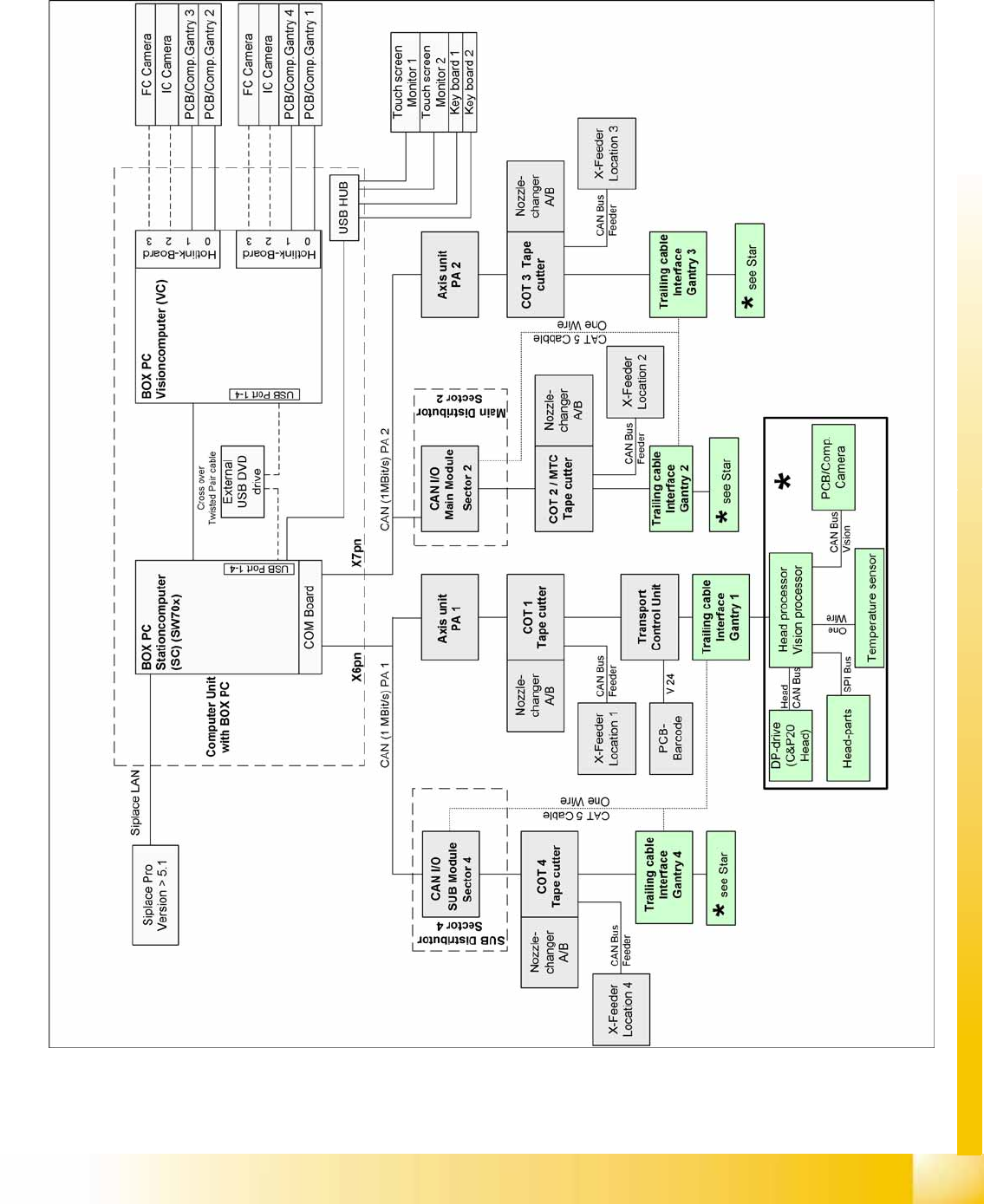
4-1: Overview of communication - SIPLACE X4I and box PC
Communication and Control
Overview Networking Overview
Student Guide (FSE) SIPLACE X Series and X4I
Communication and Control Edition 01/2009 EN
96
4.1.1 Networking Overview
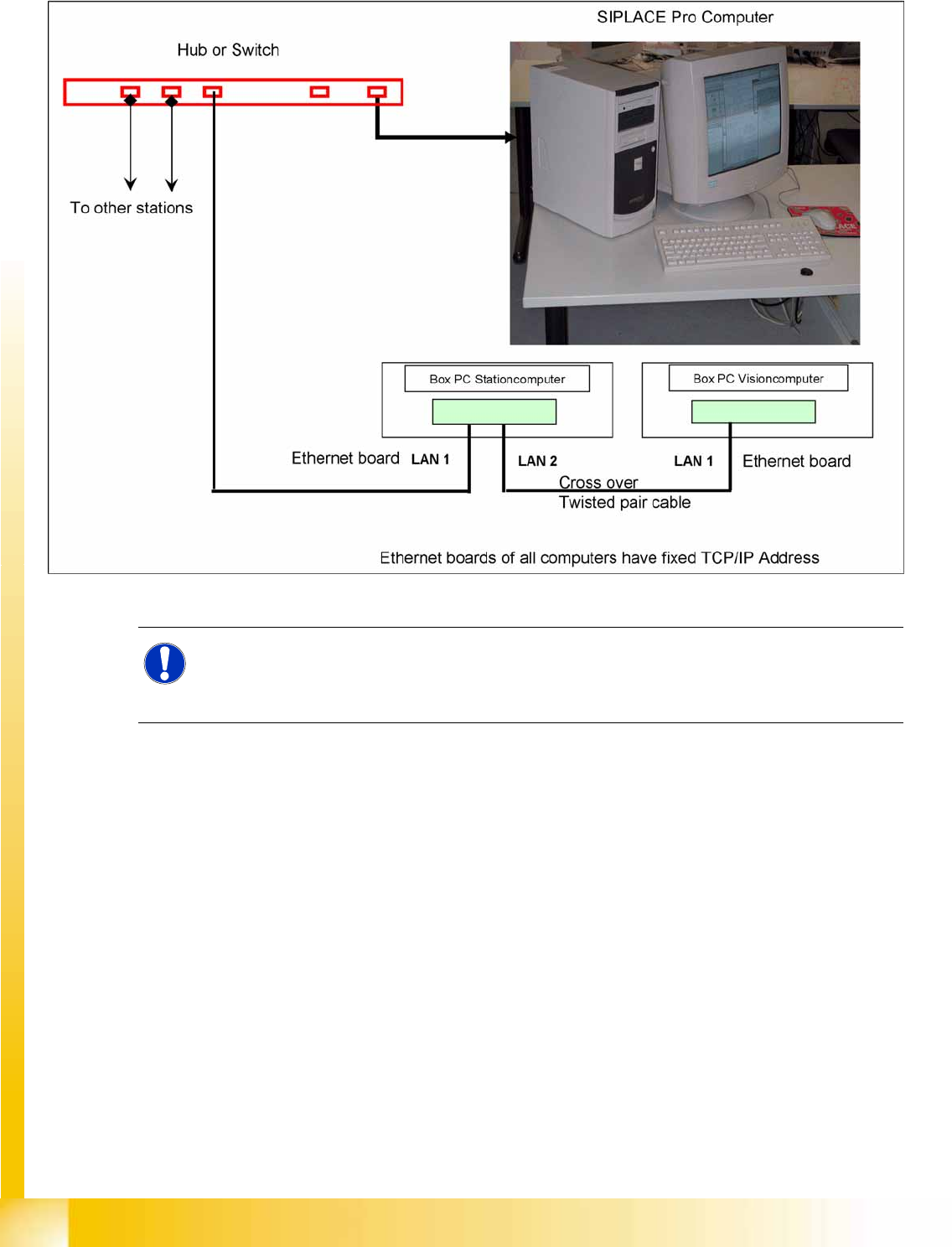
4-2: Overview of communication with the box PC
The fixed TCP/IP addresses of the computers may not be changed and are the same at
all machines.
Overview network addresses:
Station computer: 192.168.255.249
Vision computer: 192.168.255.252
NOTE:
With the SW 70x.xx system, the station computer software runs on one box PC and the Vision
software on a second box PC.
This means that there is no longer an independent machine controller.
Communication and Control
Checking the Network Addresses Networking Address
Student Guide (FSE) SIPLACE X Series and X4I
Edition 01/2009 EN Communication and Control
97
4.2 Networking Address
4.2.1 Checking the Network Addresses
4.2.1.1 Station Computer Box PC
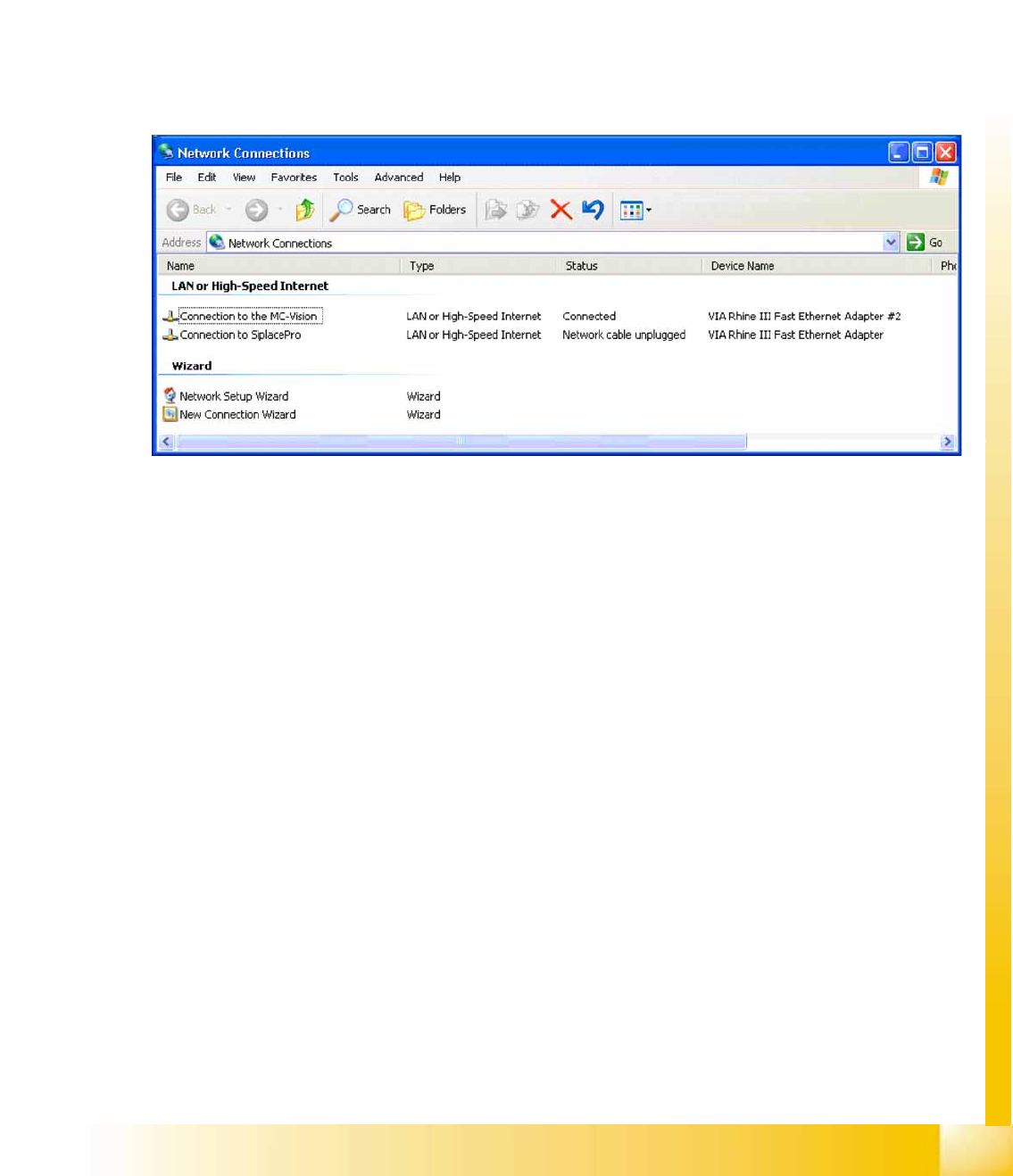
The station computer has two network cards, which can be directly set in Windows:
Windows XP main view:
Start
-->
Settings
-->
Network connections
Select one of the two network cards (see below)
Right-click
Select Properties
with the mouse.
Select
TCP/IP
and -->
Select Properties
(see below)
Network card 2 "connection to SIPLACE Pro":
The network connection between the station computer and SIPLACE Pro is realized via the LAN 2
connection of the dual LAN unit in the station computer. The network address is not fixed and can be
defined individually for each customer.
Example of a LAN IP address: 172.22.208.181
This TCP/IP ADDRESS must be typed in, during the configuration of the station in SIPLACE Pro.
Network card 1 "connection to the MC Vision":
The internal network address for the station computer is a fixed local area network address, which must
not be changed.
Station computer: 192.168.255.249