00196449-04_UM_FCCS_digital_DE_EN.pdf - 第60页
3 Camera Calibration in SW 605.xx Stations 3.4 XML Report (SW 605.xx) 60 Operating Manual / Bedienungsanleitung Camera Calibration FCCS digital Kamerakalibrierung FCCS digital 04/2020 ► When exiting SITEST, a message wil…
3 Camera Calibration in SW 605.xx Stations
3.2 Calibration Sequence in SW 605.xx
Operating Manual / Bedienungsanleitung Camera Calibration FCCS digital Kamerakalibrierung FCCS digital 04/2020 59
3.2 Calibration Sequence in SW 605.xx
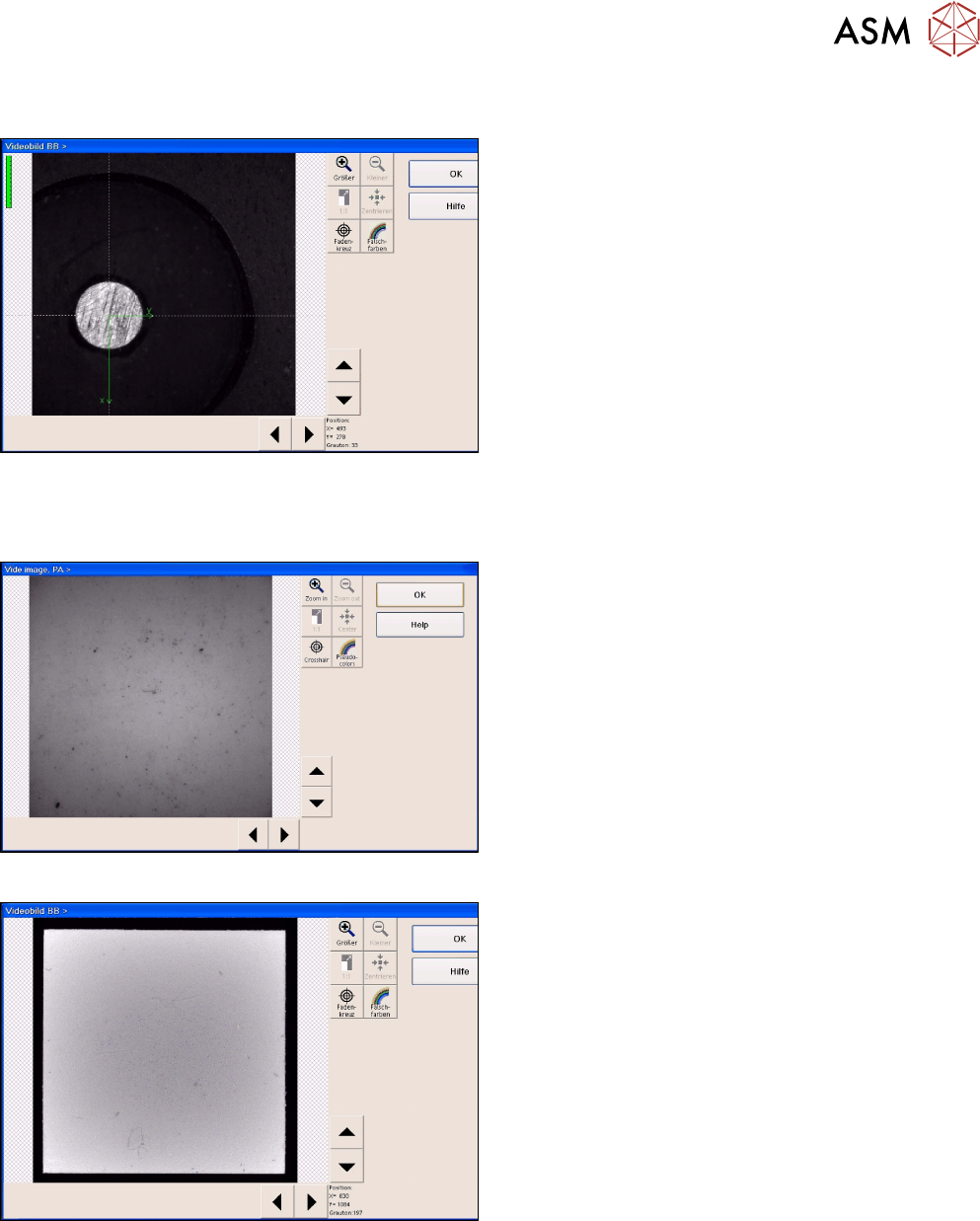
Fig.16: Position recognition of calibration tool carrier
► The PCB camera centers the 3 fiducials for posi-
tion recognition of the calibration tool carrier.
► The PCB camera is positioned to check the presence of the calibration components. Fiducial
recognition determines whether all the calibration tools are present.
Fig.17: Illumination calibration for PCB camera
► Illumination calibration is now performed for the
PCB camera. (see diagram of standard PCB
camera)
► Tray position recognition is performed again.
► The gantry placement head picks up its appro-
priate calibration tool for the component camera.
Fig.18: Video image of the component camera (C&P6 as an
example)
► The calibration tool is placed under or above the
respective component camera, the balance pro-
cess is performed and the calibration tool is re-
turned to where it was picked up from.
► The calibration procedure is repeated for the
cameras of the 2nd gantry in the placement area
or for the 2nd placement head of the gantry con-
cerned.
3.3 Final Work
► Confirm the finalization of the calibration process. The carrier with the white standards will be
transported to the output conveyor.
► Remove the tray and close SITEST.
3 Camera Calibration in SW 605.xx Stations
3.4 XML Report (SW 605.xx)
60 Operating Manual / Bedienungsanleitung Camera Calibration FCCS digital Kamerakalibrierung FCCS digital 04/2020
► When exiting SITEST, a message will be issued, informing you that machine data needs to be
saved. If you confirm this message, the values determined will be written to the camera
EPROM.
3.4 XML Report (SW 605.xx)
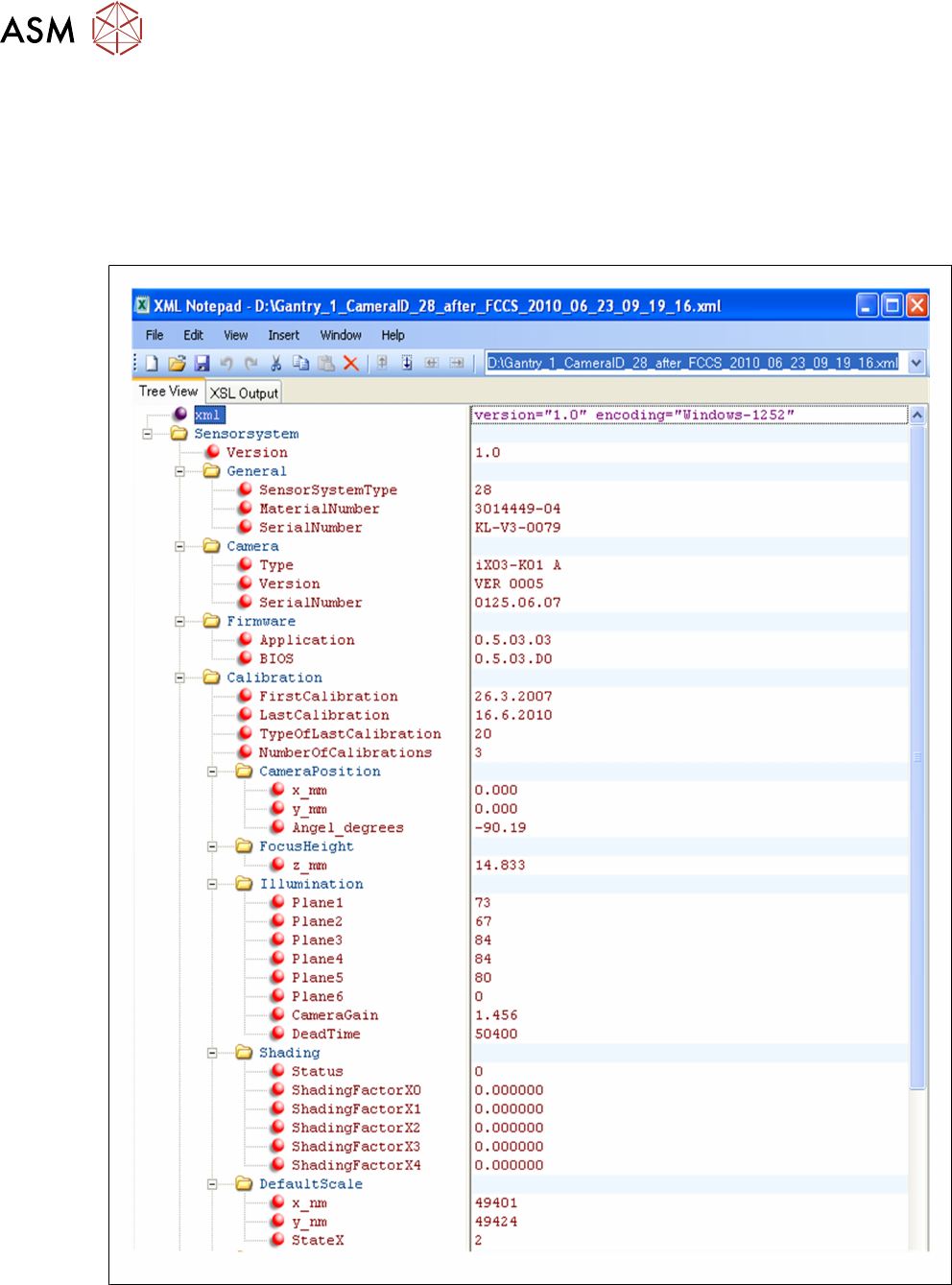
Excerpt from the FCCS…xml file:
Fig.19: Excerpt from the FCCS…xml file
3 Camera Calibration in SW 605.xx Stations
3.4 XML Report (SW 605.xx)
Operating Manual / Bedienungsanleitung Camera Calibration FCCS digital Kamerakalibrierung FCCS digital 04/2020 61
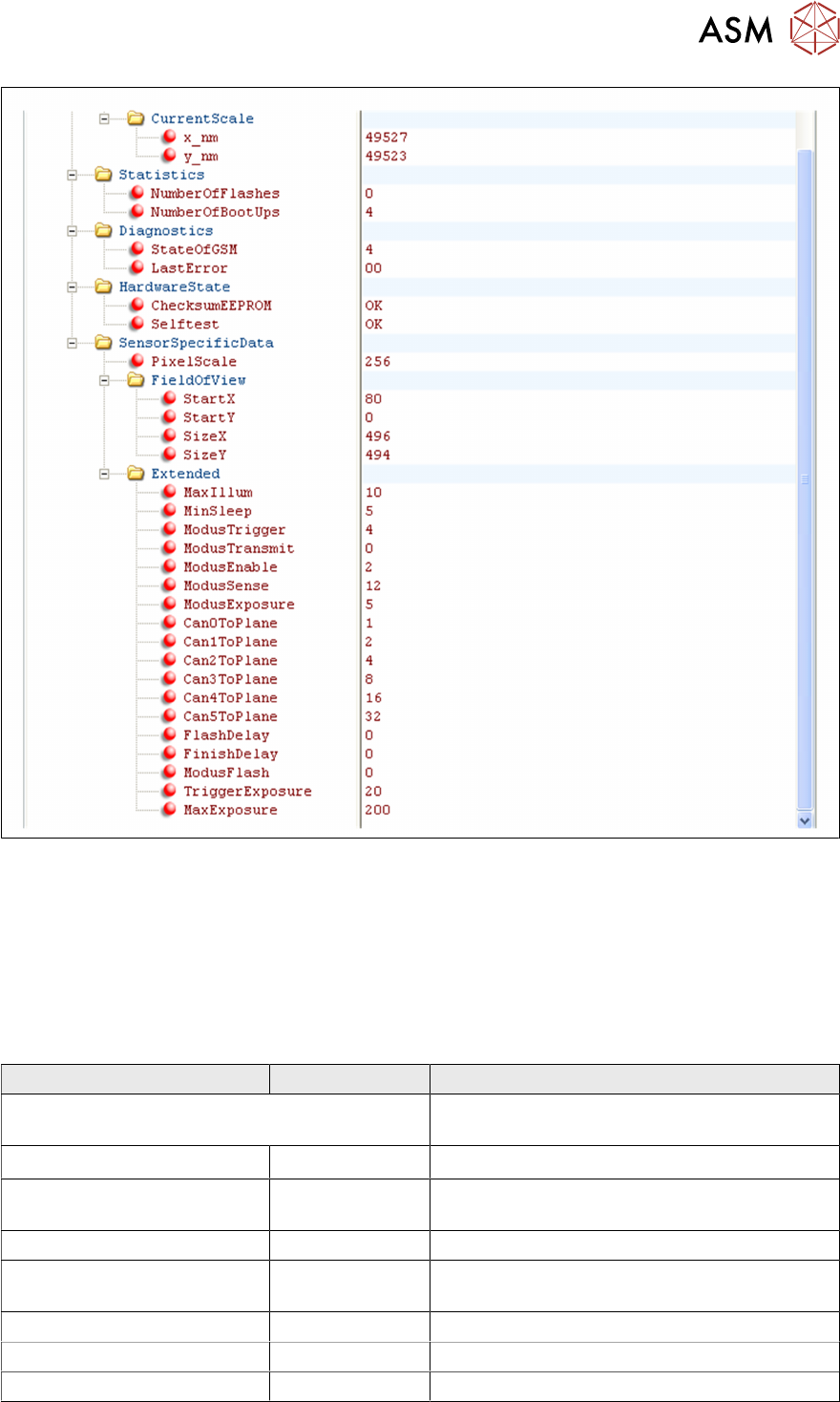
Fig.20: Excerpt from the FCCS…xml file
3.4.1 Parameter Entries
The XML files which are available at the (start) end of calibration have the following parameters:
CameraData_36_KL-U5-0003_Gantry1.xml is the report file for the camera data. This can be
read out of the camera EPROM, before starting calibration.
FCCS.. datum .zeit .xml is the results file for the camera data. This can be viewed in the camera
EPROM, after Field Camera Calibration Service (FCCS).
Parameter name Value of camera Comment
<?xml version="1.0" encoding="Win-
dows-1252" ?>
- <Sensor system version
="1.0"> Camera version
<General SensorSystemType ="29" Component camera type (here for C&P 6
placement head)
MaterialNumber ="3018637-02"
SerialNumber ="KL-U5-0013" /
>
Camera serial number ( also on the camera
label)
<Camera Type ="iX20-K01" CCD sensor type
Version ="VER 0002"
SerialNumber ="0055.10.06" />