00196449-04_UM_FCCS_digital_DE_EN.pdf - 第82页
5 Camera Calibration at the Vision Teach Station VTS 5.4 Creating a Report 82 Operating Manual / Bedienungsanleitung Camera Calibration FCCS digital Kamerakalibrierung FCCS digital 04/2020 Fig.48: View after an incorrec…
5 Camera Calibration at the Vision Teach Station VTS
5.3 Calibration Sequence in the SIPLACE Vision Teach Station V5.1.1 SW
Operating Manual / Bedienungsanleitung Camera Calibration FCCS digital Kamerakalibrierung FCCS digital 04/2020 81
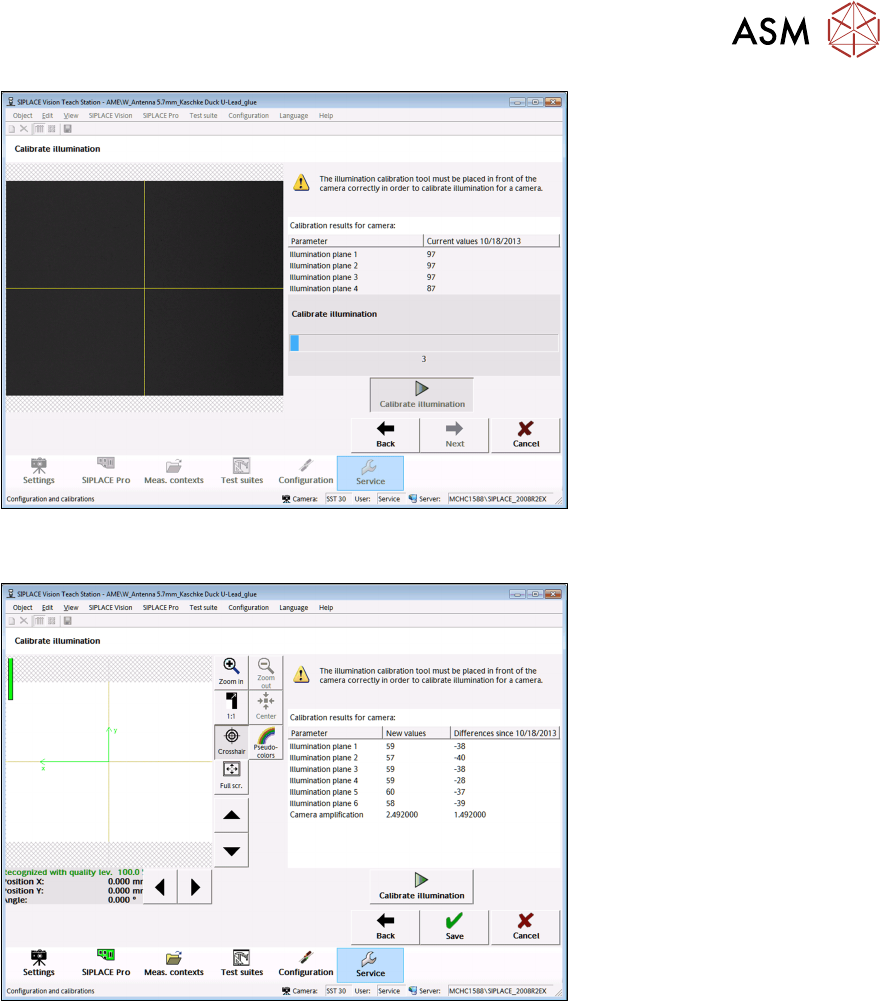
Fig.46: View during the calibration
Fig.47: View after successful calibration
After a successful calibration, the new calibration factors and the differences since the last suc-
cessful calibration are displayed (as on the 70X Station GUI).
Click on the "Save" button to save the new calibration factors in the camera EEPROM. After sav-
ing, the wizard switches automatically to the next wizard view.
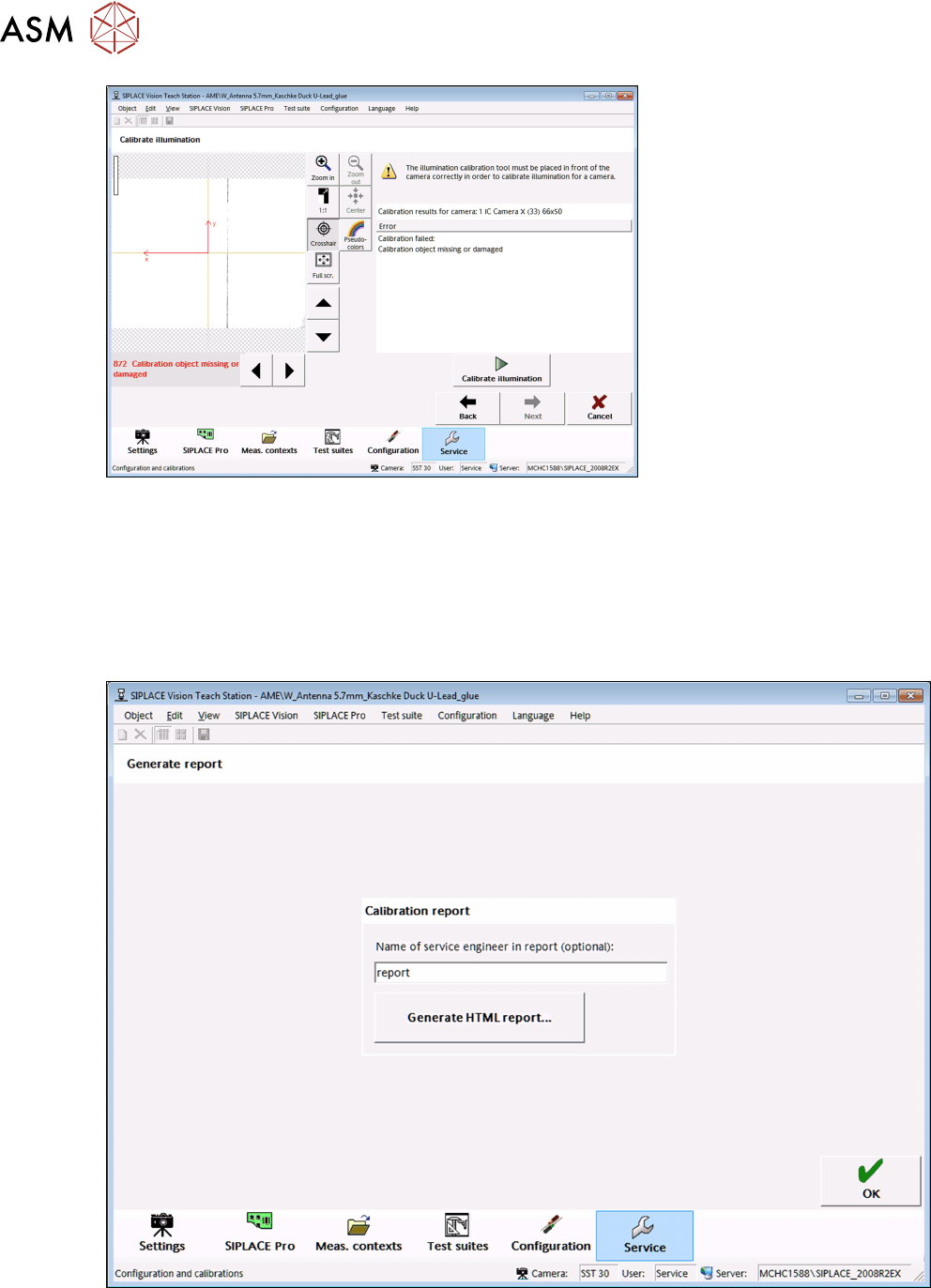
If the calibration fails, a corresponding error message is displayed below the image and in the res-
ult list. The values cannot be saved.
5 Camera Calibration at the Vision Teach Station VTS
5.4 Creating a Report
82 Operating Manual / Bedienungsanleitung Camera Calibration FCCS digital Kamerakalibrierung FCCS digital 04/2020
Fig.48: View after an incorrect calibration
5.4 Creating a Report
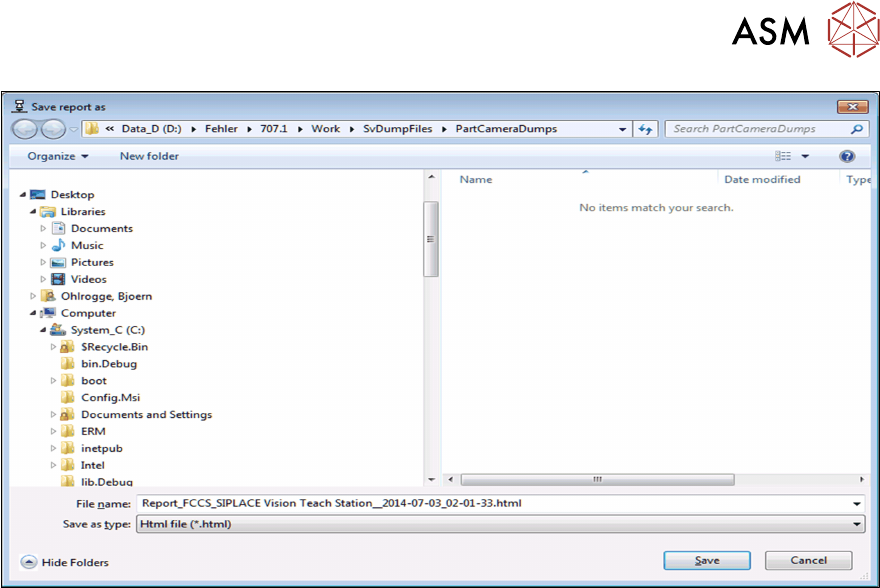
In the last view of the wizard, an HTML report of the calibration can be saved. The HTML report
corresponds in form and content to the PDF report that can be created on the 70X Station GUI
after a successful FCCS calibration.
After creation, the HTML report can be saved in the file system in a "Save as" dialog.
Fig.49: View to generate an HTML report
5 Camera Calibration at the Vision Teach Station VTS
5.4 Creating a Report
Operating Manual / Bedienungsanleitung Camera Calibration FCCS digital Kamerakalibrierung FCCS digital 04/2020 83
Fig.50: Dialog to save the HTML report