00198150-02_SM_TX_en.pdf - 第136页
7 Conveyor 7.2 Lifting Table 136 Service Manual SIPLACE TX Series 06/2017 7.2 Lifting Table 7.2.1 Replacing the Lifting Table Plate [03114873-xx] Parts, Equipment and Tools ● Lifting table plate M-C [03114873-xx] Overvie…
7 Conveyor
7.1 Conveyor - Overview
Service Manual SIPLACE TX Series 06/2017 135
7 Conveyor
DANGER
Observe User Manual
► Please observe the safety instructions in the user manual for all work!
CAUTION
Do not loosen or remove the wrong screws
The following applies to all work performed on the conveyor:
► Make sure that you do not loosen or remove any other screws except those ones ex-
plicitly mentioned. Loosening other screws could lead to irreparable misalignment or
damage to the conveyor.
CAUTION
Moving the conveyor side walls
► The fixed conveyor side wall is fastened by screws, the moveable conveyor side can
be moved by carefully pulling on the toothed belt of the width adjustment.
► After moving the conveyor side wall manually, you may need to teach the conveyor
side position during the conveyor reference run.
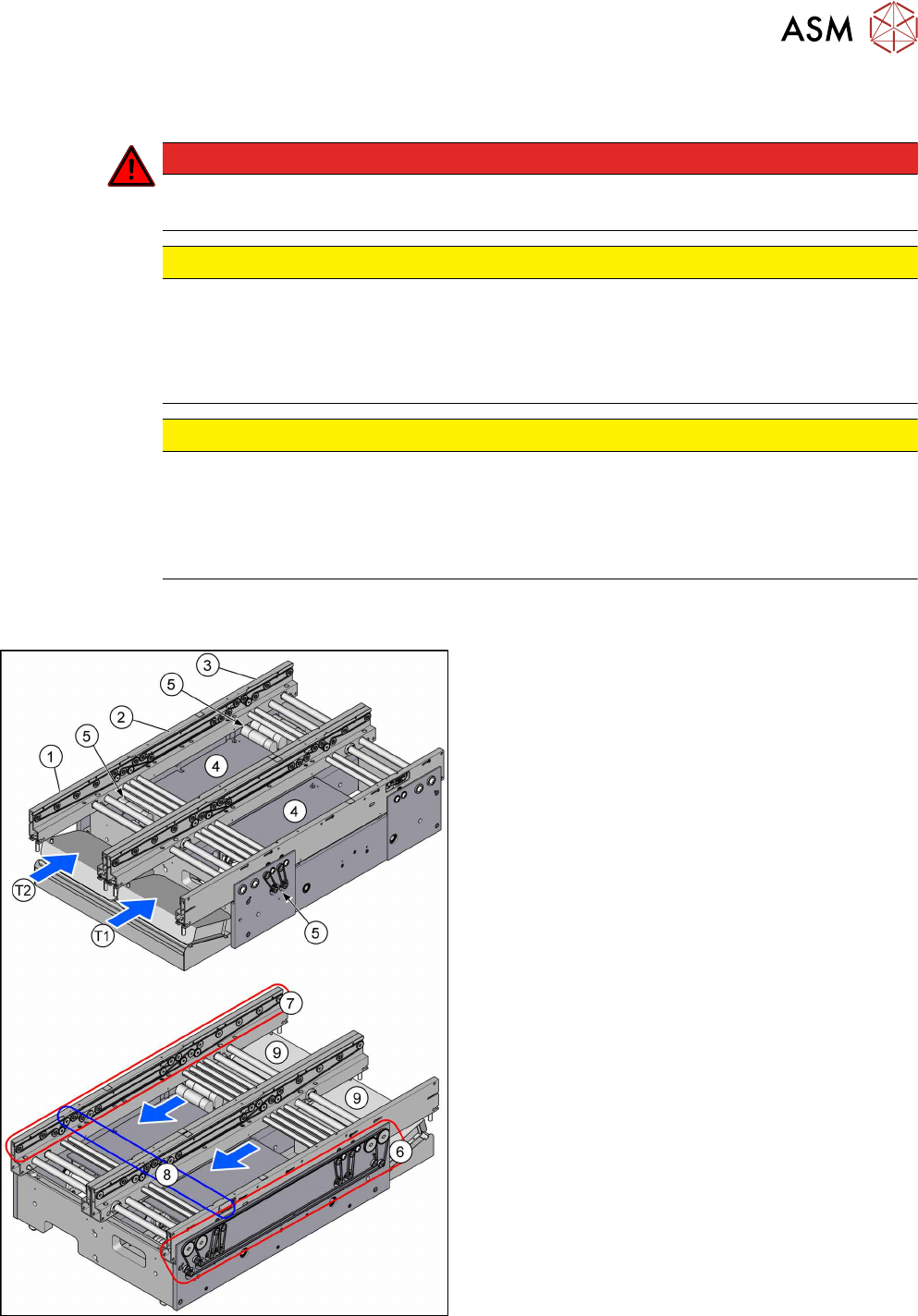
7.1 Conveyor - Overview
Fig.180: Conveyor overview
1. Input area
2. Placement area
3. Output area
4. Lifting tables
7.2 "Lifting Table" [}136]
5. Conveyor drives
7.3 "Conveyor Drive" [}146]
6. Width adjustment
7.4 "Width Adjustment" [}153]
7. Conveyor belts
7.5 "Conveyor Belt, Belt Drive and Hexagonal
Shaft" [}158]
8. Light barriers
7.6 "Fiber Optic Cable and Light Barriers" [}164]
9. TSP420
7.7 "Boards" [}181]
T1 = Conveyor lane 1
T2 = Conveyor lane 2
●
7.8 "Setting the Fixed Conveyor Rail" [}188]
The flexible dual conveyor has two conveyor lanes
that are electrically and mechanically independent of
one another.
By default, the fixed conveyor sides are in the "outer"
position.
Optionally, the fixed conveyor side can be selected -
right/right or left/left.
The PCB dual conveyor can also be operated as a
flexible single conveyor.
7 Conveyor
7.2 Lifting Table
136 Service Manual SIPLACE TX Series 06/2017
7.2 Lifting Table
7.2.1 Replacing the Lifting Table Plate [03114873-xx]
Parts, Equipment and Tools
●
Lifting table plate M-C [03114873-xx]
Overview
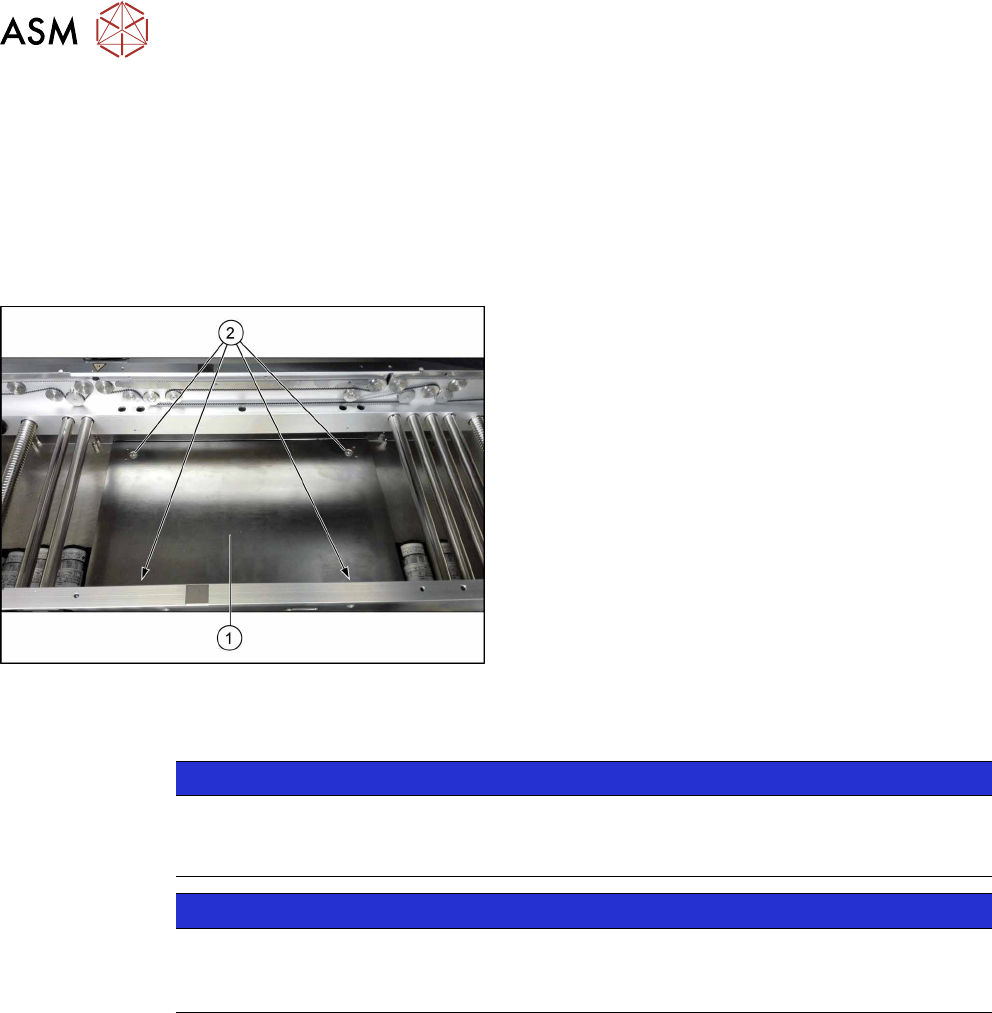
Fig.181: Lifting table plate
1. Lifting table plate
2. Fastening screws for lifting table plate
Removal
NOTICE
Does the lifting table stay in the top position?
If the lifting table remains in the top position and cannot be lowered, you will not be able to
dismantle the lifting table plate. In this case, call the SIPLACE Service team.
NOTICE
Lifting table plate guides
► Make sure that the lifting table guides are not mixed up. If you do, you will need to re-
set the parallelism of the lifting table plates.
► Use the software or manually move the conveyor rail into a position which allows you best ac-
cess.
– To move the conveyor rail manually, pull the toothed belt of the width adjustment unit.
► Switch off the machine, disconnect it from the power supply and secure it to prevent
unauthorized reactivation. Observe the instructions in section 1.2 "Preparatory Work..." [}15].
► Move all gantries out of the transport area as far as possible at one side of the machine.
► Remove the screws fastening the lifting table plate and remove the lifting table plate from the
machine. The lifting table plate is pinned to the lifting table plate guides but can be easily
pulled off them.
7 Conveyor
7.2 Lifting Table
Service Manual SIPLACE TX Series 06/2017 137
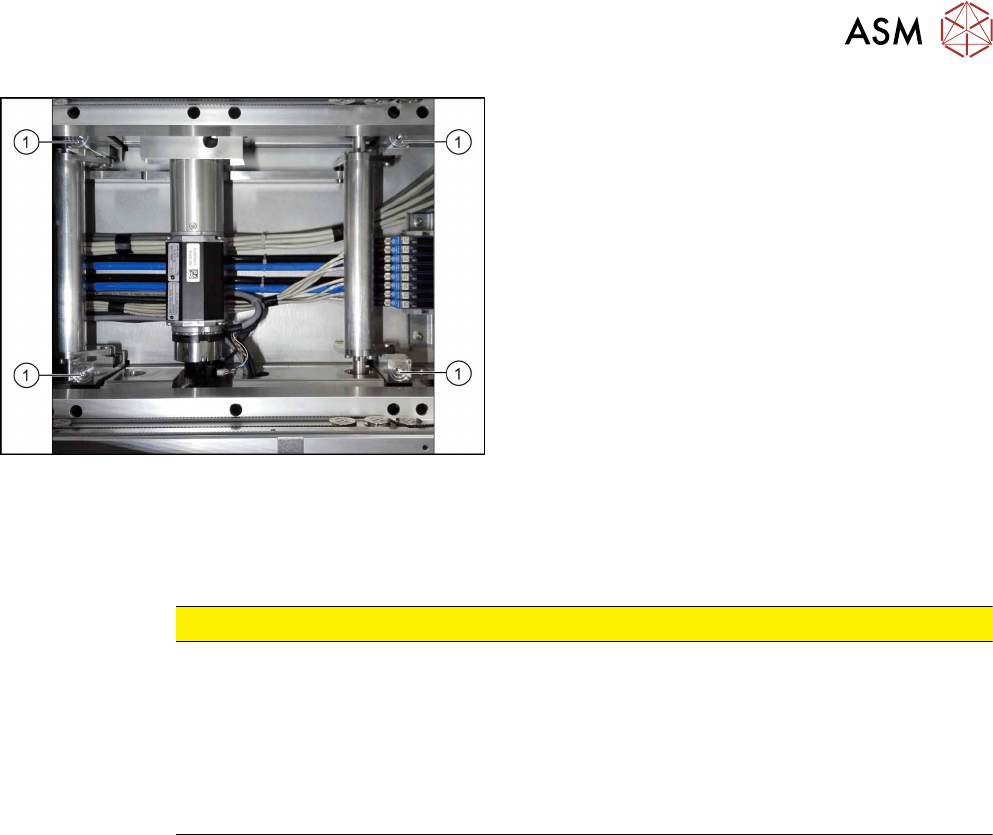
Fig.182: Lifting table plate guides
► Mark the positions of the lifting table plate
guides(1) to make it easier to refit them later on.
Make sure you do not confuse these. If you do,
you will need to reset the parallelism of the lifting
table plates.
Installation
► Follow the removal instructions in reverse order for installation. Also observe the following in-
structions:
CAUTION
Installation instructions
► Place the lifting table plate onto the guidance pins. Make sure that the fastening
screws slide properly into the precut thread.
► Check the parallelism of the lifting table plate (see 7.2.4 "Setting the Parallelism and
Height of the Lifting Table Plate" [}143]).
► Check the free movement of the lifting table (see 7.2.5 "Checking Free Movement of
Lifting Table" [}144]).