00198150-02_SM_TX_en.pdf - 第155页
7 Conveyor 7.4 Width Adjustment Service Manual SIPLACE TX Series 06/2017 155 Fig.208: Removing clamping plate ► Insert the small pin or Allen key (3) to fix the actu- ator. ► Remove the two screws (2) fastening clampi…
7 Conveyor
7.4 Width Adjustment
154 Service Manual SIPLACE TX Series 06/2017
Belt Tension
Lane 1 (shorter): Toothed belt Brecoflex 5+-0.1 AT3/1509 [03121586‑xx] 25 +/- 2 Hz
Lane 2 (longer): Toothed belt Brecoflex 5+-0.1 AT3/1701 [03121584‑xx] 21 +/- 2 Hz
See also
2 Replacing the COTi Central Unit and Lifting Mechanics [}235]
2 Setting the Tension of the Conveyor Toothed Belt [}159]
2 Replacing the COTi Central Unit and Lifting Mechanics [}235]
7.4.2 Replacing Clamping Unit [03121328-xx]
Parts, equipment and tools
● Clamping unit 4 assy M-C [03121328-xx]
● Tor
que screwdriver ESD 1.0-5.0 Nm [03078400-xx]
● Torque allen swap blade 2mm [00386136-xx]
Overview
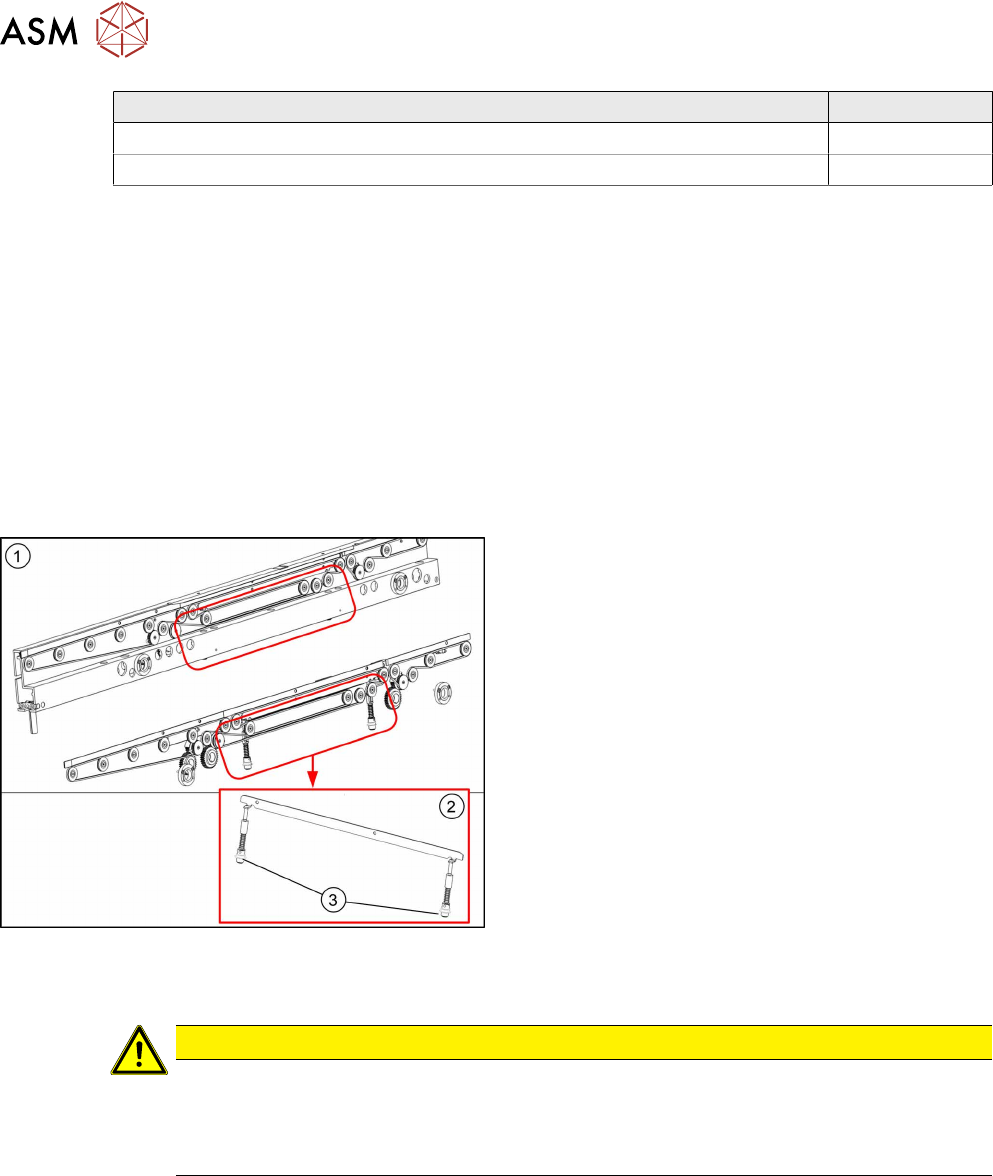
Fig.207: Clamping unit
1. Clamping unit on conveyor side
2. Clamping unit complete
3. Actuator
Removal
CAUTION
Small parts
► Take care not to lose any small parts.
► Take particular care not to let the screws fall into the conveyor wall when removing the
screws or clamping plate.
► Use the software or manually move the conveyor rail into a position which allows you best ac-
cess.
– To move the conveyor rail manually, pull the toothed belt of the width adjustment unit.
► Switch off the machine, disconnect it from the power supply and secure it to prevent
unauthorized reactivation. Observe the instructions in section 1.2 "Preparatory Work..." [}15].
► Move all gantries out of the transport area as far as possible at one side of the machine.
► Remove the lifting table plate to make room for removing the actuator later (see chapter 7.2.1
"Replacing the Lifting Table Plate [03114873-xx]" [}136]).
7 Conveyor
7.4 Width Adjustment
Service Manual SIPLACE TX Series 06/2017 155
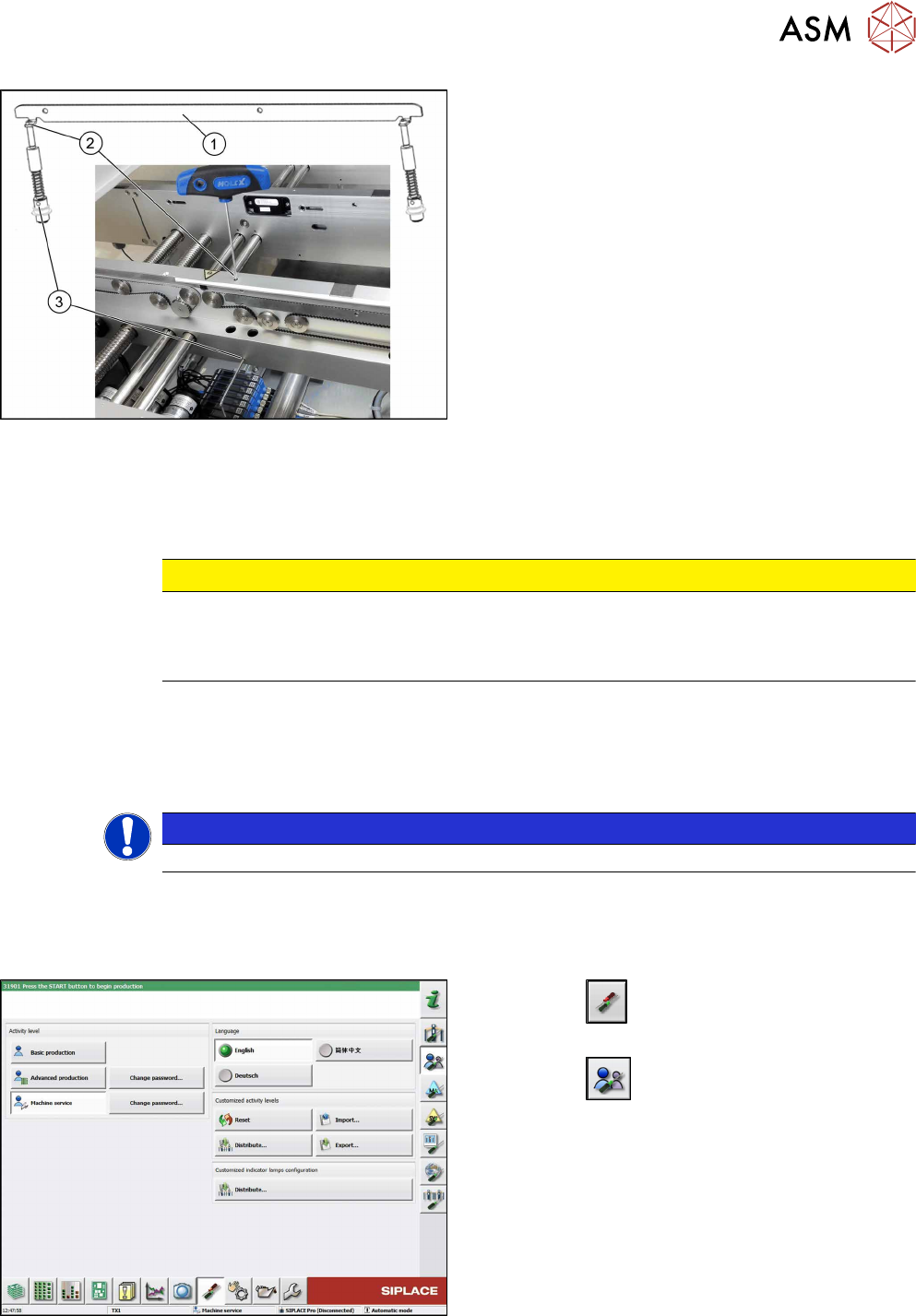
Fig.208: Removing clamping plate
► Insert the small pin or Allen key(3) to fix the actu-
ator.
► Remove the two screws(2) fastening clamping
plate(1).
First loosen one screw lightly, and then loosen
the other screw lightly.
► Remove inserted Allen key and remove the actu-
ator from bottom side.
►
Remove the clamping plate(1) with two fastening
screws carefully.
Installation
► Follow the removal instructions in reverse order for installation. Also observe the following in-
structions:
CAUTION
Installation instructions
► Tighten the fastening screws (2) with a torque of 1.45 Nm (NO loctite).
► Remove the pin (3).
7.4.3 Calibrating the Adjustment Unit
NOTICE
This chapter is valid for machines with dual conveyor (DC) only.
After completing all work to the width adjustment (adjustment unit, motor or belt of width adjust-
ment), you need to configure the adjustment unit before you configure the conveyor sides.
Procedure
Fig.209: Select operator level
► Click the
button to enter the Settings
menu.
► Click the
button to open the Check and set
user settings menu.
► Switch to operator level Machine service or bet-
ter.
7 Conveyor
7.4 Width Adjustment
156 Service Manual SIPLACE TX Series 06/2017
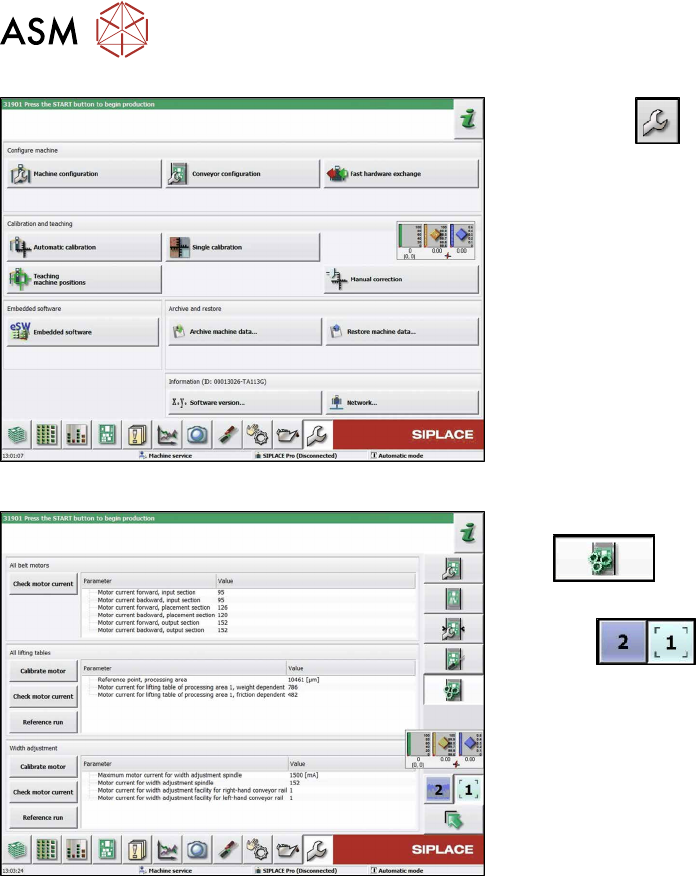
Fig.210: Service menu
► Click the
button to open the Service menu.
► Click on the Conveyor Configurationbutton.
Fig.211: Conveyor menu
► Click on the Initiate conveyor parameters
button.
► Select the required conveyor lane with the but-
tons
.
► Go to the section Width adjustment and select
the button Calibrate motor.