00198150-02_SM_TX_en.pdf - 第167页
7 Conveyor 7.6 Fiber Optic Cable and Light Barriers Service Manual SIPLACE TX Series 06/2017 167 Fig.226: Check sensors and functions ► Click on the button Check sensors and func- tions of specific components . ► Click …
7 Conveyor
7.6 Fiber Optic Cable and Light Barriers
166 Service Manual SIPLACE TX Series 06/2017
7.6.2 Checking the Laser Light Barrier
Whenever the laser light barrier is dismantled, it then needs to be manually set again afterwards.
Check the setting as follows:
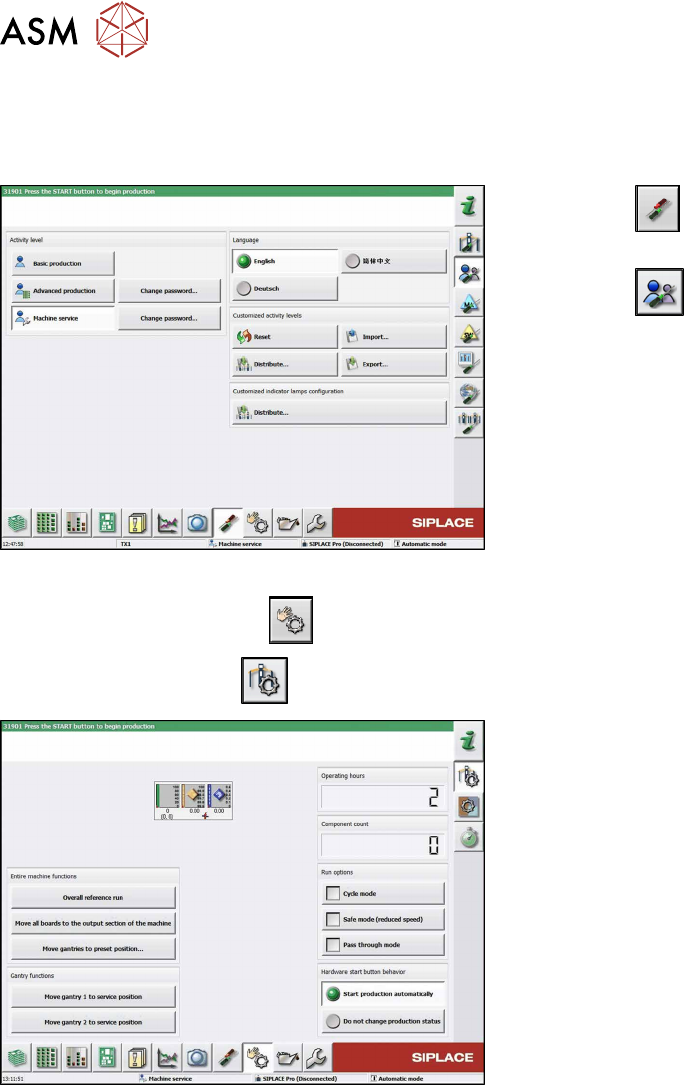
Fig.224: Select operator level
► Click the
button to enter the Settings
menu.
► Click the
button to open the Check and set
user settings menu.
► Switch to operator level Machine service or bet-
ter.
► Click on the
button, to switch over to the menu Check sensors and functions.
► Click the
button.
Fig.225: Safety mode
► Enable the button Safety mode (reduced
speed).
7 Conveyor
7.6 Fiber Optic Cable and Light Barriers
Service Manual SIPLACE TX Series 06/2017 167
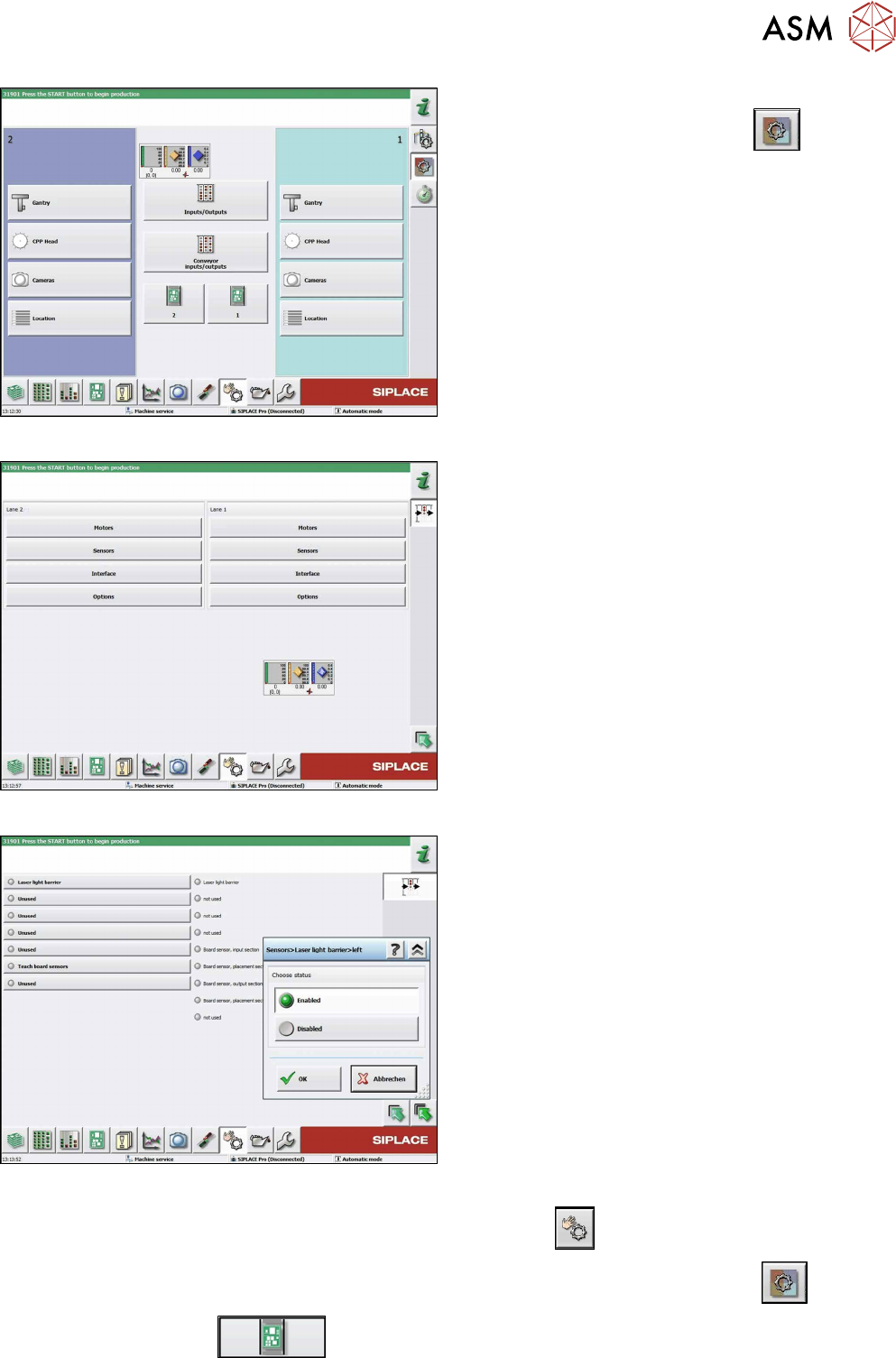
Fig.226: Check sensors and functions
► Click on the button Check sensors and func-
tions of specific components
.
► Click on the Conveyor inputs/outputsbutton.
Fig.227: Inputs/outputs
► Click on the button Sensors.
Fig.228: Sensors
► Enable the Laser light barrier button.
► Click on the button Check sensors and functions
.
► Click on the button Check sensors and functions of specific components
.
► Click the
button.
7 Conveyor
7.6 Fiber Optic Cable and Light Barriers
168 Service Manual SIPLACE TX Series 06/2017
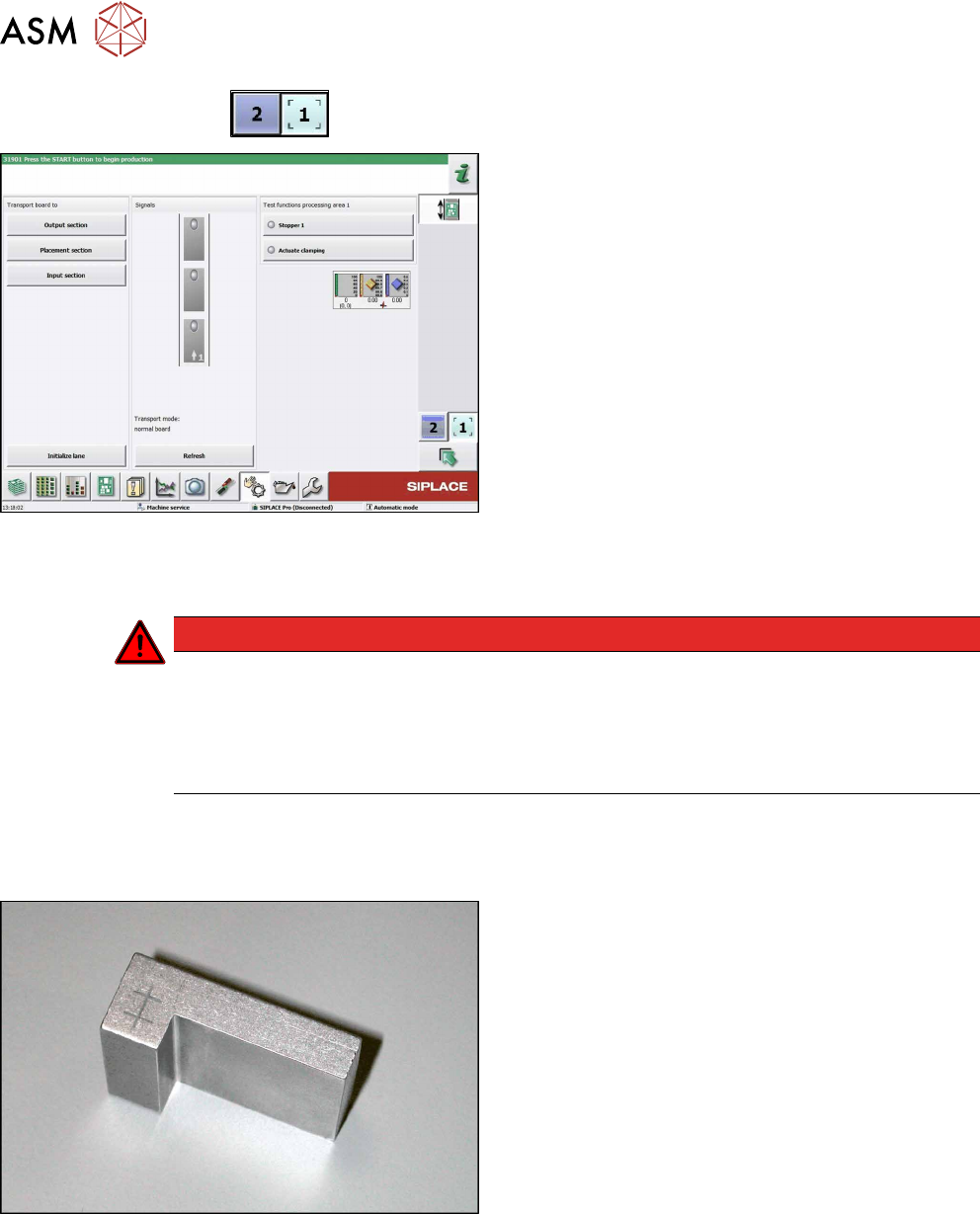
► Use the
button to select the required conveyor lane.
Fig.229: Checking function of the laser light
► Check the function of the laser light barrier. To do
this, move a board through the conveyor.
► Correct the laser light barrier setting, if necessary
(see Correcting the Laser Light Barrier Setting).
7.6.3 Correcting the Laser Light Barrier Setting
DANGER
Laser class 2
The laser light barrier transmitter emits class 2 laser beams. You therefore do not require
additional protective measures!
► However, you should never look into the laser beam.
► Adjust the laser beam only from the rear side of the laser!
Parts, equipment and tools
●
Recommendation for new version of receiver (silver receiver surface):
Semi-transparent paper or plastic (for better recognition of laser beam)
Fig.230: Setting gauge
Optional:
●
Setting gauge for conveyor laser light barrier
[00369205-xx]