00198150-02_SM_TX_en.pdf - 第186页
7 Conveyor 7.7 Boards 186 Service Manual SIPLACE TX Series 06/2017 7.7.2 eSW Download (SW 70x) Fig.247: Select operator level ► Click the button to enter the Settings menu. ► Click the button to open the Check and set u…
7 Conveyor
7.7 Boards
Service Manual SIPLACE TX Series 06/2017 185
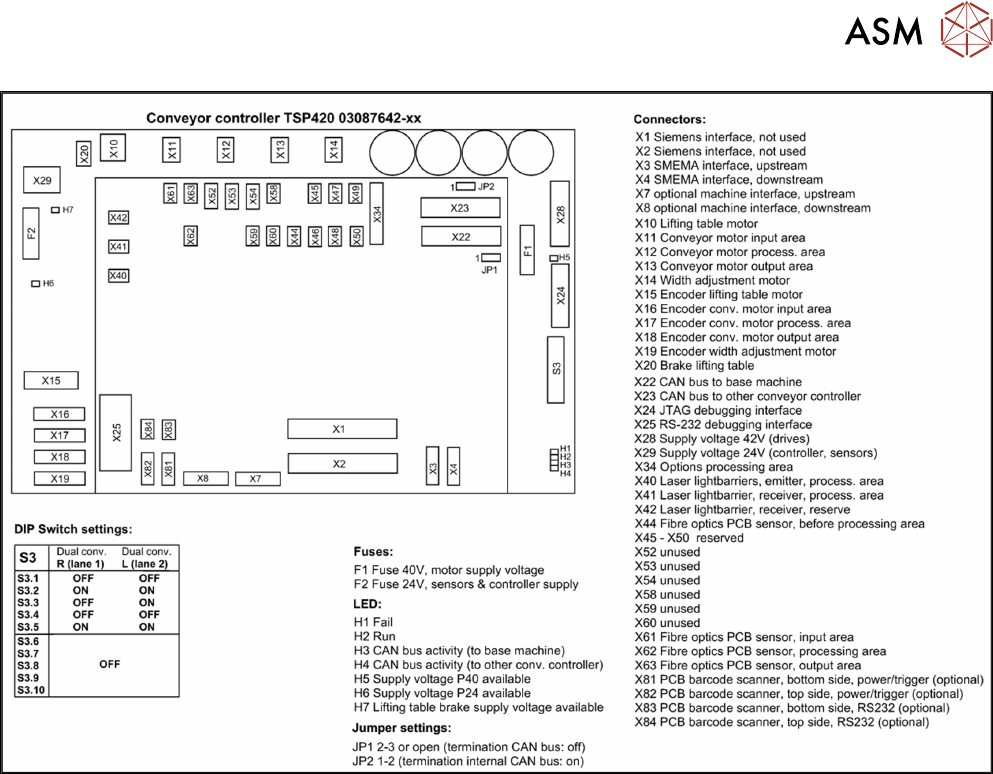
Fig.246: TSP420 overview
Spare fuses:
●
F1: Fuse T5A 5x20mm SPT series (0001.2511 Schurter)
●
F2: Fuse T2A 5x20mm (0034.3120 Schurter / 0239 002 XP Littelfuse)
7 Conveyor
7.7 Boards
186 Service Manual SIPLACE TX Series 06/2017
7.7.2 eSW Download (SW 70x)
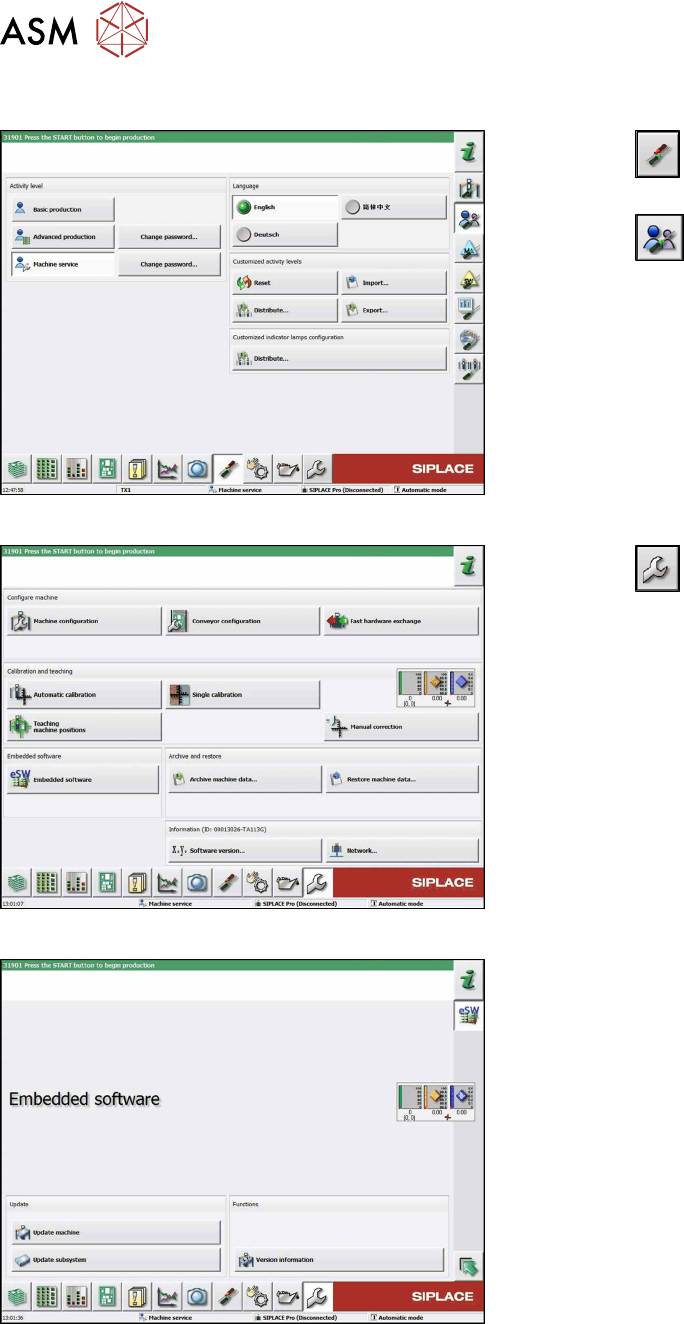
Fig.247: Select operator level
► Click the
button to enter the Settings
menu.
► Click the
button to open the Check and set
user settings menu.
► Switch to operator level Machine service or bet-
ter.
Fig.248: Service menu
► Click the
button to enter the Service menu.
► Click on the Embedded software button.
Fig.249: Embedded software menu
Select the required function:
► Click on Update machine… to check the entire
machine and to perform an eSW download for
multiple subsystems (see next picture).
► Click on Update subsystem… to select and
check one subsystem and to perform an eSW
download.
► Click on the button Version information…, to
view all versions of the subsystems, BIOS, ap-
plication 1/2/3/5.
7 Conveyor
7.7 Boards
Service Manual SIPLACE TX Series 06/2017 187
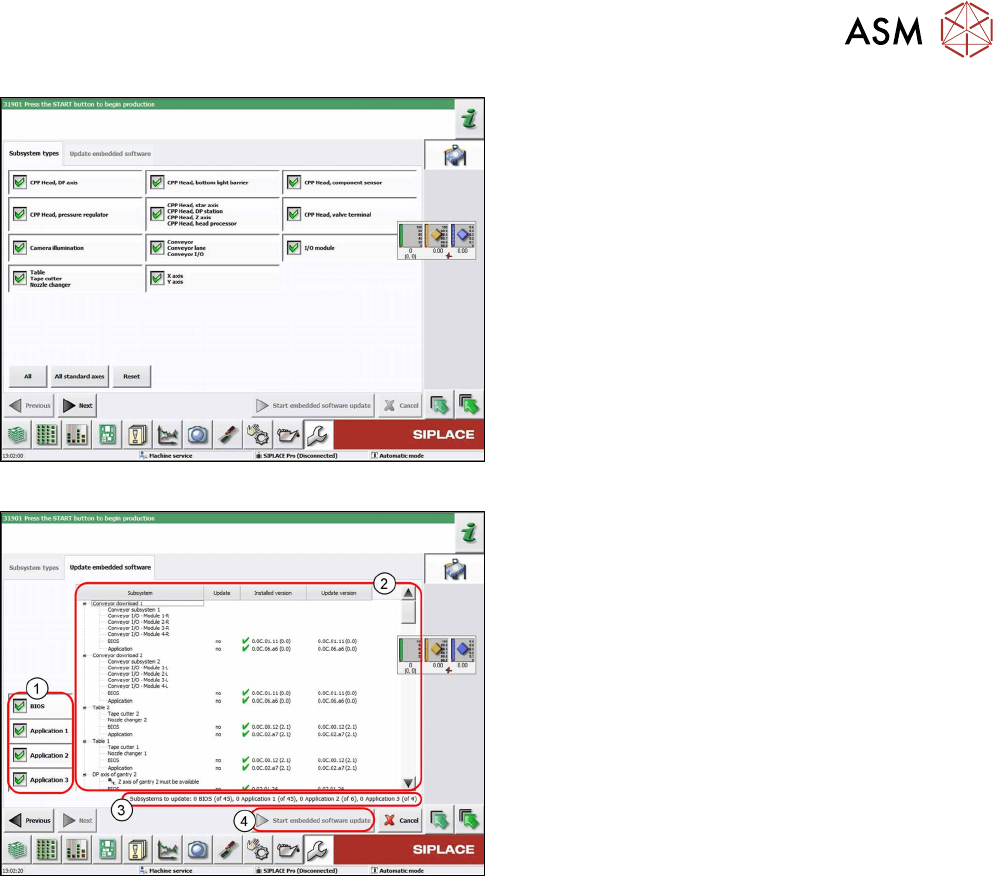
Fig.250: Select subsystem
► Select the subsystem for the eSW download.
► Click on the Continue button.
Fig.251: Update machine menu
1. Selection buttons:
BIOS
Application 1
Application 2
Application 3
2. Shows the status of the individual subsystems
3. Update information
This shows you the number of subsystems which
still need to be downloaded.
4. Starts the download