00198150-02_SM_TX_en.pdf - 第188页
7 Conveyor 7.8 Setting the Fixed Conveyor Rail 188 Service Manual SIPLACE TX Series 06/2017 7.8 Setting the Fixed Conveyor Rail CAUTION Moving the conveyor side walls ► The conveyor sides are highly sensitive. Move them …
7 Conveyor
7.7 Boards
Service Manual SIPLACE TX Series 06/2017 187
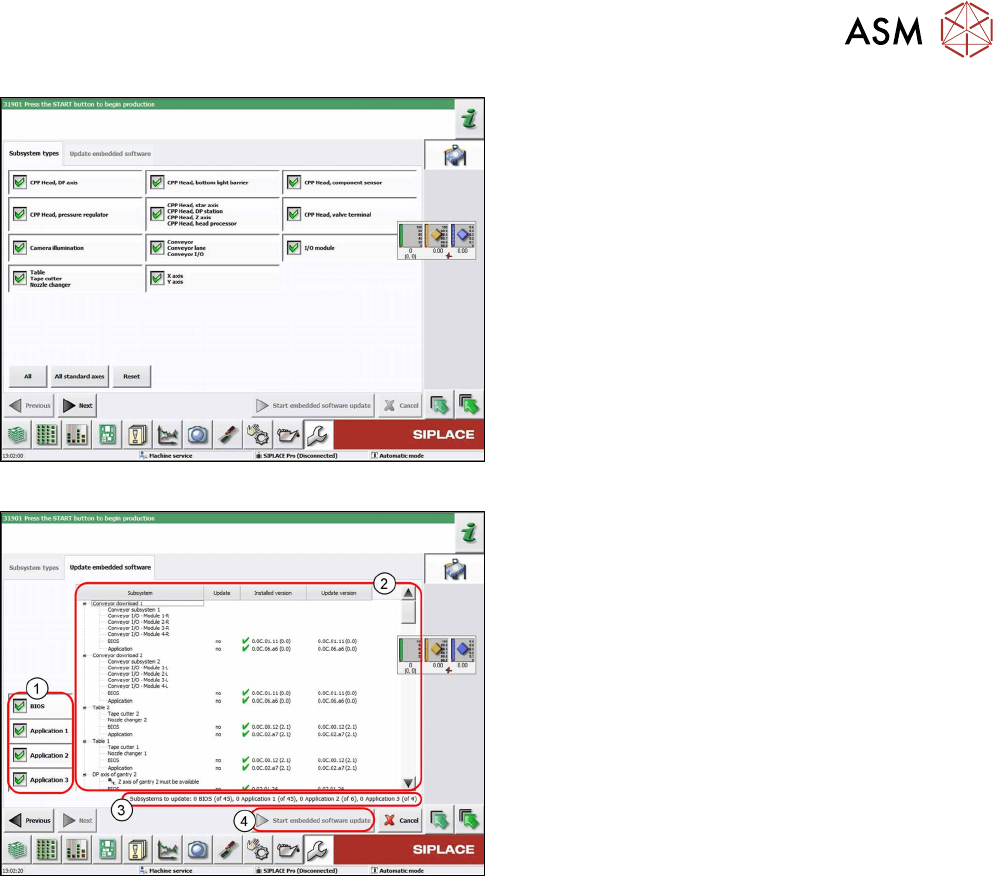
Fig.250: Select subsystem
► Select the subsystem for the eSW download.
► Click on the Continue button.
Fig.251: Update machine menu
1. Selection buttons:
BIOS
Application 1
Application 2
Application 3
2. Shows the status of the individual subsystems
3. Update information
This shows you the number of subsystems which
still need to be downloaded.
4. Starts the download
7 Conveyor
7.8 Setting the Fixed Conveyor Rail
188 Service Manual SIPLACE TX Series 06/2017
7.8 Setting the Fixed Conveyor Rail
CAUTION
Moving the conveyor side walls
► The conveyor sides are highly sensitive. Move them very carefully and evenly. Take
special care not to distort the conveyor sides.
CAUTION
Fixed (screwed) conveyor sides for "input/output extension" option
The conveyor sides are fixed with screws when the "input/ output extension" option is in-
stalled. Movement without removing the fastening screws could cause irreparable damaged
to the conveyor side walls.
► If an "input/output extension" option is installed, also see the assembly instructions "In-
put/Output Extension – SIPLACE TX-Series" [00198141-xx] (German/English).
Overview
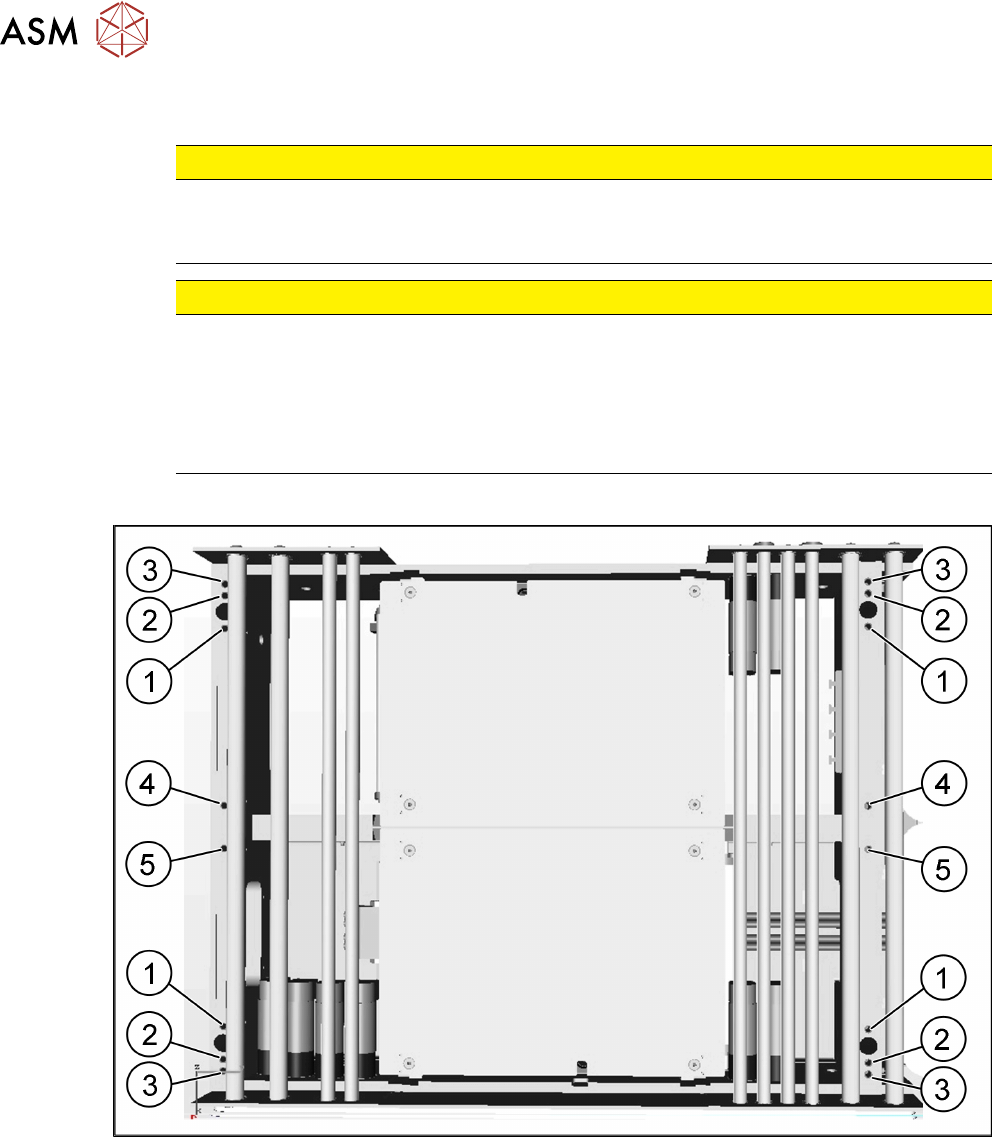
Fig.252: Positions
1 Position 231.0 mm (outer position)
Max. board width: 433mm
2 Position 268.0 mm (outer position)
Max. board width: 450mm
3 Position 281.0 mm (outer position)
Max. board width: 460mm
4 Position for conveyor left
5 Position for conveyor right
7 Conveyor
7.8 Setting the Fixed Conveyor Rail
Service Manual SIPLACE TX Series 06/2017 189
The conveyor sides are fixed with fastening screws:
●
Two fastening screws for standard conveyor
●
Three fastening screws if "Input/output extension" option is installed
Adjustment
► Use the software or manually move the conveyor rail into a position which allows you best ac-
cess.
– To move the conveyor rail manually, pull the toothed belt of the width adjustment unit.
► Switch off the machine, disconnect it from the power supply and secure it to prevent
unauthorized reactivation. Observe the instructions in section 1.2 "Preparatory Work..." [}15].
► Move all gantries out of the transport area as far as possible at one side of the machine.
► Always perform the following three steps immediately.
► Remove the two screws fastening the conveyor side.
► Move the conveyor side into the required position.
► Insert the screws loosely. Press the side wall so that it engages with the screw holes either in
a forwards or backwards inclination (against two screws in the same direction). Tighten the
fastening screws in the new position.
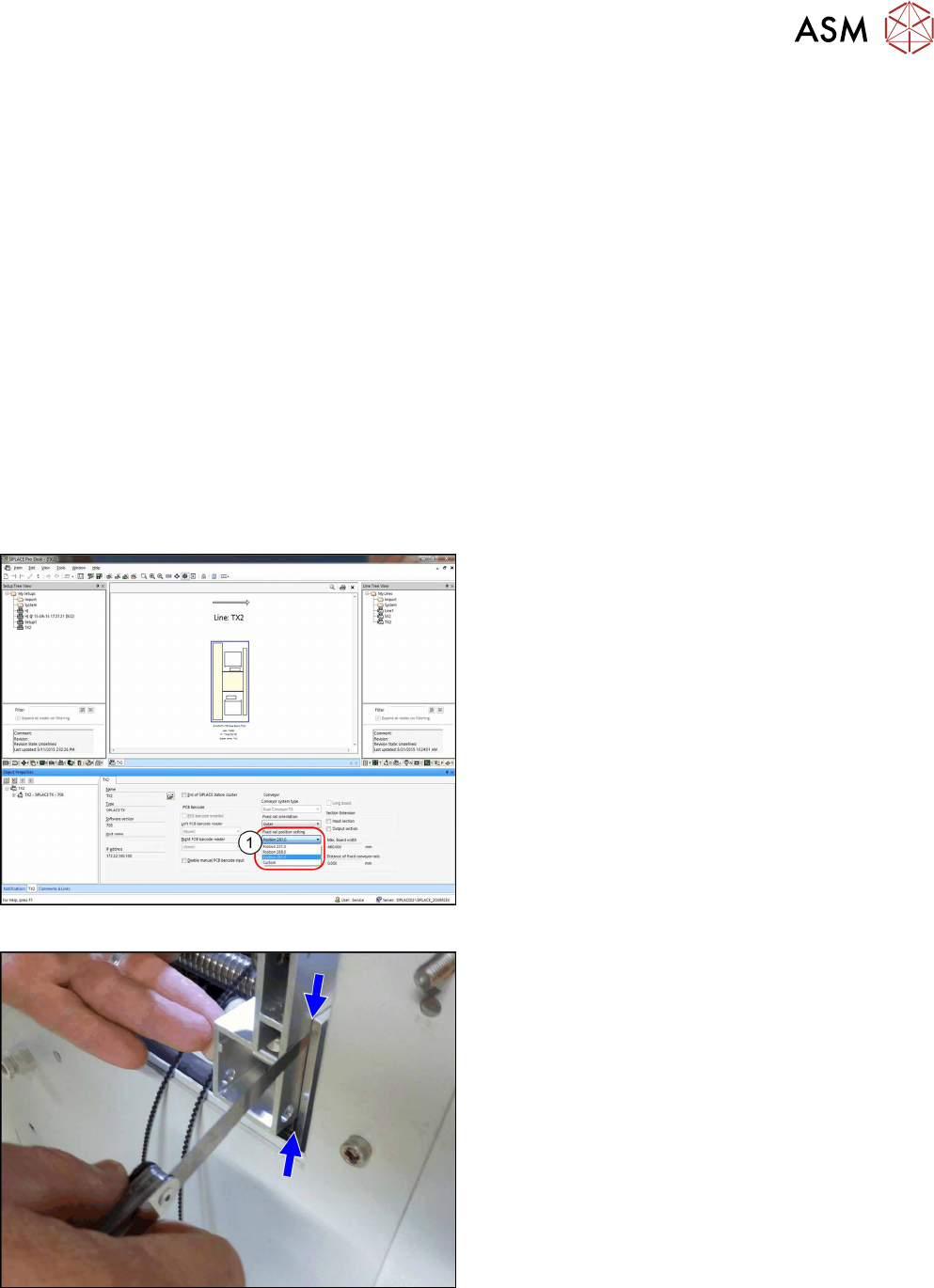
Fig.253: Settings in SIPLACE Pro
► (1) Set the fixed conveyor side and the position in
SIPLACE Pro.
► Accept the new configuration in station software
when first downloading it from SIPLACE Pro.
Fig.254: Adjusting the distance
► If you loosened the conveyor sides, fix them now.
If a conveyor side is in the outmost position, you
must set the distance between the side and the
holding bracket to 0.25mm using a feeler gauge.