00198150-02_SM_TX_en.pdf - 第194页
7 Conveyor 7.11 Replacing the Fiducial Rail 194 Service Manual SIPLACE TX Series 06/2017 7.11 Replacing the Fiducial Rail Parts, equipment and tools ● Holder with fiducial rail assembly, location 1, with calibration comp…
7 Conveyor
7.10 Teaching the PCB Sensors (SW70x)
Service Manual SIPLACE TX Series 06/2017 193
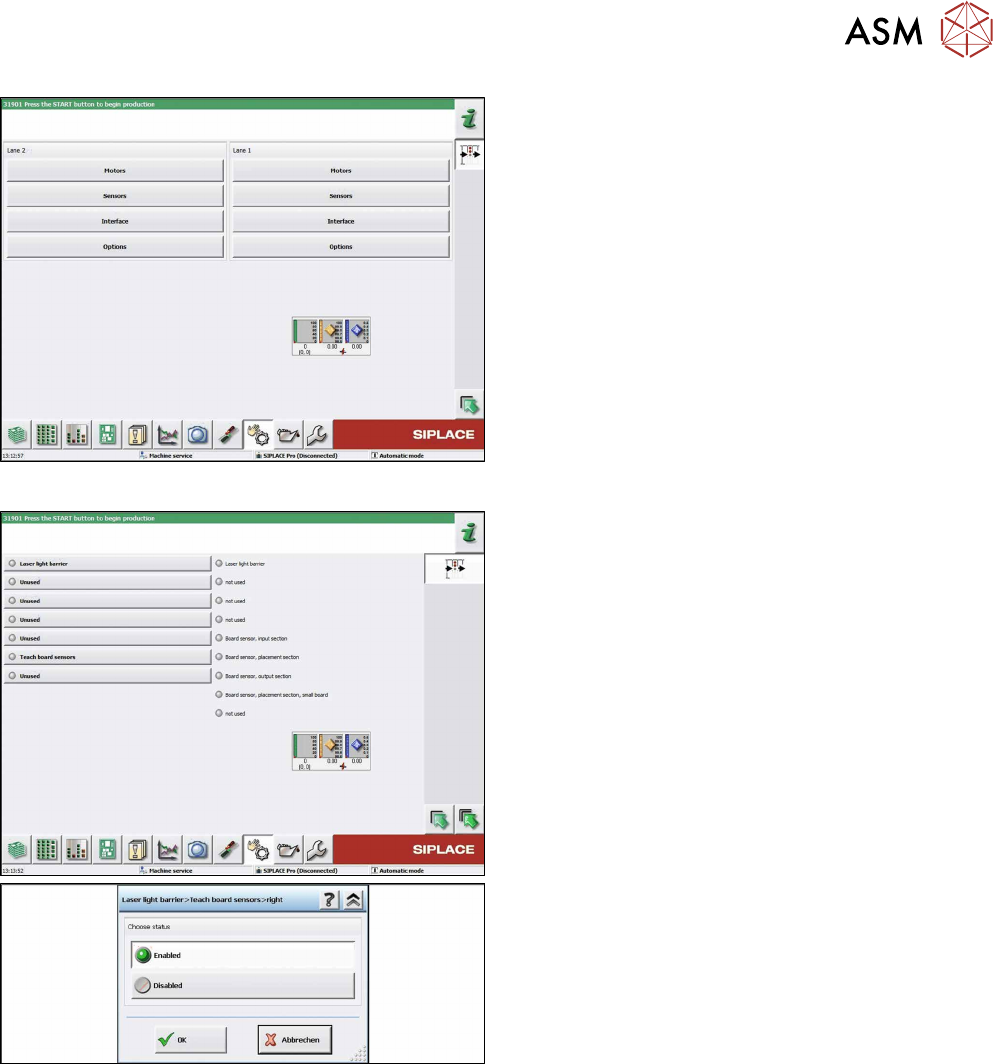
Fig.261: Teaching the sensors
► Click on the button Sensors.
Fig.262: Teaching the sensors
► Select Laser light barrier at conveyor lane 1,
enable Teach board sensors and press the
Start button on the machine.
Disable this function again afterwards.
► Repeat this step for all lanes.
7 Conveyor
7.11 Replacing the Fiducial Rail
194 Service Manual SIPLACE TX Series 06/2017
7.11 Replacing the Fiducial Rail
Parts, equipment and tools
●
Holder with fiducial rail assembly, location 1, with calibration component pocket
[03151908Sxx]
●
Holder with fiducial rail assembly, location 2 [03147052Sxx]
Overview
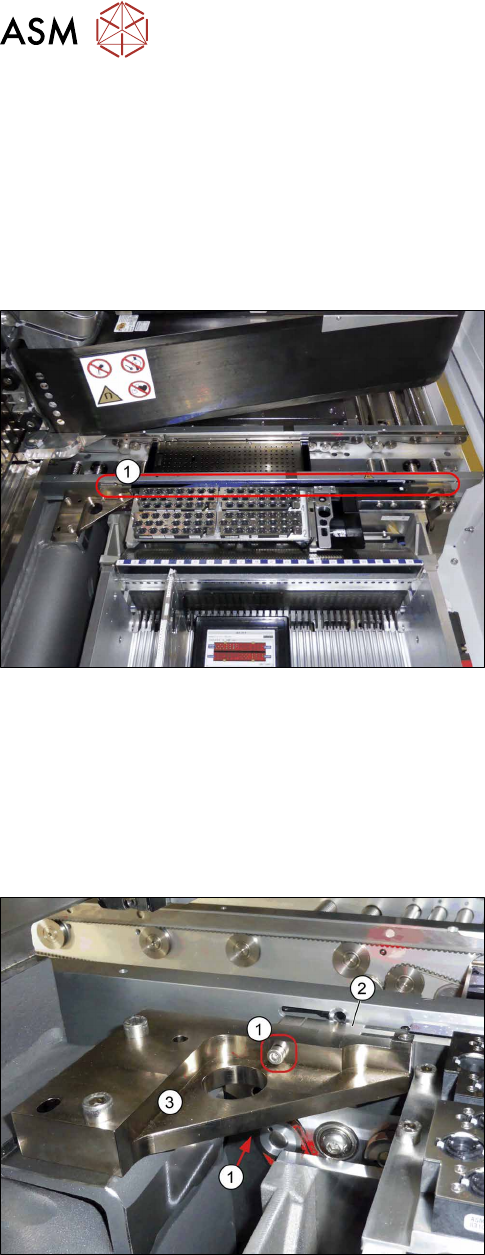
Fig.263: Holder with fiducial rail (example of location 1 shown)
1. Holder and fiducial rail
The fiducial rail is fixed to the holder (adhesive) and
may not be separated from it.
Removal
► Use the software or manually move the conveyor rail into a position which allows you best ac-
cess.
– To move the conveyor rail manually, pull the toothed belt of the width adjustment unit.
► Switch off the machine, disconnect it from the power supply and secure it to prevent
unauthorized reactivation. Observe the instructions in section 1.2 "Preparatory Work..." [}15].
1. Two screws fastening the fiducial rail - left side
2. Holder and fiducial rail
3. Left holder for fiducial rail
► Remove the two left screws fastening the fiducial
rail.
7 Conveyor
7.11 Replacing the Fiducial Rail
Service Manual SIPLACE TX Series 06/2017 195
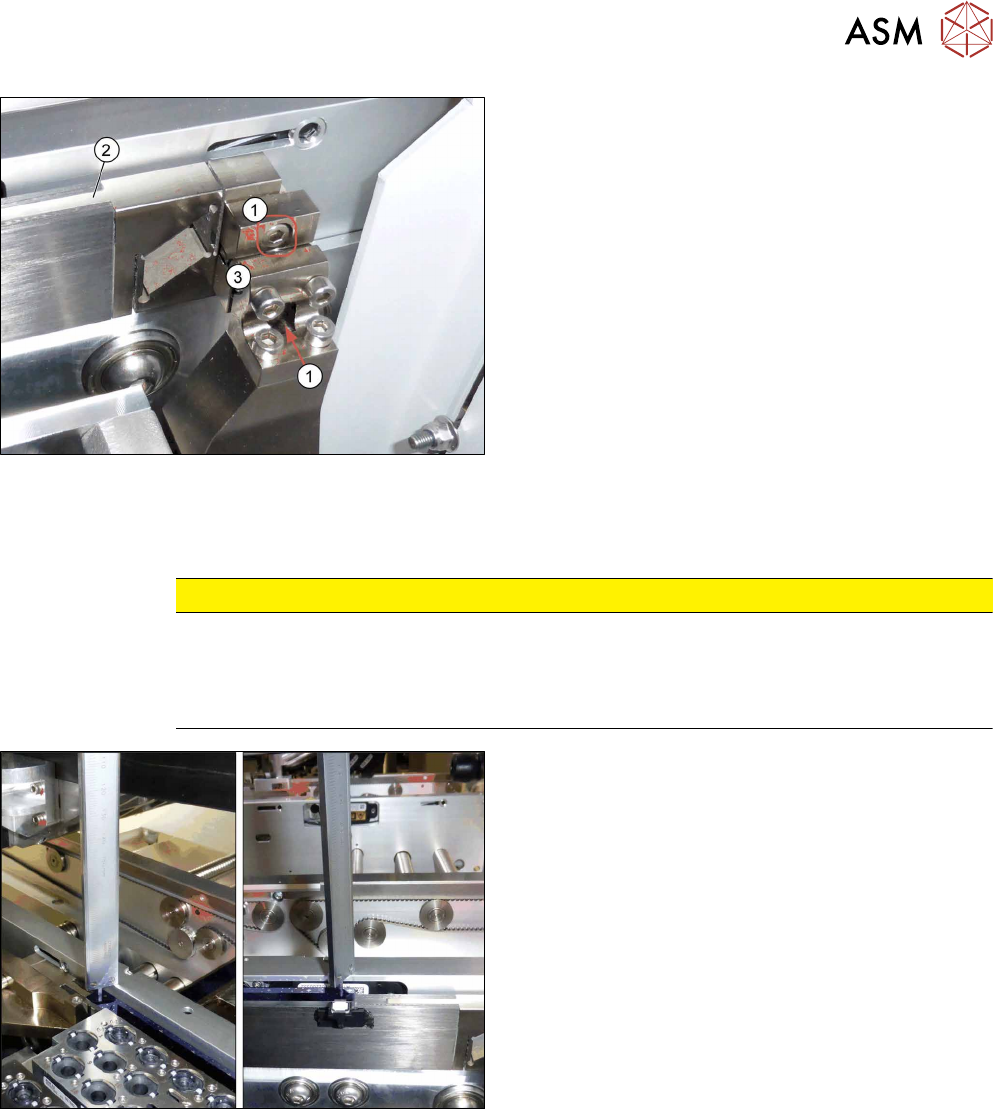
1. Two screws fastening the fiducial rail - right side
2. Holder and fiducial rail
3. Right holder for fiducial rail
► Remove the two right screws fastening the fidu-
cial rail.
Hold the fiducial rail firmly while doing this.
► Carefully take the fiducial rail up and out.
Installation
► Follow the removal instructions in reverse order for installation. Also observe the following in-
structions:
CAUTION
Installation instructions
► Make sure that you do not scratch the fiducial rail.
► Check the distance from the fiducial rail to the upper edge of the conveyor side wall
(see below).
► Check the distance from the blue fiducial rail to
the upper edge of the conveyor side wall. The
distance must be 5+/‑0.1mm.