00198150-02_SM_TX_en.pdf - 第209页
8 Placement Heads and Stationary Cameras 8.3 Replacing the SIPLACE CPP/M Head Service Manual SIPLACE TX Series 06/2017 209 8.3.1 Preparing the CPP Head for the Installation Height CAUTION Different heights The placement …
8 Placement Heads and Stationary Cameras
8.3 Replacing the SIPLACE CPP/M Head
208 Service Manual SIPLACE TX Series 06/2017
Installation
► Follow the removal instructions in reverse order for installation. Also observe the following in-
structions:
CAUTION
Installation instructions
► If you replace the head without the component camera, you will need to fit the old
camera onto the new head. Read the service manual for your placement head for
more information.
► Observe the correct installation height of the head (top or bottom position, see 8.3.1
"Preparing the CPP Head for the Installation Height" [}209])!
► Make sure that the assembly position on the head plate is correct.
► Tighten the four fastening screws with a torque of 2.7Nm.
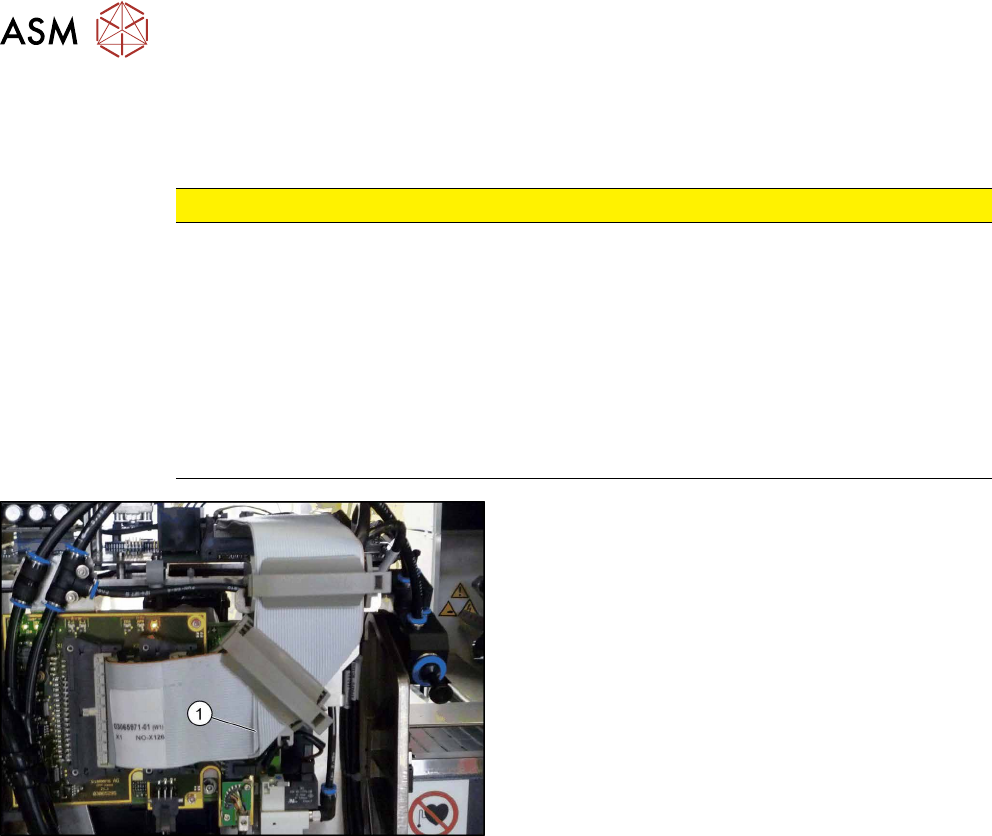
► Make sure that the flat ribbon cable is run correctly to the head adapter (see below).
Fig.284: Flat ribbon cable
Correct running of flat ribbon cable to head ad-
apter
► Make sure that the flat ribbon cable is run cor-
rectly to the head adapter. In particular, the
cables must lie inside one another at the 90 de-
grees turn(1) and not on top of one another, oth-
erwise the connections on the head adapter
could be easily confused.
8 Placement Heads and Stationary Cameras
8.3 Replacing the SIPLACE CPP/M Head
Service Manual SIPLACE TX Series 06/2017 209
8.3.1 Preparing the CPP Head for the Installation Height
CAUTION
Different heights
The placement head can be installed at two different heights. CPP_L corresponds to a
component height of sixmm. CPP_H corresponds to a component height of 11.5mm.
If the CPP head is used in a placement area with stationary camera, TwinHead or JTF, it
may only be used in the upper position.
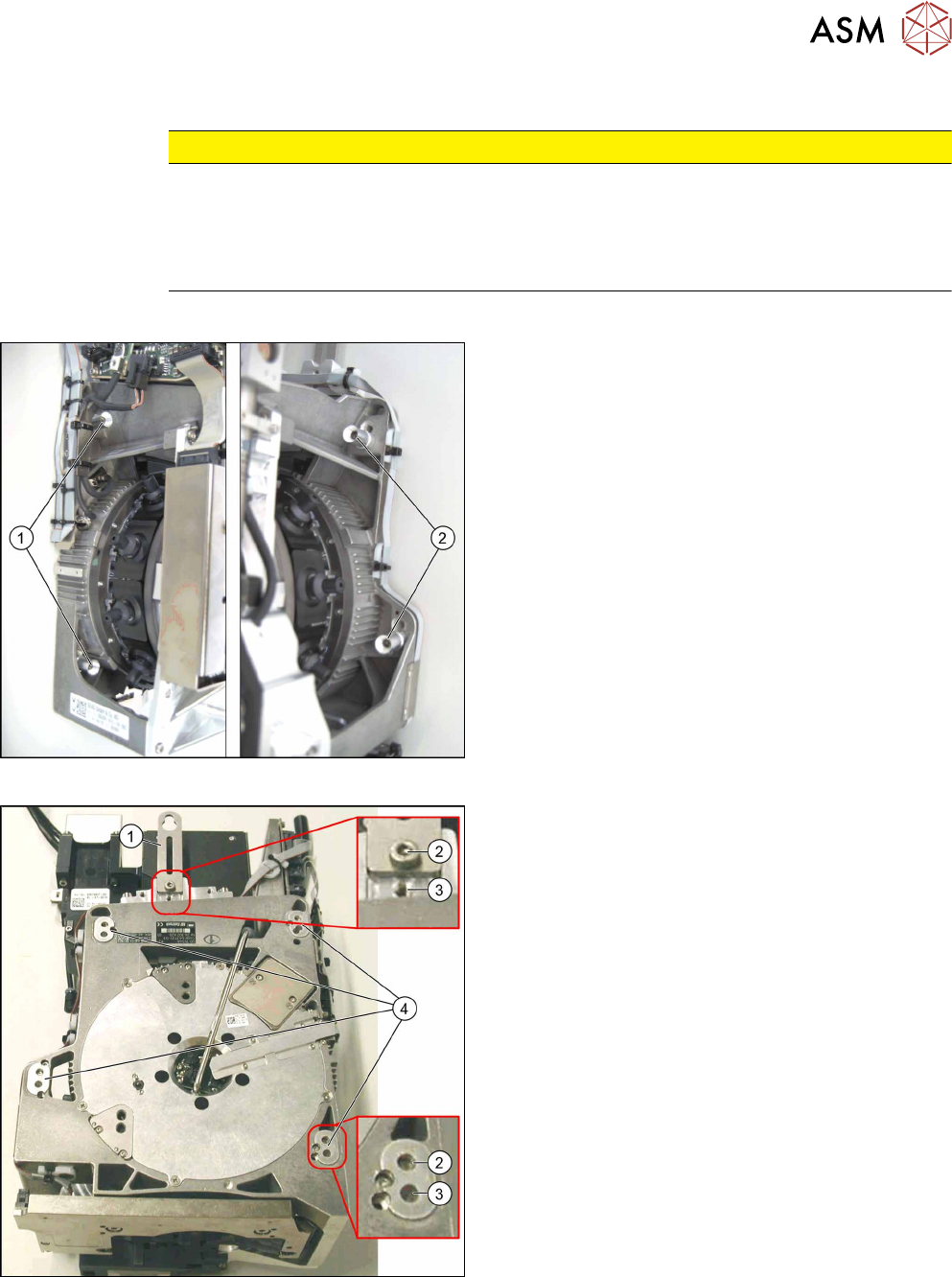
Overview
Fig.285: Fastening screws
1. Fastening screws on the left side
2. Fastening screws on the right side
This diagram shows the fastening screws in the "head
at top" position.
Fig.286: CPP head positions
1. Holding bracket
2. "Head at bottom" position
3. "Head at top" position
4. Fixture holes with bushings
8 Placement Heads and Stationary Cameras
8.4 Replacing the SIPLACE TwinHead
210 Service Manual SIPLACE TX Series 06/2017
Conversion to another installation height
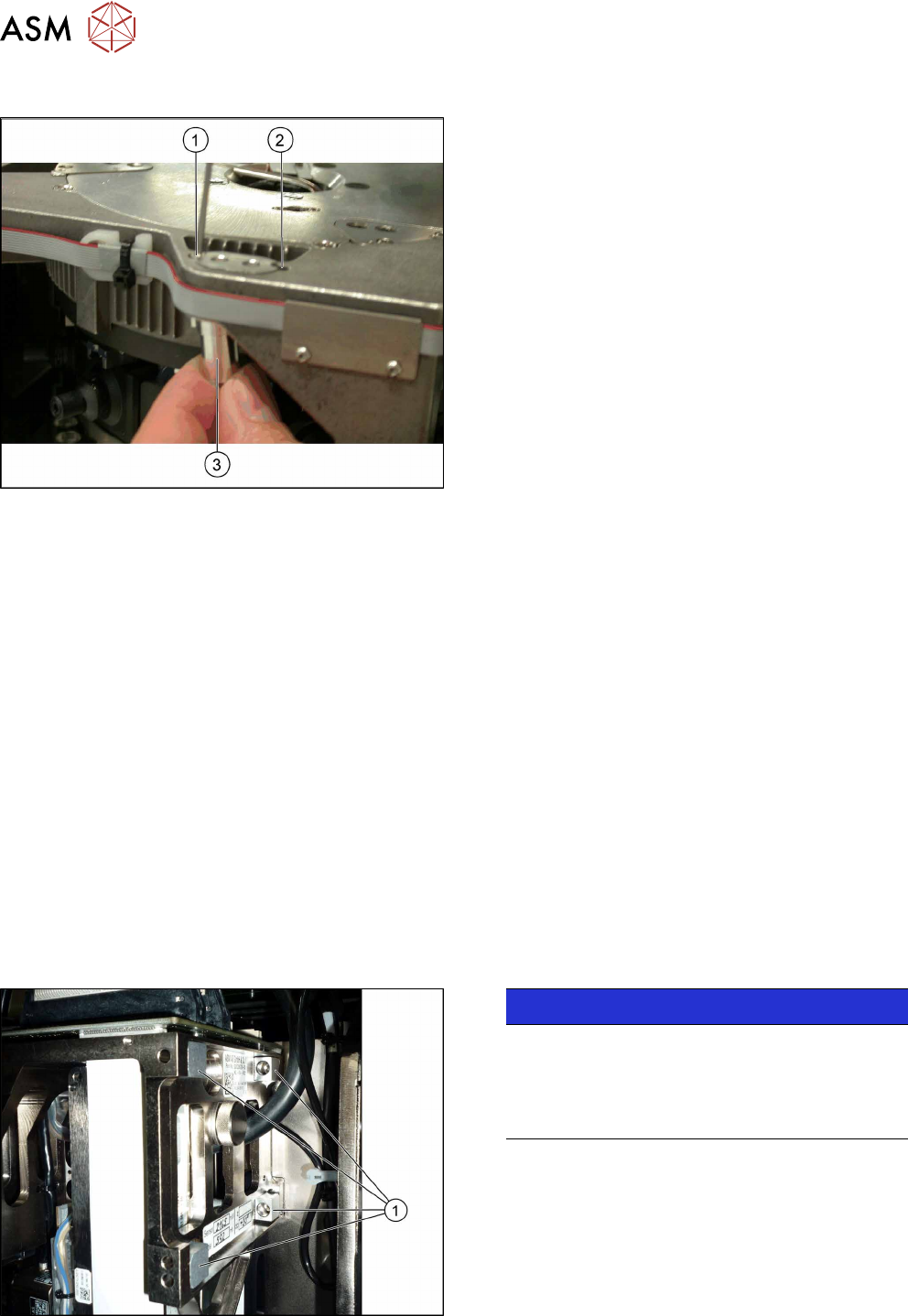
Fig.287: Conversion
1. Hole for the fastening screw of the bushing in
"head at bottom" position
2. Hole for the fastening screw of the bushing in
"head at top" position
3. Bushing
All four bushings and the holding bracket must either
be fixed in top or bottom position.
Proceed as follows when replacing the bushings:
► Undo the fastening screws of the bushings.
► Insert the bushings in the correct position and re-
tighten them.
► Perform these steps for all four fastening bush-
ings and the holding bracket of the head.
8.4 Replacing the SIPLACE TwinHead
Parts, equipment and tools
●
SIPLACE Twin Pick&Place module THK R2 [03097485-xx]
You also need the following:
●
Torx screwdriver ESD 1.0-5.0 Nm [03078400-xx]
●
Extension/straight TX20 [03073256-xx]
●
Bit holder for TorqueVario screwdriver [03078706-xx]
●
Extension/straight [03043440-xx]
●
Calibration tool version 3 [03010565-xx]
For additional work to the placement head:
●
Head mount [03056231‑xx]
●
Service manual "SIPLACE TH/VHF head" [DE:00197468‑xx] [EN:00197469‑xx]
Overview
The Twin head consists of two identical Twin segments, which are fitted at an angle of 180°.
Fig.288: Undetachable screws
NOTICE!
When using modules with undetachable
screws(1) you may need to fit these screws on
the other side depending on the installation posi-
tion.
.