00198150-02_SM_TX_en.pdf - 第30页
2 Basic Machine 2.4 Replacing the Cover 30 Service Manual SIPLACE TX Series 06/2017 2.4.1 Setting the Covers 2.4.1.1 Overview Fig.19: Cover switch 1. Cover switch 2.4.1.2 Adjusting the Cover Switch Fig.20: Cover switch…
2 Basic Machine
2.4 Replacing the Cover
Service Manual SIPLACE TX Series 06/2017 29
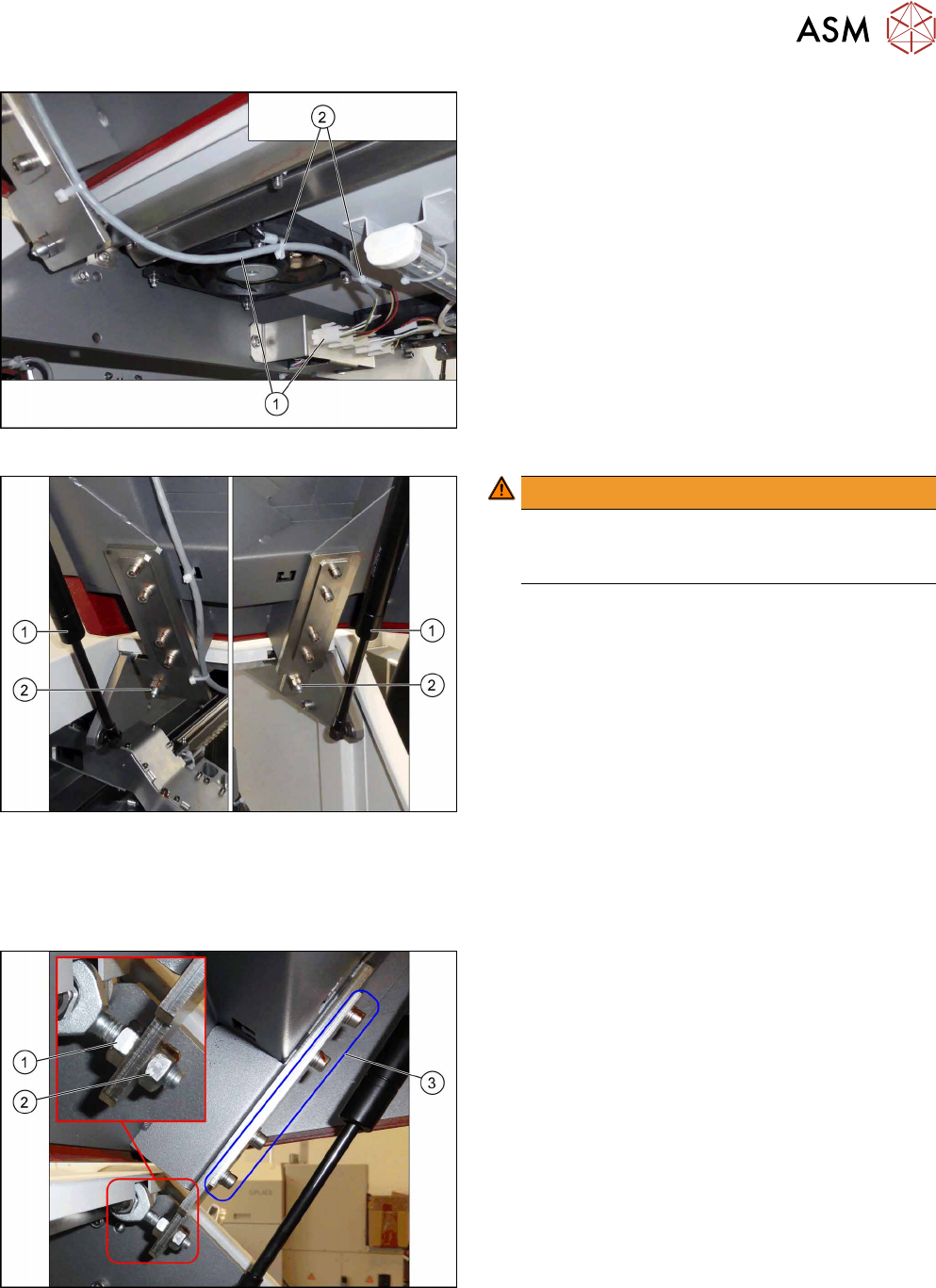
Fig.16: Cover fan
► Unplug the cover fan cable(1).
► Remove the cable ties(2).
Fig.17: Removing the cover
WARNING!
Hold the cover
Make sure a second person is holding the cover
when removing it in the following steps.
.
► Remove the two gas pressure shock ab-
sorbers(1) (see 2.2 "Replacing the Gas Pressure
Shock Absorber on the Cover" [}24]).
► Remove the two nuts(2)holding the machine
cover.
► Remove the cover.
Installation
► Follow the removal instructions in reverse order for installation. Also observe the following in-
structions:
Fig.18: Installation
Installation instructions:
► Set the protective machine cover.
Use the nuts(1) and(2) for adjusting the height.
Use the screws(3) for setting the left/right side
and the depth.
► Set the actuator for the cover (see below).
2 Basic Machine
2.4 Replacing the Cover
30 Service Manual SIPLACE TX Series 06/2017
2.4.1 Setting the Covers
2.4.1.1 Overview
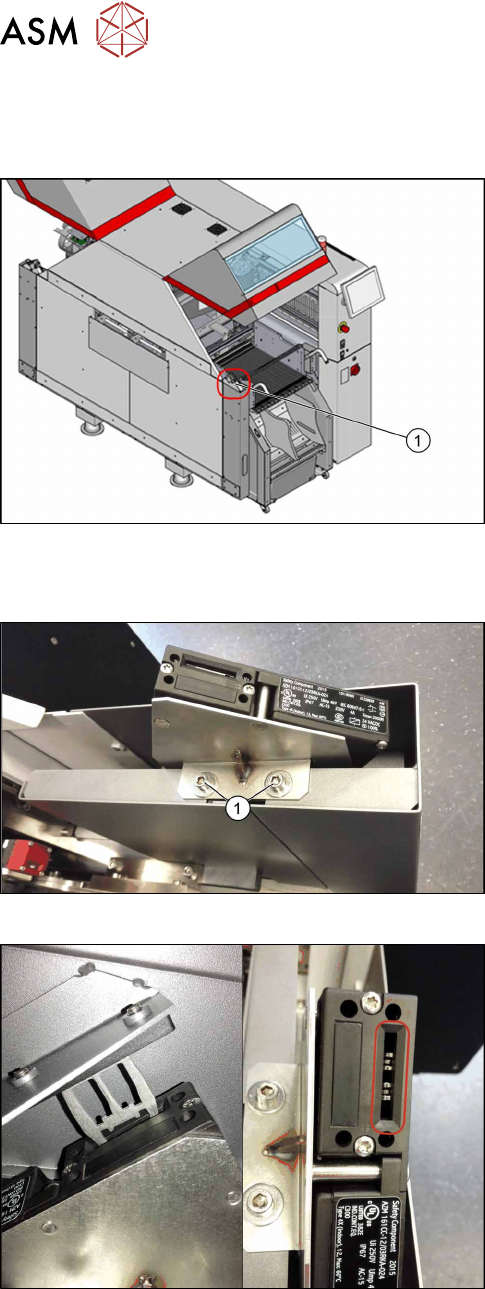
Fig.19: Cover switch
1. Cover switch
2.4.1.2 Adjusting the Cover Switch
Fig.20: Cover switch [03110691-xx]
► Loosen the screws(1) fastening the cover switch
to the bracket, so that the assembly can be easily
moved.
Fig.21: Cover switch
► Close the cover far enough for the actuator to be
just over the switch. Align them so that the metal
bracket is parallel to the opening in the switch.
The metal bracket may not scrape against the
cover switch.
► Tighten the cover switch screws in this position.

2 Basic Machine
2.5 Replacing the Machine Feet [03120976-xx]
Service Manual SIPLACE TX Series 06/2017 31
2.5 Replacing the Machine Feet [03120976-xx]
Parts, equipment and tools
●
Machine foot D 90mm [03120976-xx]
●
Operating manual for your machine
Removal / Installation
► Please read the relevant chapter of the user manual:
– "Setting the conveyor height and aligning the machine"