00198150-02_SM_TX_en.pdf - 第42页
3 SMPS 3.4 Checking For Absence of Voltage 42 Service Manual SIPLACE TX Series 06/2017 Fig.32: Measuring voltage DANGER Measurement values below 5VDC Measure between the following points: ► X303 (IN) – X305 (GND) < …
3 SMPS
3.4 Checking For Absence of Voltage
Service Manual SIPLACE TX Series 06/2017 41
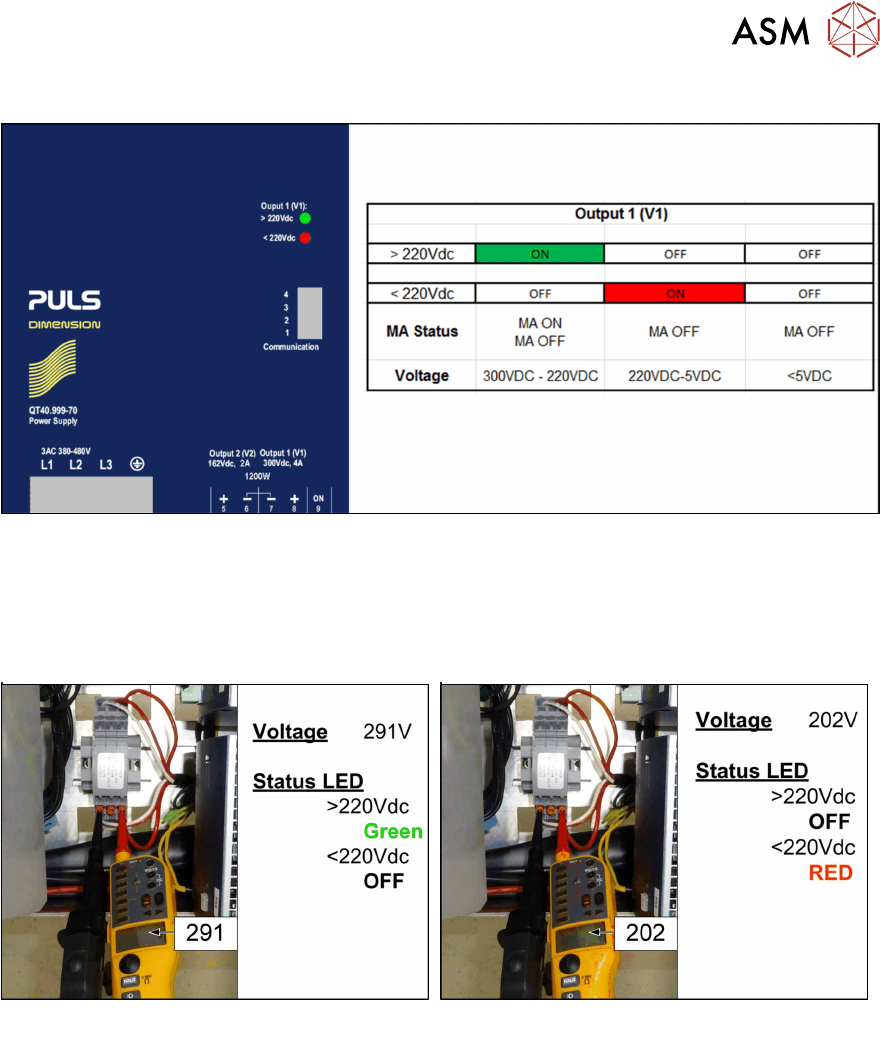
The following figure explains the LED status of the PS1 power pack (300 VDC):
Fig.30: LED status PS1-PS2 300VDC
Monitoring the voltage absence after switch-off
The voltage at the measurement points X303 (IN PS1/PS2) and X304 (OUT CAP) only discharges
slowly.
After switch-off, the voltage drops from 300VDC to under 5VDC in approx. five minutes.
Fig.31: Measuring voltage
As soon as the voltage has undershot a value of 220VDC, the LED display on the power pack
changes!
3 SMPS
3.4 Checking For Absence of Voltage
42 Service Manual SIPLACE TX Series 06/2017
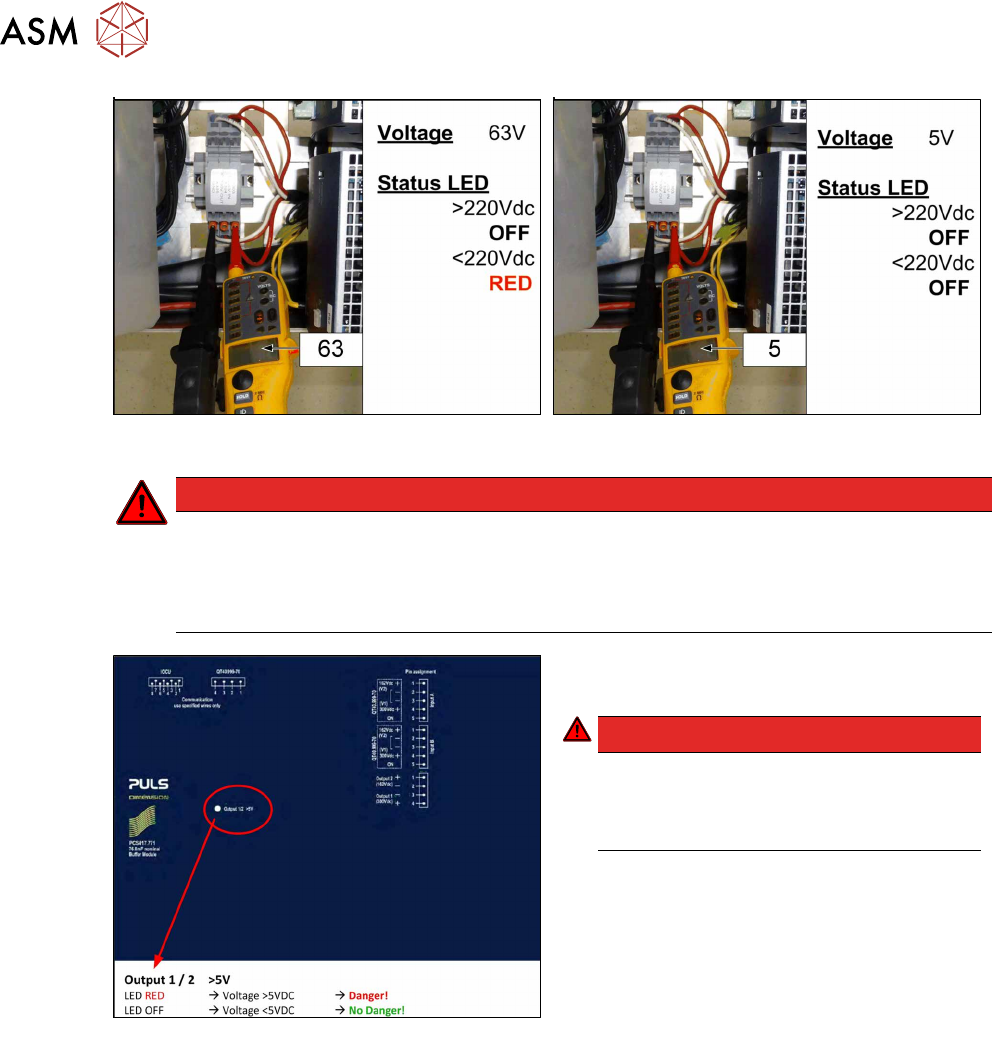
Fig.32: Measuring voltage
DANGER
Measurement values below 5VDC
Measure between the following points:
► X303 (IN) – X305 (GND) < 5VDC
► X304 (OUT) – X305 (GND) < 5VDC
Fig.33: LED on the capacitor battery(CAP)
► Check the LED on the capacitor battery
(CAP).
DANGER!
Once the LED on the capacitor battery
(CAP) does not light any longer, it is pos-
sible to work on the power supply without
hazard!
.
3 SMPS
3.5 MGCUs
Service Manual SIPLACE TX Series 06/2017 43
3.5 MGCUs
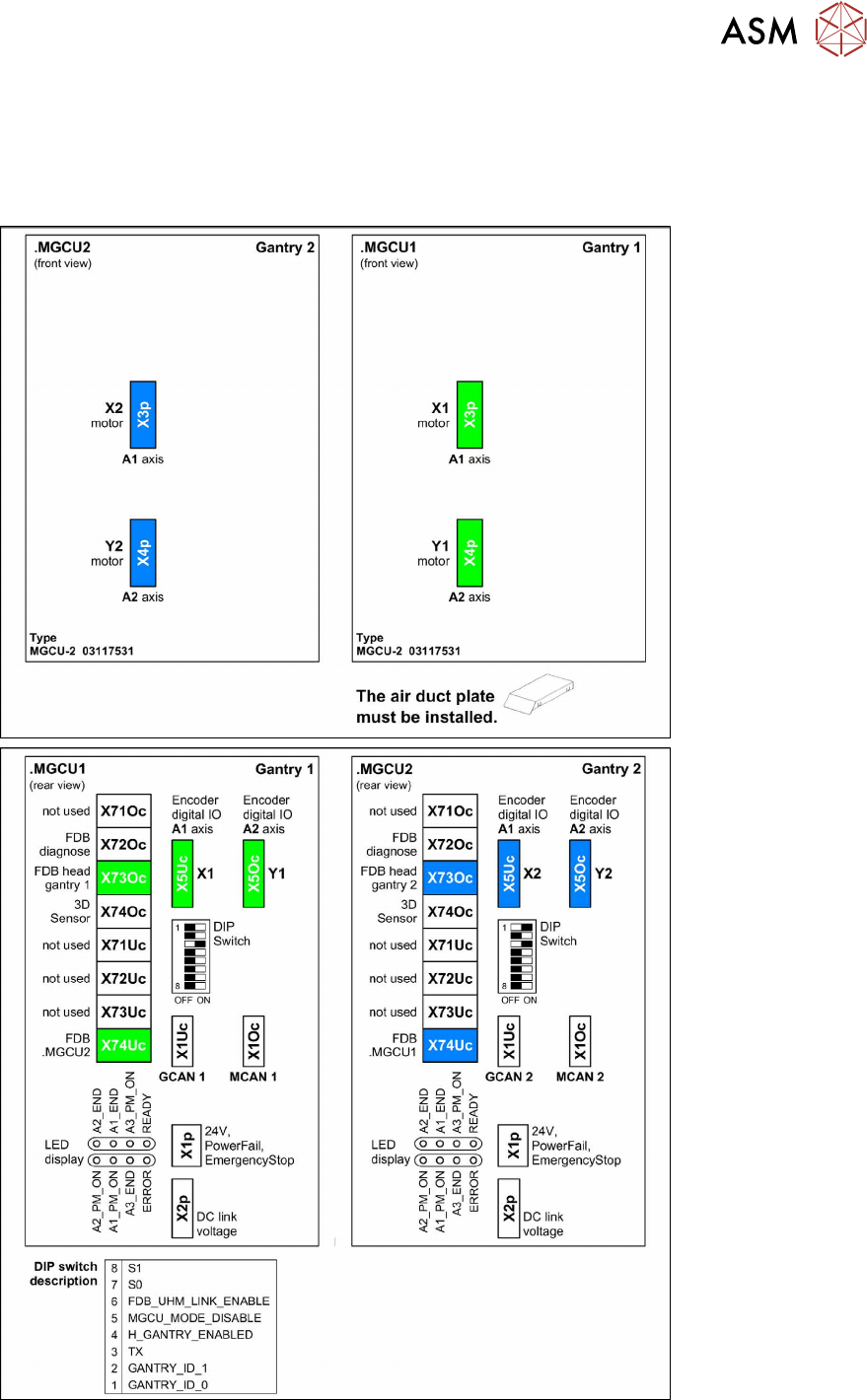
3.5.1 Overview of MGCUs
SIPLACE TX1/TX2/TX2i Standard
Fig.34: SIPLACE TX1/TX2/TX2i Standard