00198150-02_SM_TX_en.pdf - 第44页
3 SMPS 3.5 MGCUs 44 Service Manual SIPLACE TX Series 06/2017 SIPLACE TX2/TX2i micron Fig.35: SIPLACE TX2/TX2i micron
3 SMPS
3.5 MGCUs
Service Manual SIPLACE TX Series 06/2017 43
3.5 MGCUs
3.5.1 Overview of MGCUs
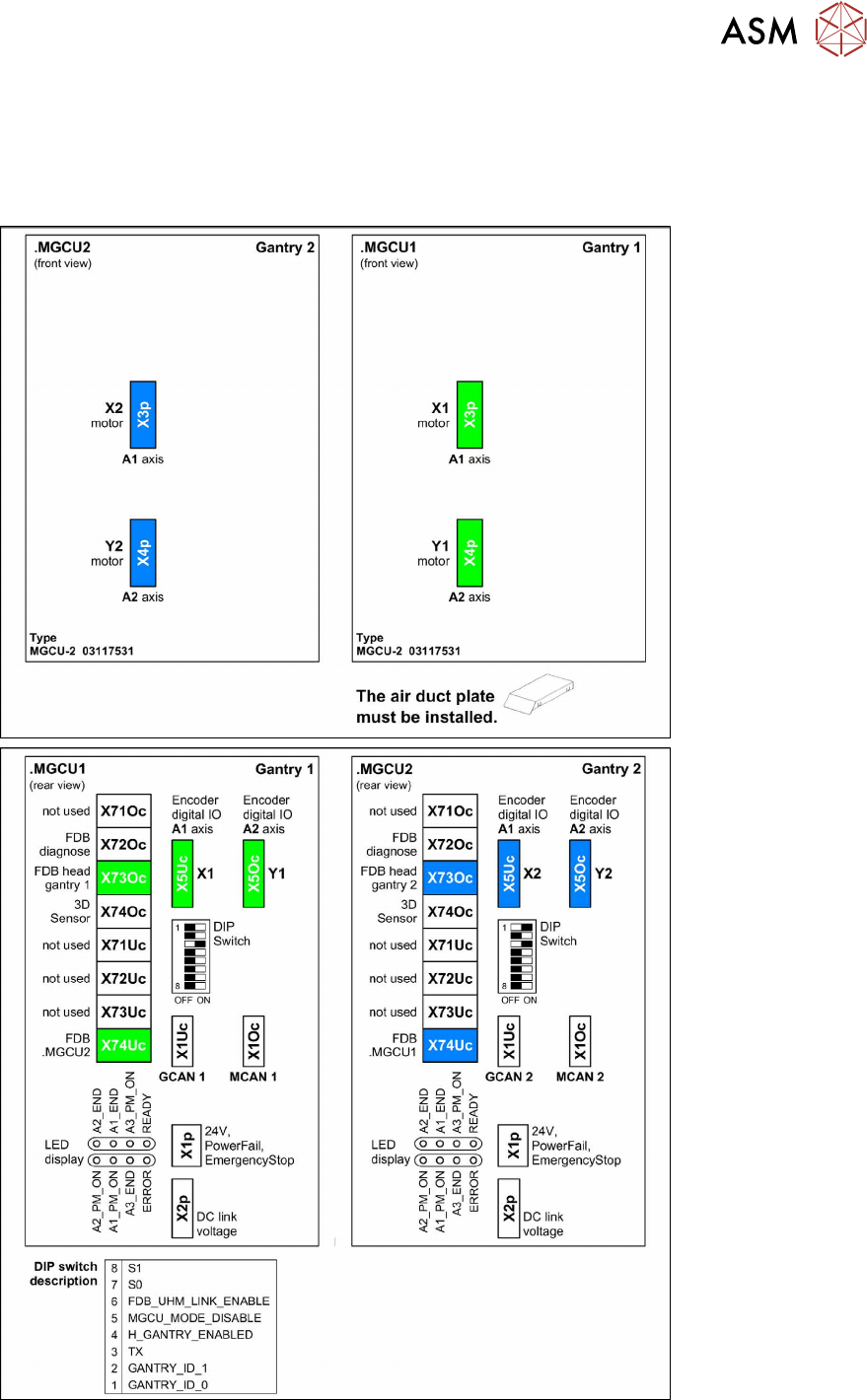
SIPLACE TX1/TX2/TX2i Standard
Fig.34: SIPLACE TX1/TX2/TX2i Standard
3 SMPS
3.5 MGCUs
44 Service Manual SIPLACE TX Series 06/2017
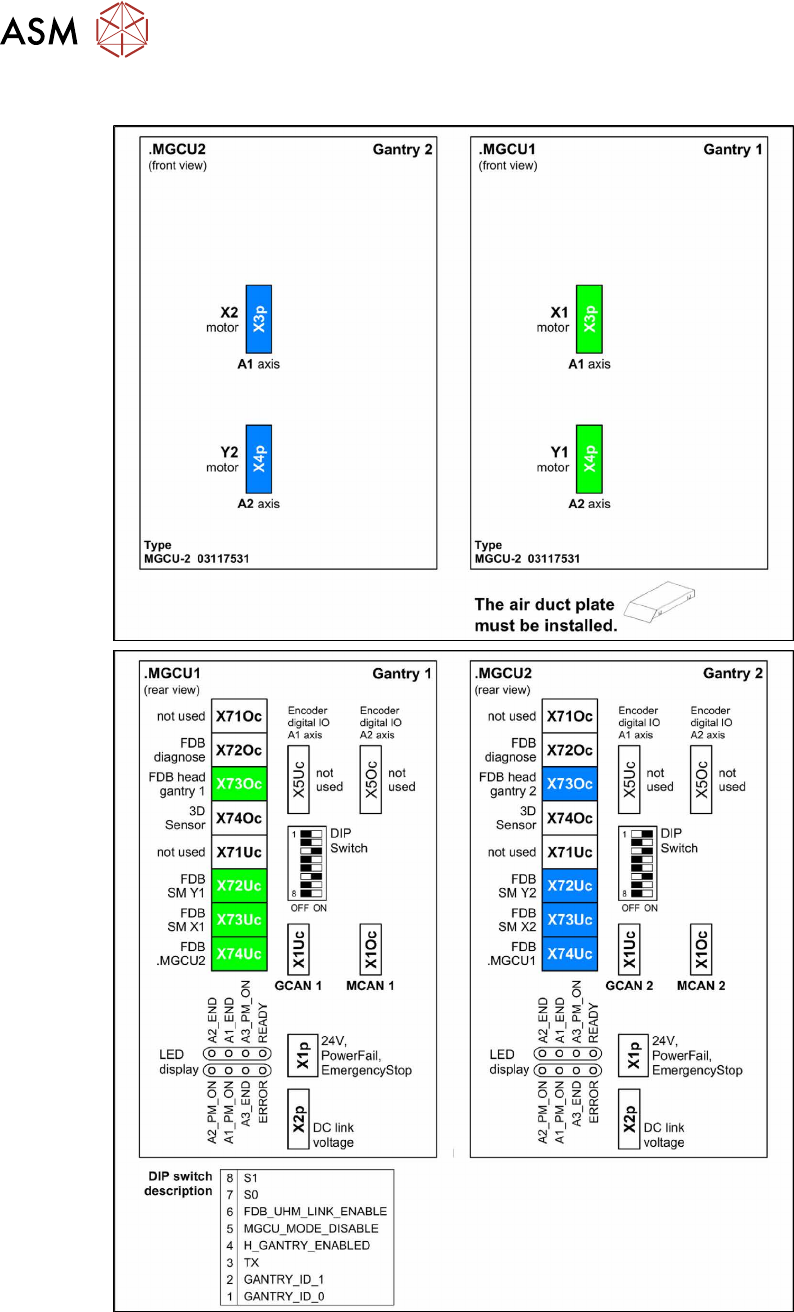
SIPLACE TX2/TX2i micron
Fig.35: SIPLACE TX2/TX2i micron
3 SMPS
3.5 MGCUs
Service Manual SIPLACE TX Series 06/2017 45
3.5.2 Replacing MGCU [03117531Sxx]
Parts, equipment and tools
●
Position controller gantry axes MGCU-2 [03117531Sxx]
Overview
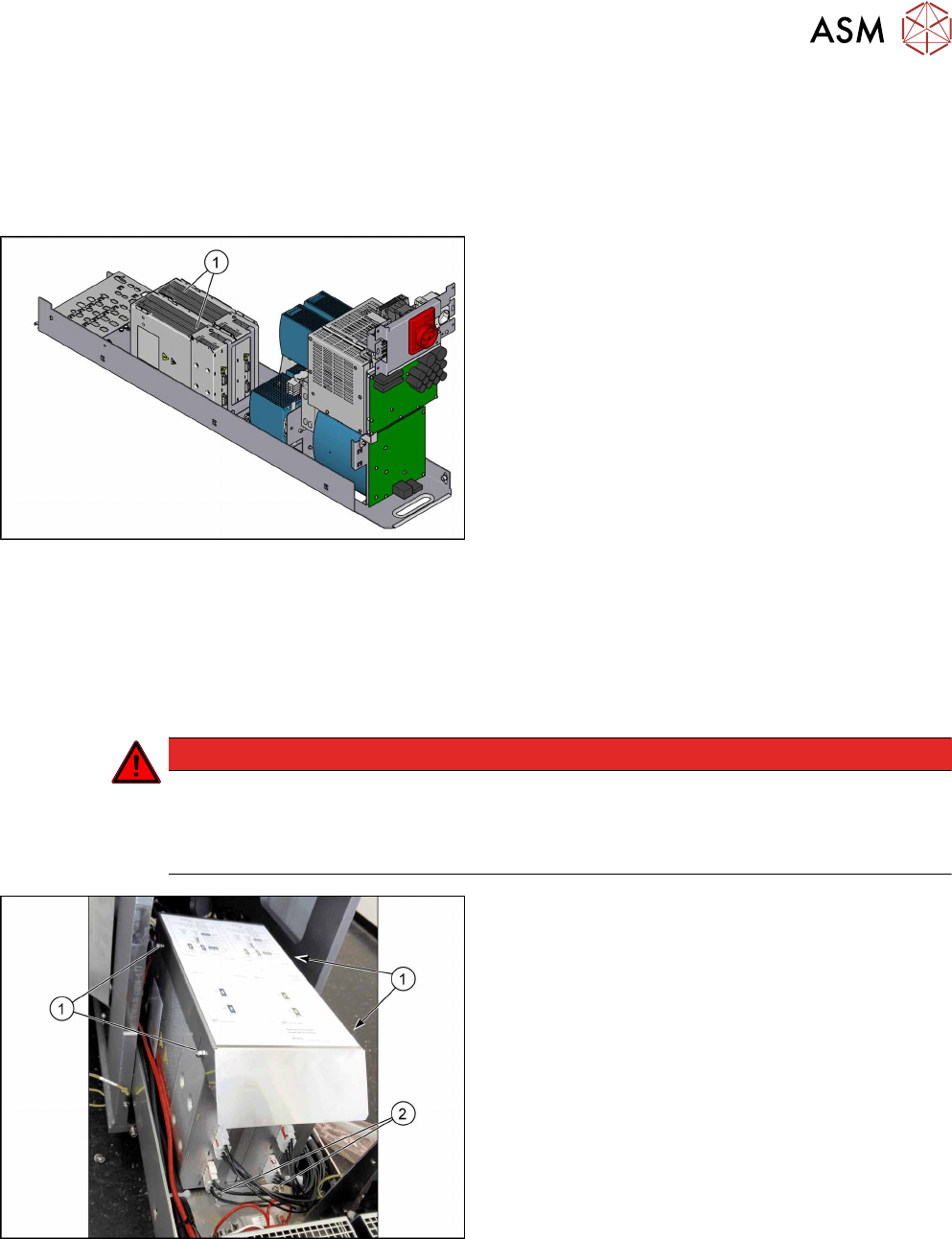
Fig.36: MGCUs
1. MGCUs (without cover air duct blade)
Pay attention to the label colors in the covers and on
the connection cable:
Green is for gantry 1
Blue is for gantry 2
Removal
► Switch off the machine, disconnect it from the power supply and secure it to prevent
unauthorized reactivation. Observe the instructions in section 1.2 "Preparatory Work..." [}15].
► Remove the power supply fastening screw and pull out the power supply. For more informa-
tion about this read section 3.2 "Pulling out the Power Supply" [}35].
DANGER
Checking for absence of voltage!
► Before you start working check the power supply for absence of voltage and observe
the waiting times! For more information about this read section 3.4 "Checking For Ab-
sence of Voltage" [}37].
Fig.37: Cover
► Loosen the four nuts(1) fastening the cover (air
duct blade).
► Remove the cover.
► Unplug all connections on the MGCU.
► Remove the two screws(2) fastening the two
MGCUs.
► Remove the MGCU from the machine.