00198150-02_SM_TX_en.pdf - 第69页
4 Electrical System and Control 4.5 Replacing the Monitor [03115169-xx] Service Manual SIPLACE TX Series 06/2017 69 4.5 Replacing the Monitor [03115169-xx] Parts, equipment and tools ● Monitor DV1224-007 12.1 inch [03115…
4 Electrical System and Control
4.4 Replacing the GigE Ethernet Adapter
68 Service Manual SIPLACE TX Series 06/2017
4.4 Replacing the GigE Ethernet Adapter
Parts, equipment and tools
●
GigE-Ethernet-Adapter PCI-E I350 T2 V2 BLK [03115569‑xx]
Overview
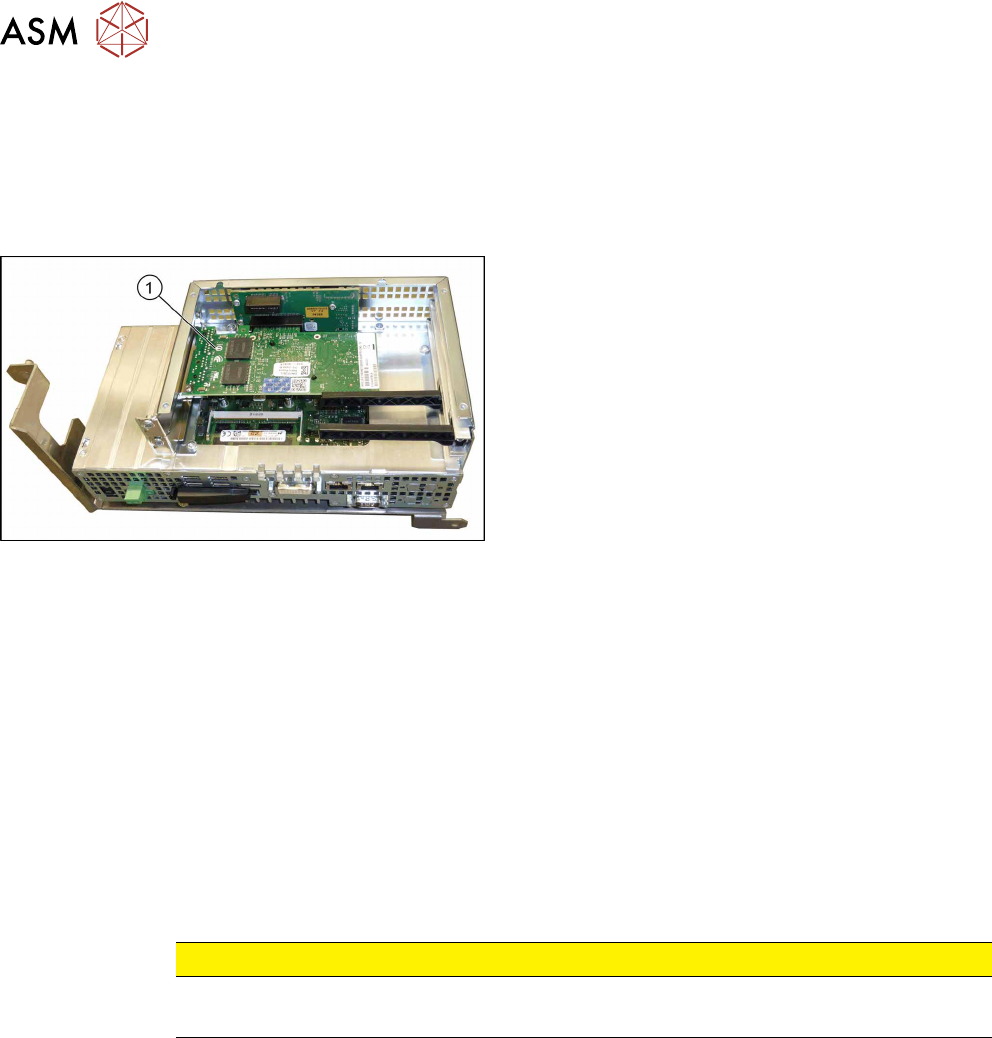
Fig.73: GigE Ethernet adapter in the BoxPC 427D
1. GigE ethernet adapter
Removal
The ethernet adapter is fitted in the BoxPC.
► Switch off the machine, disconnect it from the power supply and secure it to prevent
unauthorized reactivation. Observe the instructions in section 1.2 "Preparatory Work..." [}15].
► Dismantle and remove the BoxPC from the machine.
Replacing the Control Computer BoxPC [}64]
► Remove the screws fastening the cover of the BoxPC and open the cover.
► Remove the screw fastening the Ethernet adapter and remove the Ethernet adapter.
Installation
► Follow the removal instructions in reverse order for installation. Also observe the following in-
structions:
CAUTION
Installation Instructions
► Make sure that the plug-in card is correctly fitted into its slot.
See also
2 Replacing the Control Computer BoxPC [}64]
4 Electrical System and Control
4.5 Replacing the Monitor [03115169-xx]
Service Manual SIPLACE TX Series 06/2017 69
4.5 Replacing the Monitor [03115169-xx]
Parts, equipment and tools
●
Monitor DV1224-007 12.1 inch [03115169-xx]
Overview
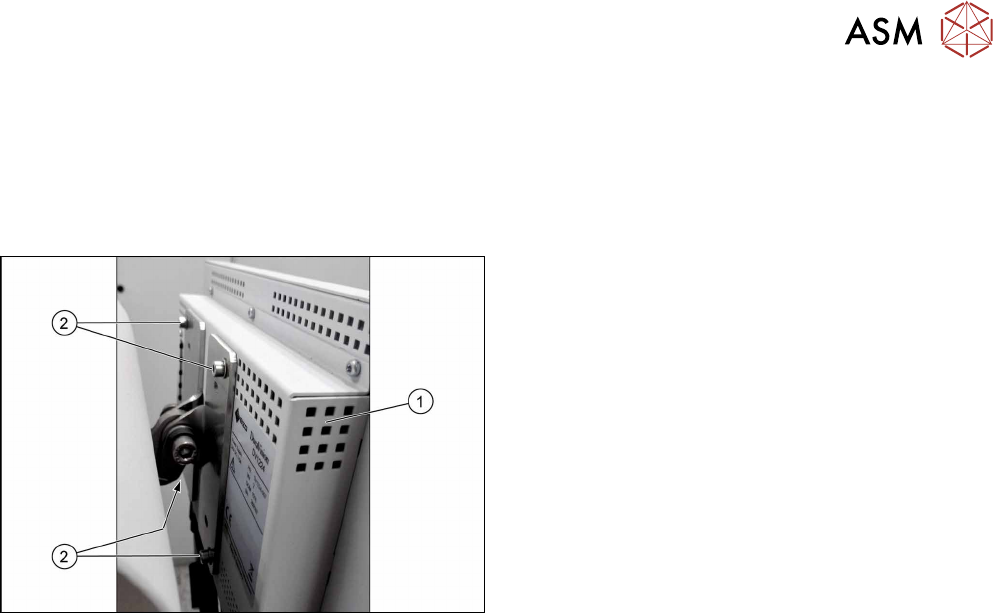
Fig.74: Monitor on machine
1. Monitor
2. Four fastening screws
Removal
► Switch off the machine, disconnect it from the power supply and secure it to prevent
unauthorized reactivation. Observe the instructions in section 1.2 "Preparatory Work..." [}15].
► Unplug all connections to the monitor. You might like to mark their positions to make clear as-
signment easier later on.
► Remove the four screws fastening the monitor to its bracket. You will need the monitor
bracket when fitting the new monitor.
Installation
► Follow the removal instructions in reverse order for installation.
4 Electrical System and Control
4.6 Replacing the Cover Switch [03110691-xx]
70 Service Manual SIPLACE TX Series 06/2017
4.6 Replacing the Cover Switch [03110691-xx]
Parts, equipment and tools
●
Hood switch TX [03110691-xx]
Overview
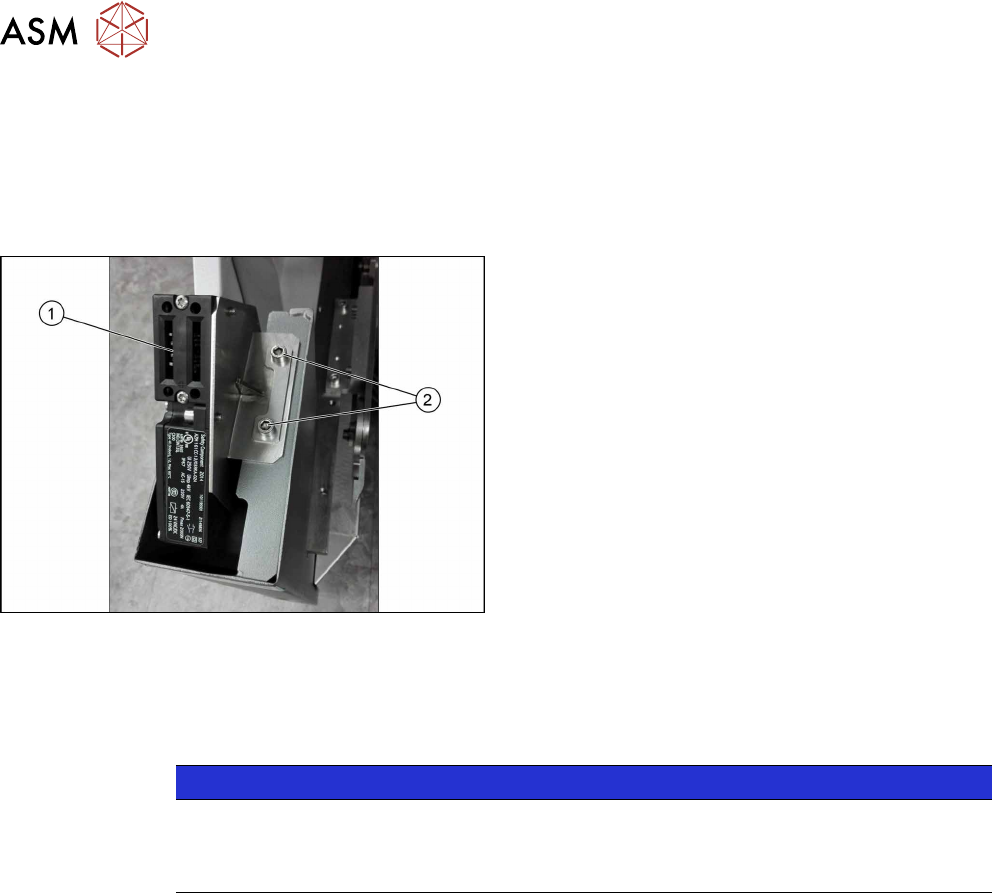
Fig.75: Cover switch
1. Cover switch
2. Cover switch fastening screws
Removal
► Switch off the machine, disconnect it from the power supply and secure it to prevent
unauthorized reactivation. Observe the instructions in section 1.2 "Preparatory Work..." [}15].
NOTICE
Removal with/without removing the side cover
► Try to perform the exchange without removing the side cover.
► If access is too limited, remove the side cover.
Removal without removing the side cover
► Remove the screws fastening the cover switch.
► Carefully pull the cable until the connector comes out of the side cover, at the top.
► Disconnect the cable. Take care that the connector does not fall into the machine frame.