00198150-02_SM_TX_en.pdf - 第89页
6 Gantries 6.2 X and Y Axis Service Manual SIPLACE TX Series 06/2017 89 6.2.4 Mechanical Adjustment of the Incremental Encoder The incremental encoders (read units) on the X and Y axis are adjusted exactly to the positio…

6 Gantries
6.2 X and Y Axis
88 Service Manual SIPLACE TX Series 06/2017
Removal
► Switch off the machine, disconnect it from the power supply and secure it to prevent
unauthorized reactivation. Observe the instructions in section 1.2 "Preparatory Work..." [}15].
► Unplug the incremental encoder press-fit connection from the gantry interface. In this case
make a note of the position to make clear assignment easier later on.
► Unthread the connection cable as far as the incremental encoder.
► Remove the four screws fastening the incremental encoder holder and carefully remove this
together with the incremental encoder.
► If necessary, remove the two screws fastening the incremental encoder and remove the en-
coder carefully.
Installation
► Clean the reading surface of the incremental encoder with a lint free cloth or a Q tip
moistened with ethanol.
► Fit the incremental encoder on the holder with two fastening screws.
► Fit the holder with four fastening screws at the gantry. Secure the screws with Loctite 241.
Place a 0.75mm feeler gauge between the incremental encoder and the scale, to ensure the
correct distance.
► Reconnect to the electricity supply.
CAUTION
Check how the cables are run!
► Make sure that the axes can be moved without damaging the cables.
► Fasten the cables with cable ties.
► Check the track signals with the testing device (see 6.2.5 "Track Signals and Zero
Pulse" [}89]).

6 Gantries
6.2 X and Y Axis
Service Manual SIPLACE TX Series 06/2017 89
6.2.4 Mechanical Adjustment of the Incremental Encoder
The incremental encoders (read units) on the X and Y axis are adjusted exactly to the position of
the incremental scale. The two limit marks on the incremental encoder show where the top/bottom
positions of the scale should be. They are also mechanically set to a distance of 0.75mm (black-
white scale) to the incremental scale.
NOTICE
Plastic disks
To set this distance, use one or more small plastic disks with a total thickness of 0.75mm.
► Feeler gauge 0.75mm plastic [03090774-xx] (white)
After this adjustment of the incremental encoder you have to check the zero pulse and track sig-
nals.
Correct installation should ensure correct count and zero pulse signals. For troubleshooting pur-
poses (error analysis and fixing) you will need to measure these signals.
Please also observe section 6.2.5 "Track Signals and Zero Pulse" [}89].
6.2.5 Track Signals and Zero Pulse
Check
Proceed as follows to check the zero pulse.
► Switch off the machine.
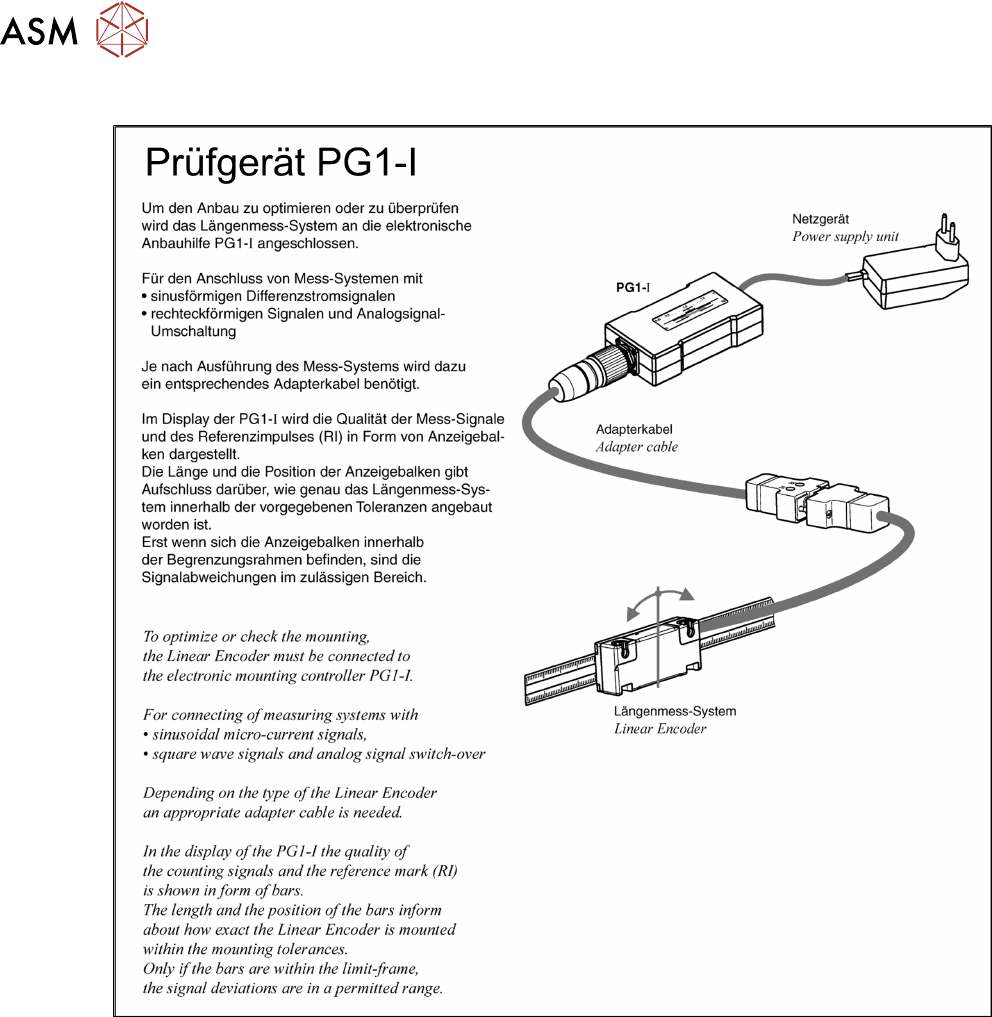
► Unplug the incremental encoder from the head interface or the gantry interface and connect it
to the test device. (See 6.2.5.1 "Test Device PG1-I (MS22/MS30) [03102699-xx] – Opera-
tion" [}90])
► Move the head or gantry manually back and forth. This movement enables you to read the
correct track signal progress from the test device.
► If the track signal is not within the tolerance range, you will need to reset the incremental en-
coder. The incremental encoder has then been fitted either too near, too far away, inclined
and/or displaced.
6 Gantries
6.2 X and Y Axis
90 Service Manual SIPLACE TX Series 06/2017
6.2.5.1 Test Device PG1-I (MS22/MS30) [03102699-xx] – Operation
Fig.100: Operating of test device PG1-I - 1