00198150-02_SM_TX_en.pdf - 第99页
6 Gantries 6.3 Trailing Cable and Printed Circuit Boards Service Manual SIPLACE TX Series 06/2017 99 6.3.4 Replacing the Gantry Interface Parts, Equipment and Tools ● Gantry interface 1 [03116149‑xx] ● Gantry interface 2…
6 Gantries
6.3 Trailing Cable and Printed Circuit Boards
98 Service Manual SIPLACE TX Series 06/2017
6.3.3 Replacing the Vision Base Interface (VBI) [03115474-xx]
Parts, equipment and tools
●
Vision base interface [03115474-xx]
Overview
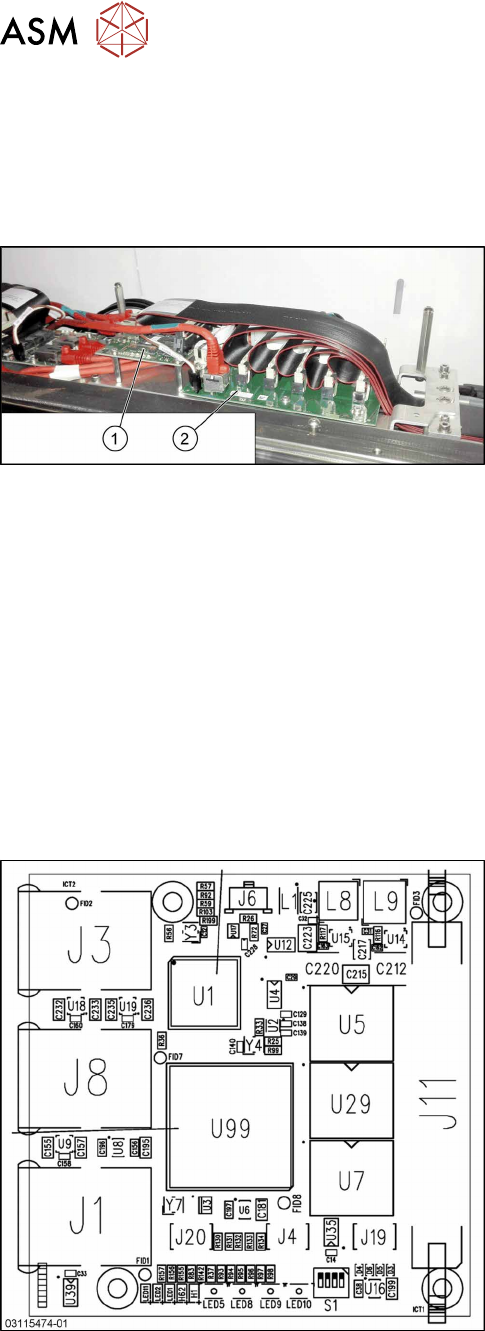
Fig.110: Vision base interface and trailing cable interface
1. Vision base interface (VBI)
2. Trailing cable interface
Removal / installation
► Removal and installation of the VBI is the same as that for the trailing cable interface. For
more information, read section Replacing the Trailing Cable Interface.
► Checking the embedded software and performing a download if needed (see LINK).
eSW Download (SW 70x) [}130]
See also
2 Vision Base Interface [03115474-xx] [}98]
2 eSW Download (SW 70x) [}130]
2 eSW Download (SW 70x) [}130]
6.3.3.1 Vision Base Interface [03115474-xx]
Fig.111: Vision base interface
The Vision base interface is fitted next to the trailing
cable interface.
J1: Not used
J3: BoxPC
J4: Not used
J6: Power supply
J8: Stationary Camera
J11: Trailing cable (head)
J19: Not used
J20: Not used
6 Gantries
6.3 Trailing Cable and Printed Circuit Boards
Service Manual SIPLACE TX Series 06/2017 99
6.3.4 Replacing the Gantry Interface
Parts, Equipment and Tools
●
Gantry interface 1 [03116149‑xx]
●
Gantry interface 2 [03116147‑xx]
Overview
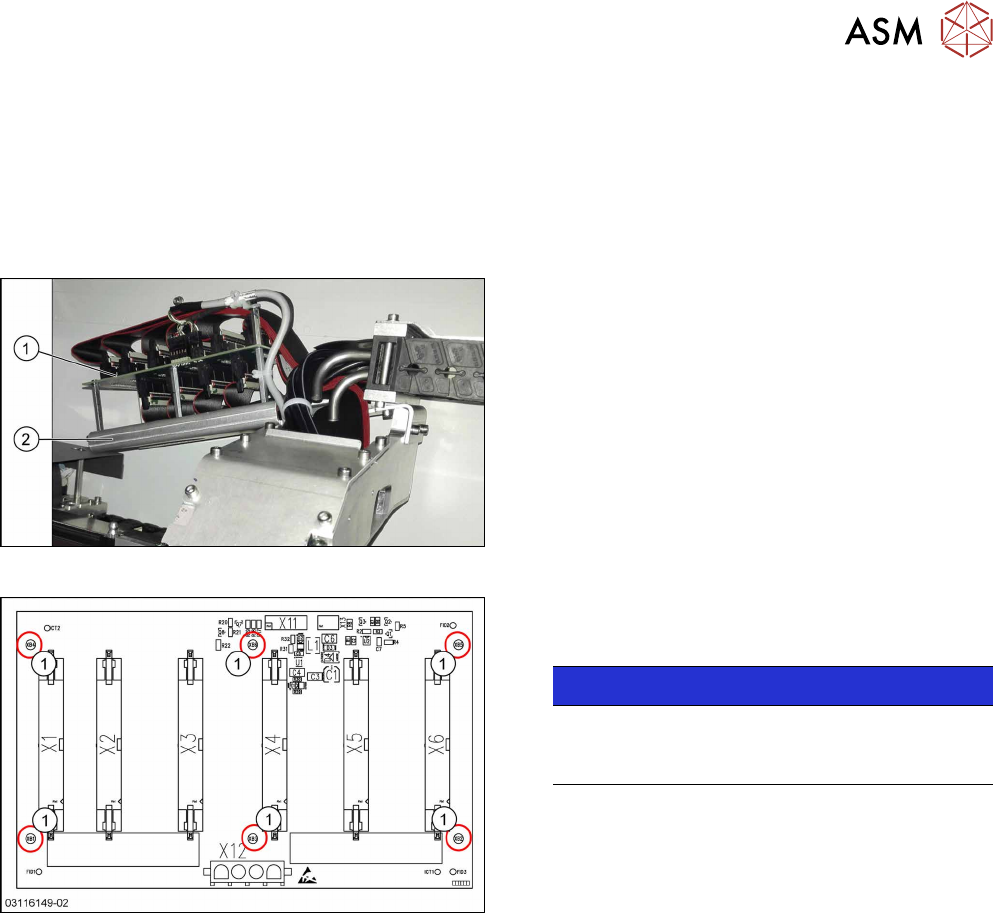
Fig.112: Gantry interface
1. Gantry interface
2. Trailing cable holder on gantry
Fig.113: Gantry interface
Gantry interface [03116149-xx]
1. Six fastening screws
NOTICE!
Inversely Layout
The layout of the two gantry interfaces is the
same, but inversely.
.
6 Gantries
6.3 Trailing Cable and Printed Circuit Boards
100 Service Manual SIPLACE TX Series 06/2017
Removal
► Switch off the machine, disconnect it from the power supply and secure it to prevent
unauthorized reactivation. Observe the instructions in section 1.2 "Preparatory Work..." [}15].
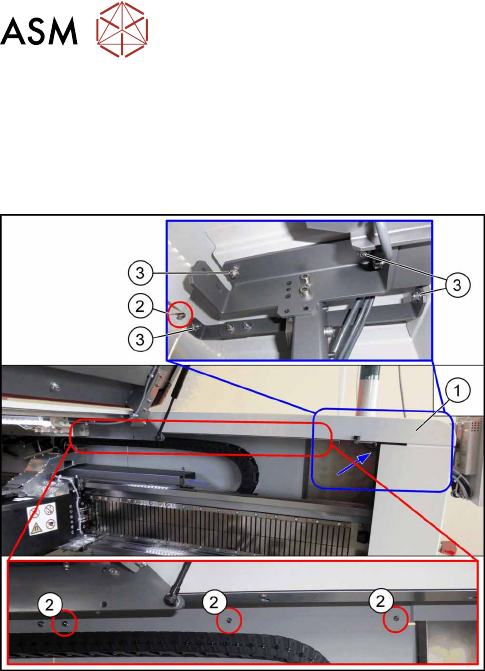
For a better access to the gantry interface you may remove the upper cover:
Fig.114: Removing the upper cover
► Remove the four nuts at(2) and the four nuts
at(3) on location1. Repeat for location2.
Ask for the help of a second person for the next step.
► Lift up the cover(1).
► Unplug all electrical connections to the gantry interface. You may want to mark the positions
of these connections to make clear assignment easier later on.
► Remove the six screws fastening the gantry interface and remove the gantry interface from
the machine.
Installation
► Follow the removal instructions in reverse order for installation.