00197190-03_VD_SIPLACE_Pro_10_1_SP1_DE_EN - 第42页
SIPLAC E Pro V10. 1 SP1 / Softwar e Version Desc ripti on Ausgabe 02/2013 Edit ion 42 Figure 4- 28 : Selecting recipes f or cluster job ● Creating res trict ion objec ts and ass igning them to a c lus ter job Certain (i.…
SIPLACE Pro V10.1 SP1 / Software Version Description Ausgabe 02/2013 Edition
41
5.13 SiCluster Professional – Enhancements
This section will give an overview of the enhancements in SIPLACE Pro SiCluster Professional.
Detailed information can be found in the SiCluster Professional User Manual, item no.
[00197281-xx].
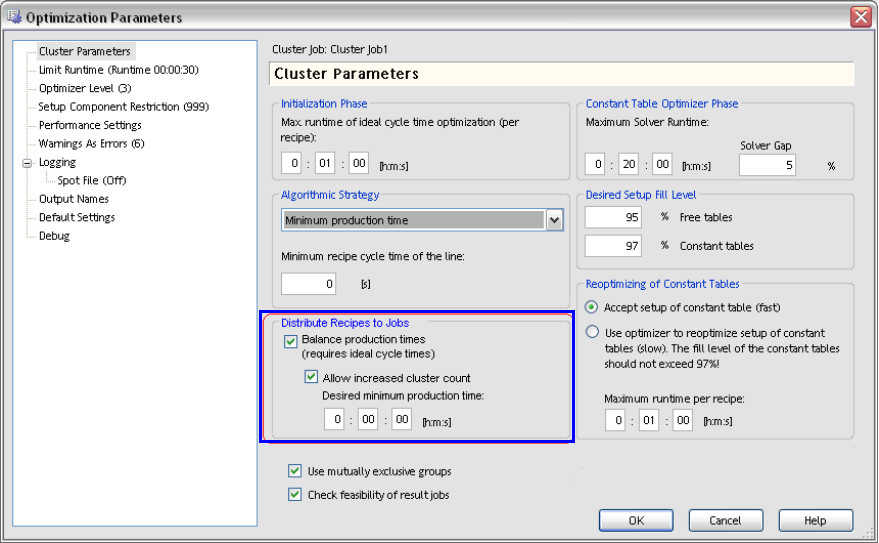
● With the Balance production times option under Cluster Parameters, short production times
will be lengthened for setups within a cluster job. Short times will be adapted to the longer ones
so that there is time enough to prepare the next setup for the line in the pre-setup area. For
this, the ideal production time for each recipe has to be available.
Additionally, further cluster jobs may be allowed and a fixed minimum production time be
defined.
Figure 4-27: Lengthening production time for result jobs
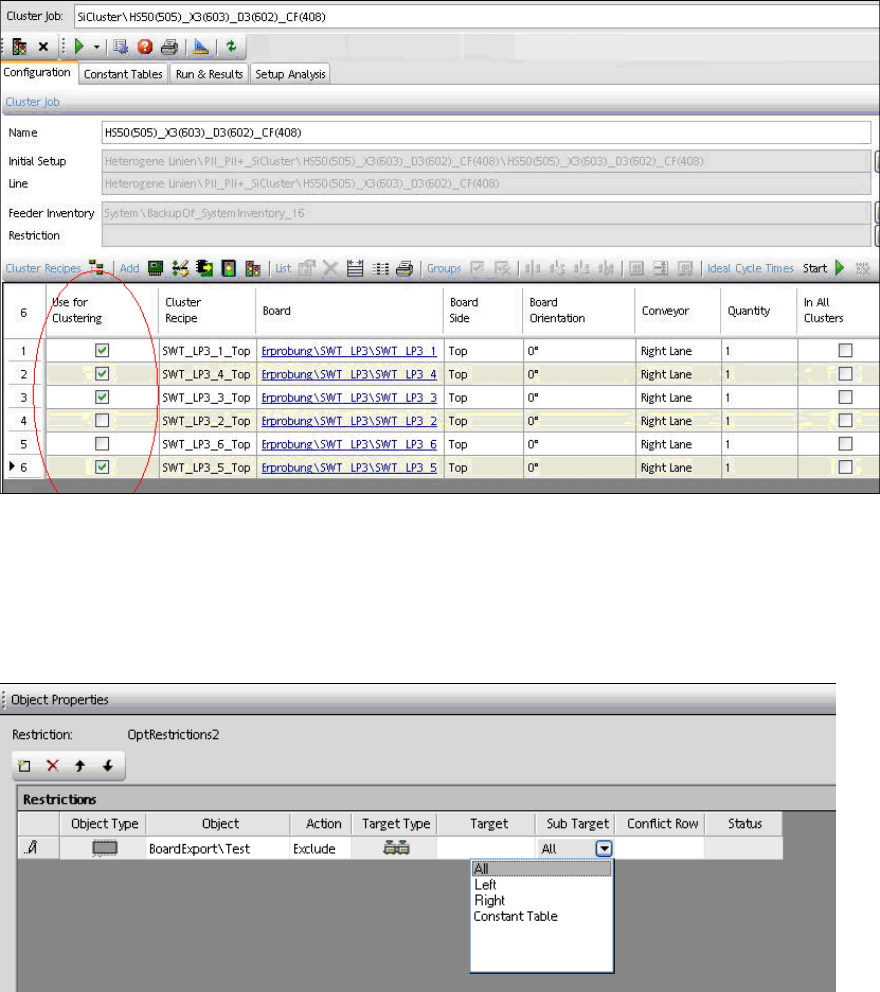
● A subset of recipes can be selected to form a cluster job. In the Use for Clustering column in
the opened cluster job, the recipes to be used for the cluster job can be explicitly selected.
SIPLACE Pro V10.1 SP1 / Software Version Description Ausgabe 02/2013 Edition
42
Figure 4-28: Selecting recipes for cluster job
● Creating restriction objects and assigning them to a cluster job
Certain (i.e. expensive) components should not be set-up on constant tables to avoid that they
get used up. Such components can be excluded from constant tables in a restriction object
(under Sub Target – Constant Table) in the Restriction Editor of SIPLACE Pro Desk.
Components can also be explicitly bound to a constant table.
Figure 4-29: Creating restriction object
Thereafter, the restriction object can be assigned to a cluster job.
● In the Run & Results tab, the new Placement with quantity column is available for the
number of placed components.
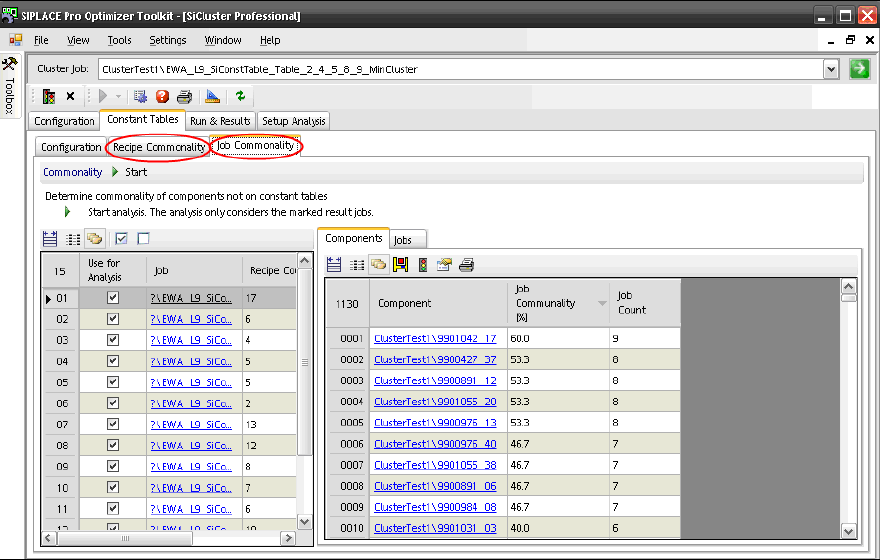
● The analysis for component communality has been adjusted and improved.
– For each recipe that is marked in the left window, a separate column is displayed in the
right window.
– New Job Communality tab.
SIPLACE Pro V10.1 SP1 / Software Version Description Ausgabe 02/2013 Edition
43
Figure 4-30: Job Communality tab
The Components and Jobs views are provided in the right window for the analysis.
Various options can be regarded for the analysis by using the buttons in the tool bar of
these views.
Components
– Include constant tables.
– Display a separate column for each marked job in the left window.
– Display job columns with job name instead of numbers.
Jobs
– Compare the combination of the jobs that are selected in the left window. The number
of components which are common for these jobs but are not set-up on constant tables
is displayed.
– Optionally, the components which are already set-up on constant tables may be
included. Thus, a higher number of components with communality is displayed.
– Display a minimum number of components that are common for the jobs. Default value:
2. With this value, compared results with 2 or less common components will not be
displayed.
– By double-clicking on a row or selecting the magnifying glass in the tool bar, a new
window is opened in which a list is displayed with the components that are common in
the compared jobs.
5.14 Displaying Precedence Rules – Enhancements
The "Precedence Finder" program has been enhanced in the SIPLACE Pro Optimizer Toolkit as
follows:
– Using a filtered list of the precedence rules for nozzles in the Precedence Finder
– 3D view of the precedence rules in SIPLACE Pro Desk