00197190-03_VD_SIPLACE_Pro_10_1_SP1_DE_EN - 第49页
SIPLAC E Pro V10. 1 SP1 / Softwar e Version Desc ripti on Ausgabe 02/2013 Edit ion 49 5.16 Fixed Nozzle Changer Magazine s – Enhancements The suppor t of f ixed noz zle c hanger m aga zines has b een enh anced in SIPL AC…
SIPLACE Pro V10.1 SP1 / Software Version Description Ausgabe 02/2013 Edition
48
Searching Nozzles in Setups
If the Nozzles object type is selected in the tool bar, it is possible to search for either Nozzles in
Setups on Heads or Nozzles in Setups in Nozzle changers in the Find tab. The search run will
only be indirectly performed if a nozzle has to be replaced.
The setups have to be selected under Search Arguments.
After the search query has been started, all nozzles that are used in the selected setups will be
displayed in the Object List.
Replacing Nozzles in Setup
After the Setup object type has been selected and the setups have been added to the Object List,
the Replace Nozzle function has to be selected in the Functions window.
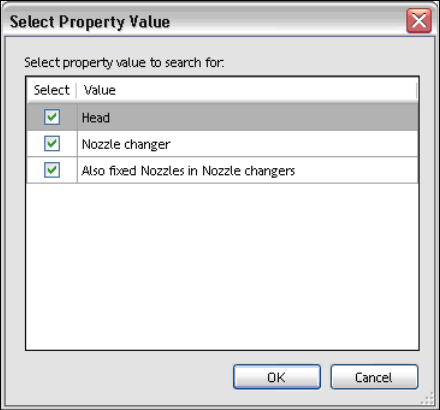
All nozzles that shall be replaced have to be tagged in the following dialog.
Figure 4-36: Selecting property value
In the subsequent dialogs, both the nozzle to be replaced and the substitute nozzle have to be
selected and confirmed.
Removing Nozzles from Setup
After the Setup object type has been selected and the setups have been added to the Object List,
the Remove Nozzles function has to be selected in the Functions window.
All nozzles that shall be removed have to be tagged in the Select Property Value dialog.
After confirmation, the selected nozzles do not exist in the selected setups anymore.
SIPLACE Pro V10.1 SP1 / Software Version Description Ausgabe 02/2013 Edition
49
5.16 Fixed Nozzle Changer Magazines – Enhancements
The support of fixed nozzle changer magazines has been enhanced in SIPLACE Pro Desk.
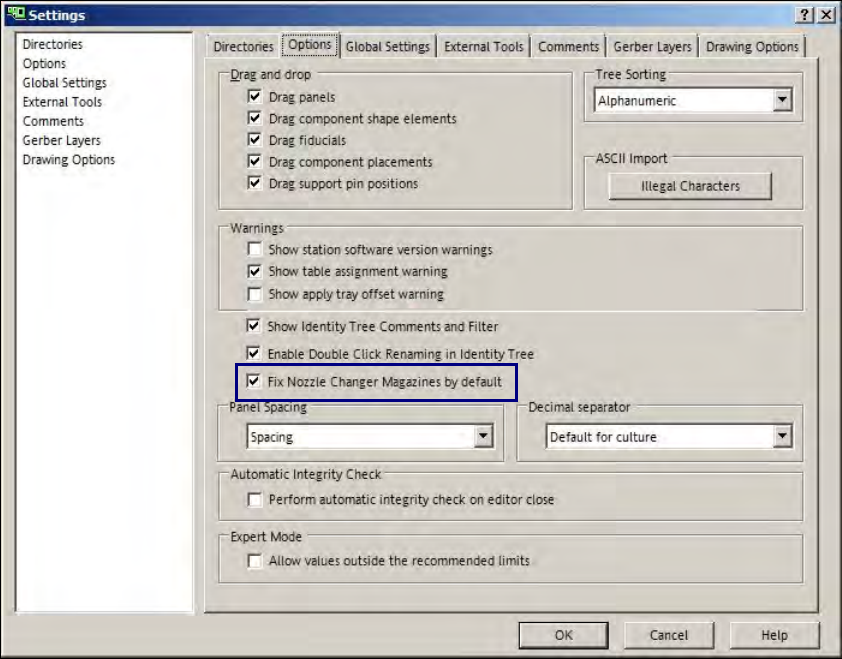
The Fix Nozzle Changer Magazines by default option can be defined as default setting under
Settings - Options. This option is valid for all nozzle changer magazines in new setups and
whenever a nozzle changer magazine is set-up into an existing setup.
Figure 4-37: Fixed nozzle changer magazines default setting
SIPLACE Pro V10.1 SP1 / Software Version Description Ausgabe 02/2013 Edition
50
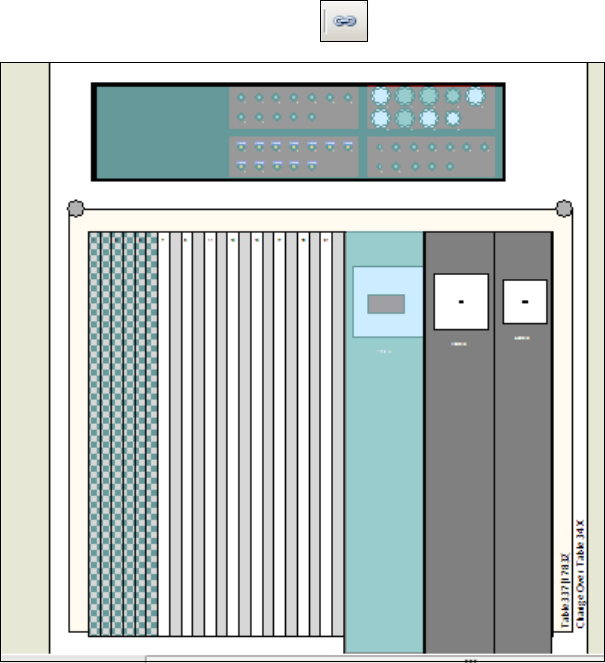
Fixed objects can be made visible in the setup graph under Settings – Drawing Options
(semitransparent, blue shading).
The display will be enabled with the icon in the tool bar.
Figure 4-38: Fixed objects in setup
The figure displays a fixed nozzle changer and a fixed feeder (third feeder from the right).