00196800-02_InstallGuide_EN.pdf - 第37页
In st al la tio n an d Co nf ig ura t ion G ui de SIP LACE E x pl ore r 3 I n st alli ng S IP LAC E Ex pl or e r Edi tio n 06/201 1 EN 3.3 I nsta lla tion of SIP LACE Ex plor er 2. 9 37 The Ready to Install the P rogra…
3 Installing SIPLACE Explorer Installation and Configuration Guide SIPLACE Explorer
3.3 Installation of SIPLACE Explorer 2.9 Edition 06/2011 EN
36
3
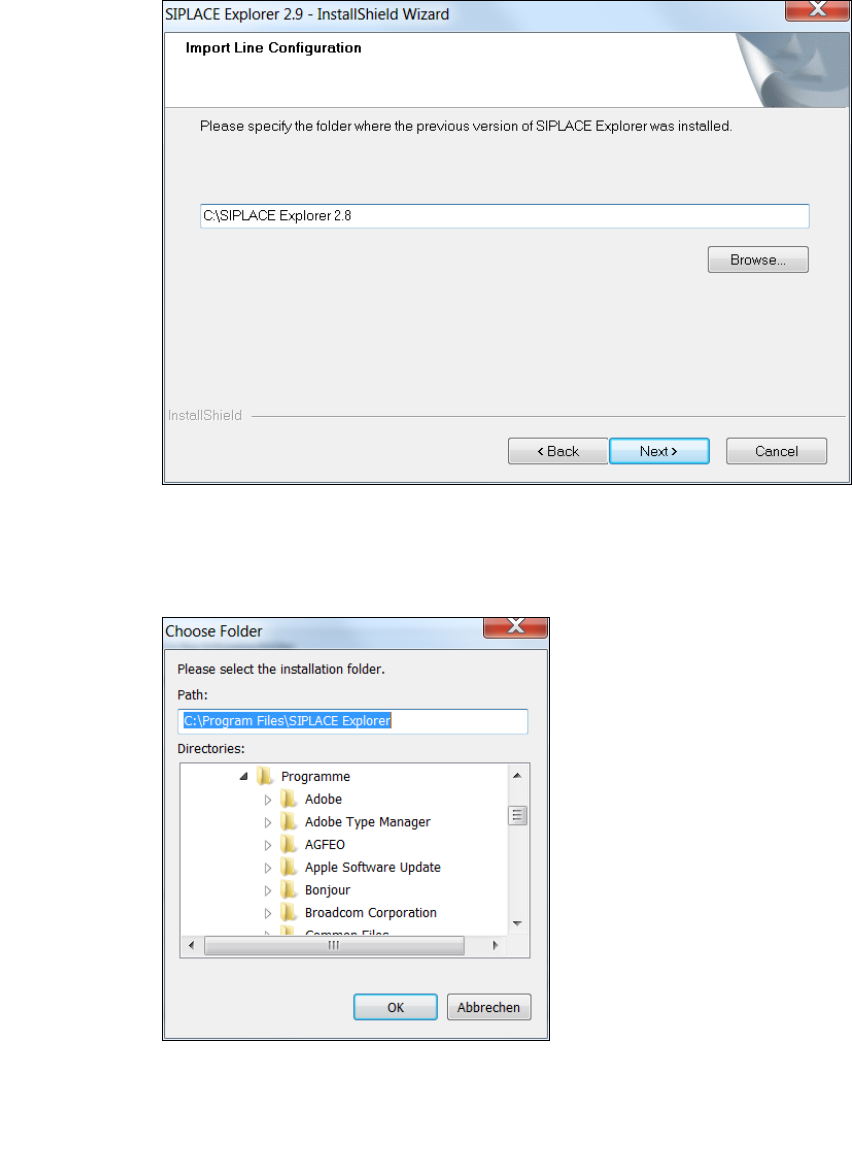
Fig. 3 - 9 SIPLACE Explorer setup - import line configuration
You can alter the default installation folder by using the Browse button.
The Choose Folder dialog box will open to locate the desired folder.
3
Fig. 3 - 10 SIPLACE Explorer Setup - 'choose folder' dialog box
Specify the required folder and click on OK, to confirm your choice. You will return to the Import
Line Configuration dialog box, where the folder will be shown.
To accept the destination folder, click on Next in the Import Line Configuration window.
Installation and Configuration Guide SIPLACE Explorer 3 Installing SIPLACE Explorer
Edition 06/2011 EN 3.3 Installation of SIPLACE Explorer 2.9
37
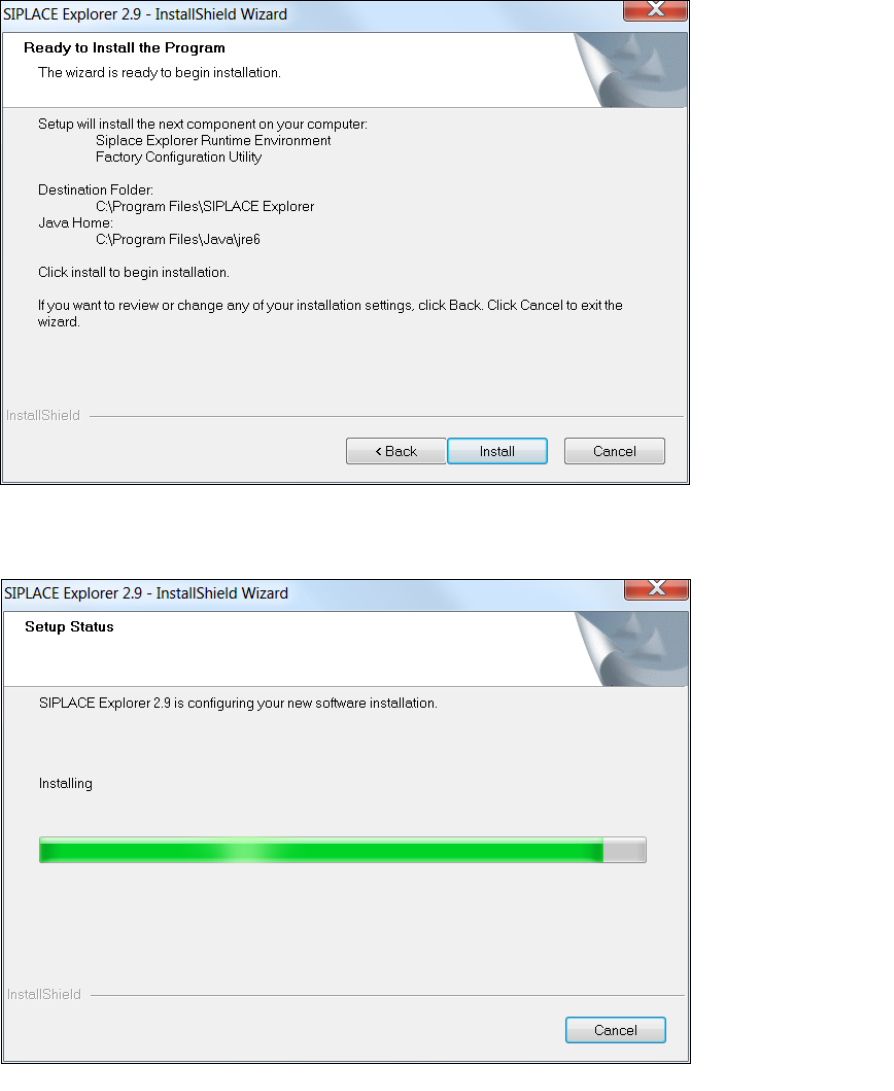
The Ready to Install the Program dialog box will open.
3
Fig. 3 - 11 SIPLACE Explorer setup - 'ready to install' dialog box
Click on the Install button, to begin the actual installation of SIPLACE Explorer V2.9.
3
Fig. 3 - 12 SIPLACE Explorer setup - setup status
3 Installing SIPLACE Explorer Installation and Configuration Guide SIPLACE Explorer
3.3 Installation of SIPLACE Explorer 2.9 Edition 06/2011 EN
38
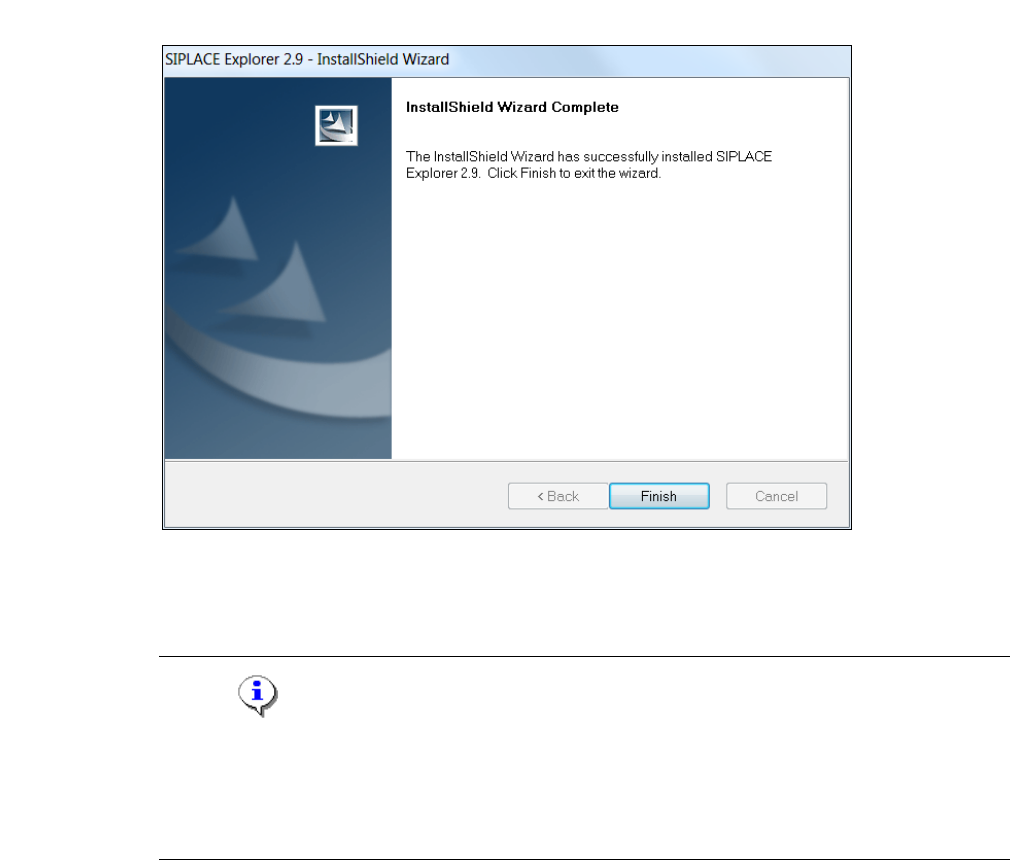
Once the installation procedure has finished, the following dialog box will open.
3
Fig. 3 - 13 SIPLACE Explorer setup - installation complete
Click on Finish. After you have rebooted your computer, SIPLACE Explorer will be available
for use. Follow the instructions at “Starting SIPLACE Explorer” on page 39.
NOTE
After installing SIPLACE Explorer, reboot your system. This ensures that port 1099 is available for
the Java Runtime Environment. In rare cases, port 1099 may be used by another application. If
you start SIPLACE Explorer after the installation, without rebooting the system, the error message
"SIPLACE Explorer 2.9 runtime not found" would be shown in such cases. 3