00196800-02_InstallGuide_EN.pdf - 第41页
In st al la tio n an d Co nf ig ura t ion G ui de SIP LACE E x pl ore r 3 I n st alli ng S IP LAC E Ex pl or e r Edi tio n 06/201 1 EN 3.4 Star ting SIP LACE Expl orer 41 SI PL ACE E xp lor er V .2. 9 F a cto ry C onf …
3 Installing SIPLACE Explorer Installation and Configuration Guide SIPLACE Explorer
3.4 Starting SIPLACE Explorer Edition 06/2011 EN
40
3
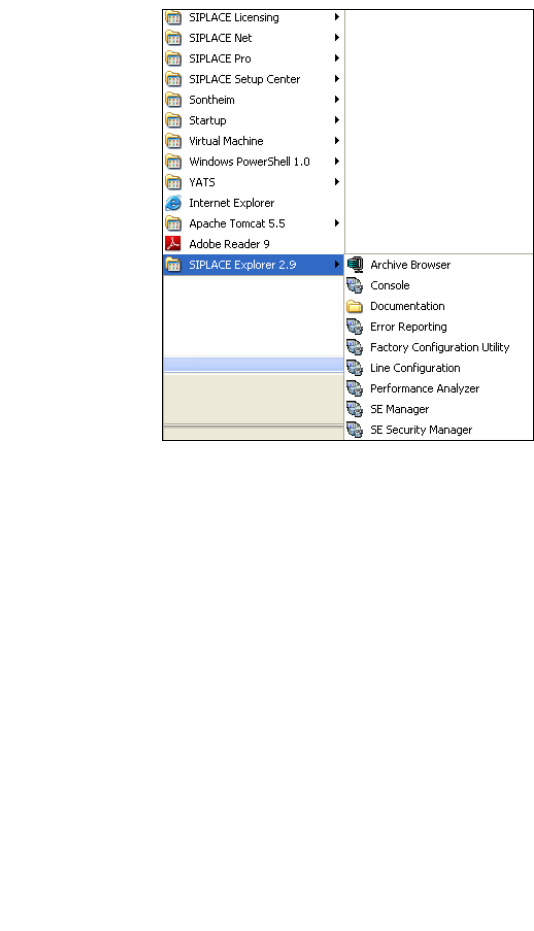
Fig. 3 - 15 RTE Windows Start menu
The following options are available: 3
– Archive Browser
–Console
– Documentation
– Error Reporting
– Factory Configuration Utility
– Line Configuration
– Modify-Uninstall
– Performance Analyzer
– SE Manager
– SE Security Manager
Installation and Configuration Guide SIPLACE Explorer 3 Installing SIPLACE Explorer
Edition 06/2011 EN 3.4 Starting SIPLACE Explorer
41
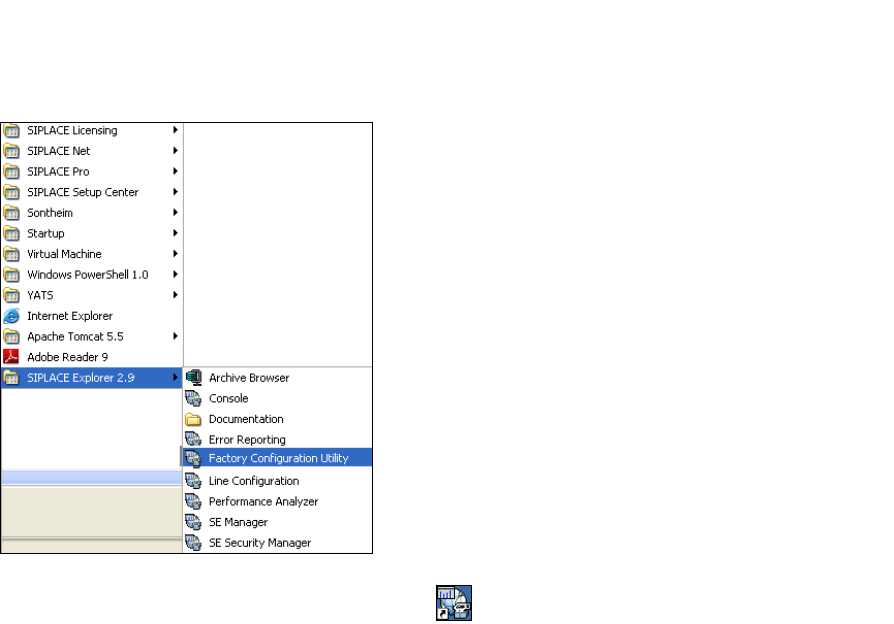
SIPLACE Explorer V.2.9 Factory Configuration Utility
Start the Factory Configuration Utility via the Programs SIPLACE Explorer 2.9 Factory
Configuration Utility menu in Windows. 3
3
Fig. 3 - 16 Factory Configuration Utility Windows Start menu
Or click on the Factory Configuration Utility icon on your desktop.
3 Installing SIPLACE Explorer Installation and Configuration Guide SIPLACE Explorer
3.5 Adjusting the Regional Settings for Asian Languages Edition 06/2011 EN
42
3.5 Adjusting the Regional Settings for Asian Languages
If you have an English operating system, the Asian language must be installed. Otherwise
SIPLACE Explorer can not display the tray menus correctly after you have set the user interface
to an Asian language. SIPLACE Explorer displays ???. 3
3.5.1 Windows XP
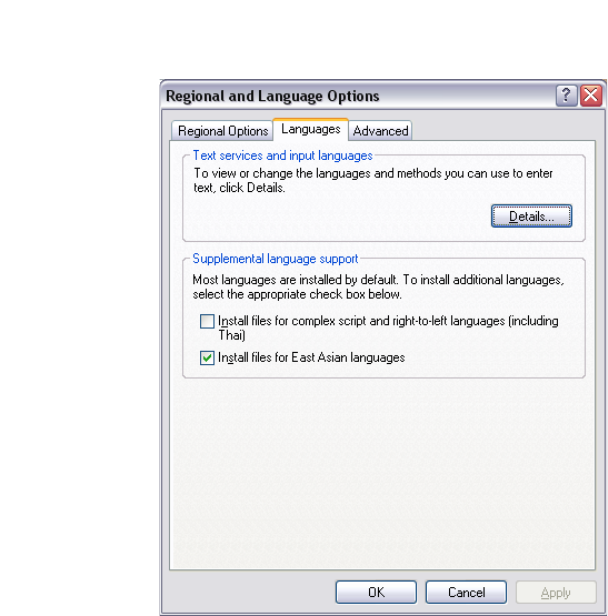
In the Windows menu, click Start Control Panel Regional and language Option.
Click the Languages tab.
3
Fig. 3 - 17 Regional Settings in Windows XP
Activate the Install files for East Asian languages check box.
Confirm with OK.